1
Keys
Navigation
<Enter>
Allows you to select a value in the selected field (if applicable) or follow the link in the field.
Spacebar
Expands or collapses a drop‐down list, if applicable.
<Tab>
Moves to the next focus area.
NOTE: For the standard graphics browser only.
<Esc>
Moves to the previous page till you view the main screen. Pressing <Esc> in the main screen
displays a message that prompts you to save any unsaved changes and restarts the system.
<F1>
Displays the System Setup help file.
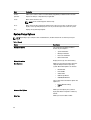
System Setup Options
NOTE: Depending on your computer and its installed devices, the items listed in this section may or may not
appear.
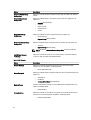
Table 2. General
Option
Description
System Information
This section lists the primary hardware
features of your computer.
•
•
•
•
System Information
Memory Information
Processor Information
Device Information
Battery Information
Displays the charge status of the battery.
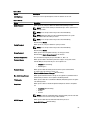
Boot Sequence
Allows you to change the order in which the
computer attempts to find an operating
system. All the below options are selected.
•
•
•
•
•
Diskette Drive
Internal HDD
Onboard NIC
USB Storage Device
CD/DVD/CD-RW Drive
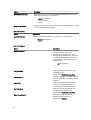
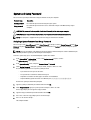
You can also choose the Boot List option. The
options are:
•
•
Legacy (Default Setting)
UEFI
Advanced Boot Options
Allows you to configure your system for
legacy boot mode. The option is enables by
default.
Date/Time
Allows you to set the date and time.
56