1
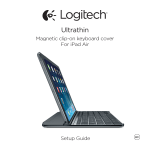
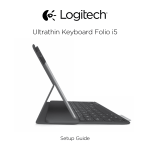
Ultrathin Keyboard Cover i5
Setup Guide
Logitech Ultrathin Keyboard Cover i5
Contents
English3
Česká verze
115
Deutsch11
Po polsku
123
Français19
Eesti131
Italiano27
Latviski139
Español35
Lietuvių147
Português43
Hrvatski155
Nederlands51
Srpski163
Svenska59
Slovenščina171
Dansk67
Slovenčina179
Norsk75
Română187
Suomi83
Български195
Ελληνικά91
Українська203
По-русски99
Türkçe211
Magyar107
219
www.logitech.com/support 2
العربية
227
Logitech Ultrathin Keyboard Cover i5
Know your product
1
4
5
6
7
8
2
9
Ultrathin Keyboard Cover i5
3
Setup Guide
10
1. Protective cover
2. iPad holder
3. Keyboard
4. Function keys
5. Bluetooth® and battery status light
6. Bluetooth connect button
7.On/Off switch
8. Micro-USB charging port
9. Documentation
10. Micro-USB charging cable
English 3
Logitech Ultrathin Keyboard Cover i5
Set up your product
1. Turn on the Keyboard Cover:
• Bluetooth discovery starts
automatically and continues
for 15 minutes. The Status light
blinks blue.
• If the Status light briefly
turns red, charge the batteries.
For more information,
see “Charge the batteries.”
2.Make sure your iPad’s Bluetooth feature
is on. Select Settings > Bluetooth > On.
4 English
3.Select “Ultrathin Keyboard Cover i5”
on the iPad’s Devices menu.
Bluetooth connection completed.
4.Place the iPad on the Keyboard Cover.
Logitech Ultrathin Keyboard Cover i5
Charge the keyboard battery
USB
1. Plug one end of the micro-USB cable
into the charging port, and the other end
into a USB port on your computer.
Alternatively, you can use a 5V USB
charger, such as that provided with
your iPad, providing the power output
rating is at least 500mA.
The status light blinks green as
the battery charges.
2.Charge the battery until the Status light
turns solid green.
Battery information:
• A fully charged battery provides about
3 months of power when the Keyboard
Cover is used about two hours a day.
• Charge the battery when the Status
light briefly turns red after the Keyboard
Cover turns on.
• When not in use, turn off the Keyboard
Cover to conserve battery power.
• The Keyboard Cover enters sleep mode
if powered on and not used. To exit
sleep mode, press any key.
English 5
Logitech Ultrathin Keyboard Cover i5
Function keys
Home = iPad Home screen
Fn + dash = Volume down
Fn + 1 = Lock screen
Locks or unlocks the iPad screen
Fn + plus = Volume up
Fn + 2 = Siri
Use your voice to send messages,
make calls, schedule meetings,
and more
Fn + 4 = Switch applications
Fn + 5 = Virtual keyboard Shows/hides the virtual keyboard
Fn + 7 = Previous track
Fn + 8 = Play/Pause
Fn + 9 = Next track
Fn + 0 = Mute
Fn + X = Cut
Fn + C = Copy
Fn + V = Paste
Fn + Left cursor = Select left
Selects text on the left,
word by word
Fn + Right cursor = Select right
Selects text on the right,
word by word
Switch language
Note: To select a function key, press and hold the Fn key, and then press the key indicated above.
6 English
Logitech Ultrathin Keyboard Cover i5
Use your product
Status light indications
Light
Blinking green
Solid green
Red
Blinking blue
Solid blue
Description
The battery is charging.
The battery is fully charged (100%).
Battery power is low (less than 10%). Recharge the battery.
Fast: The keyboard cover is in discovery mode, ready for pairing.
Slow: The keyboard cover is trying to reconnect to your iPad mini.
Bluetooth pairing or reconnection is successful.
Storing the iPad for travel
1. Lift the iPad from the Keyboard Cover.
2.Rotate the iPad, with the screen
side down, so the Home button is
on the right.
3.Place the iPad on to the Keyboard
Cover. A magnetic clip holds the iPad
in position.
English 7
Logitech Ultrathin Keyboard Cover i5
Connecting to a different iPad
1. Make sure the Keyboard Cover
is turned on.
2.Check that your iPad’s Bluetooth feature
is on. Select Settings > Bluetooth > On.
3.Press the Bluetooth Connect Button.
The Keyboard Cover is discoverable
for 3 min.
4.Select “Ultrathin Keyboard Cover i5”
on the iPad’s Devices menu.
Bluetooth connection completed.
5.Place the new iPad on the
Keyboard Cover.
8 English
Troubleshooting
The Keyboard Cover does not work
• Press any key to wake the Keyboard
Cover from sleep mode.
• Turn the Keyboard Cover Off and then
back On.
• Recharge the internal batteries.
For more information, refer to
“Charge the batteries.”
• Re-establish the Bluetooth connection
between the Keyboard Cover and iPad:
•Verify that iPad’s Bluetooth feature
is turned on.
•Choose “Ultrathin Keyboard Cover i5”
from the Devices menu on your
iPad. The Status light briefly turns
blue after the Bluetooth connection
is made.
Logitech Ultrathin Keyboard Cover i5
Battery disposal at product end of life
1
2
1. Pry off top cover of keyboard
with screwdriver.
2.Detach battery from circuit board
and remove battery.
3
3.Dispose of your product and its battery
according to local laws.
What do you think?
Please take a minute to tell us.
Thank you for purchasing our product.
www.logitech.com/ithink
English 9
Logitech Ultrathin Keyboard Cover i5
Visit Product Central
There’s more information and support
online for your product. Take a moment to
visit Product Central to learn more about
your new Keyboard Cover.
Browse online articles for setup help,
usage tips, or information about
additional features.
Connect with other users in our Community
Forums to get advice, ask questions,
and share solutions.
10 English
At Product Central, you’ll find a wide
selection of content:
• Tutorials
• Troubleshooting
• Support community
• Software downloads
• Online documentation
• Warranty information
• Spare parts (when available)
Go to www.logitech.com/support/ultrathinkeyboard-cover-i5
Logitech Ultrathin Keyboard Cover i5
Produkt auf einen Blick
1
4
5
6
7
8
2
9
Ultrathin Keyboard Cover i5
3
Setup Guide
10
1. Schutzabdeckung
2. iPad-Halterung
3. Tastatur
4. Funktionstasten
5. Bluetooth®- und Batteriestandsanzeige
6. Bluetooth-Verbindungstaste
7.Ein-/Ausschalter
8. Mikro-USB-Ladeanschluss
9. Bedienungsanleitung
10. Mikro-USB-Ladekabel
Deutsch 11
Logitech Ultrathin Keyboard Cover i5
Einrichtung des Produkts
1. Schalten Sie das Keyboard Cover ein:
• Die Bluetooth-Erkennung startet
automatisch und läuft 15 Minuten.
Die Statusanzeige blinkt blau.
• Sollte die Statusanzeige kurz rot
leuchten, laden Sie den Akku auf.
Weitere Informationen finden Sie
unter „Aufladen des Akkus“.
2.Vergewissern Sie sich, dass die BluetoothFunktion des iPads aktiviert ist.
Wählen Sie „Einstellungen >
Bluetooth > Ein“.
12 Deutsch
3.Wählen Sie im Gerätemenü des iPads
„Ultrathin Keyboard Cover i5“.
Bluetooth-Verbindung hergestellt.
4.Positionieren Sie das iPad auf
dem Keyboard Cover.
Logitech Ultrathin Keyboard Cover i5
Laden des Tastaturakkus
USB
1. Schließen Sie ein Ende des MikroUSB-Kabels am Ladeanschluss an und
das andere an einem USB-Anschluss
des Computers.
Alternativ können Sie ein 5-V-Ladegerät
mit USB-Anschluss (z. B. das mit
dem iPad gelieferte Ladegerät)
verwenden, das eine Ausgangsleistung
von mindestens 500 mA aufweist.
Die Statusanzeige blinkt grün,
während der Akku geladen wird.
2.Laden Sie den Akku, bis die Statusanzeige dauerhaft grün leuchtet.
Informationen zum Akku:
• Eine Vollladung des Akkus gewährleistet
etwa drei Monate Laufzeit, wenn das
Keyboard Cover ca. zwei Stunden
am Tag genutzt wird.
• Laden Sie den Akku auf, wenn die
Statusanzeige nach dem Einschalten
der Tastatur kurz rot leuchtet.
• Schalten Sie das Keyboard Cover aus,
während Sie es nicht verwenden,
um den Akku zu schonen.
• Wenn das Keyboard Cover eingeschaltet
ist und länger nicht verwendet wird,
wechselt es in den Energiesparmodus.
Drücken Sie eine beliebige Taste,
um den Energiesparmodus zu beenden.
Deutsch 13
Logitech Ultrathin Keyboard Cover i5
Funktionstasten
Home = Startbildschirm des iPads
Fn + Minus = Leiser
Fn + 1 = Bildschirm sperren
Sperrt oder entsperrt den Bildschirm
des iPads
Fn + Plus = Lauter
Fn + 2 = Siri
Sie können mit Ihrer Stimme
Nachrichten senden, Termine planen,
Telefonnummern wählen und mehr
Fn + 4 = Zwischen Anwendungen
wechseln
Fn + 5 = Virtuelle Tastatur
Zeigt die virtuelle Tastatur an oder
blendet sie aus
Fn + 7 = Vorheriger Titel
Fn + 8 = Wiedergabe/Pause
Fn + 9 = Nächster Titel
Fn + 0 = Stummschalten
Fn + X = Ausschneiden
Fn + C = Kopieren
Fn + V = Einfügen
Fn + Pfeiltaste nach links =
Auswählen links
Wählt den Text auf der linken Seite
Wort für Wort aus
Fn + Pfeiltaste nach rechts =
Auswählen rechts
Wählt den Text auf der rechten Seite
Wort für Wort aus
Sprache wechseln
Hinweise: Um eine Funktionstaste auszuwählen, halten Sie die Fn-Taste gedrückt und drücken Sie
die oben angegebene Taste.
14 Deutsch
Logitech Ultrathin Keyboard Cover i5
Verwendung des Produkts
LED-Statusanzeigen
LED
Blinkt grün
Leuchtet grün
Rot
Blinkt
Beständiges
Leuchten
Beschreibung
Der Akku wird aufgeladen.
Der Akku ist vollständig aufgeladen (100%).
Der Akkustand ist niedrig (weniger als 10%). Laden Sie den Akku auf.
Schnell: Das Keyboard Cover ist im Erkennungs-Modus und wartet auf
das Pairing.
Langsam: Das Keyboard Cover versucht, erneut eine Verbindung mit
Ihrem iPad mini herzustellen.
Das Bluetooth-Pairing bzw. die Wiederverbindung war erfolgreich.
Verstauen des iPads für den Transport
1. Nehmen Sie das iPad aus
dem Keyboard Cover.
2.Drehen Sie das iPad mit dem Display
nach unten, sodass sich die Home-Taste
auf der rechten Seite befindet.
3.Positionieren Sie das iPad auf
dem Keyboard Cover. Eine magnetische
Halterung sorgt für einen sicheren Sitz
des iPads.
Deutsch 15
Logitech Ultrathin Keyboard Cover i5
Verbinden mit einem anderen iPad
1. Stellen Sie sicher, dass das Keyboard
Cover eingeschaltet ist.
2.Vergewissern Sie sich, dass die BluetoothFunktion des iPads aktiviert ist.
Wählen Sie „Einstellungen >
Bluetooth > Ein“.
3.Drücken Sie die BluetoothVerbindungstaste. Das Keyboard Cover
ist für drei Minuten erkennbar.
4.Wählen Sie im Gerätemenü des iPads
„Ultrathin Keyboard Cover i5“.
Bluetooth-Verbindung hergestellt.
5.Positionieren Sie das neue iPad auf
dem Keyboard Cover.
16 Deutsch
Fehlerbehebung
Das Keyboard Cover funktioniert nicht
• Drücken Sie eine beliebige Taste,
um den Energiesparmodus des Keyboard
Cover zu beenden.
• Schalten Sie das Keyboard Cover aus
und wieder ein.
• Laden Sie den internen Akku auf.
Weitere Informationen finden Sie unter
„Aufladen des Akkus“.
• Stellen Sie die Bluetooth-Verbindung
zwischen Keyboard Cover und iPad
wieder her.
•Vergewissern Sie sich,
dass die Bluetooth-Funktion
des iPad aktiviert ist.
•Wählen Sie im Gerätemenü des iPad
„Ultrathin Keyboard Cover i5“.
Sobald die Bluetooth-Verbindung
hergestellt wurde, leuchtet die Statusanzeige kurz blau.
Logitech Ultrathin Keyboard Cover i5
Akkuentsorgung
1
2
1. Entfernen Sie mithilfe eines
Schraubendrehers die obere Abdeckung
der Tastatur.
2.Trennen Sie den Akku von der Platine
und entnehmen Sie ihn.
3
3.Entsorgen Sie das Produkt und den Akku
entsprechend den in Ihrer Region
gültigen Bestimmungen.
Ihre Meinung ist gefragt.
Bitte nehmen Sie sich etwas Zeit, um einige Fragen zu beantworten.
Vielen Dank, dass Sie sich für unser Produkt entschieden haben.
www.logitech.com/ithink
Deutsch 17
Logitech Ultrathin Keyboard Cover i5
Produktzentrale
Hier erhalten Sie weitere Informationen
und haben Zugriff auf den OnlineKundendienst für Ihr Produkt.
Nehmen Sie sich einen Augenblick Zeit
und besuchen Sie die Produktzentrale,
um mehr über Ihr neues Keyboard Cover
herauszufinden.
Durchsuchen Sie Online-Artikel zur Unterstützung beim Einrichten, für Tipps zur
Nutzung und für Informationen zu weiteren
Funktionen.
In unseren Community-Foren können Sie
mit anderen Benutzern Kontakt aufnehmen
und sich Tipps holen, Fragen stellen und
Ihre Problemlösungen mit anderen teilen.
18 Deutsch
In der Produktzentrale finden Sie
ein umfangreiches Informationsangebot:
• Tutorials
• Fehlerbehebung
• Support-Community
• Software-Downloads
• Online-Bedienungsanleitungen
• Garantieinformationen
• Ersatzteile (falls verfügbar)
Besuchen Sie www.logitech.com/support/
ultrathin-keyboard-cover-i5
Logitech Ultrathin Keyboard Cover i5
Présentation du produit
1
4
5
6
7
8
2
9
Ultrathin Keyboard Cover i5
3
Setup Guide
10
1. Étui de protection
2. Support pour iPad
3. Clavier
4. Touches de fonction
5. Témoin Bluetooth® et de charge
de la batterie
6. Bouton de connexion Bluetooth
7.Commutateur Marche/Arrêt
8. Port de charge micro-USB
9. Documentation
10. Câble de charge micro-USB
Français 19
Logitech Ultrathin Keyboard Cover i5
Installation du produit
1. Mettez la coque clavier sous tension:
• La détection Bluetooth démarre
automatiquement et dure 15 minutes.
Le témoin d'état clignote en bleu.
• Si le témoin d'état s'allume brièvement en rouge, rechargez la batterie.
Pour plus d'informations, reportezvous à la section Chargement de
la batterie.
2.Vérifiez que la fonction Bluetooth
est activée sur votre iPad.
Sélectionnez Paramètres > Bluetooth >
Activé.
20 Français
3.Sélectionnez Ultrathin Keyboard
Cover i5 dans le menu des dispositifs
de votre iPad. La connexion Bluetooth
est établie.
4.Placez l'iPad sur la coque clavier.
Logitech Ultrathin Keyboard Cover i5
Chargement de la batterie du clavier
USB
1. Branchez l’une des extrémités
du câble micro-USB sur un port
de charge, et l’autre sur le port USB
de votre ordinateur.
Vous pouvez également utiliser
un chargeur USB de 5 V, tel que celui
fourni avec votre iPad, à condition que
la puissance nominale en sortie soit d’au
moins 500 mA.
Le témoin d’état clignote en vert
pendant le chargement de la batterie.
2.Rechargez la batterie jusqu’à ce que
le témoin d’état affiche une lumière verte
continue.
Informations sur la batterie:
• Chargée au maximum, l'autonomie
de la batterie peut durer jusqu'à 3 mois
dans le cas d'une utilisation du clavier
moyenne de deux heures par jour.
• Rechargez la batterie lorsque le témoin
d’état s’allume brièvement en rouge
après la mise sous tension du clavier.
• Lorsque vous n'utilisez pas la coque
clavier, éteignez-la pour préserver
la batterie.
• La coque clavier passe en mode de veille
après une certaine durée d’inactivité.
Pour quitter le mode de veille,
appuyez sur une touche.
Français 21
Logitech Ultrathin Keyboard Cover i5
Touches de fonction
Accueil = Écran d'accueil de l'iPad
Fn + tiret = Volume -
Fn + 1 = Verrouiller l'écran
Verrouiller/Déverrouiller l'écran
de l'iPad
Fn + 2 = Siri
Envoyer des messages, effectuer
des appels, programmer des
réunions et bien plus encore par
commande vocale
Fn + 4 = Changer d'application
Fn + plus = Volume +
Fn + 5 = Clavier virtuel
Afficher/Masquer le clavier virtuel
Fn + 7 = Piste précédente
Fn + curseur gauche =
Sélection gauche
Sélectionner du texte en partant
de la gauche, mot par mot
Fn + curseur droite =
Sélection droite
Sélectionner du texte en partant
de la droite, mot par mot
Changer de langue
Fn + 8 = Lecture/Pause
Fn + 9 = Piste suivante
Fn + 0 = Sourdine
Fn + X = Couper
Fn + C = Copier
Fn + V = Coller
Remarques: Pour sélectionner une touche de fonction, appuyez sur la touche Fn et maintenez-la
enfoncée, puis appuyez sur la touche indiquée ci-dessus.
22 Français
Logitech Ultrathin Keyboard Cover i5
Utilisation du produit
Indications du témoin d'état
Témoin
Vert clignotant
Vert en continu
Rouge
Témoin clignotant
Lumière continue
Description
La batterie est en cours de charge.
La batterie est entièrement chargée (100%).
Le niveau de charge de la batterie est faible (inférieur à 10%).
Rechargez la batterie.
Rapide: la coque clavier est en mode de détection et prête
à être couplée.
Lent: la coque clavier tente de se reconnecter à votre iPad mini.
Le couplage ou la reconnexion Bluetooth sont effectifs.
Stockage de l'iPad en cas de déplacement
1. Retirez l'iPad de la coque clavier.
2.Faites pivoter l'iPad, l'écran orienté
vers le bas, de sorte à placer le bouton
d'accueil à droite.
3.Placez l'iPad sur la coque clavier.
Une fixation aimantée permet
de maintenir l'iPad.
Français 23
Logitech Ultrathin Keyboard Cover i5
Connexion à un autre iPad
1. Vérifiez que la coque clavier est
sous tension.
2.Vérifiez que la fonction Bluetooth
est activée sur votre iPad.
Sélectionnez Paramètres > Bluetooth >
Activé.
3.Appuyez sur le bouton de connexion
Bluetooth. La coque clavier passe en
mode de détection pendant 3 minutes.
4.Sélectionnez Ultrathin Keyboard
Cover i5 dans le menu des dispositifs
de votre iPad. La connexion Bluetooth
est établie.
5.Placez le nouvel iPad sur la coque
clavier.
24 Français
Dépannage
La coque clavier ne fonctionne pas
• Appuyez sur une touche du clavier
pour quitter le mode de veille.
• Mettez la coque clavier hors tension
puis sous tension.
• Rechargez la batterie interne.
Pour plus d'informations, reportez-vous
à la section Chargement de la batterie.
• Rétablissez la connexion Bluetooth entre
la coque clavier et l'iPad:
•Vérifiez que la fonction Bluetooth
est activée sur l'iPad.
•Sélectionnez Ultrathin Keyboard
Cover i5 dans le menu des dispositifs
de votre iPad. Une fois la connexion
Bluetooth établie, le témoin d'état
s'allume brièvement en bleu.
Logitech Ultrathin Keyboard Cover i5
Recyclage de la batterie à la fin du cycle de vie du produit
1
2
1. Retirez le couvercle du clavier à l'aide
d'un tournevis.
2.Détachez la batterie et retirez-la.
3
3.Mettez au rebut le produit et sa batterie
conformément à la législation locale.
Qu'en pensez-vous?
Veuillez prendre quelques minutes pour nous faire part de vos commentaires.
Nous vous remercions d'avoir acheté notre produit.
www.logitech.com/ithink
Français 25
Logitech Ultrathin Keyboard Cover i5
Pages Produits
Des informations et un support en ligne
supplémentaires sont disponibles pour
votre produit. Prenez le temps de visiter
les pages Produits pour en savoir plus
sur votre nouvelle coque clavier.
Parcourez les articles en ligne
pour obtenir de l'aide en matière
de configuration, des conseils
d'utilisation ou des informations
sur les fonctions supplémentaires.
Discutez avec d'autres utilisateurs
sur nos forums communautaires
pour demander des conseils,
poser des questions et partager
des solutions.
26 Français
Dans les pages Produits, vous trouverez
un large éventail de contenu:
• Didacticiels
• Dépannage
• Communauté d'entraide
• Logiciels à télécharger
• Documentation en ligne
• Informations sur la garantie
• Pièces de rechange (si disponibles)
Accédez au site www.logitech.com/
support/ultrathin-keyboard-cover-i5
Logitech Ultrathin Keyboard Cover i5
Panoramica del prodotto
1
4
5
6
7
8
2
9
Ultrathin Keyboard Cover i5
3
Setup Guide
10
1. Coperchio protettivo
2. Supporto per iPad
3. Tastiera
4. Tasti funzione
5. Spia Bluetooth® e di stato della batteria
6. Pulsante di connessione Bluetooth
7.Interruttore di accensione/spegnimento
8. Porta di ricarica micro USB
9. Documentazione
10. Cavo di ricarica micro USB
Italiano 27
Logitech Ultrathin Keyboard Cover i5
Installazione del prodotto
1. Accendere la tastiera Keyboard Cover:
• Il rilevamento Bluetooth inizia
automaticamente e continua per
15 minuti. La spia di stato lampeggia
di colore blu.
• Se la spia di stato diventa rossa per
qualche istante, caricare la batteria.
Per ulteriori informazioni, vedere la
sezione "Caricamento della batteria".
2.Assicurarsi che la funzionalità
Bluetooth dell'iPad sia attivata.
Selezionare Impostazioni >
Bluetooth > On.
28 Italiano
3.Nel menu dei dispositivi sull’iPad,
selezionare “Ultrathin Keyboard
Cover i5”. La connessione Bluetooth
è completata.
4.Collocare l'iPad sopra la tastiera
Keyboard Cover.
Logitech Ultrathin Keyboard Cover i5
Ricarica della batteria della tastiera
USB
1. Collegare un’estremità del cavo microUSB nella porta di ricarica e l’altra
estremità nella porta USB del computer.
In alternativa è possibile utilizzare
un caricatore USB da 5 V, come
quello fornito in dotazione con l’iPad,
a condizione che la potenza nominale
in uscita sia almeno pari a 500 mA.
La spia di stato lampeggia di colore verde
durante la carica.
2.Caricare la batteria finché la spia di stato
non diventa di colore verde fisso.
Informazioni sulla batteria:
• Una carica completa della batteria
garantisce una durata di circa 3 mesi,
con un utilizzo di Keyboard Cover
di circa due al giorno.
• Se la spia di stato diventa rossa
per qualche istante dopo l’accensione
della tastiera, caricare la batteria.
• Quando non è in uso, spegnere Keyboard
Cover per ridurre il consumo della batteria.
• Se Keyboard Cover è accesa e non in uso,
viene attivata la modalità di sospensione.
Per uscire dalla modalità di sospensione,
premere un tasto qualsiasi.
Italiano 29
Logitech Ultrathin Keyboard Cover i5
Tasti funzione
Home = Schermata iniziale dell’iPad
Fn + trattino = Diminuzione volume
Fn + 1 = Blocca schermo
Consente di bloccare o sbloccare
lo schermo dell'iPad
Fn + 2 = Siri
Utilizzare la voce per inviare
messaggi, fare telefonate,
programmare riunioni e altro
Fn + 4 = Cambia applicazione
Fn + più = Aumento volume
Fn + 5 = Tastiera virtuale Consente di mostrare/nascondere
la tastiera virtuale
Fn + 7 = Brano precedente
Fn + 8 = Riproduzione/pausa
Fn + 9 = Brano successivo
Fn + 0 = Disattivazione audio
Fn + X = Taglia
Fn + C = Copia
Fn + V = Incolla
Fn + cursore sinistro =
Seleziona a sinistra
Consente di selezionare il testo
sulla sinistra, parola per parola
Fn + cursore destro =
Seleziona a destra
Consente di selezionare il testo
sulla destra, parola per parola
Cambia lingua
Note: Per utilizzare le opzioni accessibili con i tasti funzione, tenere premuto il tasto Fn desiderato
e premere il tasto indicato sopra.
30 Italiano
Logitech Ultrathin Keyboard Cover i5
Utilizzo del prodotto
Indicazioni della spia di stato
Colore spia
Verde lampeggiante
Luce verde fissa
Rosso
Lampeggiante
Fisso
Descrizione
La batteria è in carica.
La batteria è completamente carica (100%).
Il livello di carica della batteria è basso (inferiore al 10%).
Ricaricare la batteria.
Rapida: la custodia con tastiera è in modalità di rilevamento,
pronta per l'associazione.
Lenta: la custodia con tastiera sta cercando di riconnettersi
all’iPad mini.
L'associazione Bluetooth o il ripristino della connessione
è avvenuto correttamente.
Protezione dell'iPad durante il trasporto
1. Sollevare l'iPad da Keyboard Cover.
2.Ruotare l'iPad, con lo schermo rivolto
verso il basso, di modo che il pulsante
Home sia a destra.
3.Posizionare l'iPad su Keyboard Cover.
Una clip magnetica consente
di mantenere l'iPad in posizione.
Italiano 31
Logitech Ultrathin Keyboard Cover i5
Connessione a un diverso iPad
1. Accertarsi che Keyboard Cover
sia accesa.
2.Verificare che la funzionalità Bluetooth
dell'iPad sia attivata. Selezionare
Impostazioni > Bluetooth > On.
3.Premere il pulsante per la connessione
Bluetooth. Keyboard Cover sarà
rilevabile per 3 minuti.
4.Nel menu dei dispositivi sull’iPad,
selezionare “Ultrathin Keyboard
Cover i5”. La connessione Bluetooth
è completata.
5.Collocare l'iPad sopra la tastiera
Keyboard Cover.
32 Italiano
Risoluzione dei problemi
Keyboard Cover non funziona
• Premere un tasto qualsiasi per riattivare
Keyboard Cover dalla modalità
di sospensione.
• Spegnere e riaccendere Keyboard Cover.
• Ricaricare le batterie interne. Per ulteriori
informazioni, vedere la sezione
"Caricamento della batteria".
• Ristabilire la connessione Bluetooth
tra Keyboard Cover e l'iPad:
•Verificare che la funzionalità
Bluetooth dell'iPad sia attiva.
•Nel menu dei dispositivi sull'iPad,
selezionare "Ultrathin Keyboard
Cover i5". Quando la connessione
Bluetooth viene stabilita, la spia
di stato si illumina brevemente
di colore blu.
Logitech Ultrathin Keyboard Cover i5
Smaltimento delle batterie al termine del ciclo di vita del prodotto
1
2
1. Sollevare il coperchio superiore
della tastiera con un cacciavite.
2.Separare la batteria dalla scheda
del circuito elettrico e rimuovere
la batteria.
3
3.Smaltire il prodotto e la batteria secondo
le normative locali vigenti.
Cosa ne pensi?
Dedicaci qualche minuto del tuo tempo e inviaci un commento.
Grazie per avere acquistato questo prodotto.
www.logitech.com/ithink
Italiano 33
Logitech Ultrathin Keyboard Cover i5
Sezione Prodotti di punta
Online sono disponibili ulteriori
informazioni e il supporto per il prodotto.
Per approfondire la conoscenza della nuova
Keyboard Cover, si consiglia di visitare
la sezione Prodotti di punta.
Per la guida alla configurazione,
consigli sull'utilizzo o informazioni
su funzionalità aggiuntive, consultare gli
articoli online.
Per consigli, domande e soluzioni, è inoltre
possibile connettersi con altri utenti tramite
i forum della community Logitech.
34 Italiano
Nella sezione Prodotti di punta,
è disponibile un'ampia selezione
di contenuti:
• Esercitazioni
• Risoluzione dei problemi
• Community di supporto
• Download del software
• Documentazione online
• Informazioni sulla garanzia
• Parti di ricambio (se disponibili)
Visitare il sito Web all'indirizzo
www.logitech.com/support/ultrathinkeyboard-cover-i5
Logitech Ultrathin Keyboard Cover i5
Componentes del producto
1
4
5
6
7
8
2
9
Ultrathin Keyboard Cover i5
3
Setup Guide
10
1. Tapa protectora
2. Soporte para iPad
3. Teclado
4. Teclas de función
5. Diodo de Bluetooth® y estado
de batería
6. Botón de conexión Bluetooth
7.Conmutador de encendido/apagado
8. Puerto de carga micro USB
9. Documentación
10. Cable de carga micro USB
Español 35
Logitech Ultrathin Keyboard Cover i5
Configuración del producto
1. Encienda Keyboard Cover:
• La detección Bluetooth se inicia
automáticamente y continúa durante
15 minutos. El diodo de estado emite
destellos azules.
• Si el diodo de estado emite un breve
destello rojo, cargue la batería.
Si desea más información,
consulte “Carga de la batería”.
2.Asegúrese de que la función de
Bluetooth del iPad esté activada.
Seleccione Ajustes > Bluetooth >
Activado.
36 Español
3.En el menú Dispositivos del iPad,
elija “Ultrathin Keyboard Cover i5”.
Conexión Bluetooth completada.
4.Coloque el iPad en Keyboard Cover.
Logitech Ultrathin Keyboard Cover i5
Carga de la batería del teclado
USB
1. Conecte un extremo del cable micro USB
al puerto de carga y el otro
a un puerto USB del ordenador.
También puede usar un cargador USB
de 5 V, como el proporcionado con
el iPad, siempre y cuando el voltaje
de salida sea al menos de 500 mA.
El diodo de estado emite destellos
verdes mientras se carga la batería.
2.Cargue la batería hasta que el diodo de
estado emita una luz verde permanente.
Información sobre la batería:
• Si la batería tiene una carga completa,
puede proporcionar unos 3 meses de
alimentación si Keyboard Cover se usa
unas dos horas al día.
• Cargue la batería cuando el diodo
de estado emita un breve destello rojo
después de encender el teclado.
• Cuando no use Keyboard Cover,
apáguelo para conservar la carga
de la batería.
• Keyboard Cover entra en modo
de suspensión si se ha encendido
y no se usa. Para salir del modo de
suspensión, pulse una tecla cualquiera.
Español 37
Logitech Ultrathin Keyboard Cover i5
Teclas de función
Inicio = Pantalla de inicio del iPad
Fn + menos = Bajar volumen
Fn + 1 = Bloquear pantalla
Bloquea o desbloquea la pantalla
del iPad
Fn + 2 = Siri
Use la voz para enviar mensajes,
realizar llamadas, programar
reuniones, etc.
Fn + 4 = Cambiar aplicaciones
Fn + más = Subir volumen
Fn + 5 = Teclado virtual
Muestra/oculta el teclado virtual
Fn + 7 = Pista anterior
Fn + 8 = Reproducir/Pausa
Fn + 9 = Pista siguiente
Fn + 0 = Silenciar
Fn + X = Cortar
Fn + C = Copiar
Fn + V = Pegar
Fn + Flecha izquierda =
Seleccionar izquierda
Selecciona texto a la izquierda,
palabra por palabra
Fn + Flecha derecha =
Seleccionar derecha
Selecciona texto a la derecha,
palabra por palabra
Cambiar idioma
Notas: Para seleccionar una tecla de función, mantenga pulsada la tecla Fn y pulse la tecla
indicada arriba.
38 Español
Logitech Ultrathin Keyboard Cover i5
Utilización del producto
Indicaciones del diodo de estado
Diodo
Destellos verdes
Verde permanente
Rojo
Parpadeo
Permanente
Descripción
La batería se está cargando.
La batería está totalmente cargada (100%).
La carga de la batería es baja (menos del 10%). Cargue la batería.
Rápidos: La tapa del teclado está en modo de detección,
lista para emparejar.
Lentos: La tapa del teclado está intentando reconectarse
al iPad mini.
El emparejamiento o la reconexión Bluetooth se ha realizado
correctamente.
Almacenamiento del iPad para llevarlo de viaje
1. Levante el iPad para extraerlo
de Keyboard Cover.
2.Gire el iPad, con el lado de la pantalla
dirigido hacia abajo y el botón de inicio
a la derecha.
3.Coloque el iPad sobre Keyboard Cover.
Un clip magnético mantiene el iPad
en su sitio.
Español 39
Logitech Ultrathin Keyboard Cover i5
Conexión a otro iPad
1. Asegúrese de que Keyboard Cover
está encendido.
2.Compruebe que la función de Bluetooth
del iPad esté activada. Seleccione
Ajustes > Bluetooth > Activado.
3.Pulse el botón de conexión Bluetooth.
Keyboard Cover puede detectarse
durante 3 minutos.
4.En el menú Dispositivos del iPad,
elija “Ultrathin Keyboard Cover i5”.
Conexión Bluetooth completada.
5.Coloque el nuevo iPad
en Keyboard Cover.
40 Español
Resolución de problemas
Keyboard Cover no funciona
• Pulse una tecla cualquiera para
reactivar Keyboard Cover del modo
de suspensión.
• Apague y vuelva a encender
Keyboard Cover.
• Recargue la batería interna.
Si desea más información,
consulte “Carga de la batería”.
• Restablezca la conexión Bluetooth
entre Keyboard Cover y el iPad:
•Compruebe que la función Bluetooth
del iPad está activada.
•En el menú Dispositivos del iPad,
elija “Ultrathin Keyboard Cover i5”.
Una vez establecida la conexión
Bluetooth, el diodo de estado se
iluminará brevemente de color azul.
Logitech Ultrathin Keyboard Cover i5
Desechar las baterías al final de la vida útil del producto
1
2
1. Ejerza palanca con un destornillador
para retirar la tapa superior del teclado.
2.Desconecte la batería de la placa
y retírela.
3
3.Deshágase del producto y su batería
de acuerdo con las normas de legislación
local.
¿Cuál es su opinión?
Nos gustaría conocerla, si puede dedicarnos un minuto.
Le agradecemos la adquisición de nuestro producto.
www.logitech.com/ithink
Español 41
Logitech Ultrathin Keyboard Cover i5
Visita a Central de productos
Encontrará más información y asistencia
en línea para su producto. Dedique un
momento a visitar Central de productos
para averiguar más sobre su nuevo
Keyboard Cover.
Lea artículos en línea y encuentre
información y ayuda sobre configuración,
consejos de uso y funciones adicionales.
Póngase en contacto con otros usuarios
en nuestros Foros de comunidad para
obtener consejos, realizar preguntas
y compartir soluciones.
42 Español
En Central de productos, encontrará una
amplia selección de contenido:
• Ejercicios de aprendizaje
• Resolución de problemas
• Comunidad de asistencia
• Descargas de software
• Documentación en línea
• Información de garantía
• Piezas de repuesto
(cuando estén disponibles)
Vaya a www.logitech.com/support/
ultrathin-keyboard-cover-i5
Logitech Ultrathin Keyboard Cover i5
Conheça o seu produto
1
4
5
6
7
8
2
9
Ultrathin Keyboard Cover i5
3
Setup Guide
10
1. Tampa de protecção
2. Suporte iPad
3. Teclado
4. Teclas de função
5. Luz de estado da bateria
e do Bluetooth®
6. Botão de ligação Bluetooth
7.Interruptor Ligar/Desligar
8. Porta de carregamento micro-USB
9. Documentação
10. Cabo de carregamento micro-USB
Português 43
Logitech Ultrathin Keyboard Cover i5
Instalar o seu produto
1. Ligue o Keyboard Cover:
• A detecção de Bluetooth inicia-se
automaticamente e continua durante
15 minutos. A luz de Estado pisca
a azul.
• Se a luz de estado se tornar
vermelha por breves instantes,
carregue a bateria. Para mais
informações, consulte "Carregar
a bateria".
2.Certifique-se de que a funcionalidade
de Bluetooth do iPad está activada.
Seleccione Definições > Bluetooth >
Activado.
44 Português
3.Seleccione “Ultrathin Keyboard Cover i5”
no menu Devices (Dispositivos) do iPad.
Ligação Bluetooth concluída.
4.Coloque o iPad no Keyboard Cover.
Logitech Ultrathin Keyboard Cover i5
Carregar a bateria do teclado
USB
1. Ligue uma extremidade do cabo microUSB a uma porta de carregamento
e a outra extremidade a uma porta USB
do seu computador.
Em alternativa, pode utilizar
um carregador USB de 5V,
como os fornecidos com o iPad,
desde que a tensão nominal de saída seja,
no mínimo, de 500 mA.
A luz de estado pisca em verde
enquanto a bateria está em
carregamento.
2.Carregue a bateria até que a luz
de estado fique verde fixo.
Informações da bateria:
• Uma bateria totalmente carregada
fornece cerca de 3 meses de energia
quando o Keyboard Cover é utilizado
cerca de duas horas por dia.
• Carregue a bateria quando a luz
de estado se tornar momentaneamente
vermelha após ligar o teclado.
• Quando não o estiver a utilizar,
desligue o Keyboard Cover para
conservar a energia da bateria.
• O Keyboard Cover entra no modo
de suspensão se estiver ligado sem
ser utilizado. Para sair do modo de
suspensão, prima uma tecla qualquer.
Português 45
Logitech Ultrathin Keyboard Cover i5
Teclas de função
Início - Ecrã inicial do iPad
Fn + travessão = Diminuir volume
Fn + 1 = Bloquear ecrã
Bloqueia ou desbloqueia o ecrã
do iPad
Fn + 2 = Siri
Utilizar a voz para enviar
mensagens, efectuar chamadas,
agendar reuniões e muito mais
Fn + mais = Aumentar volume
Fn + X = Cortar
Fn + C = Copiar
FN + 4 = Mudar de aplicação
Fn + V = Colar
Fn + 5 = Teclado virtual
Mostra/oculta o teclado virtual
Fn + Cursor para esquerda =
Seleccionar à esquerda
Selecciona o texto à esquerda,
palavra por palavra
Fn + Cursor à direita =
Seleccionar à direita
Selecciona o texto à direita,
palavra por palavra
Mudar de idioma
Fn + 7 = Faixa anterior
FN + 8 = Reproduzir/Pausa
Fn + 9 = Faixa seguinte
Fn + 0 = Sem som
Notas: Para seleccionar uma tecla de função, mantenha premida uma tecla Fn e, em seguida,
prima a tecla indicada acima.
46 Português
Logitech Ultrathin Keyboard Cover i5
Utilizar o seu produto
Indicações da luz de estado
Luz
Verde intermitente
Verde fixo
Vermelho
A piscar
Fixo
Descrição
A bateria está a carregar.
A bateria está totalmente carregada (100%).
A energia da bateria está fraca (menos de 10%).
Recarregue a bateria.
Rápido: A tampa do teclado está em modo de detecção,
pronta para emparelhar.
Lento: A tampa do teclado está a tentar restabelecer ligação
com o seu iPad mini.
O emparelhamento Bluetooth ou o restabelecimento da ligação
foi efectuado com êxito.
Guardar o iPad para transporte
1. Retire o iPad do Keyboard Cover.
2.Rode o iPad, com o ecrã virado para
baixo, de modo a que o botão Home
fique à direita.
3.Coloque o iPad sobre o Keyboard Cover.
Um íman mantém o iPad na sua posição.
Português 47
Logitech Ultrathin Keyboard Cover i5
Estabelecer ligação com um iPad
diferente
1. Certifique-se de que o Keyboard Cover
está ligado.
2.Verifique se a funcionalidade
de Bluetooth do iPad está activada.
Seleccione Definições > Bluetooth >
Activado.
3.Prima o botão de ligação Bluetooth.
O Keyboard Cover fica localizável
durante 3 minutos.
4.Seleccione “Ultrathin Keyboard Cover i5”
no menu Devices (Dispositivos) do iPad.
Ligação Bluetooth concluída.
5.Coloque o novo iPad no Keyboard Cover.
48 Português
Resolução de problemas
O Keyboard Cover não funciona
• Prima qualquer tecla para activar o
Keyboard Cover do modo de suspensão.
• Desligue o Keyboard Cover e volte
a ligá-lo.
• Recarregue as baterias internas.
Para mais informações,
consulte "Carregar a bateria".
• Restabeleça a ligação Bluetooth entre
o Keyboard Cover e o iPad:
•Verifique se a funcionalidade
Bluetooth do iPad está activada.
•Escolha “Ultrathin Keyboard Cover i5”
no menu Devices (Dispositivos)
do iPad. Depois de estabelecida
a ligação Bluetooth, a luz de Estado
acende-se brevemente a azul.
Logitech Ultrathin Keyboard Cover i5
Eliminação da bateria no final de vida do produto
1
2
1. Abra a tampa superior do teclado
com uma chave de fendas.
2.Separe a bateria da placa de circuitos
e retire a bateria.
3
3.Elimine o seu produto e a bateria
de acordo com as leis locais.
Qual a sua opinião?
Despenda um minuto para nos dar a sua opinião.
Obrigado por adquirir o nosso produto.
www.logitech.com/ithink
Português 49
Logitech Ultrathin Keyboard Cover i5
Visite a Central de Produtos
Existe mais informação e suporte online
para o seu produto. Visite a Central
de Produtos para obter mais informações
sobre o seu novo Keyboard Cover.
Procure artigos online sobre ajuda
na instalação, sugestões de utilização
ou informações relativas a funcionalidades
adicionais.
Entre em contacto com outros utilizadores
nos nossos Fóruns da Comunidade para
obter conselhos, fazer perguntas e partilhar
soluções.
50 Português
Na Central de Produtos, encontrará uma
grande variedade de conteúdo:
• Manuais de iniciação
• Resolução de problemas
• Comunidade de apoio
• Transferências de software
• Documentação online
• Informação da garantia
• Peças sobressalentes (se disponíveis)
Aceda a www.logitech.com/support/
ultrathin-keyboard-cover-i5
Logitech Ultrathin Keyboard Cover i5
Ken uw product
1
4
5
6
7
8
2
9
Ultrathin Keyboard Cover i5
3
Setup Guide
10
1. Beschermende klep
2. iPad-houder
3. Toetsenbord
4. Functietoetsen
5. Bluetooth®- en batterijstatuslampje
6. Bluetooth-verbindingsknopje
7.Aan-uitschakelaar
8. Micro-USB-oplaadpoort
9. Documentatie
10. Micro-USB-oplaadkabel
Nederlands 51
Logitech Ultrathin Keyboard Cover i5
Uw product instellen
1. Schakel de Keyboard Cover in:
• De Bluetooth-detectie start
automatisch en blijft 15 minuten
doorgaan. Het statuslampje knippert
blauw.
• Als het statuslampje kort rood oplicht,
moet u de batterijen opladen.
Zie 'De batterijen opladen' voor
meer informatie.
2.Controleer of de Bluetooth-functie
van uw iPad is ingeschakeld.
Selecteer Instellingen > Bluetooth > Aan.
52 Nederlands
3.Selecteer ‘Ultrathin Keyboard Cover i5’
in het menu Apparaten van de iPad.
Verbinding met Bluetooth voltooid.
4.Plaats de iPad op de Keyboard Cover.
Logitech Ultrathin Keyboard Cover i5
De batterij van het toetsenbord opladen
USB
1. Sluit het ene uiteinde van de micro-USBkabel aan op de oplaadpoort en sluit het
andere uiteinde aan op een USB-poort
van uw computer.
U kunt ook een USB-oplader van 5 V
gebruiken, zoals de oplader die bij
uw iPad wordt meegeleverd, mits de
stroomuitvoer ten minste 500 mA is.
Het statuslampje knippert groen
wanneer de batterij wordt opgeladen.
2.Laad de batterij op tot het statuslampje
groen blijft branden.
Batterijgegevens:
• Een volledig opgeladen batterij levert
ongeveer 3 maanden stroom wanneer
de Keyboard Cover ongeveer 2 uur
per dag wordt gebruikt.
• Als het statuslampje kort rood oplicht
nadat het toetsenbord is ingeschakeld,
moet de batterij worden opgeladen.
• Wanneer u de Keyboard Cover
niet gebruikt, schakelt u deze uit
om batterijvermogen te besparen.
• De Keyboard Cover gaat in slaapstand
als deze aanstaat en niet wordt gebruikt.
Druk op een willekeurige toets om uit
slaapmodus te gaan.
Nederlands 53
Logitech Ultrathin Keyboard Cover i5
Functietoetsen
Start = het startscherm van de iPad
Fn + streepje = Volume omlaag
Fn + 1 = Scherm vergrendelen
Vergrendelt of ontgrendelt
het scherm van de iPad
Fn + 2 = Siri
Geef stemopdrachten om berichten
te verzenden, vergaderingen
te plannen, gesprekken te starten
en meer
Fn + 4 = Tussen toepassingen
schakelen
Fn + 5 = Virtueel toetsenbord
Geeft het virtuele toetsenbord weer
of verbergt het
Fn + 7 = Vorig nummer
Fn + plus = Volume omhoog
Fn + 8 = Afspelen/pauzeren
Fn + X = Knippen
Fn + C = Kopiëren
Fn + V = Plakken
Fn + Linkercursor = Selectie links
Selecteert de tekst aan de
linkerkant, woord voor woord
Fn + Rechtercursor = Selectie rechts
Selecteert de tekst aan de
rechterkant, woord voor woord
Taal wijzigen
Fn + 9 = Volgend nummer
Fn + 0 = Dempen
Opmerkingen: Houd de Fn-toets ingedrukt en druk dan op de hierboven aangegeven toets
om een functietoets te selecteren.
54 Nederlands
Logitech Ultrathin Keyboard Cover i5
Uw product gebruiken
Indicaties van het statuslampje
Lampje
Knippert groen
Groen
Rood
Knippert
Brandt
onafgebroken
Beschrijving
De batterij wordt opgeladen.
De batterij is volledig opgeladen (100%).
Batterijvermogen is laag (minder dan 10%). Laad de batterij op.
Snel: De Keyboard Cover bevindt zich in detectiemodus,
gereed voor koppeling.
Langzaam: De Keyboard Cover probeert opnieuw verbinding
te maken met uw iPad mini.
Bluetooth-koppeling of opnieuw verbinden is gelukt.
De iPad opbergen om mee te nemen
1. Til de iPad uit de Keyboard Cover.
2.Roteer de iPad, met het scherm omlaag,
zodat de start-knop zich rechts bevindt.
3.Plaats de iPad op de Keyboard Cover.
De iPad wordt op zijn plaats gehouden
door een magnetisch klemmetje.
Nederlands 55
Logitech Ultrathin Keyboard Cover i5
Verbinding maken
met een andere iPad
1. Controleer of de Keyboard Cover
aanstaat.
2.Controleer of de Bluetooth-functie
van uw iPad is ingeschakeld.
Selecteer Instellingen > Bluetooth > Aan.
3.Druk op het Bluetoothverbindingsknopje. De Keyboard
Cover kan 3 minuten lang worden
gedetecteerd.
4.Selecteer ‘Ultrathin Keyboard Cover i5’
in het menu Apparaten van de iPad.
Verbinding met Bluetooth voltooid.
5.Plaats de nieuwe iPad op de
Keyboard Cover.
56 Nederlands
Problemen oplossen
De Keyboard Cover werkt niet
• Druk op een willekeurige toets om
de Keyboard Cover uit de slaapstand
te halen.
• Zet de Keyboard Cover uit en vervolgens
weer aan.
• Laad de interne batterijen op.
Zie 'De batterijen opladen' voor
meer informatie.
• Breng de Bluetooth-verbinding tussen
de Keyboard Cover en de iPad opnieuw
tot stand.
•Controleer of de Bluetooth-functie
van de iPad is ingeschakeld.
•Kies 'Ultrathin Keyboard Cover i5'
in het menu Apparaten van de iPad.
Nadat de Bluetooth-verbinding tot
stand is gebracht, brandt het statuslampje kort blauw.
Logitech Ultrathin Keyboard Cover i5
Weggooien van batterijen aan het eind van de productlevensduur
1
2
1. Verwijder de bovenste klep
van het toetsenbord met behulp
van een schroevendraaier.
2.Maak de batterij los van de printplaat
en verwijder de batterij.
3
3.Gooi uw product en de bijbehorende
batterij volgens plaatselijke wetten weg.
Wat vindt u ervan?
Neem even de tijd om ons uw mening te geven.
Hartelijk dank voor de aanschaf van ons product.
www.logitech.com/ithink
Nederlands 57
Logitech Ultrathin Keyboard Cover i5
Ga naar Product centraal
Online vindt u meer informatie over
en ondersteuning voor uw product.
Neem even de tijd om naar Product
centraal te gaan om meer te weten te
komen over uw nieuwe Keyboard Cover.
Blader door onlineartikelen voor hulp
bij de set-up, gebruikstips of informatie
over extra functies.
Kom in contact met andere gebruikers
in onze communityforums om advies te
krijgen, vragen te stellen en oplossingen
te delen.
58 Nederlands
Bij Product centraal vindt u een breed scala
aan inhoud:
• Studielessen
• Problemen oplossen
• Ondersteuningscommunity
• Softwaredownloads
• Onlinedocumentatie
• Garantie-informatie
• Reserveonderdelen (indien beschikbaar)
Ga naar www.logitech.com/support/
ultrathin-keyboard-cover-i5
Logitech Ultrathin Keyboard Cover i5
Produktöversikt
1
4
5
6
7
8
2
9
Ultrathin Keyboard Cover i5
3
Setup Guide
10
1. Skyddande lock
2. iPad-hållare
3. Tangentbord
4. Funktionstangenter
5. Bluetooth® och batteriindikator
6. Bluetooth-anslutningsknapp
7.På/av-reglage
8. Mikro-USB-laddningsport
9. Dokumentation
10. Mikro-USB-laddningssladd
Svenska 59
Logitech Ultrathin Keyboard Cover i5
Konfigurera produkten
1. Starta Keyboard Cover:
• Bluetooth-identifieringen startar
automatiskt och är aktiv i 15 minuter.
Statusindikatorn blinkar blått.
• Om statusindikatorn lyser rött en kort
stund ska du ladda batterierna.
Mer information finns i Ladda
batterierna.
2.Kontrollera att iPad-enhetens Bluetoothfunktion är aktiverad. Välj Inställningar >
Bluetooth > På.
60 Svenska
3.Välj Ultrathin Keyboard Cover i5
i enhetsmenyn på din iPad.
Bluetooth-anslutning upprättad.
4.Placera iPad-enheten på
Keyboard Cover.
Logitech Ultrathin Keyboard Cover i5
Ladda tangentbordets batteri
USB
1. Anslut ena änden av mikro-USB-sladden
till laddningsporten och den andra
änden till datorns USB-port.
Du kan också använda en 5 V
USB-laddare, t.ex. den som medföljer
iPad, under förutsättning att
utgångseffekten är minst 500 mA.
Statusindikatorn blinkar grönt medan
batteriet laddas.
2.Ladda batteriet tills statusindikatorn
börjar lysa med ett fast grönt sken.
Batteriinformation:
• Ett fulladdat batteri håller i ungefär
tre månader om Keyboard Cover
används runt två timmar per dag.
• Ladda batteriet om statusindikatorn
lyser rött en kort stund när du slår
på tangentbordet.
• Spara på batterierna genom att stänga
av Keyboard Cover när det inte används.
• Keyboard Cover försätts i viloläge
efter en stunds inaktivitet. Tryck på
en tangent för att lämna viloläget.
Svenska 61
Logitech Ultrathin Keyboard Cover i5
Funktionstangenter
Startsida = iPad-enhetens startsida
Fn + tankstreck = volym -
Fn + 1 = lås skärmen
Låser eller låser upp iPad-enhetens
skärm
Fn + 2 = Siri
Du kan använda din röst för att skicka
meddelanden, schemalägga möten,
ringa telefonsamtal och mycket mer
Fn + plus = volym +
Fn + 4 = Byt program
Fn + 5 = virtuellt skrivbord
Visar/döljer det virtuella skrivbordet
Fn + 7 = föregående spår
Fn + X = klipp ut
Fn + C = kopiera
Fn + V = klistra in
Fn + Vänster markör =
markera till vänster
Markerar text till vänster, ord för ord
Fn + 8 = spela/pausa
Fn + Höger markör =
markera till höger
Markerar text till höger, ord för ord
Fn + 9 = nästa spår
Byt språk
Fn + 0 = ljud av
Obs! Välj en funktionstangent genom att trycka på och hålla ner Fn-tangenten och sedan trycka
på den tangent som anges ovan.
62 Svenska
Logitech Ultrathin Keyboard Cover i5
Använda produkten
Statusindikatorer
Lätt
Blinkar grönt
Fast grönt sken
Rött
Blinkar
Fast sken
Beskrivning
Batteriet laddas.
Batteriet är fulladdat (100%).
Låg batterinivå (mindre än 10%). Ladda batteriet.
Snabbt: Tangentbordslocket är i identifieringsläge, redo att kopplas.
Långsamt: Tangentbordslocket försöker återansluta till iPad mini-enheten.
Lyckad Bluetooth-koppling eller återanslutning.
Förvaring av iPad-enheten under resor
1. Lyft upp iPad-enheten från
Keyboard Cover.
2.Vänd iPad-enheten så att skärmen
pekar nedåt och startsideknappen är
på höger sida.
3.Placera iPad-enheten på Keyboard
Cover. En magnetklämma håller iPadenheten på plats.
Svenska 63
Logitech Ultrathin Keyboard Cover i5
Ansluta till en annan iPad-enhet
1. Se till att Keyboard Cover är påslaget.
2.Kontrollera att iPad-enhetens Bluetoothfunktion är aktiverad. Välj Inställningar >
Bluetooth > På.
3.Tryck på Bluetooth-anslutningsknappen.
Keyboard Cover är identifierbar
i 3 minuter.
4.Välj Ultrathin Keyboard Cover i5
i enhetsmenyn på din iPad.
Bluetooth-anslutning upprättad.
5.Placera den nya iPad-enheten
på Keyboard Cover.
64 Svenska
Felsökning
Keyboard Cover fungerar inte
• Tryck på valfri tangent för att få
Keyboard Cover att gå ur viloläget.
• Stäng av och starta om Keyboard Cover.
• Ladda de interna batterierna.
Mer information finns i Ladda
batterierna.
• Återupprätta Bluetooth-anslutningen
mellan Keyboard Cover och iPadenheten:
•Kontrollera att iPad-enhetens
Bluetooth-funktion är aktiverad.
•Välj Ultrathin Keyboard Cover i5
i enhetsmenyn på din iPad.
Statusindikatorn lyser blått en kort
stund när Bluetooth-anslutningen
har upprättats.
Logitech Ultrathin Keyboard Cover i5
Kassering av uttjänta batterier
1
2
1. Ta bort tangentbordets övre lock
med en skruvmejsel.
2.Lösgör batteriet från kretskortet
och ta ut det.
3
3.Kassera produkten och batteriet enligt
gällande lagstiftning.
Vad tycker du?
Ägna gärna en minut åt att berätta för oss.
Tack för att du valde vår produkt.
www.logitech.com/ithink
Svenska 65
Logitech Ultrathin Keyboard Cover i5
Besök produktcentralen
Det finns mer produktinformation
och support på Internet. Besök produktcentralen om du vill ha mer information
om ditt nya Keyboard Cover.
I artiklarna på Internet finns
konfigurationshjälp, användartips
och information om ytterligare funktioner.
Få kontakt med andra användare i våra
användarforum och få råd, ställ frågor
och dela lösningar.
66 Svenska
I produktcentralen finns massor
av information:
• Självstudier
• Felsökning
• Supportgemenskap
• Nedladdningsbar programvara
• Elektronisk dokumentation
• Garantiinformation
• Reservdelar (om tillgängliga)
Gå till www.logitech.com/support/ultrathinkeyboard-cover-i5
Logitech Ultrathin Keyboard Cover i5
Oversigt over produktet
1
4
5
6
7
8
2
9
Ultrathin Keyboard Cover i5
3
Setup Guide
10
1. Beskyttelsesdæksel
2. iPad-holder
3. Tastatur
4. Funktionstaster
5. Indikator for Bluetooth®
og batteriniveau
6. Knap til etablering af Bluetoothforbindelse
7.Tænd/sluk-knap
8. Mikro-USB-port til opladning
9. Dokumentation
10. Mikro-USB-opladerkabel
Dansk 67
Logitech Ultrathin Keyboard Cover i5
Konfiguration af dit produkt
1. Tænd for tastaturet:
• Bluetooth-registrering starter
automatisk og bliver ved i 15 minutter.
Statusindikatoren blinker blåt.
• Hvis statusindikatoren kortvarigt
lyser rødt, skal batterierne genoplades.
Der er yderligere oplysninger
i "Opladning af batterierne".
2.Kontrollér at Bluetooth er aktiveret.
Vælg Indstillinger > Bluetooth > Til.
68 Dansk
3.Vælg ”Ultrathin Keyboard Cover i5”
i menuen over iPad-enheder.
Bluetooth-forbindelse oprettet.
4.Anbring iPad-enheden på
Keyboard Cover.
Logitech Ultrathin Keyboard Cover i5
Opladning af tastaturets batteri
USB
1. Sæt mikro-USB-kablet i henholdsvis
mikro-USB-porten og en USB-port
i computeren.
Du kan også anvende en USB-oplader
på 5 V, ligesom den der følger med
din iPad, hvis udgangseffekten er
på mindst 500 mA.
Statusindikatoren blinker grønt under
opladning.
2.Oplad batteriet indtil statusindikatoren
lyser grønt.
Batterioplysninger:
• Et fuldt opladt batteri giver omkring
tre måneders strøm ved to timers brug
om dagen.
• Hvis statusindikatoren kortvarigt lyser
rødt når tastaturet tændes, skal batteriet
oplades.
• Sluk for tastaturet når det ikke bruges,
for at spare på batterierne.
• Tastaturet går i dvaletilstand hvis det er
tændt og ikke bliver brugt. Tryk på en
vilkårlig tast for at afslutte dvaletilstand.
Dansk 69
Logitech Ultrathin Keyboard Cover i5
Funktionstaster
Start = iPad-enhedens startskærm
Fn + 0 = Slå lyden fra
Fn + 1 = lås skærmen
Låser iPad-enhedens skærm eller
låser den op
Fn + tankestreg = Skru ned
Fn + 2 = Siri Du kan sende beskeder,
foretage telefonopkald,
planlægge møder med mere
ved hjælp af din stemme
Fn + X = Klip
Fn + 4 = Skift mellem programmer
Fn + 5 = Virtuelt tastatur
Viser/skjuler det virtuelle tastatur
Fn + plus = Skru op
Fn + C = Kopiér
Fn + V = Sæt ind
Fn + 7 = Forrige nummer
Fn + venstre markør = Vælg venstre
Markerer tekst til venstre, ord for ord
Fn + 8 = Afspil/Pause
Fn + højre markør = Vælg højre
Markerer tekst til højre, ord for ord
Fn + 9 = Næste nummer
Skift sprog
Bemærkninger: Hvis du vil bruge en funktionstast, skal du holde Fn-tasten nede og derefter trykke
på den tast der er angivet ovenfor.
70 Dansk
Logitech Ultrathin Keyboard Cover i5
Brug produktet
Statusindikatorer
Indikator
Blinker grønt
Lyser grønt
Rødt
Blinker
Konstant
Beskrivelse
Batteriet oplades.
Batteriet er fuldt opladet (100%).
Batteriniveauet er lavt (mindre end 10%). Oplad batteriet.
Hurtigt: Tastaturomslaget er klar til at etablere binding.
Langsomt: Tastaturomslaget forsøger at genetablere bindingen
til din iPad mini.
Bluetooth-bindingen eller genetableringen af bindingen er udført.
Opbevaring og transport af din iPad
1. Løft iPad-enheden fra tastaturomslaget.
2.Vend iPad-enheden med skærmen
nedad, så Start-knappen er til højre.
3.Anbring iPad-enheden oven på
Keyboard Cover. En magnet sørger for
at iPad-enheden holdes på plads.
Dansk 71
Logitech Ultrathin Keyboard Cover i5
Forbindelse til en anden iPad
1. Kontrollér at tastaturet er tændt.
2.Kontrollér at Bluetooth er aktiveret
på iPad-enheden. Vælg Indstillinger >
Bluetooth > Til.
3.Tryk på knappen til etablering af
Bluetooth-forbindelse. Tastaturet kan
registreres i 3 minutter.
4.Vælg ”Ultrathin Keyboard Cover i5”
i menuen over iPad-enheder.
Bluetooth-forbindelse oprettet.
5.Anbring den anden iPad på
tastaturomslaget.
72 Dansk
Problemløsning
Keyboard Cover fungerer ikke
• Tryk på en tilfældig tast for at aktivere
tastaturet fra dvaletilstand.
• Sluk og tænd tastaturet.
• Genoplad de interne batterier.
Der er yderligere oplysninger
i "Opladning af batterierne".
• Genetabler Bluetooth-forbindelsen
mellem Keyboard Cover og iPadenheden:
•Kontrollér at Bluetooth er aktiveret
på iPad-enheden.
•Vælg "Ultrathin Keyboard Cover i5"
i menuen over enheder på iPadenheden. Når Bluetooth-forbindelsen
er etableret, lyser statusindikatoren
kortvarigt blåt.
Logitech Ultrathin Keyboard Cover i5
Bortskaffelse af batterier når produktet er udtjent
1
2
1. Anvend en skruetrækker til at fjerne
batteridækslet.
2.Frigør batteriet fra printpladen.
3
3.Skil dig af med produktet og batteriet
i henhold til den danske lovgivning
om genbrug.
Hvad synes du?
Brug et øjeblik på at fortælle os hvad du synes.
Tak fordi du købte vores produkt.
www.logitech.com/ithink
Dansk 73
Logitech Ultrathin Keyboard Cover i5
Besøg produktcentralen
Der findes flere oplysninger om dit produkt
samt support på nettet. Brug lidt tid på
produktcentralen for at finde ud af mere
om dit nye Keyboard Cover.
Gennemse artikler på nettet om hjælp
til konfiguration, nyttige råd om brug
eller oplysninger om andre funktioner.
Kom i kontakt med andre brugere
i brugerforaene, hvor du kan få gode råd,
stille spørgsmål og dele løsninger.
74 Dansk
I produktcentralen finder du en bred vifte
af indhold:
• Selvstudier
• Problemløsning
• Supportbrugergruppe
• Download af software
• Onlinedokumentation
• Garantioplysninger
• Information om reservedele
(hvis de forefindes)
Besøg www.logitech.com/support/
ultrathin-keyboard-cover-i5
Logitech Ultrathin Keyboard Cover i5
Bli kjent med produktet
1
4
5
6
7
8
2
9
Ultrathin Keyboard Cover i5
3
Setup Guide
10
1. Beskyttende deksel
2. iPad-holder
3. Tastatur
4. Funksjonstaster
5. Statuslampe for Bluetooth® og batteri
6. Tilkoplingsknapp for Bluetooth
7.Av/på-bryter
8. Ladeport med mikro-usb-tilkopling
9. Dokumentasjon
10. Ladeledning med mikro-usb-tilkopling
Norsk 75
Logitech Ultrathin Keyboard Cover i5
Konfigurere produktet
1. Slå på Keyboard Cover:
• Bluetooth-oppdagelse starter
automatisk og fortsetter i 15 minutter.
Statuslampen blinker blått.
• Hvis statuslampen lyser rødt en
kort periode, bør du lade batteriene.
Du finner mer informasjon under
“Lade batteriene”.
2.Kontroller at Bluetooth er aktivert på
iPad. Velg Innstillinger > Bluetooth > På.
76 Norsk
3.Velg Ultrathin Keyboard Cover i5
på enhetsmenyen på iPad.
Bluetooth-tilkopling er opprettet.
4.Plasser iPad på Keyboard Cover.
Logitech Ultrathin Keyboard Cover i5
Lade tastaturbatteriet
USB
1. Sett micro-usb-ledningen inn
i ladeporten, og den andre enden inn
i usb-porten på datamaskinen.
Du kan eventuelt bruke en usb-lader på
5 V, som den som fulgte med iPad, gitt at
utgangseffekten er på minst 500 mA.
Statuslampen blinker grønt mens
batteriet lades.
2.Lad batteriet helt til statuslampen lyser
jevnt grønt.
Batteriinformasjon:
• Et fulladet batteri gir omtrent
tre måneders bruk når Keyboard Cover
brukes to timer om dagen.
• Lad batteriet når statuslampen lyser
rødt en kort periode etter at du har slått
på tastaturet.
• Slå av Keyboard Cover når det ikke er
i bruk, for å spare på strømmen.
• Keyboard Cover går i hvilemodus
når det er slått på, men ikke brukes.
Trykk på hvilken som helst tast for å få
ut av hvilemodus.
Norsk 77
Logitech Ultrathin Keyboard Cover i5
Funksjonstaster
Home = Startskjermen på iPad
Fn + plusstegn (+) = Volum opp
Fn + 1 = Lås skjerm
Låser opp og igjen iPad-skjermen
Fn + X = Klipp ut
Fn + 2 = Siri
Bruk stemmen til å sende meldinger,
ringe, planlegge møter og mer
Fn + C = Kopier
Fn + 4 = Bytt app
Fn + 5 = Virtuelt tastatur
Viser/skjuler det virtuelle tastaturet
Fn + 7 = Forrige spor
Fn + 8 = Spill av / pause
Fn + 9 = Neste spor
Fn + 0 = Demp lyd
Fn + V = Lim inn
Fn + venstre piltast =
Merk mot venstre
Merker tekst mot venstre,
ett ord om gangen
Fn + høyre piltast = Merk mot høyre
Merker tekst mot høyre,
ett ord om gangen
Bytt språk
Fn + bindestrek (-) = Volum ned
Merknader: Når du vil velge en funksjonstast, trykker og holder du nede Fn-tasten og trykker tasten
angitt over.
78 Norsk
Logitech Ultrathin Keyboard Cover i5
Bruke produktet
Statuslamper
Lett
Blinker grønt
Jevnt grønt
Rød
Blinker
Lyser jevnt
Beskrivelse
Batteriet lades.
Batteriet er fulladet (100%).
Det er lite strøm på batteriet (mindre enn 10%). Lad batteriet.
Raskt: Tastaturomslaget er i oppdagelsesmodus, og er klar til å opprette
en parvis tilkopling.
Sakte: Tastaturomslaget prøver å gjenopprette tilkoplingen til iPad mini.
Bluetooth-forbindelsen er opprettet eller gjenopprettet.
Oppbevaring av iPad ved reising
1. Løft iPad ut av Keyboard Cover.
2.Roter iPad med skjermsiden ned,
slik at Hjem-knappen blir til høyre.
3.Plasser iPad på Keyboard Cover.
iPad holdes på plass av et magnetfeste.
Norsk 79
Logitech Ultrathin Keyboard Cover i5
Kople til en annen iPad
1. Forsikre deg om at Keyboard Cover
er slått på.
2.Kontroller at Bluetooth er aktivert på
iPad. Velg Innstillinger > Bluetooth > På.
3.Trykk på Bluetooth-tilkoplingsknappen.
Keyboard Cover er i oppdagelsesmodus
i 3 minutter.
4.Velg Ultrathin Keyboard Cover i5
på enhetsmenyen på iPad.
Bluetooth-tilkopling er opprettet.
5.Plasser den nye iPad-en på
Keyboard Cover.
80 Norsk
Feilsøking
Keyboard Cover fungerer ikke
• Trykk en tast for å vekke Keyboard Cover
fra hvilemodus.
• Slå Keyboard Cover av og deretter
på igjen.
• Lad opp de innebygde batteriene.
Du finner mer informasjon under Lade
batteriene.
• Gjenopprett Bluetooth-forbindelsen
mellom Keyboard Cover og iPad:
•Kontroller at Bluetooth er aktivert
på iPad.
•Velg Ultrathin Keyboard Cover i5
i enhetsmenyen på iPad.
Statuslampen lyser blått en
kort periode etter at Bluetoothtilkoplingen er opprettet.
Logitech Ultrathin Keyboard Cover i5
Kassering av batterier ved slutten av produktets levetid
1
2
1. Fjern dekselet på tastaturet
med en skrutrekker.
2.Kople batteriet fra kretskortet
og ta det ut.
3
3.Kasser produktet og batteriet i henhold
til lokal lovgivning.
Hva synes du?
Fortell oss det, det tar ikke lang tid.
Takk for at du handlet hos oss.
www.logitech.com/ithink
Norsk 81
Logitech Ultrathin Keyboard Cover i5
Besøk produktsentralen
Du finner mer informasjon om og støtte for
produktet på nett. Besøk produktsentralen
for å lese mer om Keyboard Cover.
Bla gjennom artikler om konfigurering,
tips til bruk og informasjon om
ekstrafunksjoner.
Kommuniser med andre brukere
i fellesskapsforumene, og få hjelp,
still spørsmål og del løsninger med andre.
82 Norsk
Du finner et bredt utvalg materiale
i produktsentralen:
• Leksjoner
• Feilsøking
• Støttefellesskap
• Programvare til nedlasting
• Nettbasert dokumentasjon
• Garantiinformasjon
• Reservedeler (hvis tilgjengelig)
Gå til www.logitech.com/support/ultrathinkeyboard-cover-i5
Logitech Ultrathin Keyboard Cover i5
Tunne tuotteesi
1
4
5
6
7
8
2
9
Ultrathin Keyboard Cover i5
3
Setup Guide
10
1. Suojaava kansi
2. iPad-pidike
3. Näppäimistö
4. Toimintonäppäimet
5. Bluetoothin® ja akun tilan merkkivalo
6. Bluetooth-yhteyspainike
7.Virtakytkin
8. mikro-USB-latausportti
9. Dokumentaatio
10. Mikro-USB-latausjohto
Suomi 83
Logitech Ultrathin Keyboard Cover i5
Tuotteen käyttöönotto
1. Kytke Keyboard Cover -näppäimistöön
virta:
• Bluetooth-yhteyden etsintä käynnistyy
automaattisesti ja jatkuu 15 minuutin
ajan. Tilan merkkivalo vilkkuu sinisenä.
• Jos tilan merkkivalo vaihtuu
hetkeksi punaiseksi, lataa akku.
Lisätietoja on kohdassa Akun
lataaminen.
2.Varmista, että iPadin Bluetoothominaisuus on käytössä.
Valitse Asetukset > Bluetooth ja ota
Bluetooth käyttöön.
84 Suomi
3.Valitse iPadin Laitteet-valikosta
Ultrathin Keyboard Cover i5.
Bluetooth-yhteys luotu.
4.Aseta iPad Keyboard Cover
-näppäimistöön.
Logitech Ultrathin Keyboard Cover i5
Näppäimistön akun lataaminen
USB
1. Kytke mikro-USB-johdon toinen
pää latausporttiin ja toinen tietokoneen
USB-porttiin.
Voit myös käyttää 5 V:n USB-laturia,
kuten iPad mukana toimitettua laturia,
jos se tuottaa vähintään 500 mA:n virtaa.
Tilan merkkivalo vilkkuu vihreänä
akun latautuessa.
2.Lataa akkua, kunnes tilan merkkivalo
palaa tasaisesti vihreänä.
Akun tiedot:
• Täyteen ladatun akun jännite kestää noin
kolme kuukautta, jos Keyboard Cover
-näppäimistöä käytetään noin kaksi
tuntia päivässä.
• Akku on ladattava, jos tilan merkkivalo
vaihtuu hetkeksi punaiseksi sen jälkeen,
kun näppäimistöön on kytketty virta.
• Kun Keyboard Cover -näppäimistö ei
ole käytössä, sammuta siitä virta akun
jännitteen säästämiseksi.
• Keyboard Cover -näppäimistö siirtyy
lepotilaan, jos siihen on kytketty virta
ja sitä ei käytetä. Tietokone aktivoituu,
kun painat mitä tahansa näppäintä.
Suomi 85
Logitech Ultrathin Keyboard Cover i5
Toimintonäppäimet
Koti = iPadin Koti-näyttö
Fn + ajatusviiva =
äänenvoimakkuuden vähennys
Fn + 1 = näytön lukitus
iPad minin näyttö lukitaan
tai avataan.
Fn + plusmerkki =
äänenvoimakkuuden lisäys
Fn + 2 = Siri
Voit lähettää viestejä, soittaa
puheluja, sopia tapaamisia ja paljon
muuta äänikomennoilla.
Fn + 4 = sovelluksen vaihtaminen
Fn + 5 = virtuaalinäppäimistö Virtuaalinäppäimistö näytetään
tai piilotetaan.
Fn + 7 = edellinen kappale
Fn + 8 = toisto/tauko
Fn + 9 = seuraava kappale
Fn + 0 = mykistys
Fn + X = leikkaa
Fn + C = kopioi
Fn + V = liitä
Fn + vasen kohdistin =
Valinta vasemmalta
Vasemmalla oleva teksti valitaan
sana kerrallaan.
Fn + oikea kohdistin =
Valinta oikealta
Oikealla oleva teksti valitaan
sana kerrallaan.
Kielen vaihtaminen
Huomautuksia: Toimintonäppäimet valitaan pitämällä Fn-näppäintä painettuna ja painamalla sitten yllä
mainittua näppäintä.
86 Suomi
Logitech Ultrathin Keyboard Cover i5
Tuotteen käyttö
Merkkivalojen tilatiedot
Valo
Vilkkuva vihreä
Palaa vihreänä
Punainen
Vilkkuu
Palaa tasaisesti
Kuvaus
Akku latautuu.
Akku on täynnä (100%).
Akun jännite on alhainen (alle 10%). Lataa akku.
Vilkkuu nopeasti: Näppäimistösuoja on yhteydenetsintätilassa
ja valmiina yhdistettäväksi.
Vilkkuu hitaasti: Näppäimistösuoja yrittää muodostaa yhteyden
iPad miniin.
Bluetooth-yhdistäminen tai yhteyden palauttaminen onnistui.
iPadin säilyttäminen matkustettaessa
1. Irrota iPad Keyboard Cover
-näppäimistöstä.
2. Käännä iPadia näyttöpuoli alaspäin siten,
että Koti-painike on oikealla.
3. Aseta iPad Keyboard Cover
-näppäimistön päälle.
Magneettinen pidike pitää iPadin
paikallaan.
Suomi 87
Logitech Ultrathin Keyboard Cover i5
Yhteyden muodostaminen
toiseen iPadiin
1. Varmista, että Keyboard Cover
-näppäimistöön on kytketty virta.
2.Varmista, että iPadin Bluetoothominaisuus on kytketty päälle.
Valitse Asetukset > Bluetooth ja ota
Bluetooth käyttöön.
3.Paina Bluetooth-yhteyspainiketta.
Keyboard Cover -näppäimistöön voidaan
muodostaa yhteys kolmen minuutin ajan.
4.Valitse iPadin Laitteet-valikosta
Ultrathin Keyboard Cover i5.
Bluetooth-yhteys luotu.
5.Aseta uusi iPad Keyboard Cover
-näppäimistöön.
88 Suomi
Vianmääritys
Keyboard Cover -näppäimistö
ei toimi
• Palauta Keyboard Cover -näppäimistö
lepotilasta painamalla mitä tahansa
näppäintä.
• Katkaise Keyboard Cover
-näppäimistöstä virta ja kytke virta
uudelleen.
• Lataa laitteen sisäinen akku uudelleen.
Lisätietoja on kohdassa Akun
lataaminen.
• Muodosta Keyboard Cover
-näppäimistön ja iPadin välinen
Bluetooth-yhteys uudelleen:
•Varmista, että iPadin Bluetoothominaisuus on kytketty päälle.
•Valitse iPadin Laitteet-valikosta
Ultrathin Keyboard Cover i5.
Kun Bluetooth-yhteys
on muodostettu, tilan merkkivalo
vaihtuu hetkeksi siniseksi.
Logitech Ultrathin Keyboard Cover i5
Akun hävittäminen tuotteen käyttöiän päättyessä
1
2
1. Irrota näppäimistön kansi
ruuvimeisselillä.
2.Irrota akku ensin piirilevystä
ja sen jälkeen laitteesta.
3
3.Tuotteen ja akun hävittämisessä on
noudatettava paikallista lainsäädäntöä.
Mitä mieltä olet?
Käytä hetki ja kerro mielipiteesi.
Kiitos, että ostit tuotteemme.
www.logitech.com/ithink
Suomi 89
Logitech Ultrathin Keyboard Cover i5
Tuotekeskukseen tutustuminen
Tuotteeseesi liittyvää lisätietoa
ja tukea on saatavilla verkossa.
Tutustu Tuotekeskukseen ja saat lisätietoja
uudesta Keyboard Cover -näppäimistöstäsi.
Selaa verkossa olevia artikkeleja,
jotka sisältävät asennusohjeita,
käyttövinkkejä ja lisäominaisuuksia
koskevaa tietoa.
Yhteisöfoorumeilla voit olla yhteydessä
muihin käyttäjiin ja saada ohjeita,
esittää kysymyksiä sekä jakaa ratkaisuja.
90 Suomi
Tuotekeskuksen laajaan valikoimaan
kuuluvat:
• opetusohjelmat
• vianmääritys
• tukiyhteisö
• ladattavat ohjelmistot
• verkossa olevat käyttöohjeet
• takuutiedot
• varaosat (mikäli saatavilla)
Siirry osoitteeseen www.logitech.com/
support/ultrathin-keyboard-cover-i5
Logitech Ultrathin Keyboard Cover i5
Γνωριμία με το προϊόν
1
4
5
6
7
8
2
9
Ultrathin Keyboard Cover i5
3
Setup Guide
10
1. Προστατευτικό κάλυμμα
2. Βάση στήριξης για iPad
3. Πληκτρολόγιο
4. Πλήκτρα λειτουργίας
5. Bluetooth® και φωτεινή ένδειξη
κατάστασης μπαταρίας
6. Κουμπί σύνδεσης Bluetooth
7.Διακόπτης ενεργοποίησης/
απενεργοποίησης
8. Θύρα φόρτισης micro-USB
9. Τεκμηρίωση
10. Καλώδιο φόρτισης Micro-USB
Ελληνvικά 91
Logitech Ultrathin Keyboard Cover i5
Ρύθμιση του προϊόντος
1. Ενεργοποιήστε το πληκτρολόγιο-κάλυμμα
Keyboard Cover:
• Ξεκινά αυτόματα η διαδικασία
εντοπισμού Bluetooth και συνεχίζει για
15 λεπτά. Η φωτεινή ένδειξη κατάστασης
ανάβει με μπλε χρώμα.
• Αν η φωτεινή ένδειξη κατάστασης
ανάψει για λίγο με κόκκινο χρώμα,
φορτίστε τις μπαταρίες. Για περισσότερες
πληροφορίες, ανατρέξτε στην ενότητα
«Φόρτιση των μπαταριών».
2. Βεβαιωθείτε ότι η λειτουργία Bluetooth
του iPad είναι ενεργοποιημένη.
Επιλέξτε το στοιχείο Ρυθμίσεις >
Bluetooth > Ενεργό.
92 Ελληνvικά
3.Επιλέξτε «Ultrathin Keyboard Cover i5»
στο μενού «Συσκευές» του iPad.
Η σύνδεση Bluetooth ολοκληρώθηκε.
4.Τοποθετήστε το iPad στο πληκτρολόγιοκάλυμμα Keyboard Cover.
Logitech Ultrathin Keyboard Cover i5
Φόρτιση της μπαταρίας του πληκτρολογίου
USB
1. Συνδέστε το ένα άκρο του καλωδίου
micro-USB στη θύρα φόρτισης και
το άλλο άκρο σε μία θύρα USB στον
υπολογιστή σας.
Εναλλακτικά, μπορείτε να
χρησιμοποιήσετε ένα φορτιστή USB 5 V,
όπως αυτός που σας παρέχεται με το iPad,
υπό την προϋπόθεση ότι η ονομαστική
τιμή ισχύος εξόδου δεν υπερβαίνει
τα 500 mA.
Όσο διαρκεί η φόρτιση της μπαταρίας,
η φωτεινή ένδειξη κατάστασης
αναβοσβήνει με πράσινο χρώμα.
2. Φορτίστε την μπαταρία μέχρι η φωτεινή
ένδειξη κατάστασης να ανάψει σταθερά
με πράσινο χρώμα.
Πληροφορίες για τη μπαταρία:
• Μια πλήρως φορτισμένη μπαταρία παρέχει
περίπου 3 μήνες λειτουργίας, δεδομένου ότι
το πληκτρολόγιο-κάλυμμα Keyboard Cover
χρησιμοποιείται δύο ώρες κάθε μέρα.
• Φορτίστε την μπαταρία αν η φωτεινή
ένδειξη κατάστασης ανάψει για λίγο
με κόκκινο χρώμα μετά την ενεργοποίηση
του πληκτρολογίου.
• Απενεργοποιήστε το πληκτρολόγιο-κάλυμμα
Keyboard Cover όταν δεν το χρησιμοποιείτε
για να εξοικονομήσετε μπαταρία.
• Το πληκτρολόγιο-κάλυμμα Keyboard
Cover εισέρχεται σε λειτουργία
αναστολής στην περίπτωση που
είναι ενεργοποιημένο αλλά δεν
χρησιμοποιείται. Για την έξοδο
από τη λειτουργία αναστολής,
πιέστε οποιοδήποτε πλήκτρο.
Ελληνvικά 93
Logitech Ultrathin Keyboard Cover i5
Πλήκτρα λειτουργίας
Πλήκτρο αρχικής οθόνης =
Αρχική οθόνη του iPad
Fn + 1 = Κλείδωμα οθόνης
Κλειδώνει ή ξεκλειδώνει την οθόνη
του iPad
Fn + 2 = Siri
Χρησιμοποιήστε τη φωνή σας για να
στέλνετε μηνύματα, να προγραμματίζετε
ραντεβού, να πραγματοποιείτε
τηλεφωνικές κλήσεις και πολλά άλλα
Fn + 4 = Εναλλαγή εφαρμογών
Fn + παύλα = Μείωση έντασης
Fn + συν = Αύξηση έντασης
Fn + X = Αποκοπή
Fn + C = Αντιγραφή
Fn + V = Επικόλληση
Fn + 8 = Αναπαραγωγή/Παύση
Fn + Αριστερός δρομέας =
Επιλογή αριστερά
Επιλέγει το κείμενο που υπάρχει στα
αριστερά, λέξη προς λέξη
Fn + Δεξιός δρομέας = Επιλογή δεξιά
Επιλέγει το κείμενο που υπάρχει στα
δεξιά, λέξη προς λέξη
Fn + 9 = Επόμενο κομμάτι
Αλλαγή γλώσσας
Fn + 5 = Εικονικό πληκτρολόγιο Εμφανίζει/αποκρύπτει το εικονικό
πληκτρολόγιο
Fn + 7 = Προηγούμενο κομμάτι
Fn + 0 = Σίγαση
Σημειώσεις: Για να επιλέξετε ένα πλήκτρο λειτουργιών, πιέστε παρατεταμένα το πλήκτρο Fn και, στη συνέχεια,
πιέστε το πλήκτρο που υποδεικνύεται παραπάνω.
94 Ελληνvικά
Logitech Ultrathin Keyboard Cover i5
Χρήση του προϊόντος
Φωτεινές ενδείξεις κατάστασης
Λυχνία
Αναβοσβήνει
με πράσινο χρώμα
Ανάβει σταθερά
με πράσινο χρώμα
Κόκκινο χρώμα
Αναβοσβήνει
Σταθερά αναμμένη
Περιγραφή
Η μπαταρία φορτίζει.
Η μπαταρία είναι πλήρως φορτισμένη (100%).
Η ισχύς της μπαταρίας είναι χαμηλή (λιγότερο από 10%).
Επαναφορτίστε τη μπαταρία.
Γρήγορα: Το κάλυμμα του πληκτρολογίου βρίσκεται σε λειτουργία
εντοπισμού, έτοιμο για ζεύξη.
Αργά: Το κάλυμμα του πληκτρολογίου προσπαθεί να συνδεθεί ξανά
με το iPad mini.
Η ζεύξη ή η επανασύνδεση Bluetooth ήταν επιτυχής.
Αποθήκευση του iPad για μεταφορά
1. Σηκώστε το iPad από το πληκτρολόγιοκάλυμμα Keyboard Cover.
2. Περιστρέψτε το iPad, τοποθετώντας την
οθόνη προς τα κάτω, έτσι ώστε το κουμπί
Αρχικής οθόνης να βρίσκεται στα δεξιά.
3. Τοποθετήστε το iPad πάνω στο
πληκτρολόγιο-κάλυμμα Keyboard Cover.
Ένα μαγνητικό κλιπ συγκρατεί το iPad
στη θέση του.
Ελληνvικά 95
Logitech Ultrathin Keyboard Cover i5
Σύνδεση σε άλλο iPad
1. Βεβαιωθείτε ότι το πληκτρολόγιο-κάλυμμα
Keyboard Cover είναι ενεργοποιημένο.
2. Βεβαιωθείτε ότι η λειτουργία Bluetooth
του iPad είναι ενεργοποιημένη. Επιλέξτε το
στοιχείο Ρυθμίσεις > Bluetooth > Ενεργό.
3. Πατήστε το κουμπί σύνδεσης Bluetooth.
Το πληκτρολόγιο-κάλυμμα Keyboard Cover
θα είναι ανιχνεύσιμο για 3 λεπτά.
4.Επιλέξτε «Ultrathin Keyboard Cover i5»
στο μενού «Συσκευές» του iPad.
Η σύνδεση Bluetooth ολοκληρώθηκε.
5.Τοποθετήστε το νέο iPad στο
πληκτρολόγιο-κάλυμμα Keyboard Cover.
Τοποθετήστε το νέο iPad στο πληκτρολόγιο-κάλυμμα Keyboard Cover.
Αντιμετώπιση προβλημάτων
Το πληκτρολόγιο-κάλυμμα Keyboard Cover
δεν λειτουργεί
• Πιέστε ένα πλήκτρο για να ενεργοποιήσετε
το πληκτρολόγιο-κάλυμμα Keyboard Cover
από τη λειτουργία αναστολής.
• Απενεργοποιήστε και, στη συνέχεια,
ενεργοποιήστε ξανά το πληκτρολόγιοκάλυμμα Keyboard Cover.
• Επαναφορτίστε τις εσωτερικές μπαταρίες.
Για περισσότερες πληροφορίες, ανατρέξτε
στην ενότητα « Φόρτιση των μπαταριών».
96 Ελληνvικά
• Δημιουργήστε ξανά τη σύνδεση Bluetooth
μεταξύ του πληκτρολογίου-καλύμματος
Keyboard Cover και του iPad:
• Βεβαιωθείτε ότι η λειτουργία Bluetooth
του iPad είναι ενεργοποιημένη.
• Επιλέξτε “Ultrathin Keyboard Cover i5”
από το μενού «Συσκευές» του iPad.
Μετά τη δημιουργία της σύνδεσης
Bluetooth, η φωτεινή ένδειξη κατάστασης
ανάβει για λίγο με μπλε χρώμα.
Logitech Ultrathin Keyboard Cover i5
Απόρριψη της μπαταρίας στο τέλος του κύκλου ζωής του προϊόντος
1
2
1. Αφαιρέστε το επάνω κάλυμμα του
πληκτρολογίου με ένα κατσαβίδι.
2. Αποσυνδέστε την μπαταρία από την
πλακέτα του κυκλώματος και αφαιρέστε την.
3
3. Απορρίψτε το προϊόν και την μπαταρία
σύμφωνα με την τοπική νομοθεσία.
Ποια είναι η γνώμη σας;
Αφιερώστε λίγο χρόνο για να μας πείτε.
Σας ευχαριστούμε για την αγορά του προϊόντος μας.
www.logitech.com/ithink
Ελληνvικά 97
Logitech Ultrathin Keyboard Cover i5
Μετάβαση στο Κέντρο προϊόντων
Περισσότερες πληροφορίες και υποστήριξη για
το προϊόν σας μπορείτε να βρείτε στο Internet.
Αφιερώστε λίγο χρόνο και επισκεφτείτε το
Κέντρο προϊόντων για να μάθετε περισσότερα
σχετικά με το νέο πληκτρολόγιο-κάλυμμα
Keyboard Cover.
Διαβάστε άρθρα στο διαδίκτυο για βοήθεια
κατά τη ρύθμιση, συμβουλές χρήσης
ή πληροφορίες σχετικά με τις πρόσθετες
λειτουργίες.
Επικοινωνήστε με άλλους χρήστες στα Φόρουμ
της κοινότητας για να λάβετε συμβουλές,
να κάνετε ερωτήσεις και να μοιραστείτε λύσεις.
98 Ελληνvικά
Στο Κέντρο προϊόντων θα βρείτε μια μεγάλη
ποικιλία περιεχομένου:
• Οδηγοί εκμάθησης
• Αντιμετώπιση προβλημάτων
• Κοινότητα υποστήριξης
• Στοιχεία λήψης λογισμικού
• Τεκμηρίωση στο διαδίκτυο
• Πληροφορίες για την εγγύηση
• Ανταλλακτικά (όταν είναι διαθέσιμα)
Μεταβείτε στη διεύθυνση www.logitech.com/
support/ultrathin-keyboard-cover-i5
Logitech Ultrathin Keyboard Cover i5
Знакомство с продуктом
1
4
5
6
7
8
2
9
Ultrathin Keyboard Cover i5
3
Setup Guide
10
1. Защитная крышка
2. Держатель для iPad
3. Клавиатура
4. Функциональные клавиши
5. Индикатор состояния Bluetooth®
и батареи
6. Кнопка подключения Bluetooth
7.Выключатель питания
8. Порт микро-USB для зарядки
9. Документация
10. Кабель питания микро-USB
По-русски 99
Logitech Ultrathin Keyboard Cover i5
Подготовка к работе
1. Включите клавиатуру Keyboard Cover.
• Процесс обнаружения Bluetoothустройств запускается автоматически
и продолжается в течение 15 минут.
Индикатор состояния мигает синим
цветом.
• Если индикатор состояния на
короткое время становится красным,
требуется зарядить батареи.
Дополнительные сведения см.
в разделе «Зарядка батарей».
2. Убедитесь, что функция Bluetooth на
iPad включена. Выберите «Настройки» >
Bluetooth > «Вкл.».
100 По-русски
3.В меню «Устройства» на iPad выберите
пункт «Ultrathin Keyboard Cover i5».
Bluetooth-соединение выполнено.
4.Разместите iPad на клавиатуре
Keyboard Cover.
Logitech Ultrathin Keyboard Cover i5
Зарядка батареи клавиатуры
USB
1. Подключите один конец кабеля микроUSB к порту для зарядки, а другой его
конец — к USB-порту на компьютере.
Также можно использовать зарядное
устройство (5 В) с USB-разъемом,
которое поставляется в комплекте
с устройством iPad, если выходная
мощность составляет по крайней
мере 500 мА.
Во время зарядки батареи индикатор
состояния мигает зеленым цветом.
2. Заряжайте батарею, пока индикатор
состояния не начнет непрерывно
светиться зеленым цветом.
Сведения о батареях
• Полной зарядки батареи достаточно
для работы клавиатуры Keyboard Cover
в течение примерно 3 месяцев при
режиме работы по два часа в день.
• Если при включении клавиатуры
индикатор состояния на короткое время
становится красным, зарядите батарею.
• В целях экономии заряда батарей
клавиатуру Keyboard Cover следует
отключать, когда она не используется.
• Включенная клавиатура Keyboard Cover
переходит в режим сна, если она не
используется в течение определенного
времени. Для выхода из режима сна
нажмите любую клавишу.
По-русски 101
Logitech Ultrathin Keyboard Cover i5
Функциональные клавиши
Home = экран iPad «Домой»
Fn + дефис (-) =
Уменьшение громкости
Fn + 1 = блокировка экрана
Блокировка или разблокирование
экрана iPad
Fn + плюс (+) =
Увеличение громкости
Fn + 2 = Siri Использование голоса
для отправки сообщений, звонков по
телефону, планирования встреч
и многого другого
Fn + X = Вырезать
Fn + 4 = переключение между
приложениями
Fn + V = Вставить
Fn + 5 = Виртуальная клавиатура Отображение или скрытие
виртуальной клавиатуры
Fn + стрелка влево = Выбор слева
Выбор текста слева, слово за словом
Fn + 7 = Предыдущая композиция
Fn + 8 = Воспроизведение/пауза
Fn + 9 = Следующая композиция
Fn + C = Копировать
Fn + стрелка вправо = Выбор справа
Выбор текста справа, слово за словом
Переключение языка
Fn + 0 = Отключение звука
Примечания: Чтобы воспользоваться функциональной клавишей, нажмите и удерживайте клавишу Fn,
а затем — одну из перечисленных выше клавиш.
102 По-русски
Logitech Ultrathin Keyboard Cover i5
Использование продукта
Значения цветов индикатора состояния
Индикатор
Мигающий зеленый
Немигающий
зеленый
Красный
Мигание
Непрерывное
свечение
Описание
Батарея заряжается.
Батарея полностью заряжена (100%).
Низкий уровень заряда батареи (менее 10%).
Перезарядите батарею.
Быстрое: клавиатура находится в режиме обнаружения и готова
к сопряжению.
Медленное: клавиатура пытается восстановить соединение
с iPad mini.
Сопряжение или восстановление соединения Bluetooth
выполнено.
Хранение iPad в поездках
1. Снимите iPad с клавиатуры
Keyboard Cover.
2. Переверните iPad экраном вниз,
чтобы кнопка «Домой» находилась справа.
3. Поместите iPad на клавиатуру Keyboard
Cover. iPad удерживается на месте
с помощью магнитного фиксатора.
По-русски 103
Logitech Ultrathin Keyboard Cover i5
Подключение к другому iPad
1. Убедитесь, что клавиатура Keyboard Cover
включена.
2. Убедитесь, что функция Bluetooth на
iPad включена. Выберите «Настройки» >
Bluetooth > «Вкл.».
3. Нажмите кнопку установки Bluetoothсоединения. Клавиатура Keyboard Cover
доступна для обнаружения в течение
3 мин.
4.В меню «Устройства» на iPad выберите
пункт «Ultrathin Keyboard Cover i5».
Bluetooth-соединение выполнено.
5. Разместите новый iPad на клавиатуре
Keyboard Cover.
104 По-русски
Устранение неполадок
Клавиатура Keyboard Cover не работает
• Нажмите любую клавишу, чтобы вывести
клавиатуру Keyboard Cover из режима сна.
• Отключите клавиатуру Keyboard Cover,
а затем снова включите ее.
• Перезарядите встроенные батареи.
Дополнительные сведения см. в разделе
«Зарядка батарей».
• Заново установите соединение Bluetooth
между клавиатурой Keyboard Cover и iPad.
• Убедитесь, что функция Bluetooth на
iPad включена.
• В меню «Устройства» на iPad
выберите Ultrathin Keyboard Cover i5.
После установки Bluetooth-соединения
индикатор состояния на короткое
время становится синим.
Logitech Ultrathin Keyboard Cover i5
Утилизация батареи по окончании срока службы изделия
1
2
1. Удалите верхнюю крышку клавиатуры
с помощью отвертки.
2. Отключите батарею от электрического
разъема и выньте ее.
3
3. Утилизируйте продукт и батарею
в соответствии с действующим местным
законодательством.
Каковы ваши впечатления?
Пожалуйста, найдите минутку, чтобы поделиться с нами своим мнением.
Благодарим вас за приобретение нашего продукта!
www.logitech.com/ithink
По-русски 105
Logitech Ultrathin Keyboard Cover i5
Посетите раздел технической поддержки
Раздел технической поддержки содержит
дополнительные сведения и информацию
о поддержке для вашего продукта.
Уделите минуту, чтобы посетить раздел
технической поддержки и узнать больше
о вашей новой клавиатуре Keyboard Cover.
Ознакомьтесь с интернет-статьями,
чтобы получить помощь в установке,
советы или сведения о дополнительных
функциях.
Присоединитесь к другим пользователям на
форумах сообщества, чтобы получить совет,
задать вопросы и поделиться сведениями
о решении проблем.
106 По-русски
В разделе технической поддержки
имеется обширный набор материалов
по различным темам.
• Уроки
• Устранение неполадок
• Сообщество поддержки
• Загрузка программного обеспечения
• Интернет-документация
• Сведения о гарантии
• Запасные части (при их доступности)
Перейдите по адресу www.logitech.com/
support/ultrathin-keyboard-cover-i5
Logitech Ultrathin Keyboard Cover i5
A termék ismertetése
1
4
5
6
7
8
2
9
Ultrathin Keyboard Cover i5
3
Setup Guide
10
1. Védőfedél
2. iPad-tartó
3. Billentyűzet
4. Funkcióbillentyűk
5. Bluetooth®- és akkumulátorfényjelzések magyarázata
6. Bluetooth-csatlakoztató gomb
7.Tápkapcsoló
8. Mikro-USB port töltéshez
9. Dokumentáció
10. Mikro-USB töltőkábel
Magyar 107
Logitech Ultrathin Keyboard Cover i5
A termék üzembe helyezése
1. Kapcsolja be a Keyboard Cover
billentyűzetet.
• A Bluetooth-észlelés automatikusan
elindul, és 15 percen át működik.
Az állapotjelző LED kéken villogni kezd.
• Ha az állapotjelző LED rövid
ideig pirosra vált, töltse fel az
akkumulátort. Tovább információért
lásd „Az akkumulátorok feltöltése”
című fejezetet.
2.Ellenőrizze, hogy az iPad készülék
Bluetooth funkciója be van-e kapcsolva.
Válassza a Beállítások > Bluetooth >
Be menüpontot.
108 Magyar
3.Az iPad Eszközök menüjében válassza
az „Ultrathin Keyboard Cover i5” eszközt.
A Bluetooth-kapcsolat létrejött.
4.Helyezze az iPadet a Keyboard Cover
billentyűzetre.
Logitech Ultrathin Keyboard Cover i5
A billentyűzet akkumulátorának feltöltése
USB
1. Csatlakoztassa a mikro-USB-kábel egyik
végét a töltőportba, a másikat pedig
a számítógép egyik USB-portjához.
Alternatívaként 5 voltos (például az iPad
mellékelt), legalább 500 mA kimeneti
teljesítményű USB-töltő is használható.
Töltés közben az állapotjelző LED
zölden villog.
2.Addig töltse az akkumulátort, amíg az
állapotjelző LED folyamatos zöld fénnyel
nem világít.
Az akkumulátor adatai:
• A teljesen feltöltött akkumulátor
körülbelül 3 hónapig biztosít tápellátást
a Keyboard Cover billentyűzet napi átlag
kétórás használata mellett.
• Ha az állapotjelző fény a billentyűzet
bekapcsolását követően rövid ideig
pirosra vált, töltse fel az akkumulátort.
• Ha nem használja a Keyboard Cover
billentyűzetet, kapcsolja ki, mert ezzel
növelheti az akkumulátor üzemidejét.
• A Keyboard Cover billentyűzet alvó
üzemmódba vált, ha bekapcsolt
állapotában nem használják. Az alvó
módból történő kilépéshez nyomjon
meg egy tetszőleges billentyűt.
Magyar 109
Logitech Ultrathin Keyboard Cover i5
Funkcióbillentyűk
Home = iPad kezdőképernyő
Fn + 0 = Némítás
Fn + Delete = Képernyő zárolása
Zárolja vagy feloldja az iPad
képernyőjét
Fn + mínuszjel = Hangerő le
Fn + 2 = Siri Használatával többek
között üzeneteket küldhet,
hívásokat indíthat és értekezleteket
ütemezhet, mindezt a saját
hangjával.
Fn + X = Kivágás
Fn + 4 = Váltás az alkalmazások
között
Fn + V = Beillesztés
Fn + 5 = Virtuális billentyűzet
Megjeleníti/elrejti a virtuális
billentyűzetet
FN + 7 = Előző szám
Fn + 8 = Lejátszás/szünet
FN + 9 = Következő szám
Fn + pluszjel = Hangerő fel
Fn + C = Másolás
Fn + 4 = Kijelölés balra
Szóról szóra kijelöli a balra
lévő szöveget
Fn + 5 = Kijelölés jobbra
Szóról szóra kijelöli a jobbra
lévő szöveget
Nyelvváltás
Megjegyzések: A funkcióbillentyűk használatához nyomja le hosszan az Fn billentyűt, majd nyomja le
a fenti billentyűk egyikét.
110 Magyar
Logitech Ultrathin Keyboard Cover i5
A termék használata
Az állapotjelző LED jelzései
Fény
Zöld villogás
Folyamatos zöld fény
Piros
Villogás
Folyamatosan világít
Leírás
Az akkumulátor töltődik.
Az akkumulátor teljesen fel van töltve (100%).
Az akkumulátor töltöttsége alacsony (kisebb, mint 10%).
Töltse újra az akkumulátort.
Gyors: A fedélbe épített billentyűzet észlelési módban van
és készen áll a párosításra.
Lassú: A fedélbe épített billentyűzet ismételten csatlakozni próbál
az iPad mini eszközhöz.
A Bluetooth-párosítás vagy az ismételt csatlakozás sikeres.
Az iPad tárolása utazáskor:
1. Emelje le az iPadet a Keyboard Cover
billentyűzetről.
2.Képernyővel lefelé forgassa úgy
el az iPadet, hogy a Home gomb jobb
oldalon legyen.
3.Helyezze az iPadet a Keyboard Cover
billentyűzetre. Egy mágneses kapocs
a helyén tartja az iPadet.
Magyar 111
Logitech Ultrathin Keyboard Cover i5
Csatlakozás másik iPad készülékhez
1. Győződjön meg róla, hogy a Keyboard
Cover billentyűzet be van-e kapcsolva.
2.Ellenőrizze, hogy az iPad készülék
Bluetooth funkciója be van-e kapcsolva.
Válassza a Beállítások > Bluetooth >
Be menüpontot.
3.Nyomja meg a Bluetooth-csatlakoztató
gombot. A Keyboard Cover billentyűzet
3 percig észlelhető.
4.Az iPad Eszközök menüjében válassza
az „Ultrathin Keyboard Cover i5” eszközt.
A Bluetooth-kapcsolat létrejött.
5.Helyezze az új iPadet a Keyboard Cover
billentyűzetre.
112 Magyar
Hibaelhárítás
A Keyboard Cover billentyűzet
nem működik.
• Nyomja meg bármelyik billentyűt
a Keyboard Cover billentyűzet alvó
üzemmódból történő felébresztéséhez.
• Kapcsolja ki, majd ismét be a Keyboard
Cover billentyűzetet.
• Töltse fel a beépített akkumulátorokat.
Tovább információért lásd
„Az akkumulátorok feltöltése” részt.
• Hozza létre újból a Bluetoothkapcsolatot a Keyboard Cover
billentyűzet és az iPad között:
•Ellenőrizze, hogy az iPad Bluetooth
funkciója be van-e kapcsolva.
•Az iPad Eszközök menüjében válassza
az „Ultrathin Keyboard Cover i5”
billentyűzetet. A Bluetooth-kapcsolat
létrejötte után az állapotjelző LED
kékre vált.
Logitech Ultrathin Keyboard Cover i5
Az akkumulátor ártalmatlanítása a termék elhasználódásakor
1
2
1. Egy csavarhúzóval vegye
le a billentyűzet felső fedelét.
2.Válassza le az akkumulátort a panelról,
majd távolítsa el az akkumulátort.
3
3.A terméket és az akkumulátort
hulladékként a helyi szabályozásnak
megfelelően kezelje.
Mi a véleménye?
Kérjük, ossza meg velünk.
Köszönjük, hogy termékünket választotta.
www.logitech.com/ithink
Magyar 113
Logitech Ultrathin Keyboard Cover i5
A termékközpont felkeresése
A termékközpontban a termékre vonatkozó
további online információk és támogatás
érhető el. Keresse fel a termékközpontot,
ahol még többet tudhat meg a Keyboard
Cover billentyűzetről.
Az internetes cikkekben tallózva az
üzembe helyezésre vonatkozó súgót,
használati tanácsokat és további funkciók
információit találja.
Közösségi fórumainkon kapcsolatba léphet
más felhasználókkal, és tanácsokat kérhet,
kérdéseket tehet fel, illetve megoszthatja
velük megoldásait.
114 Magyar
A termékközpontban az alábbiak széles
választékát találja:
• Gyakorlótémakörök
• Hibaelhárítás
• Támogatási közösség
• Szoftverletöltések
• Online dokumentáció
• Garanciaadatok
• Tartalékalkatrészek
(amennyiben rendelkezésre állnak)
Keresse fel a www.logitech.com/support/
ultrathin-keyboard-cover-i5 webhelyet
Logitech Ultrathin Keyboard Cover i5
Popis produktu
1
4
5
6
7
8
2
9
Ultrathin Keyboard Cover i5
3
Setup Guide
10
1. Ochranný obal
2. Držák zařízení iPad
3. Klávesnice
4. Funkční klávesy
5. Indikátor Bluetooth® a stavu baterie
6. Tlačítko pro připojení Bluetooth
7.Vypínač napájení
8. Nabíjecí port micro-USB
9. Dokumentace
10. Nabíjecí kabel micro-USB
Česká verze 115
Logitech Ultrathin Keyboard Cover i5
Nastavení produktu
1. Zapněte zařízení Keyboard Cover:
• Automaticky se zahájí vyhledávání
zařízení Bluetooth a bude pokračovat
dalších 15 minut. Indikátor stavu bliká
modře.
• Pokud indikátor stavu krátce
blikne červeně, nabijte baterie.
Další informace naleznete v části
„Nabíjení baterií“.
2.Zkontrolujte, zda je funkce
Bluetooth zařízení iPad zapnutá.
Vyberte Nastavení > Bluetooth >
Zapnout.
116 Česká verze
3.V nabídce Zařízení vašeho iPadu
vyberte „Ultrathin Keyboard Cover i5“.
Připojení Bluetooth dokončeno.
4.Umístěte iPad na zařízení
Keyboard Cover.
Logitech Ultrathin Keyboard Cover i5
Nabíjení baterie
USB
1. Jeden konec kabelu micro-USB zapojte
do nabíjecího portu a druhý konec
do portu USB v počítači.
Můžete také použít 5 V nabíječku USB
(například tu, kterou jste obdrželi
společně s vaším iPadem)
za předpokladu, že její jmenovitý výkon
je alespoň 500 mA.
Po dobu nabíjení bliká indikátor
stavu zeleně.
2.Dobijte baterii – indikátor stavu se
rozsvítí zeleně.
Informace týkající se baterií:
• Plně nabitá baterie poskytuje energii po
dobu cca 3 měsíců, používáte-li zařízení
Keyboard Cover asi dvě hodiny denně.
• Pokud se po zapnutí klávesnice
indikátor stavu krátce rozsvítí červeně,
dobijte baterii.
• Pokud zařízení Keyboard Cover
nepoužíváte, za účelem úspory energie
jej vypněte.
• Pokud zařízení Keyboard Cover
přestanete používat a nevypnete jej,
přepne se do režimu spánku.
Režim spánku přerušíte stiskem
libovolné klávesy.
Česká verze 117
Logitech Ultrathin Keyboard Cover i5
Funkční klávesy
Home = Domovská obrazovka iPadu
Fn + pomlčka = Snížit hlasitost
Fn + 1 = Zamknout obrazovku
Zamkne nebo odemkne obrazovku
iPadu
Fn + plus = Zvýšit hlasitost
Fn + 2 = Siri
Umožňuje používat váš hlas pro
odesílání zpráv, plánování schůzek,
vytáčení hovorů a mnoho dalšího
Fn + 4 = Přepínání aplikací
Fn + 5 = Virtuální klávesnice Zobrazí/skryje virtuální klávesnici
Fn + 7 = Předchozí skladba
Fn + 8 = Přehrát/Pozastavit
Fn + 9 = Další skladba
Fn + X = Vyjmout
Fn + C = Kopírovat
Fn + V = Vložit
Fn + Kurzor vlevo = Vybrat vlevo
Vybere text směrem vlevo,
slovo po slově
Fn + Kurzor vpravo = Vybrat vpravo
Vybere text směrem vpravo,
slovo po slově
Přepnout jazyk
Fn + 0 = Ztlumit
Poznámky: Chcete-li aktivovat funkční klávesu, stiskněte a podržte klávesu Fn, a poté stiskněte některou
z kláves uvedených výše.
118 Česká verze
Logitech Ultrathin Keyboard Cover i5
Používání produktu
Významy indikátoru stavu
Indikátor
Bliká zeleně
Svítí zeleně
Svítí červeně
Bliká
Svítí
Popis
Baterie se nabíjí.
Baterie je plně nabitá (100%).
Baterie jsou téměř vybité (méně než 10%). Dobijte baterii.
Rychle: Kryt s klávesnicí je v režimu vyhledávání,
připraven ke spárování.
Pomalu: Kryt s klávesnicí se pokouší znovu připojit k iPadu mini.
Spárování přes Bluetooth nebo opakované připojení
proběhlo úspěšně.
Uložení zařízení iPad při cestování
1. Nadzdvihněte iPad ze zařízení
Keyboard Cover.
2.Natočte iPad (obrazovkou směrem dolů)
tak, aby se tlačítko Home nacházelo
vpravo.
3.Umístěte iPad na zařízení Keyboard
Cover. Magnetický klip pomůže iPad
udržet na místě.
Česká verze 119
Logitech Ultrathin Keyboard Cover i5
Připojení k jinému zařízení iPad
1. Ujistěte se, že je zařízení Keyboard Cover
zapnuté.
2.Zkontrolujte, zda funkce Bluetooth
vašeho zařízení iPad je zapnutá.
Vyberte Nastavení > Bluetooth >
Zapnout.
3.Stiskněte tlačítko pro připojení
Bluetooth. Zařízení Keyboard Cover
bude zjistitelné po dobu 3 minut.
4.V nabídce Zařízení vašeho iPadu
vyberte „Ultrathin Keyboard Cover i5“.
Připojení Bluetooth dokončeno.
5.Umístěte nový iPad na zařízení
Keyboard Cover.
120 Česká verze
Odstraňování potíží
Zařízení Keyboard Cover nefunguje
• Stiskem libovolného tlačítka přerušte
režim spánku zařízení Keyboard Cover.
• Zařízení Keyboard Cover vypněte,
a poté znovu zapněte.
• Nabijte vnitřní baterie. Další informace
naleznete v části „Nabíjení baterií“.
• Obnovte propojení Bluetooth mezi
zařízením Keyboard Cover a iPadem.
•Ověřte, zda je funkce Bluetooth
zařízení iPad zapnutá.
•V nabídce Zařízení iPadu vyberte
„Ultrathin Keyboard Cover i5“.
Po úspěšném propojení přes
Bluetooth se indikátor stavu krátce
rozsvítí modře.
Logitech Ultrathin Keyboard Cover i5
Likvidace baterie na konci životnosti produktu
1
2
1. Sejměte vrchní kryt klávesnice
pomocí šroubováku.
2.Odpojte baterii od obvodové desky
a vyjměte ji.
3
3.Produkt a baterii zlikvidujte v souladu
s místními předpisy.
Jaký je váš názor?
Udělejte si chvíli čas a řekněte nám svůj názor.
Děkujeme, že jste zakoupili náš produkt.
www.logitech.com/ithink
Česká verze 121
Logitech Ultrathin Keyboard Cover i5
Navštivte produktovou centrálu
Naleznete zde více informací a podporu
online pro váš produkt. Udělejte si
chvíli a navštivte produktovou centrálu,
kde se dozvíte další informace o vašem
novém zařízení Keyboard Cover.
Pročtěte si články online, ve kterých
naleznete nápovědu k instalaci,
tipy k používání nebo informace
o dalších funkcích.
Spojte se s ostatními uživateli na našich
komunitních fórech, od kterých můžete
získat rady, klást jim otázky a sdílet
řešení problémů.
122 Česká verze
Na produktové centrále je k dispozici široký
výběr obsahu:
• Výukové programy
• Odstraňování potíží
• Komunitní podpora
• Software ke stažení
• Dokumentace online
• Informace o záruce
• Náhradní díly (jsou-li dostupné)
Přejděte na stránku www.logitech.com/
support/ultrathin-keyboard-cover-i5
Logitech Ultrathin Keyboard Cover i5
Poznaj urządzenie
1
4
5
6
7
8
2
9
Ultrathin Keyboard Cover i5
3
Setup Guide
10
1. Ochronne etui
2. Uchwyt tabletu iPad
3. Klawiatura
4. Klawisze funkcyjne
5. Wskaźnik stanu połączenia Bluetooth®
i akumulatora
6. Przycisk nawiązywania połączenia
Bluetooth
7.Wyłącznik zasilania
8. Port ładowania Micro-USB
9. Dokumentacja
10. Kabel do ładowania Micro-USB
Po polsku 123
Logitech Ultrathin Keyboard Cover i5
Skonfiguruj produkt
1. Włącz etui Keyboard Cover:
• Wykrywanie Bluetooth rozpocznie się
automatycznie i będzie kontynuowane
przez 15 minut. Kontrolka stanu
zacznie migać na niebiesko.
• Jeśli kontrola stanu zamiga przez
chwilę na czerwono, naładuj
akumulator. Więcej informacji zawiera
sekcja „Ładowanie baterii”.
2.Sprawdź, czy w tablecie iPad został
włączony interfejs Bluetooth.
Wybierz polecenie Ustawienia >
Bluetooth > Wł.
124 Po polsku
3.W menu Urządzenia tabletu iPad
wybierz pozycję „Ultrathin Keyboard
Cover i5”. Połączenie Bluetooth zostanie
nawiązane.
4.Umieść tablet iPad na etui
Keyboard Cover.
Logitech Ultrathin Keyboard Cover i5
Ładowanie akumulatora klawiatury
USB
1. Podłącz jeden koniec kabla micro-USB
do portu ładowania, a drugi koniec
podłącz do portu USB komputera.
Można również użyć ładowarki USB 5 V,
takiej jak dostarczona z tabletem iPad,
która zapewnia znamionową moc
wyjściową co najmniej 500 mA.
Wskaźnik stanu miga na zielono podczas
ładowania akumulatora.
2.Ładuj akumulator tak długo, aż wskaźnik
stanu zmieni kolor na zielony.
Informacja o akumulatorach:
• Całkowicie naładowany akumulator
umożliwia pracę etui Keyboard Cover
przez 3 miesięcy po dwie godziny
dziennie.
• Gdy po włączeniu klawiatury
kontrolka stanu zamiga na czerwono,
naładuj akumulator.
• Wyłącz nieużywane etui Keyboard
Cover. Dzięki temu energia akumulatora
nie będzie tracona.
• Etui Keyboard Cover przechodzi w tryb
uśpienia, jeśli jest włączone, ale nie jest
używane. Aby opuścić tryb uśpienia,
naciśnij dowolny klawisz.
Po polsku 125
Logitech Ultrathin Keyboard Cover i5
Klawisze funkcyjne
Home = ekran główny iPada
Fn + myślnik = Zmniejszenie siły głosu
Fn + 1 = Zablokowanie ekranu
Blokuje lub odblokowuje ekran iPada
Fn + plus = Zwiększenie siły głosu
Fn + 2 = Siri Pozwala na głosowe
wysyłanie wiadomości, planowanie
spotkań, dzwonienie i wykonywanie
innych czynności
Fn + X = Wycięcie
Fn + 4 = Przełączanie między
aplikacjami
Fn + 5 = Klawiatura wirtualna
Wyświetla lub ukrywa klawiaturę
wirtualną
Fn + 7 = Poprzedni utwór
Fn + 8 = Odtwarzanie/pauza
Fn + 9 = Następny utwór
Fn + 0 = Wyciszenie
Fn + C = Skopiowanie
Fn + V = Wklejenie
Fn + kursor w lewo = Wybór po lewej
Wybiera tekst po lewej stronie,
słowo po słowie
Fn + kursor w prawo =
Wybór po prawej
Wybiera tekst po prawej stronie,
słowo po słowie
Zmiana języka
Uwagi: Aby wybrać klawisz funkcyjny, naciśnij i przytrzymaj klawisz Fn, a następnie naciśnij jeden
z przedstawionych poniżej klawiszy.
126 Po polsku
Logitech Ultrathin Keyboard Cover i5
Korzystaj z urządzenia
Wskaźniki diody stanu
Wskaźnik
Miga na zielono
Kolor zielony,
światło ciągłe
Czerwony
Miga
Ciągłe
Opis
Trwa ładowanie akumulatora.
Akumulator jest w pełni naładowany (100%).
Niski poziom naładowania akumulatora (poniżej 10%).
Naładuj akumulator.
Szybko: Etui z klawiaturą jest w trybie wykrywania i jest gotowa
do parowania.
Wolno: Etui z klawiaturą próbuje ponownie nawiązać połączenie
z tabletem iPad mini.
Parowanie lub ponowne nawiązanie połączenia Bluetooth powiodło się.
Przechowywanie tabletu iPad w podróży
1. Podnieś tablet iPad z etui Keyboard
Cover.
2.Obróć tablet iPad tak, aby ekran był
ustawiony poziomo, a przycisk Ekran
główny był po lewej stronie.
3.Ustaw tablet iPad na etui Keyboard
Cover. Zaczep magnetyczny
pozwala utrzymać tablet iPad
w prawidłowej pozycji.
Po polsku 127
Logitech Ultrathin Keyboard Cover i5
Podłączanie innego tabletu iPad
1. Sprawdź, czy etui Keyboard Cover
jest włączone.
2.Sprawdź, czy w tablecie iPad został
włączony interfejs Bluetooth.
Wybierz polecenie Ustawienia >
Bluetooth > Wł.
3.Naciśnij przycisk Bluetooth Connect
(Połącz przez Bluetooth). Etui Keyboard
Cover można wykryć w ciągu 3 minut.
4.W menu Urządzenia tabletu iPad
wybierz pozycję „Ultrathin Keyboard
Cover i5”. Połączenie Bluetooth zostanie
nawiązane.
5.Umieść nowy tablet iPad na etui
Keyboard Cover.
128 Po polsku
Rozwiązywanie problemów
Etui Keyboard Cover nie działa
• Naciśnij dowolny klawisz, aby przerwać
stan uśpienia etui Keyboard Cover.
• Wyłącz, a następnie włącz etui
Keyboard Cover.
• Naładuj ponownie akumulator.
Więcej informacji zawiera sekcja
„Ładowanie akumulatora”.
• Nawiąż ponownie połączenie Bluetooth
między futerałem Keyboard Cover
i tabletem iPad:
•Sprawdź, czy w tablecie iPad został
włączony interfejs Bluetooth.
•Na tablecie iPad w menu Urządzenia
wybierz pozycję „Ultrathin Keyboard
Cover i5”. Po nawiązaniu połączenia
Bluetooth dioda stanu na chwilę
zaświeci się na niebiesko.
Logitech Ultrathin Keyboard Cover i5
Utylizacja akumulatora po zakończeniu używania produktu
1
2
1. Oderwij pokrywę klawiatury przy
użyciu śrubokrętu.
2.Odłącz akumulator od płyty i wyjmij go.
3
3.Usuń zużyty produkt i jego akumulator,
postępując zgodnie z lokalnymi
przepisami.
Co o tym myślisz?
Poświęć chwilę, aby podzielić się z nami swoją opinią.
Dziękujemy za zakup naszego produktu.
www.logitech.com/ithink
Po polsku 129
Logitech Ultrathin Keyboard Cover i5
Przejdź do strony Centrum produktu
Znajduje się na niej więcej informacji
o produkcie oraz materiałów pomocy
technicznej. Poświęć chwilę na lepsze
poznanie etui Keyboard Cover dzięki
informacjom dostępnym w tej witrynie.
Zapoznaj się z artykułami
internetowymi o pomocy w konfiguracji,
wskazówkach dotyczących obsługi oraz
dodatkowych funkcjach.
Skontaktuj się z innymi użytkownikami
na naszych forach i poproś o poradę,
zadaj dowolne pytanie lub podziel się
rozwiązaniem.
130 Po polsku
Witryna Centrum produktu oferuje
różnorodną zawartość:
• Przewodniki
• Rozwiązywanie problemów
• Społeczność pomocy technicznej
• Oprogramowanie do pobrania
• Dokumentacja online
• Informacje o gwarancji
• Części zapasowe (gdy są dostępne)
Przejdź na stronę www.logitech.com/
support/ultrathin-keyboard-cover-i5
Logitech Ultrathin Keyboard Cover i5
Toote tutvustus
1
4
5
6
7
8
2
9
Ultrathin Keyboard Cover i5
3
Setup Guide
10
1. Kaitsekate
2. iPadi hoidik
3. Klaviatuur
4. Funktsiooniklahvid
5. Bluetooth®-i ja aku olekutuli
6. Bluetooth-ühenduse nupp
7.Sisse-/väljalülitamise lüliti
8. Micro-USB-laadimisport
9. Dokumentatsioon
10. Micro-USB-laadimiskaabel
Eesti 131
Logitech Ultrathin Keyboard Cover i5
Toote seadistamine
1. Lülitage klaviatuur Keyboard Cover sisse:
• Bluetoothi otsing algab automaatselt
ja kestab 15 minutit. Olekutuli vilgub
siniselt.
• Kui olekutuli muutub veidikeseks
ajaks punaseks, laadige akud.
Lisateavet leiate käesoleva juhendi
jaotisest „Aku laadimine“.
2.Veenduge, et iPadi Bluetooth-funktsioon
on sisse lülitatud. Valige Settings
(Seaded) > Bluetooth > On (Sees).
132 Eesti
3.Valige iPadi menüüs Devices (Seadmed)
valik Ultrathin Keyboard Cover i5.
Bluetooth-ühendus loodud.
4.Asetage iPad klaviatuuri Keyboard Cover
sisse.
Logitech Ultrathin Keyboard Cover i5
Klaviatuuri aku laadimine
USB
1. Ühendage micro-USB-kaabli üks
ots laadimisporti ja teine ots arvuti
USB-porti.
Teine võimalus on kasutada 5 V
vähemalt 500 mA USB-laadijat nagu see,
mis iPadiga kaasas oli.
Aku laadimise ajal vilgub olekutuli
roheliselt.
2.Laadige akut, kuni olekutuli jääb püsivalt
roheliselt põlema.
Akuteave:
• Täis laetud aku pakub toidet umbes
kolmeks kuuks, kui klaviatuuri
Keyboard Cover kasutatakse umbes kaks
tundi päevas.
• Kui pärast klaviatuuri sisselülitamist
muutub olekutuli veidikeseks ajaks
punaseks, laadige aku.
• Kui te klaviatuuri Keyboard Cover
parajasti ei kasuta, lülitage see akutoite
säästmiseks välja.
• Kui klaviatuur Keyboard Cover on
sisse lülitatud, kuid seda ei kasutata,
lülitub see unerežiimi. Puhkerežiimist
väljumiseks vajutage mis tahes klahvi.
Eesti 133
Logitech Ultrathin Keyboard Cover i5
Funktsiooniklahvid
Avakuva = iPadi avakuva
Fn + plussmärk =
helitugevuse suurendamine
Fn + 1 = ekraanilukk
Lukustab ja avab iPadi ekraani
Fn + X = lõikamine
Fn + 2 = Siri Võimaldab
häälkäskluste abil sõnumeid saata,
helistada, kohtumisi korraldada jne
Fn + C = kopeerimine
Fn + 4 = ühelt rakenduselt
teisele liikumine
Fn + V = kleepimine
Fn + 5 = virtuaalne klaviatuur Kuvab/peidab virtuaalse klaviatuuri
Fn + vasakpoolne kursor =
vasakpoolne valimine
Valib sõnahaaval vasakul asuva teksti
Fn + 7 = eelmine pala
Fn + 8 = esitus/paus
Fn + 9 = järgmine pala
Fn + parempoolne =
parempoolne valimine
Valib sõnahaaval paremal asuva teksti
Keele vahetus
Fn + 0 = vaigistus
Fn + mõttekriips =
helitugevuse vähendamine
Märkused. Funktsiooniklahvi valimiseks vajutage ja hoidke Fn-klahvi all ning vajutage ülaltoodud
teist klahvi.
134 Eesti
Logitech Ultrathin Keyboard Cover i5
Toote kasutus
Olekutule indikaatorid
Tuli
Vilgub roheliselt
Roheline põleb
püsivalt
Punane
Vilgub
Põleb püsivalt
Kirjeldus
Aku laeb.
Aku on täis laetud (100%).
Aku on tühjaks saamas (vähem kui 10%). Laadige aku.
Kiiresti: klaviatuurkate on otsingurežiimis ja sidumiseks valmis.
Aeglaselt: klaviatuurkate üritab iPad miniga uuesti ühendust luua.
Bluetooth-sidumine või taasühendamine on edukas.
iPadi reisile kaasavõtmine
1. Tõstke iPad klaviatuuri Keyboard Cover
seest välja.
2.Pöörake iPad ümber, nii et ekraan on
allpool ja avakuvanupp paremal pool.
3.Asetage iPad klaviatuuri Keyboard Cover
peale. Magnetklamber hoiab iPadi paigal.
Eesti 135
Logitech Ultrathin Keyboard Cover i5
Teise iPadiga ühenduse loomine
1. Veenduge, et klaviatuur Keyboard Cover
on sisse lülitatud.
2.Veenduge, et iPadi Bluetooth-funktsioon
on sisse lülitatud. Valige Settings
(Seaded) > Bluetooth > Sees.
3.Vajutage Bluetooth-ühenduse nuppu.
Klaviatuur Keyboard Cover jääb leitavaks
3 minutiks.
4.Valige iPadi menüüs Devices (Seadmed)
valik Ultrathin Keyboard Cover i5.
Bluetooth-ühendus loodud.
5.Asetage uus iPad klaviatuuri Keyboard
Cover sisse:
136 Eesti
Tõrkeotsing
Klaviatuur Keyboard Cover ei tööta
• Vajutage klaviatuuri Keyboard Cover
unerežiimist väljatoomiseks mis tahes
klahvi.
• Lülitage klaviatuur Keyboard Cover välja
ja siis uuesti sisse.
• Laadige siseakud. Lisateavet leiate
käesoleva juhendi jaotisest
„Aku laadimine“.
• Taastage klaviatuuri Keyboard Cover
ja iPadi vaheline Bluetooth-ühendus:
•Veenduge, et iPadi Bluetoothfunktsioon on sisse lülitatud.
• Valige iPadi menüüs Devices
(Seadmed) valik Ultrathin Keyboard
Cover i5. Pärast Bluetooth-ühenduse
loomist muutub olekutuli veidikeseks
ajaks siniseks.
Logitech Ultrathin Keyboard Cover i5
Aku kasutuselt kõrvaldamine toote tööea lõpus
1
2
1. Kangutage kruvikeeraja abil lahti
klaviatuuri pealmine kate.
2.Eemaldage aku trükkplaadi küljest
ja võtke välja.
3
3.Järgige toote ja selle aku äraviskamisel
kohalikke õigusakte.
Milline on teie arvamus?
Varuge hetk aega ja andke meile teada.
Täname teid, et ostsite meie toote!
www.logitech.com/ithink
Eesti 137
Logitech Ultrathin Keyboard Cover i5
Tootekeskuse külastamine
Veebis leidub teie toote kohta veel teavet
ja tuge. Kulutage hetk aega ja külastage
tootekeskust, kus saate oma uue klaviatuuri
Keyboard Cover kohta rohkem teada.
Sealt leiate veebiartikleid seadistamise,
näpunäiteid kasutuse ja teavet
lisafunktsioonide kohta.
Samuti saab foorumites küsida nõu või
küsimusi teistelt kasutajatelt ning nendega
oma lahendusi jagada.
138 Eesti
Tootekeskuses on palju sisu:
• Õpetused
• Tõrkeotsing
• Tugikogukond
• Allalaaditav tarkvara
• Veebidokumentatsioon
• Garantiiteave
• Varuosad (kui on saadaval)
Teavet leiate aadressil www.logitech.com/
support/ultrathin-keyboard-cover-i5
Logitech Ultrathin Keyboard Cover i5
Ierīces apraksts
1
4
5
6
7
8
2
9
Ultrathin Keyboard Cover i5
3
Setup Guide
10
1. Aizsargapvalks
2. „iPad” turētājs
3. Tastatūra
4. Funkciju taustiņi
5. „Bluetooth”® un akumulatora
statusa indikators
6. „Bluetooth” savienojuma poga
7.Ieslēgšanas/izslēgšanas slēdzis
8. Mikro USB uzlādes pieslēgvieta
9. Dokumentācija
10. Mikro USB uzlādes kabelis
Latviski 139
Logitech Ultrathin Keyboard Cover i5
Ierīces uzstādīšana
1. Ieslēdziet ietverošo tastatūru
„Keyboard Cover”.
• „Bluetooth” uztveramība tiek
aktivizēta automātiski, un ierīci
iespējams uztvert 15 minūtes.
Statusa indikators mirgo zilā krāsā.
• Ja statusa indikators uz mirkli iedegas
sarkanā krāsā, uzlādējiet akumulatoru.
Lai uzzinātu vairāk, skatiet sadaļu
„Akumulatoru lādēšana”.
2.Pārliecinieties, vai ir ieslēgta „Bluetooth”
funkcija. Atlasiet vienumus „Settings”
> „Bluetooth” > „On” (Iestatījumi >
Bluetooth > Ieslēgts).
140 Latviski
3.“iPad” ierīču izvēlnē atlasiet vienumu
“Ultrathin Keyboard Cover i5”.
“Bluetooth” savienojums izveidots.
4.Novietojiet „iPad” uz ietverošās
tastatūras „Keyboard Cover”.
Logitech Ultrathin Keyboard Cover i5
Tastatūras akumulatora uzlāde
USB
1. Iespraudiet vienu mikro USB kabeļa
galu uzlādes pieslēgvietā un otru –
datora USB pieslēgvietā.
Ja strāvas padeves stiprums ir vismaz
500 mA, jūs varat arī izmantot 5 V
USB lādētāju, piemēram, to, kuru saņēmāt
kopā ar savu “iPad”.
Akumulatora statusa indikators uzlādes
laikā mirgo zaļā krāsā.
2.Lādējiet akumulatoru, līdz statusa
indikators sāk degt zaļā krāsā.
Informācija par akumulatoru
• Ja ietverošo tastatūru „Keyboard Cover”
izmanto aptuveni divas stundas dienā,
tad ar pilnībā uzlādētu akumulatoru
to var lietot aptuveni trīs mēnešus
bez atkārtotas uzlādes.
• Ja, ieslēdzot tastatūru, statusa indikators
uz mirkli iedegas sarkanā krāsā,
uzlādējiet akumulatoru.
• Kad neizmantojat ietverošo tastatūru
„Keyboard Cover”, izslēdziet to,
lai taupītu enerģiju.
• Ja ietverošā tastatūra “Keyboard
Cover” ir ieslēgta, bet to neizmanto,
tā pārslēdzas miega režīmā. Lai izietu
no miega režīmā, nospiediet jebkuru
taustiņu.
Latviski 141
Logitech Ultrathin Keyboard Cover i5
Funkciju taustiņi
„Home” = „iPad” sākuma ekrāns
Fn + slīpsvītra =
skaļuma mazināšana
Fn + 1 = bloķēšanas ekrāns
Nobloķē vai atbloķē „iPad” ekrānu
Fn + pluss taustiņš =
skaļuma palielināšana
Fn + 2 = lietotne „Siri”
Izmantojiet balss vadības funkciju,
lai nosūtītu ziņojumus, zvanītu,
ieplānotu tikšanās un veiktu
citas darbības
Fn + 4 = pārslēgšanās starp
lietotnēm
Fn + 5 = virtuālā tastatūraParāda/
paslēpj virtuālo tastatūru
Fn + 7 = iepriekšējais ieraksts
Fn + 8 = atskaņot/pauzēt
Fn + 9 = nākamais ieraksts
Fn + 0 = izslēgt skaņu
Fn + X = izgriezt
Fn + C = kopēt
Fn + V = ielīmēt
Fn + pa kreisi no kursora = atlasīt uz
kreiso pusi Pa vienam vārdam
atlasa tekstu pa kreisi no kursora
Fn + pa labi no kursora = atlasīt uz
labo pusi Pa vienam vārdam atlasa
tekstu pa labi no kursora
Valodas maiņa
Piezīmes. Lai izmantotu „Fn” taustiņa funkcijas, turiet nospiestu taustiņu „Fn” un pēc tam nospiediet
vajadzīgo taustiņu no iepriekš norādītajām taustiņu kombinācijām.
142 Latviski
Logitech Ultrathin Keyboard Cover i5
Ierīces lietošana
Statusa indikatora nozīmes
Indikators
Mirgo zaļā krāsā
Deg zaļā krāsā
Sarkans
Mirgo
Deg nemirgojot
Nozīme
Notiek akumulatora uzlāde.
Akumulators ir pilnībā uzlādēts (100%).
Akumulatora uzlādes līmenis ir zems (mazāk nekā 10%).
Uzlādējiet akumulatoru.
Ātri: tastatūras ietvars ir uztveršanas režīmā un tas ir gatavs
savienošanai pārī.
Lēni: tastatūras ietvars cenšas atjaunot savienojumu ar jūsu
„iPad mini”.
„Bluetooth” savienošana pārī vai atkārtota savienojuma izveide
bijusi veiksmīga.
„iPad” glabāšana pārvadājot
1. Paceliet „iPad” no ietverošās tastatūras
„Keyboard Cover”.
2.Pagrieziet „iPad” ar ekrānu uz leju,
lai sākuma poga būtu labajā pusē.
3.Novietojiet „iPad” uz ietverošās
tastatūras „Keyboard Cover”.
Magnētisks klipsis noturēs „iPad” vietā.
Latviski 143
Logitech Ultrathin Keyboard Cover i5
Savienojuma izveide ar citu „iPad”
1. Pārliecinieties, vai ietverošā tastatūra
„Keyboard Cover” ir ieslēgta.
2.Pārliecinieties, vai ir aktivizēta „iPad”
ierīces „Bluetooth” funkcija; Atlasiet
vienumus „Settings” > „Bluetooth” >
„On” (Iestatījumi > Bluetooth > Ieslēgts).
3.Nospiediet „Bluetooth” savienojuma
pogu. Ietverošā tastatūra
„Keyboard Cover” būs uztverama
3 minūtes.
4.“iPad” ierīču izvēlnē atlasiet vienumu
“Ultrathin Keyboard Cover i5”.
“Bluetooth” savienojums izveidots.
5.Novietojiet jauno „iPad” uz ietverošās
tastatūras „Keyboard Cover”.
144 Latviski
Problēmu novēršana
Ietverošā tastatūra „Keyboard Cover”
nedarbojas
• Nospiediet jebkuru taustiņu,
lai deaktivizētu ietverošās tastatūras
„Keyboard Cover” miega režīmu.
• Izslēdziet ietverošo tastatūru
„Keyboard Cover” un tad atkal
ieslēdziet to.
• Uzlādējiet akumulatoru. Lai uzzinātu
vairāk, skatiet sadaļu „Akumulatora
lādēšana”.
• Atjaunojiet ietverošās tastatūras
„Keyboard Cover” un „iPad” „Bluetooth”
savienojumu:
•pārliecinieties, vai „iPad” ierīcei ir
aktivizēta „Bluetooth” funkcija;
•„iPad” ierīču izvēlnē atlasiet vienumu
„Ultrathin Keyboard Cover i5”. Kad ir
izveidots „Bluetooth” savienojums,
statusa indikators uz neilgu brīdi
iedegas zilā krāsā.
Logitech Ultrathin Keyboard Cover i5
Atbrīvošanās no akumulatora darbmūža beigās
1
2
1. Ar skrūvgrieža palīdzību noņemiet
tastatūras augšējo paneli.
2.Atvienojiet akumulatoru no shēmas
plates un izņemiet akumulatoru.
3
3.Atbrīvojieties no akumulatora atbilstīgi
vietējiem likumiem.
Kāds ir jūsu viedoklis?
Lūdzu, veltiet nedaudz laika, lai mums to pastāstītu.
Paldies, ka iegādājāties mūsu izstrādājumu!
www.logitech.com/ithink
Latviski 145
Logitech Ultrathin Keyboard Cover i5
Informācija vietnes sadaļā „Izstrādājumu centrāle”
Tiešsaistē iespējams atrast plašāku
informāciju un atbalstu jūsu ierīcei.
Dodieties uz vietnes sadaļu „Izstrādājumu
centrāle”, lai uzzinātu vairāk par savu jauno
ietverošo tastatūru „Keyboard Cover”.
Pārlūkojiet tiešsaistes rakstus, lai rastu
atbildes par uzstādīšanu, lietošanas
padomus vai informāciju par papildu
funkcijām.
Sazinieties ar citiem lietotājiem mūsu
kopienas forumos, lai saņemtu padomus,
uzdotu jautājumus un pastāstītu par
saviem risinājumiem.
146 Latviski
Vietnes sadaļā „Izstrādājumu centrāle”
tiek nodrošināta pieeja šādam saturam:
• videopamācības;
• problēmu novēršana;
• atbalsta kopiena;
• programmatūru lejupielāde;
• tiešsaistes dokumentācija;
• informācija par garantiju;
• rezerves daļas (kad pieejamas).
Dodieties uz vietni www.logitech.com/
support/ultrathin-keyboard-cover-i5
Logitech Ultrathin Keyboard Cover i5
Susipažinkite su savo produktu
1
4
5
6
7
8
2
9
Ultrathin Keyboard Cover i5
3
Setup Guide
10
1. Apsauginis dangtelis
2. „iPad“ laikiklis
3. Klaviatūra
4. Funkciniai klavišai
5. „Bluetooth®“ ir akumuliatorių
būsenos lemputė
6. „Bluetooth“ ryšio mygtukas
7.Įjungimo / išjungimo jungiklis
8. „Micro USB“ įkrovimo prievadas
9. Dokumentacija
10. Mikro USB įkrovimo laidas
Lietuvių 147
Logitech Ultrathin Keyboard Cover i5
Nustatykite savo produktą
1. Įjunkite klaviatūrą „Keyboard Cover“:
• „Bluetooth“ atradimas pradedamas
automatiškai ir tęsiamas 15 minučių.
Būsenos lemputė mirksi mėlynai.
• Jei būsenos lemputė trumpam
įsijungia raudonai, įkraukite bateriją.
Daugiau informacijos žr. „Įkraukite
baterijas“.
2.Įsitikinkite, kad jūsų „iPad“ „Bluetooth“
funkcija yra įjungta. Pasirinkite
„Settings“ (Nustatymai) > „Bluetooth“ >
„On“ (Įjungta).
148 Lietuvių
3.„iPad“ meniu „Devices“ (Prietaisai)
pasirinkite „Ultrathin Keyboard Cover i5“.
„Bluetooth“ ryšys prijungtas.
4.Dėkite „iPad“ ant klaviatūros
„Keyboard Cover“.
Logitech Ultrathin Keyboard Cover i5
Klaviatūros akumuliatoriaus įkrovimas
USB
1. Vieną „micro-USB“ laido galą
įdėkite į įkrovimo prievadą, o kitą –
į savo kompiuterio USB prievadą.
Arba galite naudoti 5 V USB kroviklį,
koks yra pateikiamas su jūsų „iPad“,
jei išvedama galia yra bent 500 mA.
Įkraunant būsenos lemputė mirksi žaliai.
2.Įkraukite akumuliatorių, kol būsenos
lemputė degs žaliai nemirksėdama.
Baterijos informacija:
• Visiškai įkrautos baterijos energijos
užtenka 3 mėnesiams, kai klaviatūra
„Keyboard Cover“ naudojamas apie
dvi valandas per dieną.
• Įkraukite bateriją, kai būsenos lemputė
po klaviatūros įjungimo trumpam
įsijungia raudonai.
• Kai nenaudojate, išjunkite klaviatūrą
„Keyboard Cover“, kad sutaupytumėte
baterijos energijos.
• Klaviatūra „Keyboard Cover“
persijungia į miego režimą, jei ji įjungta
ir nenaudojama. Norėdami išeiti iš miego
režimo, paspauskite bet kurį mygtuką.
Lietuvių 149
Logitech Ultrathin Keyboard Cover i5
Funkciniai klavišai
„Home“ (Pagrindinis)
Rodo „iPad“ „Home“ (Pagrindinį)
ekraną
Fn + brūkšnelis = patylinti
Fn + 1 = užrakinti ekraną
Užrakina arba atrakina „iPad“ ekraną
Fn + X = iškirpti
Fn + 2 = „Siri“ Naudokite savo
balso komandas norėdami siųsti
pranešimus, suplanuoti susitikimus,
skambinti ir kt.
Fn + C = nukopijuoti
Fn + pliusas = pagarsinti
Fn + V = įdėti
Fn + 4 = Perjungti programą
Fn + 5 = virtuali klaviatūra
Rodo / slepia virtualią klaviatūrą
Fn + 7 = ankstesnis įrašas
Fn + 8 = groti / sustabdyti
Fn + 9 = kitas įrašas
Fn + kairysis žymeklis =
pasirinkti kairėje
Pasirenka tekstą kairėje po žodį
Fn + dešinysis žymeklis =
pasirinkti kairėje
Pasirenka tekstą dešinėje po žodį
Perjungti kalbą
Fn + 0 = išjungti garsą
Pastabos: norėdami pasirinkti funkcijų mygtuką, nuspauskite ir laikykite mygtuką „Fn“,
tada paspauskite mygtuką, nurodytą aukščiau.
150 Lietuvių
Logitech Ultrathin Keyboard Cover i5
Produkto naudojimas
Būsenos ryšio indikatoriai
Lemputė
Mirksi žalia
Šviečia žaliai
Raudona
Mirksi
Dega
nemirksėdama
Aprašymas
Akumuliatorius įkraunamas.
Akumuliatorius pilnai įkrautas (100%).
Akumuliatorius išsikrauna (mažiau nei 10%). Įkraukite akumuliatorių.
Greitai: Klaviatūros dangtelis veikia aptikimo režimu, paruoštas suporuoti.
Lėtai: Klaviatūros dangtelis bando vėl prisijungti prie jūsų „iPad mini“
prietaiso.
„Bluetooth“ suporavimas arba pakartotinis prijungimas buvo sėkmingas.
„iPad“ paruošimas kelionei
1. Pakelkite „iPad“ nuo klaviatūros
„Keyboard Cover“.
2. Pasukite „iPad“ taip, kad ekranas būtų
atsuktas žemyn, kad mygtukas „Home“
(Pagrindinis) būtų dešinėje.
3. Dėkite „iPad“ ant klaviatūros
„Keyboard Cover“. Magnetinis spaustukas
laiko „iPad“ vietoje.
Lietuvių 151
Logitech Ultrathin Keyboard Cover i5
Prijungimas prie kito „iPad“
1. Įsitikinkite, kad klaviatūra
„Keyboard Cover“ yra įjungta.
2.Įsitikinkite, kad jūsų „iPad“ „Bluetooth“
funkcija yra įjungta. Pasirinkite „Settings“
(Nustatymai) > „Bluetooth“ > „Įjungta“.
3.Spauskite „Bluetooth“ mygtuką
„Connect“ (Prijungti).
Klaviatūra „Keyboard Cover“
yra aptinkama 3 minutes.
4.„iPad“ meniu „Devices“ (Prietaisai)
pasirinkite „Ultrathin Keyboard Cover i5“.
„Bluetooth“ ryšys prijungtas.
5.Dėkite naująjį „iPad“ ant klaviatūros
„Keyboard Cover“.
152 Lietuvių
Trikčių diagnostika
Klaviatūra „Keyboard Cover“
neveikia
• Norėdami išjungti klaviatūros
„Keyboard Cover“ miego režimą,
paspauskite bet kurį mygtuką.
• Išjunkite klaviatūrą „Keyboard Cover“
ir vėl įjunkite.
• Įkraukite vidines baterijas. Daugiau
informacijos žr. „Įkraukite baterijas“.
• Dar kartą nustatykite „Bluetooth“
ryšį tarp klaviatūros „Keyboard Cover“
ir „iPad“:
•Įsitikinkite, kad „iPad“ „Bluetooth“
funkcija yra įjungta.
•Pasirinkite „Ultrathin Keyboard
Cover i5“ iš meniu „Devices“
(Prietaisai) meniu savo „iPad“.
Būsenos lemputė trumpai įsijungia
mėlynai po to, kai atliekamas
„Bluetooth“ prisijungimas.
Logitech Ultrathin Keyboard Cover i5
Akumuliatoriaus utilizavimas pasibaigus jo veikimo laikui
1
2
1. Atsukite klaviatūros viršutinį dangtelį
atsuktuvu.
2.Atjunkite akumuliatorių nuo grandinės
plokštelės ir išimkite.
3
3.Išmeskite akumuliatorių ir produktą
pagal vietinius įstatymus.
Ką manote?
Skirkite mums minutėlę ir pasakykite.
Dėkojame, kad įsigijote mūsų gaminį.
www.logitech.com/ithink
Lietuvių 153
Logitech Ultrathin Keyboard Cover i5
Apsilankykite pagrindinėje produkto svetainėje
Daugiau palaikymo patarimų ir informacijos
apie savo produktą rasite internete.
Apsilankykite centrinėje produkto
svetainėje ir sužinokite daugiau apie savo
naująją klaviatūrą „Keyboard Cover“.
Internete rasite daugiau straipsnių apie
nustatymo pagalbą, naudojimo patarimus
ir informaciją apie papildomas funkcijas.
Prisijunkite prie kitų vartotojų mūsų
bendruomenės forumuose, gauti patarimų,
užduoti klausimų ir keistis sprendimais.
154 Lietuvių
Centrinėje produktų svetainėje rasite daug
naudingos informacijos:
• Vadovus
• Problemų sprendimą
• Bendruomenės palaikymas
• Programinės įrangos atsisiuntimai
• Internetinė dokumentacija
• Informaciją apie garantiją
• Atsargines dalis (kai yra)
Eikite į www.logitech.com/support/
ultrathin-keyboard-cover-i5
Logitech Ultrathin Keyboard Cover i5
Upoznajte svoj uređaj
1
4
5
6
7
8
2
9
Ultrathin Keyboard Cover i5
3
Setup Guide
10
1. Zaštitna navlaka
2. Držač za iPad
3. Tipkovnica
4. Funkcijske tipke
5. Žaruljica za Bluetooth® i stanje baterije
6. Tipka za povezivanje pomoću
Bluetootha
7.Prekidač za uključivanje/isključivanje
8. Mikro USB utor za punjenje
9. Dokumentacija
10. Mikro USB kabel za punjenje
Hrvatski 155
Logitech Ultrathin Keyboard Cover i5
Postavite uređaj
1. Uključite tipkovnicu Keyboard Cover:
• Otkrivanje Bluetootha započinje
automatski i traje 15 minuta.
Žaruljica stanja treperi plavo.
• Ako žaruljica stanja nakratko
postane crvena, napunite baterije.
Dodatne informacije potražite u
odjeljku „Punjenje baterija”.
2.Provjerite je li na uređaju iPad
uključena značajka Bluetooth.
Odaberite Postavke > Bluetooth >
Uključeno.
156 Hrvatski
3.Na izborniku Uređaji na uređaju iPad
odaberite „Ultrathin Keyboard Cover i5”.
Uspostavljena je Bluetooth veza.
4.Postavite iPad na tipkovnicu
Keyboard Cover.
Logitech Ultrathin Keyboard Cover i5
Punjenje baterije tipkovnice
USB
1. Priključite jedan kraj mikro USB kabela
u utor za punjenje, a drugi kraj u USB utor
na vašem računalu.
Umjesto toga, možete koristiti USB
punjač od 5 V, kao onaj koji je isporučen
s uređajem iPad, pod uvjetom da je izlazna
snaga struje barem 500 mA.
Tijekom punjenja baterije žaruljica stanja
trepće zeleno.
2.Punite bateriju sve dok žaruljica stanja
ne postane zelena.
Informacije o bateriji:
• Potpuno napunjena baterija omogućuje
otprilike 3 mjeseca rada uređaja ako
se tipkovnica Keyboard Cover koristi oko
dva sata dnevno.
• Punite bateriju kada žaruljica stanja
nakratko postane crvena nakon
uključivanja tipkovnice.
• Isključite tipkovnicu Keyboard Cover
kada je ne upotrebljavate da biste
uštedjeli bateriju.
• Tipkovnica Keyboard Cover prelazi u
način mirovanja ako se ne upotrebljava
i uključena je. Za izlazak iz načina
mirovanja pritisnite bilo koju tipku.
Hrvatski 157
Logitech Ultrathin Keyboard Cover i5
Funkcijske tipke
Početno = Prikazuje početni zaslon
uređaja iPad
Fn + 1 = Zaključani zaslon
Zaključava ili otključava zaslon
uređaja iPad
Fn + 2 = Siri
Svojim glasom možete slati poruke,
uspostavljati telefonske pozive,
zakazivati sastanke i još puno toga
Fn + crtica = Smanji glasnoću
Fn + plus = Povećaj glasnoću
Fn + X = Izreži
Fn + C = Kopiraj
Fn + V = Zalijepi
Fn + 4 = Promjena aplikacija
Fn + 5 = Virtualna tipkovnica Prikazuje/skriva virtualnu tipkovnicu
Fn + 7 = Prethodni zapis
Fn + lijevi pokazivač =
Odaberi lijevo
Odabire tekst ulijevo, riječ po riječ
Fn + 8 = Reprodukcija/pauziranje
Fn + desni pokazivač =
Odaberi desno
Odabire tekst udesno, riječ po riječ
Fn + 9 = Sljedeći zapis
Prebacivanje između jezika
Fn + 0 = Isključi zvuk
Napomene: Da biste odabrali određenu funkcijsku tipku, pritisnite i držite tipku Fn, a zatim pritisnite
tipku navedenu navedenu na gore prikazanom popisu.
158 Hrvatski
Logitech Ultrathin Keyboard Cover i5
Korištenje uređaja
Oznake žaruljice stanja
Svjetlo
Trepće zeleno
Svijetli zeleno
Crveno
Treperenje
Neprekinuto
Opis
Baterija se puni.
Baterija je potpuno napunjena (100%).
Baterija je gotovo prazna (manje od 10%). Napunite bateriju.
Brzo: Poklopac tipkovnice u načinu otkrivanje, spremno za uparivanje.
Sporo: Poklopac tipkovnice pokušava se ponovo spojiti s vašim
uređajem IPad mini.
Bluetooth uparivanje ili ponovno povezivanje uspjelo je.
Spremanje uređaja iPad prilikom putovanja
1. Izvadite iPad iz tipkovnice
Keyboard Cover.
2.Okrenite iPad, sa zaslonom okrenutim
prema dolje, tako da se gumb Početno
nalazi na desnoj strani.
3.Postavite iPad na tipkovnicu
Keyboard Cover: Uređaj iPad u tom
položaju pričvršćen je magnetskom
spojnicom.
Hrvatski 159
Logitech Ultrathin Keyboard Cover i5
Povezivanje s drugim uređajem iPad
1. Provjerite je li tipkovnica Keyboard Cover
uključena.
2.Provjerite je li na uređaju iPad uključena
značajka Bluetooth. Odaberite Postavke
> Bluetooth > Uključeno.
3.Pritisnite gumb za povezivanje pomoću
Bluetootha. Tipkovnica Keyboard Cover
vidljiva je u trajanju od 3 minute.
4.Na izborniku Uređaji na uređaju iPad
odaberite „Ultrathin Keyboard Cover i5”.
Uspostavljena je Bluetooth veza.
5.Postavite novi iPad na tipkovnicu
Keyboard Cover.
160 Hrvatski
Otklanjanje poteškoća
Tipkovnica Keyboard Cover
ne funkcionira
• Pritisnite bilo koju tipku da biste
pokrenuli tipkovnicu Keyboard Cover
iz stanja mirovanja.
• Isključite i zatim uključite tipkovnicu
Keyboard Cover.
• Napunite baterije. Dodatne informacije
potražite u odjeljku "Punjenje baterija".
• Ponovno uspostavite Bluetooth vezu
između tipkovnice Keyboard Cover
i uređaja iPad:
•Provjerite je li na uređaju iPad
uključena značajka Bluetooth.
•Na izborniku Uređaji na uređaju
iPad odaberite „Ultrathin Keyboard
Cover i5”. Nakon uspostavljanja
Bluetooth veze žaruljica stanja
nakratko postaje plava.
Logitech Ultrathin Keyboard Cover i5
Odlaganje baterije na kraju vijeka trajanja proizvoda
1
2
1. Odvojite poklopac tipkovnice
pomoću odvijača.
2.Odvojite bateriju od sklopovske
pločice i uklonite je.
3
3.Odložite uređaj i bateriju u skladu
s lokalnim zakonima.
Što mislite?
Odvojite minutu i recite nam.
Zahvaljujemo na kupnji našeg proizvoda.
www.logitech.com/ithink
Hrvatski 161
Logitech Ultrathin Keyboard Cover i5
Posjetite Centar za proizvode
Na internetu možete pronaći dodatne
informacije i podršku za uređaj.
Odvojite trenutak i posjetite Centar
za proizvode i saznajte više o novoj
tipkovnici Keyboard Cover.
Pomoć s postavljanjem, savjete o korištenju
ili informacije o dodatnim značajkama
potražite u internetskim člancima.
Povežite se s drugim korisnicima na
forumima zajednice da biste dobili savjete,
postavili pitanja i podijelili rješenja.
162 Hrvatski
U Centru za proizvode pronaći ćete širok
izbor sadržaja:
• Praktični vodiči
• Otklanjanje poteškoća
• Zajednica za podršku
• Preuzimanja softvera
• Dokumentacija na mreži
• Informacije o jamstvu
• Rezervni dijelovi (ako su dostupni)
Idite na www.logitech.com/support/
ultrathin-keyboard-cover-i5
Logitech Ultrathin Keyboard Cover i5
Upoznajte svoj proizvod
1
4
5
6
7
8
2
9
Ultrathin Keyboard Cover i5
3
Setup Guide
10
1. Zaštitni poklopac
2. Držač za iPad
3. Tastatura
4. Funkcijski tasteri
5. Statusne lampice za Bluetooth®
i bateriju
6. Dugme „Uspostavi Bluetooth vezu“
7.Prekidač za uključivanje/isključivanje
8. Micro-USB port za punjenje
9. Dokumentacija
10. Micro-USB kabl za punjenje
Srpski 163
Logitech Ultrathin Keyboard Cover i5
Podešavanje proizvoda
1. Uključite tastaturu Keyboard Cover:
• Bluetooth otkrivanje se pokreće
automatski i traje 15 minuta.
Statusna lampica treperi u plavoj boji.
• Ako statusna lampica na kratko zasvetli
u crvenoj boji, napunite baterije.
Dodatne informacije potražite u
odeljku „Punjenje baterija“.
2.Uverite se da je Bluetooth uključen
na iPad uređaju. Izaberite Settings
(Podešavanja) > Bluetooth >
On (Uključi).
164 Srpski
3.U meniju Devices (Uređaji) na uređaju
iPad izaberite „Ultrathin Keyboard
Cover i5“. Bluetooth povezivanje
je dovršeno.
4.Postavite iPad na tastaturu Keyboard
Cover.
Logitech Ultrathin Keyboard Cover i5
Punjenje baterije tastature
USB
1. Uključite jedan kraj micro-USB kabla
u port za punjenje, a drugi kraj
u USB port na računaru.
Pored toga, možete i da koristite
USB punjač od 5 V, kao što je onaj
koji se dobija uz iPad, pod uslovom
da je izlazna snaga napajanja najmanje
500 mA.
Statusna lampica treperi u zelenoj boji
dok se baterija puni.
2.Punite bateriju dok zelena statusna
lampica ne prestane da treperi.
Informacije o bateriji:
• U potpunosti napunjena baterija
obezbeđuje napajanje oko 3 meseca
ako se Keyboard Cover koristi u proseku
2 sata dnevno.
• Punite bateriju ako statusna lampica
na kratko zasvetli u crvenoj boji kada
se uključi tastatura.
• Isključite tastaturu Keyboard Cover kada
je ne koristite da ne biste trošili bateriju.
• Tastatura Keyboard Cover ulazi u režim
spavanja ako je uključena, a ne koristi
se. Da biste napustili režim spavanja,
pritisnite bilo koji taster.
Srpski 165
Logitech Ultrathin Keyboard Cover i5
Funkcijski tasteri
Home = početni ekran uređaja iPad
Fn + crtica = Utišavanje
Fn + 1 = Zaključavanje ekrana
Zaključava ili otključava ekran
uređaja iPad
Fn + plus = Pojačavanje
Fn + 2 = Siri
Koristite glasovne komande za
slanje poruka, upućivanje poziva,
zakazivanje sastanaka i još toga
Fn + 4 = Prebacivanje aplikacija
Fn + 5 = Virtuelna tastatura Prikazuje/sakriva virtuelnu tastaturu
Fn + 7 = Prethodna numera
Fn + 8 = Reprodukcija/Pauza
Fn + 9 = Sledeća numera
Fn + X = Isecanje
Fn + C = Kopiranje
Fn + V = Lepljenje
Fn + strelica levo = Biranje ulevo
Označava tekst sa leve strane,
reč po reč
Fn + strelica desno = Biranje udesno
Označava tekst sa desne strane,
reč po reč
Promena jezika
Fn + 0 = Isključivanje tona
Napomene: Da biste koristili neki funkcijski taster, pritisnite i zadržite taster Fn, a zatim pritisnite jedan
od gorenavedenih tastera.
166 Srpski
Logitech Ultrathin Keyboard Cover i5
Korišćenje proizvoda
Indikacije statusne lampice
Lampica
Treperi zeleno
Neprekidno zeleno
Crvena
Treperi
Svetli
Opis
Baterija se puni.
Baterija je napunjena u potpunosti (100%).
Baterija je pri kraju (manje od 10%). Napunite bateriju.
Brzo: Tastatura je vidljiva i spremna za uparivanje.
Sporo: Tastatura pokušava da se ponovo poveže sa iPad mini uređajem.
Bluetooth uparivanje ili ponovno povezivanje je uspešno izvršeno.
Pripremanje uređaja iPad za putovanje
1. Izvadite iPad iz tastature Keyboard Cover.
2.Okrenite iPad tako da ekran bude
okrenut nadole, a dugme za početnu
stranu sa desne strane.
3.Stavite iPad na tastaturu Keyboard Cover.
iPad je pričvršćen pomoću magnetne
hvataljke.
Srpski 167
Logitech Ultrathin Keyboard Cover i5
Povezivanje sa drugim iPad uređajem
1. Uverite se da je tastatura Keyboard
Cover uključena.
2.Proverite da li je funkcija Bluetooth
uključena na uređaju iPad.
Izaberite Settings (Podešavanja) >
Bluetooth > On (Uključi).
3.Pritisnite dugme za uspostavljanje
Bluetooth veze. Tastatura Keyboard
Cover je vidljiva 3 minuta.
4.U meniju Devices (Uređaji) na uređaju
iPad izaberite „Ultrathin Keyboard
Cover i5“. Bluetooth povezivanje
je dovršeno.
5.Postavite novi uređaj iPad na tastaturu
Keyboard Cover.
168 Srpski
Rešavanje problema
Tastatura Keyboard Cover ne radi
• Pritisnite bilo koji taster da biste
probudili tastaturu Keyboard Cover
iz režima spavanja.
• Isključite, a zatim uključite tastaturu
Keyboard Cover.
• Napunite interne baterije.
Dodatne informacije potražite u odeljku
„Punjenje baterija“.
• Ponovo uspostavite Bluetooth vezu
između tastature Keyboard Cover i iPad
uređaja:
•Proverite da li je funkcija Bluetooth
uključena na uređaju iPad.
•U meniju Devices (Uređaji) na uređaju
iPad izaberite „Ultrathin Keyboard
Cover i5”. Statusna lampica
će nakratko postati plava kada
se Bluetooth veza uspostavi.
Logitech Ultrathin Keyboard Cover i5
Odlaganje baterije na kraju radnog veka proizvoda
1
2
1. Odvojite gornji poklopac tastature
pomoću šrafcigera.
2.Isključite bateriju sa napajanja
i izvadite je.
3
3.Odložite proizvod i bateriju u skladu
sa lokalnim zakonima.
Kakvi su vaši utisci?
Odvojite malo vremena da nam saopštite.
Hvala vam što ste kupili naš proizvod.
www.logitech.com/ithink
Srpski 169
Logitech Ultrathin Keyboard Cover i5
Posetite centralu za proizvod
Tamo ćete pronaći dodatne informacije
i podršku na mreži za svoj proizvod.
Odvojite vreme da biste posetili centralu
za proizvod i saznali nešto više o svojoj
novoj tastaturi Keyboard Cover.
Pregledajte članke na mreži da biste
pronašli pomoć za podešavanje,
savete za korišćenje ili informacije
o dodatnim funkcijama.
Povežite se sa drugim korisnicima u našim
forumima zajednice da biste potražili savet,
postavili pitanje i delili rešenja.
170 Srpski
U centrali za proizvod se nalazi veliki
izbor sadržaja:
• Uputstva
• Rešavanje problema
• Zajednica za podršku
• Preuzimanje softvera
• Dokumentacija na mreži
• Informacije o garanciji
• Rezervni delovi (kada su dostupni)
Posetite lokaciju www.logitech.com/
support/ultrathin-keyboard-cover-i5
Logitech Ultrathin Keyboard Cover i5
Spoznajte izdelek
1
4
5
6
7
8
2
9
Ultrathin Keyboard Cover i5
3
Setup Guide
10
1. Zaščitni pokrov
2. Držalo za iPad
3. Tipkovnica
4. Funkcijske tipke
5. Lučka za Bluetooth® in stanje
akumulatorja
6. Gumb za vzpostavitev povezave
Bluetooth
7.Stikalo za vklop in izklop
8. Vrata za polnjenje Micro-USB
9. Dokumentacija
10. Kabel za polnjenje mikro-USB
Slovenščina 171
Logitech Ultrathin Keyboard Cover i5
Nastavite izdelek
1. Vklopite pokrov Keyboard Cover:
• Odkrivanje Bluetooth se začne
samodejno in se nadaljuje 15 minut.
Lučka stanja utripa modro.
• Če lučka stanja za kratek čas zasveti
rdeče, napolnite akumulatorje.
Več informacij najdete v razdelku
»Napolnite akumulatorje«.
2.Prepričajte se, da je funkcija
Bluetooth v napravi iPad vklopljena.
Izberite Settings (Nastavitve) >
Bluetooth > On (Vklopljeno).
172 Slovenščina
3.V meniju naprav v napravi iPad izberite
»Ultrathin Keyboard Cover i5«.
Povezava Bluetooth je dokončana.
4.Postavite iPad na pokrov Keyboard Cover.
Logitech Ultrathin Keyboard Cover i5
Polnjenje akumulatorja tipkovnice
USB
1. En konec kabla mikro-USB vključite
v vrata za polnjenje, drug konec
pa v vrata USB na računalniku.
Uporabite lahko tudi polnilnik USB 5 V,
ki je priložen tabličnemu računalniku iPad,
če je nazivna izhodna moč vsaj 500 mA.
Med polnjenjem akumulatorja lučka
stanja utripa zeleno.
2.Polnite akumulator, dokler lučka stanja
ne zasveti zeleno.
Informacije o akumulatorju:
• Popolnoma napolnjen akumulator
zagotavlja okoli 3 mesece napajanja,
če pokrov Keyboard Cover uporabljate
približno 2 uri na dan.
• Akumulator napolnite, ko lučka stanja
na kratko zasveti rdeče po vklopu
tipkovnice.
• Kadar pokrova Keyboard Cover
ne uporabljate, ga izklopite, da prihranite
energijo.
• Če je pokrov Keyboard Cover vklopljen in
ga ne uporabljate, preide v stanje spanja.
Za izhod iz stanja spanja pritisnite katero
koli tipko.
Slovenščina 173
Logitech Ultrathin Keyboard Cover i5
Funkcijske tipke
Domov = začetni zaslon
naprave iPad
Fn + 1 = Zaklepanje zaslona
Zaklene ali odklene zaslon
naprave iPad
Fn + 2 = Siri S svojim glasom
pošiljajte sporočila, opravljajte klice,
načrtujte sestanke in še več
Fn + pomišljaj = Znižanje glasnosti
Fn + plus = Povečanje glasnosti
Fn + X = Izreži
Fn + C = Kopiraj
Fn + 4 = preklop med aplikacijami
Fn + V = Prilepi
Fn + 5 = Navidezna tipkovnica Prikaže/skrije navidezno tipkovnico
Fn + leva smerna tipka =
Izberi levo
Izbere besedilo na levi,
besedo za besedo
Fn + 7 = Prejšnja skladba
Fn + 8 = Predvajanje/začasna
zaustavitev
Fn + 9 = Naslednja skladba
Fn + 0 = Utišaj zvok
Fn + desna smerna tipka =
Izberi desno
Izbere besedilo na desni,
besedo za besedo
Zamenjava jezika
Opombe: Če želite izbrati funkcijsko tipko, pritisnite in zadržite tipko Fn in nato pritisnite zgoraj
navedeno tipko.
174 Slovenščina
Logitech Ultrathin Keyboard Cover i5
Uporabite izdelek
Indikatorji lučke stanja
Lučka
Utripa zeleno
Sveti zeleno
Rdeča
Utripa
Sveti
Opis
Akumulator se polni
Akumulator je povsem napolnjen (100%).
Akumulator je skoraj prazen (manj kot 10%). Znova napolnite akumulator.
Hitro: Zaščitni ovitek tipkovnice je v načinu za odkrivanje
in je pripravljena na seznanjanje.
Počasi: Zaščitni ovitek tipkovnice poskuša znova vzpostaviti povezavo
z napravo iPad mini.
Seznanjanje Bluetooth ali ponovna vzpostavitev povezave je uspela.
Shranjevanje naprave iPad med potovanjem
1. Dvignite iPad s pokrova Keyboard Cover.
2.Obrnite iPad, pri čemer naj bo zaslon
obrnjen navzdol, tako da je gumb
Domov na desni strani.
3.Postavite iPad na pokrov Keyboard
Cover. Magnetna sponka drži iPad
na mestu.
Slovenščina 175
Logitech Ultrathin Keyboard Cover i5
Povezovanje z drugo napravo iPad
1. Prepričajte se, da je pokrov Keyboard
Cover vklopljen.
2.Preverite, ali je funkcija Bluetooth
v napravi iPad vklopljena.
Izberite Nastavitve > Bluetooth >
Vklopljeno.
3.Pritisnite gumb za vzpostavitev
povezave Bluetooth. Pokrov Keyboard
Cover je mogoče odkriti 3 minute.
4.V meniju naprav v napravi iPad izberite
»Ultrathin Keyboard Cover i5«.
Povezava Bluetooth je dokončana.
5.Postavite novi iPad na pokrov
Keyboard Cover.
176 Slovenščina
Odpravljanje težav
Pokrov Keyboard Cover ne dela
• Pritisnite katero koli tipko, da prekinete
stanje spanja pokrova Keyboard Cover.
• Pokrov Keyboard Cover izklopite in nato
znova vklopite.
• Znova napolnite notranje akumulatorje.
Več informacij najdete v razdelku
»Napolnite akumulatorje«.
• Znova vzpostavite povezavo Bluetooth
med pokrovom Keyboard Cover
in napravo iPad.
•Preverite, ali je funkcija Bluetooth
v napravi iPad vklopljena.
•V meniju naprav v napravi iPad
izberite »Ultrathin Keyboard Cover i5«.
Po vzpostavitvi povezave Bluetooth
lučka stanja na kratko zasveti modro.
Logitech Ultrathin Keyboard Cover i5
Odstranjevanje akumulatorjev ob koncu življenjske dobe
1
2
1. Odprite pokrov tipkovnice z izvijačem.
2.Prekinite povezavo akumulatorja
z matično ploščo in odstranite akumulator.
3
3.Izdelek in akumulator zavrzite v skladu
s krajevnimi predpisi.
Kakšno je vaše mnenje?
Vzemite si minuto, da nam poveste.
Zahvaljujemo se vam za nakup izdelka.
www.logitech.com/ithink
Slovenščina 177
Logitech Ultrathin Keyboard Cover i5
Obiščite Središče za izdelke
V spletu so na voljo dodatne informacije in
pomoč za vaš izdelek. Vzemite si trenutek
za obisk stani Središče za izdelke in se
podrobneje seznanite s svojim novim
pokrovom Keyboard Cover.
V spletnih člankih lahko najdete pomoč
za nastavitve, nasvete za uporabo
in informacije o dodatnih funkcijah.
Če potrebujete nasvet, imate vprašanja
ali želite deliti svoje rešitve z drugimi,
se povežite s skupnostjo uporabnikov
na našem forumu.
178 Slovenščina
Na strani Središče za izdelke vaš čaka
raznolika vsebina:
• Vadnice
• Odpravljanje težav
• Podpora skupnosti
• Prenos programske opreme
• Spletna dokumentacija
• Podrobnosti o garanciji
• Rezervni deli (če so na voljo)
Obiščite spletno mesto www.logitech.com/
support/ultrathin-keyboard-cover-i5
Logitech Ultrathin Keyboard Cover i5
Popis produktu
1
4
5
6
7
8
2
9
Ultrathin Keyboard Cover i5
3
Setup Guide
10
1. Ochranný obal
2. Držiak zariadenia iPad
3. Klávesnica
4. Funkčné klávesy
5. Indikátor Bluetooth® a stavu batérie
6. Tlačidlo pripojenia Bluetooth
7.Vypínač napájania
8. Nabíjací port micro-USB
9. Dokumentácia
10. Nabíjací kábel micro-USB
Slovenčina 179
Logitech Ultrathin Keyboard Cover i5
Nastavenie produktu
1. Zapnite zariadenie Keyboard Cover:
• Automaticky sa začne vyhľadávanie
zariadení Bluetooth a bude
pokračovať ďalších 15 minút.
Indikátor stavu bliká namodro.
• Ak indikátor stavu krátko blikne
načerveno, nabite batérie.
Ďalšie informácie nájdete v časti
„Nabíjanie batérií“.
2.Skontrolujte, či je funkcia
Bluetooth zariadenia iPad zapnutá.
Vyberte Nastavenia > Bluetooth >
Zapnuté.
180 Slovenčina
3.V ponuke Zariadenia vášho iPadu
vyberte položku „Ultrathin Keyboard
Cover i5“. Pripojenie Bluetooth
dokončené.
4.Umiestnite iPad na zariadenie
Keyboard Cover.
Logitech Ultrathin Keyboard Cover i5
Nabíjanie batérie
USB
1. Jeden koniec kábla micro-USB zapojte
do nabíjacieho portu a druhý koniec
do portu USB v počítači.
Môžete použiť tiež 5 V nabíjačku USB
(napríklad tu, ktorú ste dostali spoločne
s vaším iPadom) za predpokladu, že jej
menovitý výkon je aspoň 500 mA.
Počas nabíjania bliká indikátor stavu
na zeleno.
2.Dobite batériu – indikátor stavu
sa rozsvieti na zeleno.
Informácie týkajúce sa batérií:
• Plne nabitá batéria poskytuje energiu
počas cca 3 mesiacov, ak používate
zariadenie Keyboard Cover asi
dve hodiny denne.
• Ak sa po zapnutí klávesnice indikátor
stavu krátko rozsvieti načerveno,
dobite batériu.
• Ak zariadenie Keyboard Cover
nepoužívate, vypnite ho aby ste
ušetrili energiu.
• Ak zariadenie Keyboard Cover
prestanete používať a nevypnete ho,
prepne sa do režimu spánku.
Režim spánku prerušíte stlačením
ľubovoľného klávesu.
Slovenčina 181
Logitech Ultrathin Keyboard Cover i5
Funkčné klávesy
Home = Domovská obrazovka iPadu
Fn + pomlčka = Znížiť hlasitosť
Fn + 1 = Zamknúť obrazovku
Zamkne alebo odomkne obrazovku
zariadenia iPad
Fn + plus = Zvýšiť hlasitosť
Fn + 2 = Siri Umožňuje používať
váš hlas na odosielanie správ,
plánovanie schôdzok,
vytáčanie hovorov a veľa ďalšieho
Fn + 4 = Prepínanie aplikácií
Fn + 5 = Virtuálna klávesnica Zobrazí/skryje virtuálnu klávesnicu
Fn + 7 = Predchádzajúca skladba
Fn + X = Vystrihnúť
Fn + C = Kopírovať
Fn + V = Prilepiť
Fn + Kurzor vľavo = Vybrať vľavo
Vyberie text naľavo, jedno slovo
po druhom
Fn + 8 = Prehrať/Pozastaviť
Fn + Kurzor vpravo = Vybrať vpravo
Vyberie text napravo, jedno slovo
po druhom
Fn + 9 = Ďalšia skladba
Prepnúť jazyk
Fn + 0 = Stlmiť
Poznámky: Ak chcete aktivovať funkčný kláves, stlačte a podržte kláves Fn, a potom stlačte niektorý
z klávesov uvedených vyššie.
182 Slovenčina
Logitech Ultrathin Keyboard Cover i5
Používanie produktu
Významy indikátora stavu
Indikátor
Bliká nazeleno
Neprerušovaná
zelená
Svieti červeno
Bliká
Svieti
Popis
Batéria sa nabíja.
Batéria je úplne nabitá (100%).
Batéria je takmer vybitá (menej než 10%). Dobite batériu.
Rýchlo: Kryt s klávesnicou je v režime vyhľadávania,
pripravený na spárovanie.
Pomaly: Kryt s klávesnicou sa pokúša znovu pripojiť k iPadu mini.
Spárovanie cez Bluetooth alebo opakované pripojenie prebehlo úspešne.
Uloženie zariadenia iPad pri cestovaní
1. Nadvihnite iPad zo zariadenia
Keyboard Cover.
2.Natočte iPad (obrazovkou smerom dole)
tak, aby sa tlačidlo Home nachádzalo
vpravo.
3.Umiestnite iPad na zariadenie
Keyboard Cover. Magnetický klip
pomôže iPad udržať na mieste.
Slovenčina 183
Logitech Ultrathin Keyboard Cover i5
Pripojenie k inému zariadeniu iPad
1. Uistite sa, že je zariadenie
Keyboard Cover zapnuté.
2.Skontrolujte, či funkcia Bluetooth
vášho zariadenia iPad je zapnutá.
Vyberte Nastavenia > Bluetooth >
Zapnuté.
3.Stlačte tlačidlo na pripojenie Bluetooth.
Zariadenie Keyboard Cover bude
zistiteľné počas 3 minút.
4.V ponuke Zariadenia vášho iPadu
vyberte položku „Ultrathin Keyboard
Cover i5“. Pripojenie Bluetooth
dokončené.
5.Umiestnite nový iPad na zariadenie
Keyboard Cover.
184 Slovenčina
Riešenie problémov
Zariadenie Keyboard Cover
nefunguje
• Stlačením ľubovoľného tlačidla prerušte
režim spánku zariadenia Keyboard Cover.
• Zariadenie Keyboard Cover vypnite,
a potom znovu zapnite.
• Nabite vnútorné batérie.
Ďalšie informácie nájdete v časti
„Nabíjanie batérií“.
• Obnovte prepojenie Bluetooth medzi
zariadením Keyboard Cover a iPadom.
•Overte, či je funkcia Bluetooth
zariadenia iPad zapnutá.
•V ponuke Zariadenia iPadu
vyberte „Ultrathin Keyboard Cover
i5“. Po úspešnom prepojení cez
Bluetooth sa indikátor stavu krátko
rozsvieti namodro.
Logitech Ultrathin Keyboard Cover i5
Likvidácia batérie na konci životnosti produktu
1
2
1. Odnímte vrchný kryt klávesnice
pomocou skrutkovača.
2.Odpojte batériu od obvodovej dosky
a vyberte ju.
3
3.Produkt a batériu zlikvidujte v súlade
s miestnymi predpismi.
Aký je váš názor?
Venujte nám chvíľu času a povedzte nám to.
Ďakujeme vám za kúpu nášho produktu.
www.logitech.com/ithink
Slovenčina 185
Logitech Ultrathin Keyboard Cover i5
Navštívte produktovú centrálu
Nájdete tu viac informácií a podporu
on-line pre váš produkt. Urobte si chvíľu
a navštívte produktovú centrálu, kde sa
dozviete ďalšie informácie o vašom novom
zariadení Keyboard Cover.
Prečítajte si články online, v ktorých nájdete
pomoc k inštalácii, tipy na používanie alebo
informácie o ďalších funkciách.
Spojte sa s ostatnými používateľmi
na našich komunitných fórach, od ktorých
môžete získať rady, klásť im otázky
a zdieľať riešenia problémov.
186 Slovenčina
Na produktovej centrále je k dispozícii
široký výber obsahu:
• Výukové programy
• Riešenie problémov
• Komunitná podpora
• Software na prevzatie
• Dokumentácia online
• Informácie o záruke
• Náhradné diely (ak sú dostupné)
Prejdite na stránku www.logitech.com/
support/ultrathin-keyboard-cover-i5
Logitech Ultrathin Keyboard Cover i5
Familiarizaţi-vă cu produsul
1
4
5
6
7
8
2
9
Ultrathin Keyboard Cover i5
3
Setup Guide
10
1. Capac de protecţie
2. Suport iPad
3. Tastatură
4. Taste funcţionale
5. Indicator luminos pentru Bluetooth®
şi pentru starea bateriei
6. Buton de conectare Bluetooth
7.Comutator Pornit/Oprit
8. Port de încărcare micro-USB
9. Documentaţie
10. Cablu de încărcare micro-USB
Română 187
Logitech Ultrathin Keyboard Cover i5
Configurarea produsului
1. Porniţi Keyboard Cover:
• Descoperirea Bluetooth porneşte
automat şi continuă timp de
15 minute. Indicatorul luminos de stare
se aprinde intermitent în albastru.
• Dacă indicatorul luminos de
stare se aprinde scurt în roşu,
reîncărcaţi bateriile. Pentru mai multe
informaţii, consultaţi „Încărcarea
bateriilor”.
2.Asiguraţi-vă că funcţia Bluetooth
a dispozitivului iPad este activată.
Selectaţi Settings (Setări) > Bluetooth >
Pornit.
188 Română
3.Selectaţi „Ultrathin Keyboard
Cover i5” din meniul Devices
(Dispozitive) al dispozitivului iPad.
Conexiune Bluetooth finalizată.
4.Plasaţi dispozitivul iPad pe
Keyboard Cover.
Logitech Ultrathin Keyboard Cover i5
Încărcarea bateriei tastaturii
USB
1. Cuplaţi un capăt al cablului micro-USB
în portul de încărcare, iar celălalt capăt
într-un port USB al computerului.
Alternativ, puteţi utiliza un încărcător USB
de 5 V, cum ar fi cel furnizat împreună
cu iPad, cu condiţia ca alimentarea să fie
de cel puţin 500 mA.
În timpul încărcării bateriei, indicatorul
luminos de stare se aprinde intermitent
în verde.
2.Încărcaţi bateria până când indicatorul
luminos de stare devine verde constant.
Informaţii despre baterie:
• O baterie complet încărcată oferă
aproximativ 3 luni de alimentare când
Keyboard Cover este folosit aproximativ
două ore pe zi.
• Încărcaţi bateria când indicatorul
luminos de stare se aprinde scurt în roşu
după pornirea tastaturii.
• Când nu utilizaţi Keyboard Cover,
opriţi-l pentru a economisi
energia bateriei.
• Keyboard Cover trece în modul repaus
dacă este pornit, dar nu este utilizat.
Pentru a ieşi din modul repaus,
apăsaţi orice tastă.
Română 189
Logitech Ultrathin Keyboard Cover i5
Taste funcţionale
Ecran iniţial = ecranul iniţial
al dispozitivului iPad
Fn + 1 = Ecran de blocare
Blochează sau deblochează
ecranul iPad
Fn + 2 = Siri Utilizaţi vocea pentru
a trimite mesaje, pentru a efectua
apeluri, pentru a programa întâlniri
şi mai multe
Fn + Cratimă = Scădere volum
Fn + Plus = Creştere volum
Fn + X = Tăiere
Fn + C = Copiere
Fn + V = Lipire
Fn + 4 = Comutare aplicaţii
Fn + 5 = Tastatură virtuală Afişează/ascunde tastatura virtuală
Fn + 7 = Piesa anterioară
Fn + 8 = Redare/Pauză
Fn + 9 = Piesa următoare
Fn + 0 = Anulare volum
Fn + Cursor stânga =
Selecţie stânga
Selectează textul la stânga,
cuvânt cu cuvânt
Fn + Cursor dreapta =
Selecţie dreapta
Selectează textul la dreapta,
cuvânt cu cuvânt
Comutare limbă
Note: Pentru a selecta o tastă funcţională, apăsaţi lung tasta Fn, apoi apăsaţi tasta indicată mai sus.
190 Română
Logitech Ultrathin Keyboard Cover i5
Utilizarea produsului
Indicaţiile indicatorului luminos
Indicator luminos
Verde intermitent
Verde constant
Roşu
Intermitent
Constant
Descriere
Bateria se încarcă.
Bateria este complet încărcată (100%).
Nivelul de încărcare a bateriei este redus (mai puţin de 10%).
Reîncărcaţi bateria.
Rapid: Capacul tastaturii este în modul descoperire,
pregătit pentru asociere.
Lent: Capacul tastaturii încearcă să se reconecteze la dispozitivul
iPad mini.
Asocierea sau reconectarea Bluetooth s-a efectuat cu succes.
Depozitarea dispozitivului iPad pentru transport
1. Ridicaţi dispozitivul iPad de pe
Keyboard Cover.
2.Rotiţi iPad cu ecranul în jos, astfel încât
butonul Ecran iniţial să fie în dreapta.
3.Plasaţi dispozitivul iPad pe Keyboard
Cover. Dispozitivul iPad se fixează
în poziţie cu o clemă magnetică.
Română 191
Logitech Ultrathin Keyboard Cover i5
Conectarea la un alt dispozitiv iPad
1. Asiguraţi-vă că Keyboard Cover
este pornit.
2.Asiguraţi-vă că funcţia Bluetooth
a dispozitivului iPad este activată.
Selectaţi Settings (Setări) > Bluetooth >
Pornit.
3.Apăsaţi pe butonul de conectare
Bluetooth. Keyboard Cover poate
fi descoperit timp de 3 minute.
4.Selectaţi „Ultrathin Keyboard
Cover i5” din meniul Devices
(Dispozitive) al dispozitivului iPad.
Conexiune Bluetooth finalizată.
5.Plasaţi noul dispozitiv iPad pe
Keyboard Cover.
192 Română
Depanare
Keyboard Cover nu funcţionează
• Apăsaţi orice tastă pentru a scoate
Keyboard Cover din modul repaus.
• Opriţi Keyboard Cover, apoi reporniţi-l.
• Reîncărcaţi bateriile interne. Pentru mai
multe informaţii, consultaţi „Încărcarea
bateriilor”.
• Restabiliţi conexiunea Bluetooth
între Keyboard Cover şi iPad:
•Asiguraţi-vă că funcţia Bluetooth
a dispozitivului iPad este activată.
•Alegeţi „Ultrathin Keyboard Cover i5”
din meniul Devices (Dispozitive)
al dispozitivului iPad. După realizarea
conexiunii Bluetooth, indicatorul
luminos de stare se aprinde scurt
în albastru.
Logitech Ultrathin Keyboard Cover i5
Aruncarea bateriilor la sfârşitul duratei de viaţă a produsului
1
2
1. Deschideţi capacul superior cu
o şurubelniţă.
2.Detaşaţi şi scoateţi bateria de pe placa
de circuite.
3
3.Aruncaţi produsul şi bateria
în conformitate cu legislaţia locală.
Ce părere aveţi?
Acordaţi-ne un minut pentru a ne spune.
Vă mulţumim că aţi achiziţionat produsul nostru.
www.logitech.com/ithink
Română 193
Logitech Ultrathin Keyboard Cover i5
Vizitarea Centrului pentru produse
Pentru produsul dvs. există mai
multe informaţii şi asistenţă online.
Acordaţi un moment vizitării Centrului
pentru produse pentru a afla mai multe
despre noul Keyboard Cover.
Răsfoiţi articolele online pentru
ajutor privind configurarea,
sfaturi de utilizare sau informaţii
despre caracteristicile suplimentare.
Conectaţi-vă cu alţi utilizatori din
Forumurile comunităţii noastre pentru
a obţine îndrumare, pentru a pune
întrebări şi pentru a împărtăşi soluţii.
194 Română
În Centrul pentru produse veţi găsi
o gamă largă de conţinut:
• Tutoriale
• Depanare
• Asistenţă din partea comunităţii
• Descărcări de software
• Documentaţie online
• Informaţii despre garanţie
• Piese de schimb (unde sunt disponibile)
Accesaţi www.logitech.com/support/
ultrathin-keyboard-cover-i5
Logitech Ultrathin Keyboard Cover i5
Запознайте се със своя продукт
1
4
5
6
7
8
2
9
Ultrathin Keyboard Cover i5
3
Setup Guide
10
1. Защитно покритие
2. Поставка за iPad
3. Клавиатура
4. Функционални клавиши
5. Bluetooth® и лампичка на състоянието
на батерията
6. Бутон за свързване чрез Bluetooth
7.Превключвател Вкл./Изкл.
8. Микро-USB порт за зареждане
9. Документация
10. Микро USB кабел за зареждане
Български 195
Logitech Ultrathin Keyboard Cover i5
Настройте устройството
1. Включете клавиатурата Keyboard Cover:
• Търсенето на Bluetooth започва
автоматично и продължава 15 минути.
Светлинният индикатор светва в синьо.
• Ако лампичката на състоянието
премигне за кратко в червено,
презаредете батерията.
За допълнителна информация
погледнете раздела “Зареждане
на батериите”.
2. Уверете се, че Bluetooth функцията
на вашия iPad е включена.
Изберете Настройки > Bluetooth > Вкл.
196 Български
3.Изберете “Ultrathin Keyboard Cover i5”
oт менюто с устройствата в iPad.
Bluetooth свързването завърши.
4.Поставете своя iPad върху клавиатурата
Keyboard Cover:
Logitech Ultrathin Keyboard Cover i5
Зареждане на батерията на клавиатурата
USB
1. Включете единия край на микро
USB кабела в порта за зареждане,
а другият край включете в USB порт
на компютъра.
Можете да използвате и USB зарядно
устройство от 5 V, като например
предоставеното заедно с вашето
устройство iPad, при условие,
че номиналната му мощност
е минимум 500 mA.
Лампичката на състоянието мига
в зелено, докато батерията се зарежда.
2. Зареждайте батерията, докато лампичката
на състоянието стане стабилно зелена.
Информация за батерията:
• Напълно заредената батерия осигурява
около 3 месеца захранване, при условие
че клавиатурата Keyboard Cover се
използва за по около два часа на ден.
• След като светлинният индикатор светне
за малко в червено след включване
на клавиатурата, заредете батерията.
• Когато не използвате клавиатурата
Keyboard Cover, я изключвайте,
за да пестите енергията на батерията.
• Ако клавиатурата Keyboard Cover
бъде включена, но не се използва,
тя преминава в режим на покой.
За изход от режима на покой,
натиснете произволен клавиш.
Български 197
Logitech Ultrathin Keyboard Cover i5
Функционални клавиши
Начало = Начален екран на iPad
Fn + тире = Намаляване силата
на звука
Fn + 1 = Екран за заключване
Заключва или отключва екрана на iPad
Fn + плюс = Увеличаване силата
на звука
Fn + 2 = Siri Използвайте гласа
си, за да изпращате съобщения,
да осъществявате повиквания,
да организирате срещи и много други
Fn + Х = Изрязване
Fn + С = Копиране
Fn + 4 = Превключване между
приложения
Fn + V = Поставяне
Fn + 5 = Виртуална клавиатура Показване/скриване на виртуалната
клавиатура
Fn + Ляв курсор = Избирате ляво
Избирате текста вляво, дума по дума
Fn + 7 = Предишна песен
Fn + 8 = Изпълнение/пауза
Fn + 9 = Предишна песен
Fn + Десен курсор = Избирате ясно
Избирате текста вдясно, дума по дума
Превключване на езика
Fn + 9 = Изключване на звука
Забележки: За да изберете функционален клавиш, натиснете и задръжте клавиша Fn и след това натиснете
представения по-горе клавиш.
198 Български
Logitech Ultrathin Keyboard Cover i5
Начин на употреба
Показания относно светлинен индикатор
Светлина
Мигащо зелено
Стабилно зелено
Червено
Премигване
Без прекъсване
Описание
Батерията се зарежда.
Батерията е напълно заредена (100%).
Батерията е слаба (под 10%). Презаредете батерията.
Интензивно: Капакът на клавиатурата е в режим на търсене,
готова за сдвояване.
Бавно: Капакът на клавиатурата опитва да се свърже отново
с вашия таблет iPad mini.
Сдвояването или повторното Bluetooth свързване е успешно.
Съхранение на iPad по време на път
1. Извадете своя iPad от клавиатурата
Keyboard Cover.
2. Завъртете iPad, като го държите с екрана
надолу, а началният бутон стой отдясно.
3. Поставете своя iPad върху клавиатурата
Keyboard Cover. Магнитна щипка, която
придържа iPad в устойчиво положение.
Български 199
Logitech Ultrathin Keyboard Cover i5
Свързване с друг iPad
1. Проверете дали Keyboard Cover
е включена.
2. Проверете дали Bluetooth
функцията на вашия iPad е включена.
Изберете Настройки > Bluetooth > Вкл.
3. Натиснете Bluetooth бутона за
свързване. Keyboard Cover е откриваем
в продължение на 3 минути.
4.Изберете “Ultrathin Keyboard Cover i5”
oт менюто с устройствата в iPad.
Bluetooth свързването завърши.
5. Поставете новия iPad върху Keyboard
Cover.
200 Български
Отстраняване на неизправности
Keyboard Cover не работи
• За да активирате Keyboard Cover от режим
на покой, натиснете произволен клавиш.
• Изключете Keyboard Cover и след това
го включете.
• Презаредете вътрешните батерии.
За допълнителна информация погледнете
раздела “Зареждане на батериите”.
• Възобновяване на Bluetooth връзката
между Keyboard Cover и вашия iPad:
• Проверете дали Bluetooth функцията
на вашия iPad е включена.
• Изберете “Ultrathin Keyboard Cover i5”
oт менюто с устройствата в iPad.
След като се осъществи Bluetooth
връзката, лампичката за състояние
светва за кратко в синьо.
Logitech Ultrathin Keyboard Cover i5
Изхвърляне на батерията след нейното изразходване
1
2
1. Извадете капака на клавиатурата
с помощта на отвертка.
1. Освободете батерията от захранващото
гнездо и я извадете.
3
1. Изхвърлете продукта и батериите му
в съответствие с местните разпоредби.
Какво мислите?
Отделете няколко минути, за да ни кажете.
Благодарим ви, че закупихте нашия продукт.
www.logitech.com/ithink
Български 201
Logitech Ultrathin Keyboard Cover i5
Посетете продуктовия отдел
За вашия продукт се предлага допълнителна
информация и поддръжка онлайн.
Отделете време, за да посетите
продуктовия отдел, където ще научите
повече за своя нов Keyboard Cover.
Прегледайте статиите онлайн,
предоставящи съдействие с настройката,
съвети относно употребата или информация
за допълнителни функции.
Свържете се с други потребители в нашите
публични форуми, за да получите съвет,
да зададете въпросите си и да споделяте
решения.
202 Български
В продуктовия отдел ще откриете
разнообразно специално подбрано
съдържание:
• Ръководства
• Отстраняване на неизправности
• Общност, занимаваща се с въпроси
на поддръжката
• Изтегляния на софтуер
• Онлайн документация
• Гаранционна информация
• Резервни части (когато има такива)
Отидете на адрес www.logitech.com/support/
ultrathin-keyboard-cover-i5
Logitech Ultrathin Keyboard Cover i5
Ознайомлення із продуктом
1
4
5
6
7
8
2
9
Ultrathin Keyboard Cover i5
3
Setup Guide
10
1. Захисний чохол
2. Тримач пристрою iPad
3. Клавіатура
4. Функціональні клавіші
5. Індикатор Bluetooth® і заряду
акумулятора
6. Кнопка підключення через Bluetooth
7.Перемикач увімкнення/вимкнення
8. Порт мікро-USB для заряджання
9. Документація користувача
10. Кабель мікро-USB для заряджання
Українська 203
Logitech Ultrathin Keyboard Cover i5
Встановлення продукту
1. Увімкніть клавіатуру Keyboard Cover.
• Пошук пристроїв Bluetooth почнеться
автоматично й триватиме протягом
15 хвилин. Індикатор стану почне
миготіти синім.
• Якщо індикатор ненадовго загориться
червоним, це означає, що слід
зарядити акумулятори. Щоб отримати
докладні відомості, див. розділ
"Заряджання акумуляторів".
2. Переконайтесь, що на пристрої
iPad ввімкнено функцію Bluetooth.
Виберіть Settings ("Установки") >
Bluetooth > On ("Увімкнено").
204 Українська
3.Виберіть «Ultrathin Keyboard
Cover i5» у меню Devices («Пристрої»)
пристрою iPad. Буде здійснено
підключення через Bluetooth.
4.Вставте пристрій iPad у клавіатуру
Keyboard Cover.
Logitech Ultrathin Keyboard Cover i5
Заряджання акумулятора клавіатури
USB
1. Під’єднайте кабель мікро-USB одним
кінцем до порту для заряджання,
а іншим — до USB-порту комп’ютера.
Також можна використовувати
зарядний пристрій (5 В) з USB-роз’ємом,
який поставляється в комплекті
із пристроєм iPad, якщо вихідна
потужність становить принаймні 500 мА.
Під час заряджання акумулятора
індикатор стану почне миготіти зеленим.
2. Заряджайте акумулятор, доки індикатор
стану не загориться зеленим.
Інформація про акумулятори:
• Повний заряд акумуляторів забезпечує
живлення клавіатури Keyboard
Cover протягом 3 місяців, якщо вона
використовується приблизно 2 години
на день.
• Заряджайте акумулятор, якщо індикатор
ненадовго загориться червоним одразу
після ввімкнення клавіатури.
• Якщо клавіатура Keyboard Cover
не використовується, вимкніть її для
заощадження заряду акумуляторів.
• Клавіатура Keyboard Cover переходить
у режим сну, якщо її ввімкнено та вона не
використовується протягом певного часу.
Щоб вивести клавіатуру з режиму сну,
натисніть будь-яку клавішу.
Українська 205
Logitech Ultrathin Keyboard Cover i5
Функціональні клавіші
Home = головний екран iPad
Fn + символ "-" =
зменшення рівня гучності
Fn + 1 = екран блокування:
блокування чи розблокування екрана
пристрою iPad
Fn + символ "+" =
збільшення рівня гучності
Fn + 2 = Siri: надсилання повідомлень,
здійснення викликів, планування
зустрічей та ін. за допомогою голосу
Fn + Х = вирізання
Fn + С = копіювання
Fn + 4 = перехід між програмами
Fn + 5 = віртуальна клавіатура: відображення або приховання
віртуальної клавіатури
Fn + V = вставлення
Fn + 7 = попередня доріжка
Fn + стрілка вліво = вибір ліворуч:
вибір тексту ліворуч, слово за словом
Fn + 8 = відтворення/пауза
Fn + стрілка вправо = вибір праворуч:
вибір тексту праворуч, слово за словом
Fn + 9 = наступна доріжка
Змінення мови
Fn + 0 = вимкнення звуку
Примітки. Щоб вибрати функціональну клавішу, натисніть і утримуйте клавішу Fn, а потім — клавішу,
зазначену вище.
206 Українська
Logitech Ultrathin Keyboard Cover i5
Використання продукту
Показання індикатора стану
Індикатор
Миготить зеленим
Горить зеленим
Червоний
Миготіння
Горить
Опис
Заряджання акумулятора.
Акумулятор повністю заряджено (100%).
Акумулятор розряджено (менше 10%). Зарядіть акумулятор.
Швидко: клавіатура Keyboard Cover перебуває в режимі виявлення
та готова до підключення.
Повільно: клавіатура Keyboard Cover намагається повторно
підключитися до пристрою iPad mini.
Встановлено підключення Bluetooth.
Зберігання пристрою iPad під час подорожі
1. Вийміть пристрій iPad із клавіатури
Keyboard Cover.
2. Оберніть пристрій iPad боковою частиною
екрана вниз таким чином, щоб клавіша
Home ("Головний екран") була праворуч.
3. Встановіть пристрій iPad на клавіатуру
Keyboard Cover. Утримування пристрою
iPad здійснюватиметься за допомогою
магнітів.
Українська 207
Logitech Ultrathin Keyboard Cover i5
Підключення до іншого пристрою iPad
1. Переконайтеся, що клавіатуру
Keyboard Cover увімкнено.
2. Переконайтесь, що на пристрої
iPad ввімкнено функцію Bluetooth.
Виберіть Settings ("Установки") >
Bluetooth > On ("Увімкнено").
3. Натисніть кнопку підключення через
Bluetooth. Клавіатура Keyboard Cover буде
"видимою" для інших пристроїв протягом
3 хвилин.
4.Виберіть «Ultrathin Keyboard
Cover i5» у меню Devices («Пристрої»)
пристрою iPad. Буде здійснено
підключення через Bluetooth.
5. Вставте новий пристрій iPad у клавіатуру
Keyboard Cover.
208 Українська
Інформація щодо усунення
несправностей
Клавіатура Keyboard Cover не працює
• Натисніть будь-яку клавішу, щоб вивести
клавіатуру Keyboard Cover із режиму сну.
• Вимкніть клавіатуру Keyboard Cover,
а потім знову ввімкніть її.
• Перезарядіть внутрішні акумулятори.
Щоб отримати докладні відомості, див.
розділ "Заряджання акумуляторів".
• Повторно встановіть підключення
Bluetooth між клавіатурою-кришкою
та пристроєм iPad.
• Переконайтеся, що на пристрої iPad
увімкнено функцію Bluetooth.
• Виберіть "Ultrathin Keyboard Cover i5"
в меню Devices ("Пристрої") на пристрої
iPad. Коли підключення Bluetooth
буде встановлено, індикатор стану
ненадовго загориться синім.
Logitech Ultrathin Keyboard Cover i5
Утилізація акумуляторів після завершення терміну експлуатації
1
2
1. Підніміть верхню кришку клавіатури
за допомогою викрутки.
1. Від’єднайте акумулятор від електронної
плати та вийміть його.
3
1. Утилізуйте продукт і акумулятори до нього
відповідно до місцевого законодавства.
Ваші думки
Будь ласка, поділіться з нами своїми враженнями.
Дякуємо за покупку нашого продукту.
www.logitech.com/ithink
Українська 209
Logitech Ultrathin Keyboard Cover i5
Відвідайте веб-сайт "Центр підтримки продуктів"
На цьому веб-сайті наявна додаткова
інформація стосовно цього продукту,
а також доступна онлайн-підтримка.
Відвідайте веб-сайт "Центр підтримки
продуктів", щоб дізнатися більше про
цю клавіатуру-кришку.
Перегляньте онлайнові статті,
щоб отримати довідку зі встановлення,
поради з використання або дізнатися
про додаткові функції.
Поспілкуйтеся з іншими користувачами
на форумах нашої спільноти, щоб отримати
поради, поставити запитання або обмінятися
рішеннями.
210 Українська
На веб-сайті "Центр підтримки продуктів"
можна знайти багато різноманітного вмісту,
наприклад:
• Посібники користувача
• Інформацію щодо усунення
несправностей
• Підтримку з боку спільноти
• Файли програмного забезпечення
для завантаження
• Онлайн-документацію
• Інформацію щодо гарантії
• Інформацію щодо запасних частин
(за наявності)
Відвідайте веб-сторінку www.logitech.com/
support/ultrathin-keyboard-cover-i5.
Logitech Ultrathin Keyboard Cover i5
Ürününüzü tanıyın
1
4
5
6
7
8
2
9
Ultrathin Keyboard Cover i5
3
Setup Guide
10
1. Koruyucu kapak
2. iPad yeri
3. Klavye
4. İşlev tuşları
5. Bluetooth® ve pil durumu ışığı
6. Bluetooth bağlantı düğmesi
7.Açma/Kapama düğmesi
8. Mikro USB şarj bağlantı noktası
9. Belgeler
10. Mikro USB şarj kablosu
Türkçe 211
Logitech Ultrathin Keyboard Cover i5
Ürününüzü kurun
1. Klavye Kapağını açın:
• Bluetooth keşfi otomatik olarak başlar
ve 15 dakika sürer. Durum ışığı mavi
renkte yanıp söner.
• Durum ışığı kırmızı olursa pilleri
şarj edin. Daha fazla bilgi için
“Pilleri şarj etme” bölümüne bakın.
2.iPad’inizin Bluetooth özelliğinin
açık olduğundan emin olun.
Ayarlar > Bluetooth > Açık’ı seçin.
212 Türkçe
3.iPad’in Aygıtlar menüsünde “Ultrathin
Keyboard Cover i5” seçimini yapın.
Bluetooth bağlantısı tamamlandı.
4.iPad’i Klavye Kılıfına yerleştirin.
Logitech Ultrathin Keyboard Cover i5
Klavye pilini şarj etme
USB
1. Mikro USB kablonun bir ucunu
şarj bağlantı noktasına, diğer ucunu
bilgisayarınızdaki USB bağlantı
noktasına takın.
Alternatif olarak, güç çıkışı hızı
en az 500 mA. olarak sağlayan
iPad ile sağlanan 5 V USB şarj
cihazı kullanabilirsiniz.
Pil şarj olurken durum ışığı yeşil renkte
yanıp söner.
2.Pili Durum ışığı yeşil olana kadar
şarj edin.
Pil bilgileri:
• Klavye Kılıfı günde iki saat
kullanıldığında, tamamen şarj olmuş
bir pil 3 ay dayanır.
• Klavye açıldıktan sonra Durum ışığı
kırmızı olursa pili şarj edin.
• Kullanılmadığında pil gücünden tasarruf
etmek için Klavye Kılıfını kapatın.
• Açılır ve kullanılmazsa Klavye Kılıfı uyku
moduna girer. Uyku modundan çıkmak
için herhangi bir tuşa basın.
Türkçe 213
Logitech Ultrathin Keyboard Cover i5
İşlev tuşları
Ana Ekran = iPad Ana ekranı
Fn + eksi = Sesi kısma
Fn + 1 = Ekran kilidi
iPad ekranını açar veya kilitler
Fn + artı = Sesi açma
Fn + 2 = Siri
Mesaj göndermek, arama yapmak,
toplantı planlamak ve daha fazlası
için sesinizi kullanın
Fn + 4 = Uygulama değiştirme
Fn + 5 = Sanal klavye
Sanal klavyeyi gösterir/gizler
Fn + X = Kes
Fn + C = Kopyala
Fn + V = Yapıştır
Fn + 7 = Önceki Şarkı
Fn + Sol imleç = Soldakini seç
Soldaki metni kelime kelime seçer
Fn + 8 = Oynat/Duraklat
Fn + Sağ imleç = Sağdakini seç
Sağdaki metni kelime kelime seçer
Fn + 9 = Sonraki Şarkı
Dili değiştir
Fn + 0 = Sessiz
Notlar: Bir işlev tuşu seçmek için Fn tuşunu basılı tutun ve yukarıda gösterilen tuşa basın.
214 Türkçe
Logitech Ultrathin Keyboard Cover i5
Ürününüzü kullanma
Durum ışığı göstergeleri
Işık
Yanıp sönen yeşil
Sabit yeşil
Kırmızı
Yanıp Sönen
Tek renk
Açıklama
Pil şarj oluyordur.
Pil şarj oldu (%100).
Pil gücü azdır (%10’den az). Pili şarj edin.
Hızlı: Klavye kapağı bulma modundadır, eşleştirmeye hazırdır.
Yavaş: Klavye kapağı iPad mini’nize yeniden bağlanmaya çalışıyordur.
Bluetooth eşleştirme veya yeniden bağlanma başarılıdır.
iPad’i seyahat amaçlı saklama
1. iPad’i Klavye Kılıfından çıkarın.
2.iPad’i ekran tarafı aşağıya bakacak
şekilde çevirin; bu şekilde Ana ekran
düğmesi sağda olur.
3.iPad’i Klavye Kılıfına yerleştirin.
Manyetik bir klips iPad’in yerine
oturmasını sağlar.
Türkçe 215
Logitech Ultrathin Keyboard Cover i5
Farklı bir iPad’e bağlantı
1. Klavye Kılıfının açık olduğundan
emin olun.
2.iPad’inizin Bluetooth özelliğinin
açık olduğundan emin olun.
Ayarlar > Bluetooth > Açık’ı seçin.
3.Bluetooth Bağlan düğmesine basın.
Klavye Kılıfı 3 dakika süreyle bulunabilir
durumdadır.
4.iPad’in Aygıtlar menüsünde “Ultrathin
Keyboard Cover i5” seçimini yapın.
Bluetooth bağlantısı tamamlandı.
5.Yeni iPad’i Klavye Kılıfına yerleştirin.
216 Türkçe
Sorun giderme
Klavye Kılıfı çalışmıyor
• Klavye Kılıfını uyku modundan çıkarmak
için herhangi bir tuşa basın.
• Klavye Kılıfını önce Kapalı, arkasından
Açık duruma getirin.
• Dahili pilleri yeniden şarj edin.
Daha fazla bilgi için “Pilleri şarj etme”
bölümüne bakın.
• Klavye Kılıfı ve iPad arasındaki Bluetooth
bağlantısını yeniden kurun.
•iPad’in Bluetooth özelliğinin açık
olduğundan emin olun.
•iPad’inizde Aygıtlar menüsünde
"Ultrathin Keyboard Cover i5”
seçimini yapın. Bluetooth bağlantısı
yapıldıktan sonra Durum ışığı kısa
bir süre için mavi olur.
Logitech Ultrathin Keyboard Cover i5
Ürün ömrü sona erdiğinde pillerin atılması
1
2
1. Klavyenin üst kapağını tornavidayla açın.
2.Pili devre kartından söküp çıkarın.
3
3.Ürünü ve pilini yerel yasalara uygun
şekilde atın.
Ne düşünüyorsunuz?
Lütfen birkaç dakikanızı ayırarak düşüncelerinizi bizimle paylaşın.
Ürünümüzü satın aldığınız için teşekkür ederiz.
www.logitech.com/ithink
Türkçe 217
Logitech Ultrathin Keyboard Cover i5
Ürün Merkezini ziyaret edin
Ürününüz için çevrimiçi ortamda daha fazla
bilgi ve destek bulabilirsiniz. Yeni Klavye
Kılıfınız hakkında daha fazla bilgi edinmek
için Ürün Merkezini ziyaret edin.
Kurulum yardımı, kullanım ipuçları veya ek
özellikler hakkında bilgi almak için çevrimiçi
makalelere göz atın.
Danışmak, sorular sormak ve çözümleri
paylaşmak için Topluluk Forumlarımızdaki
diğer kullanıcılarla bağlantı kurun.
218 Türkçe
Ürün Merkezinde zengin içerik
seçenekleri bulacaksınız:
• Öğreticiler
• Sorun giderme
• Destek topluluğu
• İndirebileceğiniz yazılımlar
• Çevrimiçi belgeler
• Garanti bilgileri
• Yedek parçalar (kullanılabilir olduğunda)
www.logitech.com/support/ultrathinkeyboard-cover-i5 adresine gidin
Logitech Ultrathin Keyboard Cover i5
تعرف على المنتج
6
7
8
5
1
4
2
Ultrathin Keyboard Cover i5
9
3
Setup Guide
10
واق
1.1غطاء ٍ
2.2حامل iPad
3.3لوحة مفاتيح
4.4مفاتيح التشغيل
5.5مصباح حالة البطارية و®.Bluetooth
219العربية
6.6زر توصيل Bluetooth
7.7مفتاح التشغيل/إيقاف التشغيل
8.8منفذ شحن Micro-USB
9.9الوثائق
1010كابل شحن Micro-USB
Logitech Ultrathin Keyboard Cover i5
شحن بطارية لوحة المفاتيح
USB
صل أحد طرفي كابل micro-USBبمنفذ الشحن
ِ 1.1
والطرف اآلخر بمنفذ USBالموجود على الكمبيوتر.
ً
بدال من ذلك ،يمكنك استخدام شاحن USBيعمل بجهد
يصل إلى 5فولتات ،مثل ذلك الشاحن المرفق مع أجهزة
iPadالذي يوفر قدرة إخراج تصل إلى 500مللي أمبير.
يومض مصباح الحالة باللون األخضر أثناء شحن
البطارية.
2.2اشحن البطارية حتى يضيء مصباح الحالة باللون
األخضر الثابت.
معلومات البطارية:
•تستمر طاقة البطارية كاملة الشحن حوالي 3أشهر عند
استخدام Keyboard Coverحوالي ساعتين يوميًا.
•اشحن البطارية عند تحول مصباح الحالة إلى اللون
األحمر لفترة وجيزة بعد تشغيل لوحة المفاتيح.
•عند عدم االستخدام ،قم بإيقاف تشغيل Keyboard
Coverللحفاظ على طاقة البطارية.
•يدخل Keyboard Coverفي وضع السكون
عند تشغيله مع عدم استخدامه .إلنهاء وضع السكون،
اضغط على أي مفتاح.
العربية 220
Logitech Ultrathin Keyboard Cover i5
إعداد المنتج
1.1تشغيل :Keyboard Cover
•يبدأ اكتشاف Bluetoothتلقائيًا ويستمر لمدة
ً
وميضا أزرق اللون.
15دقيقة .يصدر مصباح الحالة
•إذا تحول ضوء مصباح الحالة لمدة قصيرة إلى
اللون األحمر ،فبادر إلى شحن البطاريات .للمزيد من
المعلومات ،راجع قسم «شحن البطاريات».
2.2تأكد من أن ميزة Bluetoothالخاصة بجهاز iPad
في وضع التشغيل .حدد ( Settingsإعدادات) >
( Bluetooth > Onتشغيل).
221العربية
3.3حدد « »Ultrathin Keyboard Cover i5من قائمة
األجهزة في جهاز .iPadتم االتصال بـ .Bluetooth
4.4ضع جهاز iPadعلى .Keyboard Cover
Logitech Ultrathin Keyboard Cover i5
استخدام المنتج الذي بحوزتك
إشارات مصباح الحالة
المصباح
أخضر وامض
أخضر ثابت
أحمر
وامض
ثابت
تخزين جهاز iPadعند السفر
الوصف
البطارية قيد الشحن.
البطارية مشحونة تمامًا (.)100%
طاقة البطارية منخفضة (أقل من .)10%أعد شحن البطارية.
سريع :غطاء لوحة المفاتيح في وضع االكتشاف ،وجاهز لإلقران.
بطيء :يحاول غطاء لوحة المفاتيح إعادة االتصال بجهاز .iPad mini
نجح اإلقران أو إعادة االتصال.
1.1ارفع جهاز iPadمن على .Keyboard Cover
2.2قم بتدوير جهاز ،iPadمع توجيه جانب الشاشة إلى
األسفل ،وبحيث يكون زر الشاشة الرئيسية على اليمين.
3.3ضع جهاز iPadعلى .Keyboard Cover
يقوم مشبك مغناطيسي بتثبيت iPadفي موضعه
الصحيح.
العربية 222
Logitech Ultrathin Keyboard Cover i5
مفاتيح التشغيل
الشاشة الرئيسية = شاشة iPadالرئيسية
+ Fnشرطة= خفض مستوى الصوت
= Fn + 1قفل الشاشة
يقوم بقفل شاشة جهاز iPadأو إلغاء قفلها
+ Fnزائد= رفع مستوى الصوت
Siri = Fn + 2
استخدام الصوت إلرسال الرسائل وإجراء
المكالمات وجدولة االجتماعات ،وغير ذلك المزيد
= Fn + Xقص
= Fn + Cنسخ
= Fn + 4التبديل بين التطبيقات
= Fn + 5لوحة المفاتيح االفتراضية
يظهر/يخفي لوحة المفاتيح االفتراضية
= Fn + 7المقطع السابق
= Fn + 8تشغيل/إيقاف مؤقت
= Fn + 9المقطع التالي
= Fn + Vلصق
+ Fnالمؤشر األيسر = تحديد لليسار
يحدد النص الموجود على اليمين ،كلمة بكلمة
+ Fnالمؤشر األيمن = تحديد لليمين
يحدد النص الموجود على اليسار ،كلمة بكلمة
تبديل اللغة
= Fn + 0كتم الصوت
مالحظات :لتحديد أحد مفاتيح الوظائف ،اضغط مع االستمرار على مفتاح ،Fnثم اضغط على المفتاح الموضح أدناه.
223العربية
Logitech Ultrathin Keyboard Cover i5
التخلص من البطارية عند نهاية العمر االفتراضي للمنتج
3
2
1.1انزع Keyboard Coverباستخدام مفك.
2.2افصل البطارية من لوحة الدوائر الكهربائية ثم
أزل البطارية.
1
3.3تخلص من المنتج لديك وبطاريته بما يتوافق مع القوانين
المعمول بها محليًا.
ما رأيك؟
نستأذنك في دقيقة واحدة من وقتك لتعبّر لنا عن رأيك.
شكرا لشرائك منتجنا.
ً
www.logitech.com/ithink
العربية 224
Logitech Ultrathin Keyboard Cover i5
االتصال بجهاز iPadآخر
1.1تأكد من تشغيل .Keyboard Cover
2.2تحقق من تشغيل ميزة Bluetoothالخاصة
بجهاز .iPadحدد ( Settingsإعدادات) >
> Bluetooth تشغيل.
3.3اضغط على زر توصيل .Bluetooth
يصبحً Keyboard Cover
قابال لالكتشاف لمدة
3دقائق.
4.4حدد « »Ultrathin Keyboard Cover i5من قائمة
األجهزة في جهاز .iPadتم االتصال بـ .Bluetooth
5.5ضع جهاز iPadالجديد على .Keyboard Cover
225العربية
استكشاف األخطاء وإصالحها
Keyboard Coverال يعمل
•اضغط على أي مفتاح لإلخراج Keyboard Cover
من وضع السكون.
•قم بإيقاف تشغيل ،Keyboard Coverثم أعد تشغيله.
•أعد شحن البطاريات الداخلية .للمزيد من المعلومات،
راجع قسم «شحن البطاريات».
•أعد إنشاء اتصال Bluetoothبين Keyboard
Coverوجهاز :iPad
•تحقق من تشغيل ميزة Bluetoothالخاصة
بجهاز .iPad
•اختر Ultrathin Keyboard Cover i5
من قائمة األجهزة في جهاز .iPadيتحول ضوء
مصباح الحالة لمدة قصيرة إلى اللون األزرق بعد
إنشاء اتصال .Bluetooth
Logitech Ultrathin Keyboard Cover i5
تفضل بزيارة مركز المنتجات
فهناك المزيد من المعلومات والدعم المتوفر عبر
اإلنترنت عن المنتج .نستأذنك في دقيقة واحدة من
وقتك لزيارة مركز المنتجات لتتعرف على المزيد بشأن
Keyboard Coverالجديد.
استعرض المقاالت المتوفرة عبر اإلنترنت للحصول
على تعليمات اإلعداد وتلميحات حول االستخدام ومعلومات
حول الميزات اإلضافية.
تواصل مع مستخدمين آخرين في منتديات المجتمع لتحصل
على نصائحهم ولتطرح األسئلة وتتشارك الحلول.
في مركز المنتجات ،ستجد تشكيلة واسعة من المحتويات:
•برامج تعليمية
•استكشاف األخطاء وإصالحها
•مجتمع الدعم
•تنزيالت البرامج
•الوثائق المتوفرة عبر اإلنترنت
•معلومات الضمان
•قطع الغيار (عند توفرها)
انتقل إلى www.logitech.com/support/ultrathin-
keyboard-cover-i5
العربية 226
Logitech Ultrathin Keyboard Cover i5
www.logitech.com/support/ultrathin-keyboard-cover-i5
België/Belgique Dutch: +32-(0)2 200 64 44;
French: +32-(0)2 200 64 40
Česká Republika +420 239 000 335
South Africa
0800 981 089
Suomi
+358-(0)9 725 191 08
Sverige
+46-(0)8-501 632 83
Türkiye
00800 44 882 5862
8000 441-4294
Danmark
+45-38 32 31 20
Deutschland
+49-(0)69-51 709 427
España
+34-91-275 45 88
United Arab
Emirates
France
+33-(0)1-57 32 32 71
United Kingdom +44-(0)203-024-81 59
Ireland
+353-(0)1 524 50 80
Italia
+39-02-91 48 30 31
Magyarország
+36 (1) 777-4853
European,
English: +41-(0)22 761 40 25
Mid. East., &
Fax: +41-(0)21 863 54 02
African Hq.
Lausanne, Switzerland
Nederland
+31-(0)-20-200 84 33
Eastern Europe
English: 41-(0)22 761 40 25
Norge
+47-(0)24 159 579
Argentina
+0800 555 3284
Österreich
+43-(0)1 206 091 026
Brasil
+0800 891 4173
Polska
00800 441 17 19
Canada+1-866-934-5644
Portugal
+351-21-415 90 16
Chile
Россия
+7(495) 641 34 60
Colombia01-800-913-6668
Schweiz/Suisse
Svizzera
D
F
I
E
Mexico01.800.800.4500
+41-(0)22 761 40 12
+41-(0)22 761 40 16
+41-(0)22 761 40 20
+41-(0)22 761 40 25
United States
+1230 020 5484
+1 646-454-3200
227
www.logitech.com
© 2013 Logitech. All rights reserved. Logitech, the Logitech logo, and other Logitech marks are owned by Logitech
and may be registered. Apple and iPad are trademarks of Apple Inc., registered in the U.S. and other countries.
Bluetooth is a registered trademark of Bluetooth SIG, Inc. All other trademarks are the property of their respective owners.
Logitech assumes no responsibility for any errors that may appear in this manual. Information contained herein is subject
to change without notice.
621-000176.006