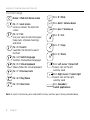
1
Logitech Ultrathin Keyboard Folio m1
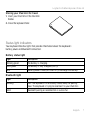
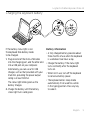
Storing your iPad mini for travel
1. Insert your iPad mini in the iPad mini
holder.
2.Close the keyboard folio:
Status light indicators
Your keyboard folio has lights that provide information about the keyboard’s
battery power and Bluetooth connection.
Battery status light
Light
Blinking green
Solid green
Red
Description
The battery is charging.
The battery is fully charged (100%).
Battery power is low (less than 10%). Recharge the battery.
Bluetooth light
Light
Blinking
Solid
Description
Fast: The keyboard is in discovery mode, ready for pairing.
Slow: The keyboard is trying to reconnect to your iPad mini.
Bluetooth pairing or reconnection is successful.
English 7