1
Section 5 - Sharing Files
Film (Video)
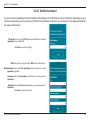
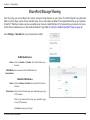
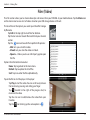
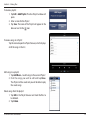
The Film section allows you to stream video clips and movies from your DIR-508L to your mobile device. Tap the Movie icon
on the main menu to view a list of videos stored on your USB storage device or SD card.
The Search bar at the top lets you search your SharePort storage
by filename.
Tap Edit at the top right to mark files for deletion.
Tap the star icon next to each file to add it into your Favorite
section.
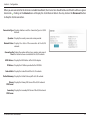
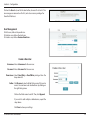
Tap the
icon next to each file to perform file options:
•Mail: Lets you e-mail the video.
•iCloud: Lets you store the video on iCloud.
•Open In...: Allows you to use a third-party app to open
the file.
Options from the bottom menu bar:
Home: Tap to go back to the main menu.
Refresh: Tap to update the list of files.
Sort: Tap to re-order the files alphabetically.
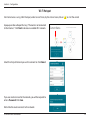
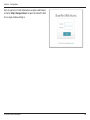
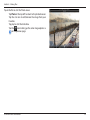
Tap on the file to start the player. In the player:
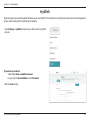
Tap Play to start the video. You can scroll to any time on
the time line by pressing and sliding your finger.
Tap
(located to the right of the progress bar) to
maximize the video.
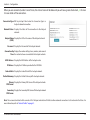
Tap the star icon to add/remove the video from your
Favorites.
Tap the
icon to bring up the same options as
.
D-Link DIR-508L User Manual
51