1
Troubleshooting
To keep the warranty valid, never try to repair the system yourself. If you encounter
problems when using this unit, check the following points before requesting for service.
Warranty void if case is opened.
Symptom
No sound
Suddenly No sound
No sound, speaker is connected to
working AC power but sound won’t
come on
No sound. Speaker comes on
Noise or hiss heard at output
Hum or Buzz that increases or decreases
when more than one source are
inputting single to the unit at the same
time
Smart Remote control does not work
The Unit does not responds to the
remote control
HDMI ARC/CEC ERROR
No Sound or Have sound but with error
message shown on TV
HDMI ARC/CEC ERROR
Both TV and the unit has sound coming
out
Likely Cause
What to do
Speaker not connected to active • Verify that speaker is connected and AC power
that the circuit is on.
Power not switched on
• Switch on power and verify that power LED is on.
Triggered auto-off function
• Turn the volume up of the source, e.g TV, mp3 player, etc, and readjust the sound of the unit to trigger auto-on function.
• See No Sound symptom above.
Cannot trigger auto-on function
• Increase the volume of the source input signal.
Speaker power cable is faulty or
• Re-seat the power cable at both ends.
improperly connected
• Substitute a known-good power cable.
Blown fuse
• Contact with your manufacturer for repairment.
Faulty cables and connections
• Disconnect and re-seat signal cables.
• Make sure cables are plugged completely.
• Replace suspected cable with a known-good cable.
Faulty Cables and connections
• Disconnect and re-seat signal cables.
• Make sure cables are plugged completely.
• Replace suspected cable with a known-good cable.
Noisy source device
• Disconnect the devices that are connected to your speaker one at a time. If the noise goes away, the
problem is with the source or the connecting cable.
Interference internally
• Disconnect or mute the other channels to solve the problem.
Faulty cable between source
• Substitute a known-good cable for the equipment and unit
suspected faulty cable.
No/Low battery power
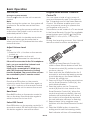
• Remove the transparent film at the bottom of Smart Remote control.
• Insert/Replace remote control battery with a CR2025 battery.
No/Low signal from remote control • Reduce the distance between the to the unit
Smart Remote control and the unit.
• Aim the Smart Remote control directly at the sensor on the front of the unit.
The unit responds but no sound
• Before you press any function button, first select the correct source.
• See Troubleshooting [No Sound]
Symptom.
TV CEC function is not compatible • Check the TV CEC function and with unit CEC function.
compatibility on TV user's manual.
• Disable TV CEC/ARC function
• Use other suggested connections.
TV CEC function is not partially • Check the TV CEC function and compatible with unit CEC function. compatibility on TV user’s manual.
• Select speaker option in TV manual to from the Unit only
EN-15
EN