1
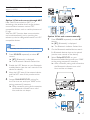
Store FM radio stations
manually
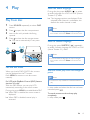
1
2
3
4
5
Tip
•• There are definitions of RDS program types (see
'Product information' > 'RDS program types').
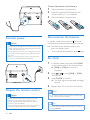
Tune to a FM radio station.
Press PROG to activate programming
mode.
»» [PROG] (program) blinks.
Press
/
repeatedly to select a number.
Press PROG again to confirm.
»» The frequency of the preset station is
displayed.
Repeat above steps to store more FM
stations.
Select stereo/mono broadcast
Note
•• Stereo broadcast is the default setting for tuner mode.
•• For stations with weak signals: to improve the reception,
change to monaural sound.
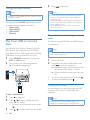
In FM tuner mode, press OK to switch between
mono and stereo broadcast.
Note
•• To remove a pre-stored station, store another station
in its place.
Select a preset radio station
In FM mode, press PRESET +/- ( / ) (or
press a numeric key directly) to select a preset
radio station.
Show RDS information
Radio Data System (RDS) is a service
that allows FM stations to show additional
information.
1
2
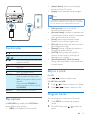
Tune to an RDS station.
Press RDS repeatedly to scroll through the
following information (if available).
• Radio text message
• Program type
• Frequency
• Stereo or Mono
EN
19