1
ADOBE® PRESENTER®
Help and tutorials
Adobe Presenter
What’s new in Adobe Presenter 9
Adobe® Presenter 9 software, now with PowerPoint 2013 support and Windows® 8 compatibility, helps you convert slides into interactive content
using out-of-the-box assets and quizzes. Important enhancements include option for simplified four-button interface for video editing, better
tracking of user progress through your own Learning Management Systems, improved feedback by including quizzes and surveys.
You can also communicate better with engaging videos that you can create at your desktop and deliver them to video sharing sites and mobile
devices.
Microsoft Office 2013 support: Convert Microsoft PowerPoint 2013 slides, including objects, animations, and multimedia into interactive video
presentations using an improved conversion library.
Note: Supports Microsoft Office 2013, 32 bit; Microsoft Office 2010, 32 bit and 64 bit; and Microsoft Office 2007, 32 bit.
Windows® 8 compatibility: Enhanced version compatibility. Supports Microsoft Office 2013, 32 bit.
Enhanced course audio output: Enhance the audio output with built-in filters for ambient noise suppression and audio track amplification. Record
and sync audio files with the PowerPoint slides using the new intuitive audio interface.
Improved interactive presentations: Use the drag-and-drop games, quizzes, and learning modules for enhanced interactivity.
Set various relationships based on which the drop target accepts, rejects, or replaces the drag item and add audio feedback for every attempt.
See Drag-and-drop question for more information.
Customizable scenario-based template: Create scenario-based training with customizable scenario template. Predefine outcomes, where
learners can be directed, based on their inputs. See Inserting scenario interactions for more information.
Annotate course content: Make your course more effective by annotating important areas within your course, thereby drawing attention to
specific areas within the course. See Record video presentations for more information.
Collaborative learning experience: Allow learners to collaborate with the authors by allowing them to comment or question on specific content
within a course. Questions can be replied to by the course creator or other learners, allowing to track participation and reward active learners.
Publishing to tablets: Deliver your courses, including multiple quiz formats, on Android™ devices along with iPad* device using the Adobe
Presenter mobile app. You can also export the scoring data from the app to AICC-compliant LMSs and Adobe® Connect™. See Publishing and
viewing presentations for more information.
Learner tracking and reporting: You can track individual learner progress within a course using the integrated Learner Analytics report. Enables
you to identify learners in need of course correction and direct them to respective modules. Satisfy basic evaluation needs at no extra cost by
tracking and reporting key performance metrics, like average score and pass or fail, without investing in an Learning Management System (LMS).
Accessibility support: Achieve Section 508-standard compliance and expand your outreach with enhanced accessibility support. Create
courseware that meets the accessibility norms of defense, government, and educational organizations. See Accesability and 508-compliance for
more information.
Automatic closed captioning: Presenter 9 incorporates a new speech-to-text conversion feature to helps you to automatically generate closed
captioning of your audio track quickly. See Closed captions for more information.
Customizable user navigation interface: Use this feature to disable playbar display to ensure that your learners view critical sections of your
course. See Editing Adobe Presenter presentations for more information.
Direct access to Adobe notifications: Reach out to Adobe support, access social media forums, and receive timely updates from the Adobe
Presenter product team—all from within Adobe Presenter 9.
Twitter™ and Facebook posts are not covered under the terms of Creative Commons.
Legal Notices | Online Privacy Policy
Inserting scenario interactions
You (the author) can create scenario-based training with easily customizable scenario interactions. Each scenario template contains the complete
question vs answer flow.
For example, if you select the Business scenario, the flow is pre-defined as one question with multiple options. Select the number of options and
select the correct answer number.
On publishing, the learner views the question. The options are displayed logically. The user has to complete answering the question by selecting
the right answer. Otherwise the user cannot navigate to the next slide as the playbar and the side bar are locked.
Note:
No score is associated to the scenario-based interactions.
To create a new interaction, always use the Insert scenario interaction interface. Do not copy and paste the slides inside the presentation.
Scenario interactions only work in .pptx file format. In .ppt file format, the interactions work as normal PowerePoint slides. TOC and playbar
lock do not work in .ppt format.
To create scenario-based interactions:
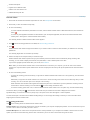
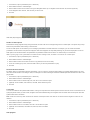
1. Click Adobe Presenter, and in the Insert group, click Interaction > Insert scenario interaction.
2. Select the category of interaction you want to insert from the Insert Scenario Interaction drop down list. There are four templates currently
available: Business, Call Center, Medical, and Generic.
3. Select a scenario from the left pane. For example, if it is Business, select Business 1.
4. Select the Number of Options and the Correct Option. Click Preview to preview the interaction.
5. Click Ok.
If you want to change the appearance on the slide, you can:
Edit the placeholder text.
Adjust the image position.
Resize the images by directly increasing/decreasing the size or by right clicking the character and entering a different size from the
resize option.
Introduce a new character from the Character option.
Twitter™ and Facebook posts are not covered under the terms of Creative Commons.
Legal Notices | Online Privacy Policy
Drag and drop questions
Drag-and-drop interactions provide an interesting and engaging way of assessing your users’ knowledge. This interaction lets users answer
questions by draging and dropping objects in the designated areas or objects.
A drag-and-drop interaction involves a drag source and a drop target. Users drag the drag sources and drop them onto drop targets.
To insert drag and drop questions:
1. Add drag and drop items, and map them to configure correct answers:
Note: Drag-and-drop is supported only in the .pptx file format and not in .ppt file format.
a. In the Adobe Presenter ribbon, click Manage > Add Question > Drag drop. To select grade or survey question, click Create Graded
Question or Create Survey Question from the Options tab.
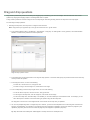
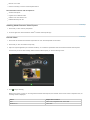
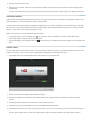
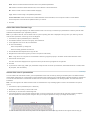
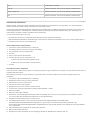
Drag-and-drop question screen
b. In the Name field, type the instructions for the drag and drop question. In the Score field, specify the points that users score when they
correctly answer the question.
c. In the Drag Item column, do one of the following:
To insert text, click the Text icon, and type the text.
To insert an image, click the Image icon, and browse for the image.
d. In the corresponding row of the Drop Target column, do one of the following:
To use text as the drop item, click the Text icon, and type the text.
To use image as the drop item, click the Image icon, and browse for the image.
To use a blank drop item, click Blank Drop. This enables you to create a blank spot in the Question slide. For example, you can
add a blank space in between a Fill-in-the-blank type question using the blank drop item.
The drag item in the first row is now mapped as the correct answer for the drop item you specified.
e. You can map multiple drag items to a single drop item. However, you have to add a separate row for each drag item and select the
drop item correspondingly. For example, if A and B both have to be mapped to ‘alphabets’, the first row contains A (drag item) and
‘alphabets’ (drop item). The second row contains B (drag item) also mapped to ‘alphabets’ (drop item).
Tip: Drop items that have already been added appear in the drop-down list for subsequent use.
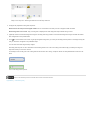
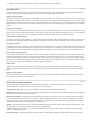
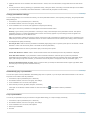
Many to one drop item - Selecting another item from the drop-down list
2. Configure the properties for drag and drop items:
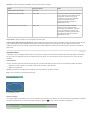
Return item to the start point if dropped outside Item is moved back to the start point if it is dropped outside the frame
Reveal drag items one at a time Only one drag item is displayed and other drag items kept invisible during run time.
3. (Optional) Choose a Presenter background image for the drag-and-drop question. This Presenter background image overrides the default
PPT background for the question slide.
4. Click icon at the bottom of the screen. A grid layout appears using which you can layout the drag and drop items on the stage exactly like
how you want them to appear in the published output.
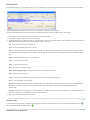
You can also resize and drag-and-drop images
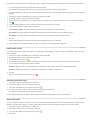
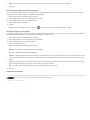
Each drag-and-drop item is color coded with an illumunating border color. This color coding around items help you identify the drag and
drop items while you move them around.
For example, if Item A has green color coding and Item B has blue color coding, it helps the learner to easily differentiate and work on the
items.
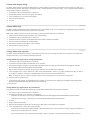
Color coded drag-and-drop items
Twitter™ and Facebook posts are not covered under the terms of Creative Commons.
Legal Notices | Online Privacy Policy
Closed captions
Note: Additional language support and post production editing features are available only from Presenter 9 onwards.
Adobe Presenter automatically converts voice recording captured during the recording into closed captions text through the speech to text
conversion engine.
You can also enter your own script as the closed caption text and use it.
Alternatively, you can add/edit closed caption text post production through the editing screen.
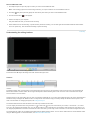
The control for enabling and disabling closed captions is available in both the Adobe Presenter video recording screen and the Adobe Presenter
video editing screen through the
button.
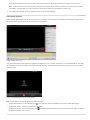
When you enable closed captions, the captions appear on the right pane of the Adobe Presenter video editing screen. The captions are organized
based on the timeline of the video that is played.
Supported languages*:
1. English
2. Spanish
3. German
4. Japanese
5. French
6. Korean
* Based on the initial Presenter language version chosen by you.
Adding closed caption during video recording
To the top
You can use the close caption speech-to-text functionality which automatically converts speech to text format or optionally enter a script in the form
of plain text.
Auto generate close captioning
1. From the Adobe Presenter video recording screen, click the CC button to enable close captioning.
2. Start your recording.
3. Add your voice track and End your recording.
4. Your speech is converted to text.
Note: On completion, it will take sometime for the text to be displayed on the CC pane.
Generate close captioning from script
1. From the Adobe Presenter video recording screen, click the CC button. Add your script on the right side text pane.
2. Start your recording. Press End to complete recording.
3. The text is displayed in the CC pane on the right side of the screen. Adobe Presenter automatically organizes the text as per the video
timeline.
Post production close caption editing
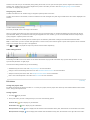
1. From the Adobe Presenter video editing screen, click the CC button. Click and select Edit CC from the pop-up menu list.
2. The CC content panel is displayed.
3. Edit the text by double-clicking the text.
Important points to know:
1. Use >> button in your recording or the editing screen to open or close the CC panel.
To the top
2. To disable CC, click near the CC button and use the Off pop-up menu.
3. To add close captioning to an existing recording, enable CC in the Adobe Presenter video editing screen before starting the additional
recording.
4. Once close captioning is completed, you can only edit the generated CC. Regeneration of close captioning is not possible.
See also
Accessibility in Adobe Presenter
Closed captions in videos (Adobe Presenter Video Creator)
Twitter™ and Facebook posts are not covered under the terms of Creative Commons.
Legal Notices | Online Privacy Policy
Accessibility and 508-compliance
Project outputs published through Adobe Presenter are 508-compliant for users with visual or hearing impairments, mobility impairments, or other
types of disabilities.
Adobe Presenter supports the screen reader, JAWS (version 13 and 14) that translates onscreen text in the published output to speech. Users
must install JAWS on their computers and launch it before opening the published output. JAWS reads out the control that is in focus. When JAWS
is running, objects and shapes in the output screen are highlighted with a yellow border around it.
Users can change the focus using the tab key. Users can also execute actions on all elements of the PowerPoint project such as TOC, playbar,
and so on, using the spacebar and the enter key.
The following elements of an Adobe Presenter output are accessible through JAWS (in addition to the keyboard):
Playbar controls including the attachments
Side panes including Outline, Thumb, Notes, and Search Pane
Slide notes
Content on the slides including text, actions, hyperlinks, images, and quizzes
See also
Twitter™ and Facebook posts are not covered under the terms of Creative Commons.
Legal Notices | Online Privacy Policy
Publishing and viewing presentations
Publish locally
Publish a presentation to PDF
Publish the entire presentation as a package
About Adobe Connect Server
Add and access Adobe Connect Servers
Manage the Adobe Connect Server publishing list
Publish to an Adobe Connect Server
Add a Adobe Presenter presentation to a Connect Pro meeting
View a presentation in a Connect Pro meeting
Viewing a presentation in Connect Pro Training
Using presentations with Connect Pro Events
Viewing presentations on tablets
Using presentations with third-party learning management systems
Publish locally
To the top
Publishing to your local machine is a good way to test your presentation and see how it will look to your end users.
1. Click Adobe Presenter , and in the Presentation group, click Publish.
2. Select My Computer.
3. (Optional) Select Zip Package to add all presentation files to a Zip file. This is useful if you need to give or send the files to someone else to
preview.
4. (Optional) Select CD Package if you are going to distribute the presentation on a CD-ROM after previewing it. (If you select this option, you
can burn the presentation onto a CD-ROM and when it is opened, the presentation automatically begins playing.)
5. Click Publish. (If a message appears stating that all files will be deleted, click Yes. Each time you generate your presentation, the files in
your current output folder are deleted and replaced by the newly generated files.)
When you publish, a new folder with the same name as the presentation is created and placed in your My Documents\My Adobe
Presentations folder. The new folder contains all of the presentation files, copies of attachments, and any audio, video, and image files that
are part of the presentation.
6. When the conversion is finished, click View Output. (If you selected the Select Zip Package option, you will not see the View Output option.
To view the presentation, go to the location where you saved the Zip file, unzip the file, and double-click the index.htm file.) The
presentation appears in your default web browser.
Note: If you try to publish a presentation that has been encrypted in PowerPoint and requires a password to open or edit the PPT or PPTX file,
the presentation may not publish correctly. Remove the encryption, publish, and then reset the encryption again.
Publish a presentation to PDF
To the top
You can publish a presentation to PDF if you have Acrobat Pro or Acrobat Reader installed.
1. In PowerPoint, open a presentation (PPT or PPTX file).
2. Click Adobe Presenter, and in the Presentation group, click Publish.
3. Select Adobe PDF on the left side.
4. Under Publish as Adobe PDF, click Choose and navigate to the location where you want to save the file.
5. In File Name, type a name for the PDF.
6. Click Open.
7. (Optional) Select View Output After Publishing to open the PDF when publishing is complete.
8. Click Publish.
After publishing is complete, the PDF opens. If Acrobat Pro or Acrobat Reader are not installed, a blank PDF is displayed.
Publish the entire presentation as a package
To the top
Adobe Presenter provides a quick option to publish the entire presentation along with the assets and media as a single package. This option is
especially useful if you need to work on the presentation from multiple computers or multiple authors need to work on it.
1. Open the presentation (PPT or PPTX file) in PowerPoint.
2. Click Adobe Presenter, and in the Presentation group, click Package.
3. Specify the name and path for the package. Click the browse icon to browse for the required location.
The default path is the path where the presentation is saved.
4. Click Pack.
You can open a packaged presentation in one of the following ways:
Browse to the location where you have saved the package using Windows Explorer, and double-click the .prpkg file.
Click the Microsoft Office button in PowerPoint, and click Adobe Presenter Unpackage. Specify the Package Location and the Output Folder
where Adobe Presenter needs to unpackage the contents.
About Adobe Connect Server
To the top
Adobe Connect is a web communication system that lets you quickly and easily view presentations, attend meetings, and receive training over the
Internet using the familiar PowerPoint application, web browsers, and Flash Player.
If you have Adobe Connect Server, you can publish to it so others can view your presentations. Users see your presentation in the viewer within
Adobe Connect Server, as part of a course or curriculum in Connect Pro Training, or with a URL provided by the Content library.
Connect Pro includes a set of components that provides an integrated solution. Connect Pro can be deployed with some or all of these
components:
Connect Pro Meeting Lets you view and participate in a meeting over the Internet in real time.
Connect Pro Training Lets you participate in online training systems, including integrated surveys, tracking, analysis, and course management.
Connect Pro Events Provides tools to manage the full cycle of an event, from registration and qualification of users to post-event follow-up.
Add and access Adobe Connect Servers
To the top
You can access your Adobe Connect Server account quickly and easily from Adobe Presenter.
1. Click Adobe Presenter, and in the Tools group, click Settings.
2. In the Application menu on the left, click Servers.
3. Click Add, enter the name and URL of the Adobe Connect server, and click OK.
The name and URL of the server appears in the Settings dialog box.
4. To access the server, click Manage Accounts.
The default web browser appears and the Adobe Connect Server login page appears.
Manage the Adobe Connect Server publishing list
To the top
Adobe Presenter provides you with an easy way to maintain a list of Adobe Connect Servers that you publish to regularly. You can add one or
several Adobe Connect Servers to the publishing list. After a server has been added to the list, it’s easy and quick to publish to that server.
Edit an Adobe Connect Server in the publishing list
After you have added a Adobe Connect Server to the publishing list, you can edit the server name or URL at any time.
1. In PowerPoint, open a presentation (PPT or PPTX file).
2. Click Adobe Presenter, and in the Tools group, click Settings.
3. In the Application menu on the left, click Servers.
4. Select a server from the list and click Edit.
5. Make any necessary changes to the server name or URL.
6. Click OK.
Remove a Adobe Connect Server from the publishing list
1. In PowerPoint, open a presentation (PPT or PPTX file).
2. Click Adobe Presenter, and in the Tools group, click Settings.
3. In the Application menu on the left, click Servers.
4. Select a server from the list and click Delete.
5. Click OK.
Publish to an Adobe Connect Server
To the top
After creating and previewing your presentation, you can publish the presentation directly to an Adobe Connect Server in your publishing list. You
must be connected to the Internet and have a Connect Pro account. Adobe Presenter integrates fully with Connect Pro so that, for example,
presentations containing quizzes can have quiz results automatically sent to and managed by an Adobe Connect Server.
When you publish to an Adobe Connect Server, the presentation is published to the Content library. The presentation can be taken from the
Content library and added to a Connect Pro meeting or training session.
To publish to an Adobe Connect Server, follow this general workflow: Select an Adobe Connect Server, log in to Connect Pro Central, select a
location for your presentation, enter information about the presentation, and finally set permissions specifying who can view it.
Note: At times, you may need to republish a presentation to the Connect library. For example, if you need to update information in the
presentation. If you republish a presentation to the Content library and that presentation is included in a Training course on Adobe Connect
Server, you must update the presentation in the course. Follow the steps in the Connect Pro User Guide topic “Change or update course content”
and ensure that you save and update the content at the end of the short procedure.
Select an Adobe Connect Server
The first step in publishing a presentation to a Adobe Connect Server is to select a server from the publishing list.
1. In PowerPoint, open a presentation (PPT or PPTX file).
2. Click Adobe Presenter, and in the Presentation group, click Publish.
3. On the left side of the Publish dialog box, select Adobe Connect Pro.
4. In the Server list, click the required Adobe Connect server. To edit the URL or the name of the server, click Edit Servers.
5. (Optional) Check the Project Information area on the right side. If you want to edit any of the options, click Settings or Slide Manager.
6. (Optional) If you want to publish the presentation source files along with the SWF file, select Upload Source Presentation With Assets. This
option is useful if multiple authors are working on a presentation or if you think the presentation will need to be updated later and you want
to keep all of the files stored in one location. Select Audio, Video, or Attachments. (Large video files can take some time to upload to the
server.)
7. Click Publish.
The presentation is created and the Connect Pro Central Login screen appears.
The next section describes how to log in to your Connect Pro account.
Log in to Connect Pro
The next step in publishing a presentation is to log in to your Connect Pro account. You must have an account and the correct security
permissions before publishing a presentation. (To obtain permission to create and update presentations, contact your Connect Pro administrator.)
1. On the Connect Pro Login screen, enter your login name (usually your account e-mail address).
2. Enter your password.
3. Click Login.
The next section explains how to select a location in which to save a presentation.
Select a location for the presentation
The third step in publishing a presentation is to select a location in your Connect Pro account in which to store the presentation. After you log in to
Connect Pro, your personal user folder in the Content library appears. Select a location in your Connect Pro Content library for the presentation.
Note: The Content library displays only your presentations. Other Connect Pro content, including SWF files, FLA files, and JPG files, are not
displayed when you view the Content library.
Note: If you have already published the presentation to the server, you are prompted to save over the previous version or to save the
presentation to a new location.
1. In the Adobe Connect Publish screen, navigate to a folder within your Connect Pro Content library in which to store the presentation.
To open a folder and display its contents, click the name of a folder. The folders and files within that folder are displayed. The navigation
path of links near the top of the browser window is updated to indicate the directory path to the selected folder.
To publish changes to a presentation already located in the folder, click Update Existing Presentation. The new version of the
presentation overwrites the existing presentation.
To create a new folder, navigate to the location where you want to add a new folder, click the New Folder button, enter a name for the
new folder, and click Save.
Note: You can create folders only if you have manage permissions for the parent folder.
To move up to the parent folder (the folder one level above the current folder), click the Up One Level button in the navigation bar above
the content list.
2. Click Publish To This Folder.
The next section explains how to enter descriptive information for the presentation.
Enter presentation information
The fourth step in publishing a presentation is to provide identification information about the presentation. You must specify a title for the
presentation.
1. In the Content Information dialog box, enter a unique name for the presentation in the Title text box.
2. (Optional) In the Custom URL text box, you can create your own URL to view the presentation. This option is useful if you want to create a
URL to view the presentation that can be remembered easily. If you leave this text box blank, Connect Pro automatically creates a generic,
but unique, URL for the presentation.
3. (Optional) In the Summary text box, type a short description of the presentation. (The maximum length of the summary is 750 characters.)
4. Click Next.
The final step in the publishing process is to set permissions for who can view the presentation.
Set permissions
The final step in the publishing process is to set permissions for the presentation. This establishes who is able to view the presentation. You have
several options available.
1. On the Set Permissions screen, select a permission setting.
The default permission setting is Same As Parent Folder. If you select this option, the presentation automatically inherits the same
permission profile as the parent folder in which it is published. For example, if the parent folder has permission for public viewing, the
presentation will also have permission for public viewing.
To change the permission setting, click Customize. To create a public presentation, select Yes next to the Allow Public Viewing option.
To create a private presentation with a custom permission profile that is different from that of its parent folder, make sure the Allow
Public Viewing option is not selected. Then, create a list of users and groups with specific permission types. In the Available Users And
Groups list on the left, select a group or individual and click Add. The new user or group now appears in the Current Permissions list on
the right. Continue adding or removing users or groups as necessary.
2. Click Finish.
3. A dialog box appears and confirms that the project was successfully published to the specified Adobe Connect Server. Click OK.
The Content Information dialog box appears. This screen lists important information about the presentation, including the URL for viewing. If
you click the URL, the presentation is displayed and begins to play. To share the presentation with others, you can send them the URL by
clicking E-mail Link, or by cutting and pasting the URL into an e-mail. (For users to view the presentation, the published presentation or the
folder containing the presentation must have the correct permissions set.)
4. Click OK to complete the publishing process.
Add a Adobe Presenter presentation to a Connect Pro meeting
To the top
Adobe Presenter lets you create e-learning content and high-quality multimedia presentations containing slides, streaming audio, synchronized
animation, and navigation controls rapidly using Microsoft PowerPoint as a base.
After you have published a Adobe Presenter presentation to Connect Pro, you can add the presentation to a Connect Pro meeting by bringing the
presentation file into a share pod from the Content library or directly from your computer. When viewing the presentation in a meeting, you have
complete control over the screen side, slide navigation, and audio.
Note: Add presentations to a Connect Pro meeting from the Content library. If you have to upload the presentation directly from your computer,
upload the ZIP file that contains the presentation and all the required assets. If you browse and upload only the PowerPoint file, the assets used in
the presentation are not displayed.
Add a presentation from the Content library to a Connect Pro meeting
Adding a presentation to a Connect Pro meeting from the Content library is a good method to use if you publish all of your presentations to the
library and manage them from that location. You also have the option to add a presentation to a Connect Pro meeting directly from your computer.
(For more information, see the Adobe Connect Pro User Guide.)
1. Log in to your Adobe Connect Server.
2. Click the Meetings tab.
3. Select a meeting from the list.
4. Click Enter Meeting Room.
5. From the Share pod, select Documents > Select From My Computer. (If a Share pod is not open, click the Pods menu and select Share >
Select From My Computer.)
6. Select the presentation and click Open.
The Adobe Presenter presentation appears in the Connect Pro meeting.
Add a zipped presentation from your computer to a Connect Pro meeting
If you have a Adobe Presenter presentation stored on your computer, you can add the presentation directly from that location into a Connect Pro
meeting. This is a good method to use if you need to place a presentation into a Connect Pro meeting, but the presentation has not been
published to the Content library. For example, you might have a presentation that you have not published because it is incomplete, but you want to
show a preliminary version in a Connect Pro meeting.
Note: Adobe recommends adding presentations to Connect Pro meetings from the Content library. Presentations uploaded directly from your
computer to a Connect Pro meeting do not support some Adobe Presenter features. For example, if you share the presentation PowerPoint (PPT
or PPTX) file, audio, video, attachments, Adobe Presenter photos, Adobe Presenter logos, and the Thumbnail pane are not displayed.
1. In Adobe Presenter, publish your presentation locally and select the Zip package Output Option. (To do this, click the Adobe Presenter
ribbon, select Publish, click My Computer, select the Zip package option, and click Publish.)
2. Open your web browser and navigate to your Adobe Connect Server.
3. Log in using your login name and password.
4. Click the Meetings tab.
5. Select a meeting.
6. Click Enter Meeting Room.
7. From the Share pod, select Documents > Select From My Computer. (If a Share pod is not open, click the Pods menu and select Share >
Select From My Computer.)
8. Navigate to the presentation folder on your computer.
9. Select the presentation Zip file and click Open.
The Adobe Presenter presentation appears in the Connect Pro meeting.
Add a presentation PowerPoint (PPT or PPTX) file from your computer to a Connect Pro meeting
1. Open your web browser and navigate to your Adobe Connect Server.
2. Log in using your login name and password.
3. Click the Meetings tab.
4. Select a meeting.
5. Click Enter Meeting Room.
6. From the Share pod, select Documents > Select from My Computer. (If a Share pod is not open, click the Pods menu and select Share >
Select From My Computer.)
7. Navigate to the presentation PowerPoint (PPT or PPTX) file.
8. Select the PPT or PPTX file and click Open.
To the top
View a presentation in a Connect Pro meeting
After you publish a presentation to a Adobe Connect Server and then add the presentation to a Connect Pro meeting, the presentation is ready to
view. All of the features in the presentation, such as audio, synchronized animation, quizzes, and Adobe Presenter information, appear.
Note: If you upload your presentations directly from your computer to a Connect Pro meeting, some Adobe Presenter presentation features, such
as Adobe Presenter photos and Adobe Presenter logos, are not supported. Adobe recommends adding presentations to Connect Pro meetings
from the Content library.
If the presentation contains quiz or survey questions, user interactions with the questions are fully tracked by the Adobe Connect Server as part of
the meeting’s reports.
The layout of a presentation consists of the following parts:
Presentation The main part of the window, which displays the presentation slides.
Presentation sidebar An area on the right side (default location) of the browser window that shows the name of the presentation, the Adobe
Presenter information, and the Outline, Thumb, Notes, Search, and Quiz panes (if you have added the panes to your theme) The Presentation
sidebar is shown in Normal view; it is hidden in Full Screen view (If you cannot see the sidebar, click Show/Hide Sidebar
.)
Presentation toolbar A control bar at the bottom of the presentation, which gives you control over the presentation playback, audio, attachments,
and screen size. (You may need to click the Sync button to see the Presentation toolbar.)
Viewing the Outline pane
Most presentations have an Outline pane on the sidebar. The Outline pane lists the title and duration of each slide. Use the Outline pane to
display information and to enable users to move to individual slides in the presentation. You can omit the Outline pane from the sidebar. At this
time, it is not possible to show the slide outline in a read-only format; if the outline is showing, users will be able to click the slides listed.
Note: Quiz slides are not, by default, listed in the Outline pane. If you want quiz slides to appear in the Outline, open the Quiz Manager, click Edit,
and select the Show questions in outline option.
Note: If you have a Windows XP English PC and need to view double-byte unicode characters (for example, Japanese characters) in the outline
pane, you should have the Arial® Unicode MS font installed on your computer.
When viewing an Adobe Presenter presentation in a Connect Pro meeting, click the Outline pane in the sidebar on the right side.
The Outline pane contains the following features:
The current slide is highlighted with a glow color. (This color can be changed in the theme.)
The entire slide title appears when the pointer is held over the title.
The duration of the slide is shown next to each slide.
You can move to any slide in the presentation by clicking the slide title in the Outline pane.
The Outline pane
A. Selected slide currently previews B. Hover cursor over title to see the entire title
View the Thumb pane
Presentations can have a Thumb pane on the sidebar. The Thumb pane shows a small picture of each slide, the slide title, and the slide duration.
You can use the Thumb pane to see the contents each slide quickly and to move to a specific slide in the presentation.
Note: If you upload your presentations directly from your computer to a Connect Pro meeting, the Thumb pane is not displayed. Adobe
recommends adding presentations to Connect Pro meetings from the Content library.
When viewing an Adobe Presenter presentation in a Connect Pro meeting, click the Thumb pane in the sidebar on the right side.
The Thumb pane contains the following features:
The current slide is highlighted with a glow color. (This color can be changed in the theme.)
The entire slide title appears when the pointer is held over the title.
You can move to any slide in the presentation by clicking the slide title in the Thumb pane.
View slide notes
When creating a presentation in PowerPoint, you can enter notes for individual slides. If any slide notes exist, they can be displayed in the
presentation.
Note: Using slide notes is optional.
When slide notes appear, they are located on the right side of the presentation window. You cannot change the size of the slide Notes pane.
When viewing an Adobe Presenter presentation in a Connect Pro meeting, click the Notes pane in the sidebar on the right side.
The complete notes text is displayed. The text is unformatted and cannot be edited directly on the pane. To change the formatting of slide note
text, select Adobe Presenter > Theme, and change Notes Pane Font And Size.
Search for text in a presentation
Users can use the Search pane (if you have included it in your theme) to find specific text in a presentation. For example, in a presentation that
serves as a company human resources handbook, a user might search for the word vacation to find text about vacation leave policies.
1. When viewing an Adobe Presenter presentation in a Connect Pro meeting, click the Search pane in the sidebar on the right side.
2. Type the text to search for directly in the text box. (Search is not case sensitive.)
3. Click the Search button.
Search results are displayed below the text box. Click any slide title in the results list to display that slide.
Using the Search pane
A. Text box B. Search button C. Results
Viewing the Quiz pane
You can include a Quiz pane in your published presentation. If you designed your presentation so all four panes appear and the Quiz pane is
enabled, then the Quiz pane replaces the Outline pane in the sidebar when a user is within a quiz boundary. If you designed your presentation
with a different arrangement of panes, the Quiz pane appears without replacing any pane in the sidebar when a user is within a quiz boundary.
(For more information, see Quiz boundaries.)
When an Adobe Presenter presentation is open in a Connect Pro meeting, view the Quiz pane in the sidebar on the right side (the
presentation must be within a quiz boundary for a Quiz pane to appear). For graded questions, questions answered correctly are marked with
a
and those answered incorrectly are shown with a
. If graded question has correct/incorrect feedback messages disabled,
displayed once the question has been attempted. Survey questions display
is
once the question has been attempted.
Use the presentation toolbar
You can control the presentation appearance and playback by using the toolbar located at the bottom of the presentation. (You may need to click
the Sync button to see the presentation toolbar.)
The toolbar that appears in the published presentation contains useful buttons, controls, and messages.
A. Play B. Back C. Forward D. Position marker in slide progress bar E. Current slide time F. Total slide time G. Audio volume H. Attachments I.
Show/Hide sidebar
When viewing an Adobe Presenter presentation in a Connect Pro meeting, click any of the following buttons and features on the toolbar.
Play/Pause button Pauses and then resumes play of the current slide.
Back button Moves to the previous slide in the presentation.
Forward button Moves to the next slide in the presentation.
Slide progress bar Shows and controls the playback location within the current slide. The position marker moves as the slide plays. You
can drag the marker arrow forward or back in the current slide to change your location within the slide playback. You can also click a specific
location on the progress bar to move the slide marker position and slide playback to that position. (If you added a video file, such as a
sidebar video file of a person speaking, the slide progress bar also controls the video.)
Current slide number Shows the number of the currently displayed slide and the total number of slides (for example, Slide 2 out of 10).
Status Shows the status of the current slide, such as Playing, Stopped, No Audio, or Presentation Complete.
Time Shows the current slide time and the total slide time as the slide plays (for example, 00.02/00.05).
Audio volume Shows the volume level that is set for the slide.
Attachments Displays a small window showing any attachments (for example, documents, spreadsheets, images, URL addresses, and so
on) that have been added.
Show/Hide sidebar and toolbar Shows or hides the sidebar and toolbar.
note: The behavior of the Forward button, Back button, and slide outline can be affected by settings in the Quiz Manager. For example, if a
learner must pass a quiz before continuing, clicking the Forward button or a slide in the outline that is beyond the quiz slide will have no
effect unless the learner has passed the quiz. Also, navigation buttons are disabled for locked slides until the slide has been viewed
completely at least one time. (For more information, see Change slide properties
Switch between viewing modes
You can view Presentations in two modes:
Normal The default viewing mode. It includes the presentation toolbar at the bottom of the browser window and the presentation sidebar. (You
may need to click the Sync button to see the presentation toolbar.)
Full-screen An optional viewing mode in which the presentation toolbar is removed and the size of the presentation slides increases to fill your
browser window.
1. When viewing an Adobe Presenter presentation in a Connect Pro meeting, click the Full Screen button at the bottom of the Adobe Presenter
viewer.
If the presentation sidebar was originally visible, the presentation switches to fullscreen mode with a presentation sidebar. If a presentation
sidebar was not originally visible, the presentation switches to fullscreen mode with no sidebar.
2. Click the Full Screen button again to return to normal viewing mode.
Navigate between slides
You can navigate between slides during playback by using the search pane, the presentation toolbar, or the presentation Outline or Thumb pane.
(You may need to click the Sync button to see the presentation toolbar.)
Note: The Outline pane and Thumb pane are optional. Set panes for presentations using the Theme Editor in Adobe Presenter.
When viewing an Adobe Presenter presentation in a Connect Pro meeting, do one or more of the following:
Click Previous
or Next
in the presentation toolbar.
Click the title of a slide in the presentation Outline or Thumb pane.
Use the Search pane to find specific slides.
Navigate within the current slide
When viewing an Adobe Presenter presentation in a Connect Pro meeting, do one or more of the following:
Click Pause
or Play
on the presentation toolbar. (You may need to click the Sync button to see the presentation toolbar.)
Drag the position marker arrow on the slide progress bar forward or backward to change your location within the slide’s playback.
Adjust the presentation audio
You can turn the presentation audio on and off or control the volume by using the audio button on the presentation toolbar. (You may need to click
the Sync button to see the presentation toolbar.) Examples of presentation audio that the audio button can control include audio imported into a
slide and audio in an embedded SWF file (for example, sidebar video).
Note: Not all slides or presentations contain audio.
If a slide does not have any audio, the text No audio appears as the slide status on the slide progress bar. The slide still has an audio length and
appears for that period of time before the next slide appears. This time is set by the presentation speaker.
When viewing an Adobe Presenter presentation in a Connect Pro meeting, click Audio
in the presentation toolbar and move the volume
bar up or down to change the audio level. Moving the volume bar all the way to the bottom mutes the audio completely.
Viewing a presentation in Connect Pro Training
To the top
You can use Adobe Presenter presentations within Connect Pro Training courses. This enables you to quickly create e-learning courses for formal
assessments, compliance training, or information sharing. The new curriculum feature allows you to make your presentations part of a learning
path. Quiz and survey results are tracked on a user-by-user and question-by-question basis. The results data can be viewed in Connect Pro
Training reports.
Using presentations with Connect Pro Events
To the top
Connect Pro Events is an application that provides tools to manage the full cycle of an event, from registration and qualification of users, to postevent follow-up. The Connect Event dashboard and reports include user demographic information, registration, and tracking at the individual user
level. Connect Pro generates exportable files in CSV format for import into customer relationship management systems and other systems.
Note: If you want to use an existing Adobe Presenter presentation as an event, it is important to rename the presentation and republish the
presentation to a different location and different folder in the Connect Pro Content library. This ensures that reporting information for the event
does not include reporting information from prior events.
Viewing presentations on tablets
To the top
Note: Android based tablets are supported only in Presenter 9.
You can now make Adobe Presenter presentations available for your users on tablets (iPads* and Android based tablets) through the Presenter
Mobile application. You can host the presentations or courses on a web server, LMS, or upload them to an Adobe Connect server, and then
distribute the URLs to your users.
* Subject to Apple's current requirements and approval.
Note: Only PPTX files are supported by the Presenter Mobile application. Therefore, save your presentations as PPTX files only.
Users can download the Presenter Mobile application from Apple iStore or Android Play store and access the presentations or courses in one of
the following ways:
Type the URL in the application interface, if the presentation or course is hosted on a web server
Click the Adobe Connect URL to automatically open the presentation in the Presenter Mobile application
Launch the course from an LMS. The course is automatically opened in the Presenter Mobile application. The user scores are reported back
to the LMS just like any course on desktop.
After the presentation is open, users can 'pinch' the screen to view the TOC. Users can tap the screen to view the following:
Links to attachments. When users click an attachment such as a document or a spreadsheet, the web browser appears and prompts the
users to download the document. Links that are used as attachments are directly opened in the web browser.
Information about the presenter of the presentation.
Playbar that can be used for navigation or to stop/start/pause the presentation.
Note: Playbar is not displayed on the question slides.
The following features are not supported on Adobe Presenter Mobile for Presenter 9:
Audio and video inserted using Microsoft PowerPoint options.
Question types ShortAnswer, Likert, Sequence, and Drag-Drop.
SCORM
Sum Total LMS (Adobe Connect and SCORM Cloud (AICC) are supported)
For a list of known issues and limitations with the Presenter Mobile application for Presenter 8, 8.0.1, click here.
Using presentations with third-party learning management systems
To the top
Adobe Presenter lets you use presentations with any SCORM- or AICC-compliant learning management system (LMS). Use the Reporting tab in
the Adobe Presenter Quiz Manager to choose the correct reporting settings for the LMS and to create a content package that can be uploaded to
the LMS.
Adobe also recommends
Twitter™ and Facebook posts are not covered under the terms of Creative Commons.
Legal Notices | Online Privacy Policy
Adding quizzes and questions
About quizzes and questions
Quiz boundaries
Tips for creating quizzes and questions
Create a quiz
Add questions to quizzes
Add multiple-choice questions
Add true-or-false questions
Add fill-in-the-blank questions
Add short-answer questions
Add matching questions
Add rating scale questions
Add sequence questions
Add Hot Spot questions
Importing questions from existing quizzes
Edit quizzes and questions
About question groups
Create question groups
Set question shuffling
Set answer shuffling
Add a Quiz pane to a published presentation
Set reporting options
Set a pass rate for a quiz
Set score display
Changing fonts and button placement in quizzes
Unanswered questions warning
Use presentations with a learning management system
About quizzes and questions
To the top
You can use Adobe Presenter to create interactive e-learning presentations that are SCORM or AICC compliant for use with a learning
management system. When you create e-learning content for presentations, you can create a combination of quizzes and questions.
Quizzes are the containers that hold questions. You can use the Quiz Manager to create a single quiz for a presentation or multiple quizzes in a
single presentation. Then you add questions to the quiz or quizzes. You can add graded questions, survey questions, or a combination of both to
each quiz.
After adding questions, use question groups to ensure two people taking the same quiz do not see the same questions in the same order. Quizzes
are assigned an Objective ID, a number that specifies an objective set in your learning management system or Adobe Connect Server. Using
quizzes and their default Objective IDs is the best way to coordinate Adobe Presenter presentations with Adobe Connect Server and existing
content.
The Quiz Manager lets you organize all of the quizzes and questions in a presentation.
A. Quiz no 1 B. Different types of questions in quiz 1 C. Quiz no 2 D. A question in quiz 2
You can design the following types of questions in Adobe Presenter:
Multiple-choice
Short answer
Matching
True/False
Rating scale (Likert)
Fill in the blank
Sequence
Hot Spot
Drag and drop
Note: Sequence and Hot Spot questions are available only for PPTX files and not on PPT files.
You can grade the questions or use them in surveys to gather information.
Branching in quizzes
Branching is an important concept in creating effective e-learning materials and a useful way to customize presentations. In branched
presentations (sometimes called contingency branching), the path that users take through a quiz or survey is determined by their responses to
questions. For example, you can create branches based on correct answers, incorrect answers, or options selected by the user. Depending on
these factors, you can continue the presentation, jump to a specific slide, open a URL, and so on.
Through branching, you can specify what happens when users answer questions correctly or incorrectly. For example, you can associate one
action (such as “Go to the next slide”) to a correct answer and another (such as “Open URL”) to an incorrect answer.
Reporting
Reporting lets you track student performance with any type of quiz. You can track the number of attempts, log correct and incorrect responses, and
send pass/fail data to Adobe Connect Server. You can also choose to provide students with feedback based on correct or incorrect responses.
Quiz boundaries
To the top
When you add a quiz to a presentation, an invisible quiz boundary is established. The quiz boundary is from the first question of a quiz to the last
question of a quiz. For example, if you have 10 questions in a quiz, the boundary is from the first question slide to the tenth question slide. If there
are any slides between question slides, those slides are considered within the quiz boundaries. If you have added an instruction slide, the
instruction slide is also within the quiz boundary.
When users view a presentation, they may move in and out of the quiz boundaries. For example, if a user moves back a slide from the first
question, they have exited the quiz boundary. Also, if the user is on the final question slide and advances to view the scoring/results slide, they
have exited the quiz boundary.
Quiz boundaries are important to several features in Adobe Presenter. You can have Adobe Presenter display a message to users if they try to
leave the quiz boundary without attempting all questions in the quiz. The Quiz pane appears in the presentation sidebar when a user is within a
quiz boundary.
Tips for creating quizzes and questions
To the top
Here are a few tricks and tips to try when adding quizzes to your presentation:
When creating a matching question, drag items between the two columns to establish the correct matches.
Try customizing feedback messages to accurately communicate with presentation users.
Experiment with branching to customize presentations for different types of users.
If you have quizzes in one presentation that would be appropriate for another presentation, import the quiz and save time.
Use the shuffle question and shuffle answer options to show users different versions of the same information.
Consider adding custom audio feedback based on how users answer questions. You can select different audio for a correct answer and an
incorrect answer.
Try editing the settings in the Show Score At End Of Quiz option. You can write custom pass and fail messages, design the slide using
background colors, and choose how to display the score.
Moving a question from one quiz to another quiz from presentation (.pptx) film strip is not supported. Do it from Quiz manager.
Always create questions in the Quiz Manager. For example, while in PowerPoint, do not copy a quiz slide in the left pane and then paste it to
create a “new” quiz slide. This results in two slides with the same interaction ID, which is not supported by learning management systems.
If a change is made in the question by editing the slide contents, open the Quiz Manager once before publishing the presentation. Quiz
validation and updating is done only when the Quiz Manager is opened.
Change the text formatting of quiz questions after the entire quiz is generated. For example, you can create and generate the quiz and then
use the Quiz Manager Appearance tab to change the font size.
Create a quiz
To the top
When you open the Quiz Manager for the first time, a default quiz is displayed. You can use the default quiz or add more quizzes as necessary.
Note: If you are creating a quiz that consists of only survey questions, the user has only one chance to take the quiz. Try to keep the length of
survey-only quizzes fairly short, for example, 15–20questions, so users can complete the survey easily.
1. In PowerPoint, open a presentation (PPT or PPTX file).
2. Click Adobe Presenter, and in the Quiz group, click Add Quiz.
If you are using Microsoft Office XP, the quiz is generated after the first slide in the presentation. For presentations made with versions of
Microsoft Office other than XP, the first quiz is created after the first selected slide in the PowerPoint Slide tab. In all versions of Microsoft
Office, quizzes created after a first quiz are placed directly after the first quiz.
Once quiz slides exist, you can drag the slides in the PowerPoint Slide tab to other locations in the presentation. (When moving quiz slides,
check that the entire quiz is moved; moving a question slide from one quiz to another quiz is not supported.)
3. In the New Quiz dialog box, accept the default name or enter a new name in the Name text box.
4. From the pop-up menu next to Required, select an option to determine if users must take or pass the quiz. When selecting an option,
consider how the quiz fits in with your e-learning strategy for the presentation. For example, you can require users to pass the quiz or allow
them to skip the quiz.
Optional The learner can attempt the quiz, but is not required to take the quiz.
Required The learner is required to at least attempt the quiz. A quiz attempt is defined as answering (selecting or typing an answer and
pressing Submit) at least one question in the quiz. Simply viewing a question is not considered an attempt. Until the learners answer at least
one question in the quiz, they are not permitted to move forward in the presentation beyond the last question slide in that quiz. The required
option does not, however, limit the learner from navigating among slides within a given quiz.
Pass Required The learner must pass this quiz to continue. If you select this option, all navigation to any slide past the end of the quiz is
prohibited until the learner achieves a passing score. This restriction affects both learner-initiated navigation (for example, clicking forward or
back buttons in the playbar or clicking on a slide in the Outline pane) and author-initiated branching (for example, immediate question and
quiz feedback). If you select the Pass Required option, you must show a scoring slide. The scoring slide tells learners why they cannot move
past the quiz. If no scoring slide is chosen, the Pass Required option behaves the same as Optional and no navigation restrictions exist.
Answer All The learner must answer every question. The questions must be answered in order and no questions can be skipped.
5. Select the options you want to incorporate into the quiz:
Allow Backward Movement (Optional) Enables learners to click the Back button in the playbar to move backward. If you leave this option
unchecked, learners cannot move backward when taking a quiz. (Leaving this option unchecked prevents learners from seeing quiz
questions and then going back to earlier slides to look up correct answers.)
Allow User To Review Quiz (Optional) Displays a Review Quiz button on the scoring slide. Learners can click the button and be taken
back to the first question slide in the quiz. Learners can see their answer to each question, whether their answer is correct, and, if the
answer is not correct, the correct answer. Reviewing a quiz is strictly informational; learners cannot change their answers while reviewing.
Include Instructions Slide (Optional) Displays a slide at the beginning of the quiz containing information for users about how to take the
quiz. The slide is added with no text; navigate to the slide in PowerPoint and add your quiz-level, custom instruction text. The slide does
contain, by default, a Start Quiz button that users can click to navigate to the first question of the quiz. When the presentation is viewed, the
playbar stops at the instruction slide (just like any quiz slide) so users can read the text. In the published presentation, the instruction slide is
displayed in the Outline pane, Thumb pane, and, if it was added, the Quiz pane.
Show Score At End Of Quiz (Optional) Displays a scoring slide at the end of the quiz. You can write custom pass and fail messages,
design the slide using background colors, and choose how to display the score.
Show Questions In Outline (Optional) Displays the name of the question slide in the outline when users see the presentation in the Adobe
Presenter viewer.
Shuffle Questions (Optional) Changes the order of questions each time the quiz is displayed.
Shuffle Answers (Optional) Randomly changes the order in which possible answers appear.
6. Click the Pass Or Fail Options tab.
7. Select an option in the Pass/Fail Options area. Specify a passing score either as a percentage (for example, 80% correct) or a number of
correct answers (for example, 8 out of 10).
8. Select the actions that take place when users receive a passing grade or a failing grade. For example, use the pop-up menu next to Action
and select Go To Slide to display a specific slide in response to passing or failing.
Note: If you are using the Allow Backward Movement option, it is important to set the correct answering options. If Allow Backward
Movement is not selected (unchecked), set the Quiz Options to Answer All and set the number of allowable quiz attempts to one. If a quiz is
set to any option other than Answer All, select (check) the Allow Backward Movement option. This prevents the situation where, if a learner
is allowed to skip over a question, and the Allow Backward Movement option is not selected, the learner cannot go back and answer
skipped questions. In most cases, it is better to not select the Allow Backward Movement option.
9. Click OK and then click OK again in the Quiz Manager to edit the presentation.
10. In the Quiz Manager, select the quiz you added, and add questions to the quiz. For more information, see Add questions to presentations.
Add questions to quizzes
To the top
In Adobe Presenter, you can add different types of questions. Each type of question contains different options. Click the links below for details
about adding each of the question types.
Add multiple-choice questions
To the top
In Adobe Presenter, you can have multiple-choice questions branch according to user responses. For example, in a question with three possible
answers, you can set up branching in this way: If the user selects the first answer, go to the next slide; if users select second, jump to a slide later
in the quiz; if users select third, open a web page.
1. In PowerPoint, open a presentation (PPT or PPTX file).
2. Select the slide before the one in which you want to insert a question. For example, if you want the new question to be slide 7 in the
presentation, click slide 6.
If you are inserting the question into an existing quiz, the question is appended to the quiz.
3. In Quiz Manager (Adobe Presenter > Quiz group > Manager), click the quiz to which you want to add a question and click Add Question.
4. In the Question Types dialog box, select Multiple Choice and click one of the following options:
Create Graded Question The question is graded.
Create Survey Question The question is not graded.
The New multiple choice question dialog box appears.
5. On the Question tab, accept the default text for the name or enter a new name in the Name text box. The name appears on the question
slide in the presentation.
If you are creating more than one question of the same type (for example, multiple-choice, short answer, and so on.) in a single
presentation, type a unique name for each so that you can distinguish between them.
6. In the Question text box, type the multiple-choice question exactly as you want it to appear on the slide. (The Question text box cannot be
left blank.)
7. In the Score text box, type (or use the up and down arrows to specify) the number of points allocated to this question. Assigning points
signifies the relative importance of a question. By assigning different point values to different questions, you can give introductory questions
a lower value than advanced questions, for example. You can enter any whole number value. If all questions have the same value (for
example, 10 points), they are scored equally.
8. In the Answers area, click Add and enter possible answers. (A multiple-choice question requires at least two answers.) If necessary, click
Delete to remove an answer from the list.
9. (Optional) Click Advanced to set options for individual answers, such as a custom feedback message, a specific action, or audio. (If you
have a long answer, the Advanced Answer Options dialog box gives you more space to type the answer.)
10. Select the radio button next to the correct answer.
11. From the Type pop-up menu, select whether there are multiple correct responses or a single correct response. If you select multiple correct
responses, be sure to return to step 11 and select the radio buttons next to all correct responses. Also, the Advanced features described in
step 10 are enabled only if you select single correct response.
12. In Numbering, use the pop-up menu to specify how answers are listed on the slide. You can choose from uppercase letters, lowercase
letters, or numbers.
13. Select the Options tab.
14. (Optional) From the Type pop-up menu, select the question type: Graded or Survey.
15. Select Show Clear Button to display a button on the question slide that users can click to clear their answers and start over.
16. In the If Correct Answer area, set the following options:
Action Select which action should follow a correct response. You can advance to the next slide (Go To Next Slide, the default action), jump
to another slide in the presentation (Go To Slide), or display a web page (Open URL). If you display a web page, type its address in the
Open URL text box, and then specify where to display the web page (choose Current to have the web page replace the presentation or New
to display the web page in another window).
Go To Next Slide Depending on the option you selected for Action, this text box lets you specify an exact destination.
Play Audio Clip Select this option to import an audio file or record a new audio file that should play when the question is answered
correctly. Use the Record, Stop, Remove, and Import buttons as necessary. (If you have already recorded audio, a Play button replaces the
Record button. To rerecord audio, you must first remove the audio, and then select Record.)
note: If a question has an audio clip and an action, the audio clip plays before the action takes place.
Show Correct Message Select this option to provide a text message to users when they provide a correct answer. Deselect this option if
you don’t want to give any feedback for a correct answer.
17. In the If Wrong Answer area, set the following options:
Allow User [#] Attempts Use the arrows or type directly in the text box to specify how many guesses the user can make before another
action takes place. An attempt is defined as any time a user opens and views the question slide. (Setting the number of attempts to 1
prevents the presentation from proceeding if the user exits and then attempts to enter the quiz again. Do not set attempts to 1 if you plan to
use your presentation in a meeting or place in an archive.)
Infinite attempts Select this option to give users an unlimited number of attempts.
Action Click the desired action or destination after the last attempt. You can advance to the next slide (Go To Next Slide, the default
action), jump to another slide in the presentation (Go To Slide), or display a web page (Open URL). In the Open URL text box, type the
address of the web page and then specify where to display the web page (choose Current to have the web page replace the presentation or
New to display the web page in another window).
Go To Next Slide Depending on the option you selected for Action, this text box lets you specify an exact destination.
Play Audio Clip Select this option to import an audio file or record a new audio file that should play when the question is answered
incorrectly. Use the Record, Stop, Remove, and Import buttons as necessary.
Show Error Message Select this option to provide a text message to users when they provide an incorrect answer. Deselect this option if
you don’t want to give any feedback for an incorrect answer.
Show Retry Message Select this option to provide a text message to users who give an incorrect answer but have remaining attempts (for
example, “Please try again”).
Show Incomplete Message Select this option to provide a text message to users who don’t provide an answer (for example, “Please select
an answer before continuing”).
note: You can edit the default text in the Correct, Error, Retry, and Incomplete messages in the Quiz Manager. Select Adobe Presenter >
Quiz group > Manage, and click the Default Labels tab.
18. Select the Reporting tab. You can accept the default settings or, if necessary, modify the following options:
Report Answers Sends answer information to Adobe Connect Server or a learning management system.
Quiz Name of the quiz to which this question is assigned. You can select a different quiz from the pop-up menu.
Objective ID This is a number automatically created when you create a quiz. This number is used to report scores from Adobe Presenter
presentations that will be tracked in Adobe Connect Server or a learning management system.
Interaction ID Accept the default number or type a new number directly in the text box. The maximum length of an interaction ID is 64
characters. If you want the Adobe Presenter presentation to send tracking information to Adobe Connect Server, you must use the
Interaction ID specified by Adobe Connect Server.
note: If you create a new question by copying and pasting an existing question slide, you must enter a new, unique Interaction ID so that
each individual question is reported properly to Adobe Connect Server. We do not recommend creating new questions by copying and
pasting; always create new questions using the Quiz Manager.
19. When you finish, click OK twice.
Add true-or-false questions
To the top
Users answer true-or-false questions by selecting either True or False (or Yes or No) as an answer.
1. In PowerPoint, open a presentation (PPT or PPTX file).
2. Select the slide before the one where you want to insert a question. For example, if you want the new question slide to be slide 7 in the
presentation, click slide 6.
If you are inserting the question into an existing quiz, the question is appended to the quiz.
3. In Quiz Manager (Adobe Presenter > Quiz group > Manager), click the quiz to which you want to add a question and click Add Question.
4. In the Question Types dialog box, select True/False and click one of the following options:
Create Graded Question The question is graded.
Create Survey Question The question is not graded.
The New true/false question dialog box appears.
5. On the Question tab, accept the default text for the name or enter a new name in the Name text box. The name appears on the question
slide in the presentation.
If you are creating more than one question of the same type (for example, multiple-choice, short answer, and so on.) in a single
presentation, type a unique name for each so that you can distinguish between them.
6. In the Question text box, type the true-or-false question exactly as you want it to appear on the slide. (The Question text box cannot be left
blank.)
7. In the Score text box, type (or use the up and down arrows to specify) the number of points allocated to this question. Assigning points
signifies the relative importance of a question. Assigning different point values to different questions lets you, for example, give introductory
questions a lower value and advanced questions a higher value. You can enter any whole number value. If all questions have the same
value (for example, 10 points), they are scored equally.
8. In the Answers area, establish which answer is correct by selecting either True or False.
9. From the Type pop-up menu, select True or False, or Yes or No. (To customize the answer options, select the existing text in the Answers
area and type a new word. For example, select True and type Valid.)
10. In Numbering, use the pop-up menu to select an option for how answers are listed on the quiz slide. You can choose from uppercase
letters, lowercase letters, or numbers.
11. Select the Options tab.
12. (Optional) From the Type pop-up menu, select the question type: Graded or Survey.
13. Select Show Clear Button to insert a button on the slide that users can click to clear their answers and start over.
14. In the If Correct Answer area, set the following options:
Action Select which action should follow a correct response. You can advance to the next slide (Go To Next Slide, the default action), jump
to another slide in the presentation (Go To Slide), or display a web page (Open URL). If you display a web page, type its address in the
open URL text box, and then specify where to display the web page (choose Current to have the web page replace the presentation or New
to display the web page in another window).
Go to Next Slide Depending on the option you selected for Action, this text box lets you specify an exact destination.
Play Audio Clip Select this option to import an audio file or record a new audio file that should play when the question is answered
correctly. Use the Record, Stop, Remove, and Import buttons as necessary. (If you have already recorded audio, a Play button replaces the
Record button. To rerecord audio, you must first remove the audio, and then select Record.)
note: If a question has an audio clip and an action, the audio clip plays and then the specified action takes place.
Show Correct Message Select this option to provide a text message to users when they provide a correct answer. Deselect this option if
you don’t want to give any feedback for a correct answer.
15. In the If Wrong Answer area, set the following options:
Allow User [#] Attempts Use the arrows or type directly in the text box to specify how many guesses the user can make before another
action takes place. An attempt is defined as any time a user opens and views the question slide. (Setting the number of attempts to 1
prevents the presentation from proceeding if the user exits and then attempts to enter the quiz again. Do not set attempts to 1 if you plan to
use your presentation in a meeting or place in an archive.)
Infinite Attempts Select this option to give users an unlimited number of attempts.
Action Click the desired action or destination after the last attempt. You can advance to the next slide (Go To Next Slide, the default
action), jump to another slide in the presentation (Go To Slide), or display a web page (Open URL). If you display a web page, type its
address in the Open URL text box, and then specify where to display the web page (choose Current to have the web page replace the
presentation or New to display the web page in another window).
Go To Next Slide Depending on the option you selected for Action, this text box lets you specify an exact destination.
Play Audio Clip Select this option to import an audio file or record a new audio file that should play when the question is answered
incorrectly. Use the Record, Stop, Remove, and Import buttons as necessary.
Show Error Message Select this option to provide a text message to users when they provide an incorrect answer. Deselect this option if
you don’t want to give any feedback for an incorrect answer.
Show Retry Message Select this option to provide a text message to users who give an incorrect answer but have remaining attempts (for
example, “Please try again”).
Show Incomplete Message Select this option to provide a text message to users who don’t provide an answer (for example, “Please select
an answer before continuing”).
note: You can edit the default text in the Correct, Error, Retry, and Incomplete messages in the Quiz Manager. Select Adobe Presenter >
Quiz group > Manage, and click the Default Labels tab.
16. Select the Reporting tab. You can accept the default settings or, if necessary, modify the following options:
Report Answers This option sends answer information to Adobe Connect Server or a learning management system.
Quiz Name of the quiz to which this question is assigned. You can select a different quiz from the pop-up menu.
Objective ID This is a number automatically created when you create a quiz. This number is used to report scores from Adobe Presenter
presentations that will be tracked in Adobe Connect Server or a learning management system.
Interaction ID Accept the default number or type a new number directly in the text box. The maximum length of an interaction ID is 64
characters. If you want the Adobe Presenter presentation to send tracking information to Adobe Connect Server, you must use the
Interaction ID specified by Adobe Connect Server.
note: If you create a new question by copying and pasting an existing question slide, you must enter a new, unique Interaction ID so that
each individual question is reported properly to Adobe Connect Server. We do not recommend creating new questions by copying and
pasting; always create new questions using the Quiz Manager.
17. When you finish, click OK twice.
Add fill-in-the-blank questions
To the top
Fill-in-the-blank questions contain a blank space that users fill in by entering text (such as a word or phrase) or selecting from a list of possible
answers.
1. In PowerPoint, open a presentation (PPT or PPTX file).
2. Select the slide before the one where you want to insert a question. For example, if you want the new question slide to be slide 7 in the
presentation, click slide 6.
If you are inserting the question into an existing quiz, the question is appended to the quiz.
3. In Quiz Manager (Adobe Presenter > Quiz group > Manager), click the quiz to which you want to add a question and click Add Question.
4. In the Question Types dialog box, select Fill-in-the-blank and click one of the following options:
Create Graded Question The question is graded.
Create Survey Question The question is not graded.
The New fill-in-the-blank question dialog box appears.
5. On the Question tab, accept the default text for the name or enter a new name in the Name text box. The name appears on the question
slide in the presentation.
If you are creating more than one question of the same type (for example, multiple-choice, short answer, and so on.) in a single
presentation, type a unique name for each so that you can distinguish between them.
6. In the Description text box, accept the default text for Description or enter a new description. The description appears on the questions slide
in the presentation and should give users instructions about how to answer the question. (The Description field cannot be left blank.)
7. In the Score text box, type (or use the up and down arrows to specify) the number of points allocated to this question. Assigning points
signifies the relative importance of a question. Assigning different point values to different questions lets you, for example, give introductory
questions a lower value and advanced questions a higher value. You can enter any whole number value. If all questions have the same
value (for example, 10 points), they are scored equally.
8. Select the Shuffle Answers In List option to randomly change the order in which possible answers appear.
9. In the Phrase text box, type the entire sentence or phrase that will contain a blank space to be completed by users or will contain a blank
space with a drop-down list of possible answers for users to select from.
10. Select the word or phrase that you intend to be the blank area and click Add Blank. You can have a maximum of 8 blanks in a question.
(When a blank is created, the blank is represented by “<i>” in the dialog box with the “i” representing the number assigned to the blank. Do
not edit the text “<i>” manually. Use the Add blank and Delete blanks buttons to achieve the desired results.)
11. In the Blank Answer dialog box, specify how users will choose the correct answer:
The User Will Type in the Answer, Which Will Be Compared to the List Below Users type an answer in a text box.
The User Will Select an Answer from the List Below Users select an answer from a drop-down list. (The drop-down list can display
answers approximately 22 characters in length. Answers longer than 22 characters may not be fully visible in the published output.)
12. If necessary, click Add and enter more words or phrases that correctly fill in the blank space in the question. Click Add and Delete as
necessary to create a list of correct answers.
13. (Optional) Select The Answer Is Case-Sensitive to require that users type the correct combination of lowercase and uppercase letters when
filling in the blank. For example, if the answer to the question is “Windows” and you select the case-sensitive option, an answer of “windows”
is incorrect.
14. Click OK.
15. Select the Options tab.
16. (Optional) In Type, use the pop-up menu to change the question type to Graded or Survey.
17. Select Show Clear Button to display a button on the question slide that users can click to clear their answers and start over.
18. In the If Correct Answer area, set the following options:
Action Select which action should follow a correct response. You can advance to the next slide (Go To Next Slide, the default action), jump
to another slide in the presentation (Go To Slide), or display a web page (Open URL). If you display a web page, type its address in the
Open URL text box, and then specify where to display the web page (choose Current to have the web page replace the presentation or New
to display the web page in another window).
Go To Next Slide Depending on the option you selected for Action, this text box lets you specify an exact destination.
Play Audio Clip Select this option to import an audio file or record a new audio file that should play when the question is answered
correctly. Use the Record, Stop, Remove, and Import buttons as necessary. (If you have already recorded audio, the record button will be a
Play button. To rerecord audio, you must first remove the audio, and then select Record.)
note: If a question has an audio clip and an action, the audio clip plays and then the specified action takes place.
Show Correct Message Select this option to provide a text message to users when they provide a correct answer. Deselect this option if
you don’t want to give any feedback for a correct answer.
19. In the If Wrong Answer area, set the following options:
Allow User [#] Attempts Use the arrows or type directly in the text box to specify how many guesses the user can make before another
action takes place. An attempt is defined as any time a user opens and views the question slide. (Setting the number of attempts to 1
prevents the presentation from proceeding if the user exits and then attempts to enter the quiz again. Do not set attempts to 1 if you plan to
use your presentation in a meeting or place in an archive.)
Infinite Attempts Select this option to give users an unlimited number of attempts.
Action Click the desired action or destination after the last attempt. You can advance to the next slide (Go To Next Slide, the default
action), jump to another slide in the presentation (Go To Slide), or display a web page (Open URL). If you display a web page, type its
address in the Open URL text box, and then specify where to display the web page (choose Current to have the web page replace the
presentation or New to display the web page in another window).
Go To Next Slide Depending on the option you selected for Action, this text box lets you specify an exact destination.
Play Audio Clip Select this option to import an audio file or record a new audio file that should play when the question is answered
incorrectly. Use the Record, Stop, Remove, and Import buttons as necessary.
Show Error Message Select this option to provide a text message to users when they provide an incorrect answer. Deselect this option if
you don’t want to give any feedback for an incorrect answer.
Show Retry Message Select this option to provide a text message to users when they supply an incorrect answer but there are remaining
attempts available (for example, Please try again).
Show Incomplete Message Select this option to provide a text message to users who don’t provide an answer (for example, “Please select
an answer before continuing”).
note: You can edit the default text in the Correct, Error, Retry, and Incomplete messages in the Quiz Manager. Select Adobe Presenter >
Quiz group > Manage, and click the Default Labels tab.
20. Select the Reporting tab. You can accept the default settings or, if necessary, modify the following options:
Report Answers This option sends answer information to Adobe Connect Server or a learning management system.
Quiz Name of the quiz to which this question is assigned. You can select a different quiz from the pop-up menu.
Objective ID This is a number automatically created when you create a quiz. This number is used to report scores from Adobe Presenter
presentations that will be tracked in Adobe Connect Server or a learning management system.
Interaction ID Accept the default number or type a new number directly in the text box. The maximum length of an interaction ID is 64
characters. If you want the Adobe Presenter presentation to send tracking information to Adobe Connect Server, you must use the
Interaction ID specified by Adobe Connect Server.
note: If you create a new question by copying and pasting an existing question slide, you must enter a new, unique Interaction ID so that
each individual question is reported properly to Adobe Connect Server. We do not recommend creating new questions by copying and
pasting; always create new questions using the Quiz Manager.
21. When you finish, click OK twice.
Add short-answer questions
To the top
Users answer short-answer questions by providing a word, phrase, or complete sentence as an answer. You can also use this as an essay
question and grade it or gather extended feedback as a survey question.
1. In PowerPoint, open a presentation (PPT or PPTX file).
2. Select the slide before the one where you want to insert a question. For example, if you want the new question slide to be slide 7 in the
presentation, click slide 6.
If you are inserting the question into an existing quiz, the question is appended to the quiz.
3. In Quiz Manager (Adobe Presenter > Quiz group > Manager), click the quiz to which you want to add a question and click Add Question.
4. In the Question Types dialog box, select Short answer and click one of the following options:
Create Graded Question The question is graded.
Create Survey Question The question is not graded.
The New short answer question dialog box appears.
5. On the Question tab, accept the default text for Name or type a new name directly into the text box. The name appears on the question
slide in the presentation.
If you are creating more than one question of the same type (for example, multiple-choice, short answer, and so on.) in a single
presentation, type a unique name for each so that you can distinguish between them.
6. In the Question text box, type the short-answer question, exactly as you want it to appear on the slide. (The Question text box cannot be left
blank.)
7. In the Score text box, type (or use the up and down arrows to specify) the number of points allocated to this question. Assigning points
signifies the relative importance of a question. Assigning different point values to different questions lets you, for example, give introductory
questions a lower value and advanced questions a higher value. You can enter any whole number value. If all questions have the same
value (for example, 10 points), they are scored equally.
8. In the Acceptable Answers area, click an empty row or click Add and enter words or phrases that are correct answers to the question. Click
Add and Delete as necessary to write an appropriate list.
9. (Optional) Select The Answer Is Case-Sensitive to require that users type the correct combination of lowercase and uppercase letters when
providing a short answer. For example, if the answer to the question is “Windows” and you select the case-sensitive option, an answer of
“windows” would be incorrect.
10. Select the Options tab.
11. (Optional) In Type, use the pop-up menu to change the question type to Graded or Survey.
12. Select Show Clear Button to display a button on the question slide that users can click to clear their answers and start over.
13. In the If Correct Answer area, set the following options:
Action Select which action should follow a correct response. You can advance to the next slide (Go To Next Slide, the default action), jump
to another slide in the presentation (Go To Slide), or display a web page (Open URL). If you display a web page, type its address in the
Open URL text box, and then specify where to display the web page (choose Current to have the web page replace the presentation or New
to display the web page in another window).
Go To Next Slide Depending on the option you selected for Action, this text box lets you specify an exact destination.
Play Audio Clip Select this option to import an audio file or record a new audio file that should play when the question is answered
correctly. Use the Record, Stop, Remove, and Import buttons as necessary. (If you have already recorded audio, a Play button replaces the
Record button. To rerecord audio, you must first remove the audio, and then select Record.)
note: If a question has an audio clip and an action, the audio clip plays and then the specified action takes place.
Show Correct Message Select this option to provide a text message to users when they provide a correct answer. Deselect this option if
you don’t want to give any feedback for a correct answer.
14. In the If Wrong Answer area, set the following options:
Allow User [#] Attempts Use the arrows or type directly in the text box to specify how many guesses the user can make before another
action takes place. An attempt is defined as any time a user opens and views the question slide. (Setting the number of attempts to 1
prevents the presentation from proceeding if the user exits and then attempts to enter the quiz again. Do not set attempts to 1 if you plan to
use your presentation in a meeting or place in an archive.)
Infinite Attempts Select this option to give users an unlimited number of attempts.
Action Click the desired action or destination after the last attempt. You can advance to the next slide (Go To Next Slide, the default
action), jump to another slide in the presentation (Go To Slide), or display a web page (Open URL). If you display a web page, type its
address in the Open URL text box, and then specify where to display the web page (choose Current to have the web page replace the
presentation or New to display the web page in another window).
Go To Next Slide Depending on the option you selected for Action, this text box lets you specify an exact destination.
Play Audio Clip Select this option to import an audio file or record a new audio file that should play when the question is answered
incorrectly. Use the Record, Stop, Remove, and Import buttons as necessary.
Show Error Message Select this option to provide a text message to users when they provide an incorrect answer. Deselect this option if
you don’t want to give any feedback for an incorrect answer.
Show Retry Message Select this option to provide a text message to users when they supply an incorrect answer but there are remaining
attempts available (for example, Please try again).
Show Incomplete Message Select this option to provide a text message to users who don’t provide an answer (for example, “Please select
an answer before continuing”).
note: You can edit the default text in the Correct, Error, Retry, and Incomplete messages in the Quiz Manager. Select Adobe Presenter >
Quiz group > Manage, and click the Default Labels tab.
15. Select the Reporting tab. You can accept the default settings or, if necessary, modify the following options:
Report Answers This option sends answer information to Adobe Connect Server or a learning management system.
Quiz Name of the quiz to which this question is assigned. You can select a different quiz from the pop-up menu.
Objective ID This is a number automatically created when you create a quiz. This number is used to report scores from Adobe Presenter
presentations that will be tracked in Adobe Connect Server or a learning management system.
Interaction ID Accept the default number or type a new number directly in the text box. The maximum length of an interaction ID is 64
characters. If you want the Adobe Presenter presentation to send tracking information to Adobe Connect Server, you must use the
Interaction ID specified by Adobe Connect Server.
note: If you create a new question by copying and pasting an existing question slide, you must enter a new, unique Interaction ID so that
each individual question is reported properly to Adobe Connect Server. We do not recommend creating new questions by copying and
pasting; always create new questions using the Quiz Manager.
16. When you finish, click OK twice.
The new short-answer question slide appears in the designated location in the presentation. If you are using the short-answer question as a
graded essay question, you can grade each answer individually by using the Connect Pro Central override option. For more information, see
the Connect Pro Central User Guide.
Add matching questions
To the top
Users answer matching questions by matching items in two different lists.
1. In PowerPoint, open a presentation (PPT or PPTX file).
2. Select the slide before the one where you want to insert a question. For example, if you want the new question slide to be slide 7 in the
presentation, click slide 6.
If you are inserting the question into an existing quiz, the question is appended to the quiz.
3. In Quiz Manager (Adobe Presenter > Quiz group > Manager), click the quiz to which you want to add a question and click Add Question.
4. In the Question Types dialog box, select Matching and click one of the following options:
Create Graded Question The question is graded.
Create Survey Question The question is not graded.
The New matching question dialog box appears.
5. On the Question tab, accept the default text for the Name or type new text directly into the text box. The name appears on the question slide
in the presentation.
If you are creating more than one question of the same type (for example, multiple-choice, short answer, and so on.) in a single
presentation, type a unique name for each so that you can distinguish between them.
6. In the Question text box, type the matching question, exactly as you want it to appear on the slide. For example, “Match the job titles in
column 1 with the correct departments in column 2.” (The Question text box cannot be left blank.)
7. In the Score text box, type (or use the up and down arrows to specify) the number of points allocated to this question. Assigning points
signifies the relative importance of a question. Assigning different point values to different questions lets you, for example, give introductory
questions a lower value and advanced questions a higher value. You can enter any whole number value. If all questions have the same
value (for example, 10 points), they are scored equally.
8. Select Shuffle Options to randomly change the order in which possible answers appear.
9. In Answers, click Add under each column and type the words or phrases to match. (You can also click directly in each column to type words
or phrases.) If necessary, click Delete to remove any answers or click the up and down arrows to move answers up or down a position in
the column.
10. (Optional) To change the names of the columns, click the default names (“Column 1” and “Column 2”) and type new names.
11. To establish the correct matches between answers, click an item in one column, then click an item in the other column, and click Match.
(You can also drag items between the two columns to create correct matches.) A line is drawn between the two items to show the
relationship. All items in Column 1 must have a match in Column 2.
12. If you need to change the order of items in a column, select an item and then click the up or down arrow below the column to move the item
up or down in the list.
13. If you make an error while establishing the correct matches between column items, click Clear Matches and start over.
14. In Numbering, use the pop-up menu and select an option for how answers are listed on the quiz slide. You can choose from uppercase
letters, lowercase letters, or numbers.
15. Select the Options tab.
16. (Optional) In Type, use the pop-up menu to change the question type to Graded or Survey.
17. Select Show Clear Button to display a button on the question slide that users can click to clear their answers and start over.
18. In the If Correct Answer area, set the following options:
Action Select which action should follow a correct response. You can advance to the next slide (Go To Next Slide, the default action), jump
to another slide in the presentation (Go To Slide), or display a web page (Open URL). If you display a web page, type its address in the
Open URL text box, and then specify where to display the web page (choose Current to have the web page replace the presentation or New
to display the web page in another window).
Go To Next Slide Depending on the option you selected for Action, this text box lets you specify an exact destination.
Play Audio Clip Select this option to import an audio file or record a new audio file that should play when the question is answered
correctly. Use the Record, Stop, Remove, and Import buttons as necessary. (If you have already recorded audio, the record button will be a
Play button. To rerecord audio, you must first remove the audio, and then select Record.)
note: If a question has an audio clip and an action, the audio clip plays and then the specified action takes place.
Show Correct Message Select this option to provide a text message to users when they provide a correct answer. Deselect this option if
you don’t want to give any feedback for a correct answer.
19. In the If Wrong Answer area, set the following options:
Allow User [#] Attempts Use the arrows or type directly in the text box to specify how many guesses the user can make before another
action takes place. An attempt is defined as any time a user opens and views the question slide. (Setting the number of attempts to 1
prevents the presentation from proceeding if the user exits and then attempts to enter the quiz again. Do not set attempts to 1 if you plan to
use your presentation in a meeting or place in an archive.)
Infinite Attempts Select this option to give users an unlimited number of attempts.
Action Select the desired action/destination after the last attempt. You can advance to the next slide (Go To Next Slide, the default action),
jump to another slide in the presentation (Go To Slide), or display a web page (Open URL). If you display a web page, type its address in the
Open URL text box, and then specify where to display the web page (choose Current to have the web page replace the presentation or New
to display the web page in another window).
Go To Next Slide Depending on the option you selected for Action, this text box lets you specify an exact destination.
Play Audio Clip Select this option to import an audio file or record a new audio file that should play when the question is answered
incorrectly. Use the Record, Stop, Remove, and Import buttons as necessary.
Show Error Message Select this option to provide a text message to users when they provide an incorrect answer. Deselect this option if
you don’t want to give any feedback for an incorrect answer.
Show Retry Message Select this option to provide a text message to users when they supply an incorrect answer but there are remaining
attempts available (for example, Please try again).
Show Incomplete Message Select this option to provide a text message to users who don’t provide an answer (for example, “Please select
an answer before continuing”).
note: You can edit the default text in the Correct, Error, Retry, and Incomplete messages in the Quiz Manager. Select Adobe Presenter >
Quiz group > Manage, and click the Default Labels tab.
20. Select the Reporting tab. You can accept the default settings or, if necessary, modify the following options:
Report Answers This option sends answer information to Adobe Connect Server or a learning management system.
Quiz Name of the quiz to which this question is assigned. You can select a different quiz from the pop-up menu.
Objective ID This is a number automatically created when you create a quiz. This number is used to report scores from Adobe Presenter
presentations that will be tracked in Adobe Connect Server or a learning management system.
Interaction ID Accept the default number or type a new number directly in the text box. The maximum length of an interaction ID is 64
characters. If you want the Adobe Presenter presentation to send tracking information to Adobe Connect Server, you must use the
Interaction ID specified by Adobe Connect Server.
note: If you create a new question by copying and pasting an existing question slide, you must enter a new, unique Interaction ID so that
each individual question is reported properly to Adobe Connect Server. We do not recommend creating new questions by copying and
pasting; always create new questions using the Quiz Manager.
21. When you finish, click OK twice.
Add rating scale questions
To the top
Users answer rating scale questions by specifying their level of agreement to a statement. For example, a user may be given the question, “This
presentation provided me with valuable information.” and asked if they disagree, somewhat disagree, are neutral, somewhat agree, or agree.
Rating scale questions are always survey questions and are therefore not graded. You cannot assign a rating scale question with a point value,
nor can you creating branching for a correct or incorrect answer (since it’s a survey question and does not have a correct or incorrect answer). You
can, however, decide what happens after the user completes the rating scale question, such as continuing to the next slide or displaying a URL.
1. In PowerPoint, open a presentation (PPT or PPTX file).
2. Select the slide before the one where you want to insert a question slide. For example, if you want the new question slide to be slide 7 in the
presentation, click slide 6.
If you are inserting the question into an existing quiz, the question is appended to the quiz.
3. In Quiz Manager (Adobe Presenter > Quiz group > Manager), click the quiz to which you want to add a question and click Add Question.
4. In the Question Types dialog box, select Rating Scale (Likert).
5. Click Create Survey Question.
6. On the Question tab, accept the default text for the Name or type new text directly into the text box. The name appears on the question slide
in the presentation.
If you are creating more than one question of the same type (for example, multiple-choice, short answer, and so on.) in a single
presentation, type a unique name for each so that you can distinguish between them.
7. Accept the default text for Description or type a new description directly into the text box. The description appears on the question slide in
the presentation and should provide users with instructions about how to answer the question. (The description text box cannot be left
blank.)
8. In the Questions area, click in the first row or click Add and type a Likert question directly into the text box. (You can add up to five separate
Likert questions on a single slide.)
9. In the Answers area, you can accept the default answer text, edit the text, delete a type, and add a new answer type. To edit the text,
double-click existing text such as “Neutral” and type new text. To delete an answer type, select a type and click Delete. To add an answer
type, click Add and type new text. (You can have a total of five answer types.)
10. Select the Options tab.
11. Select Show Clear Button to display a button on the question slide that users can click to clear their answers and start over.
12. In the After Survey question area, set the following options:
Action Click the desired action or destination after the survey is taken. You can advance to the next slide (Go To Next Slide, the default
action), jump to another slide in the presentation (Go To Slide), or display a web page (Open URL). If you display a web page, type its
address in the Open URL text box, and then specify where to display the web page (choose Current to have the web page replace the
presentation or New to display the web page in another window).
Go To Next Slide Depending on the option you selected for Action, this text box lets you specify an exact destination.
Play Audio Clip Select this option to import an audio file or record a new audio file that should play when the question is answered. Use the
Record, Stop, Remove, and Import buttons as necessary. (If you have already recorded audio, the record button will be a Play button. To
rerecord audio, you must first remove the audio, and then select Record.)
note: If a question has an audio clip and an action, the audio clip plays and then the specified action takes place.
13. Select the Reporting tab. You can accept the default settings or, if necessary, modify the following options:
Report Answers This option sends answer information to Adobe Connect Server or a learning management system.
Quiz Name of the quiz to which this question is assigned. You can select a different quiz from the pop-up menu.
Objective ID This is a number automatically created when you create a quiz. This number is used to report scores from Adobe Presenter
presentations that will be tracked in Adobe Connect Server or a learning management system.
Interaction ID Accept the default number or type a new number directly in the text box. The maximum length of an interaction ID is 64
characters. If you want the Adobe Presenter presentation to send tracking information to Adobe Connect Server, you must use the
Interaction ID specified by Adobe Connect Server.
note: If you create a new question by copying and pasting an existing question slide, you must enter a new, unique Interaction ID so that
each individual question is reported properly to Adobe Connect Server. We do not recommend creating new questions by copying and
pasting; always create new questions using the Quiz Manager.
14. When you finish, click OK twice.
Add sequence questions
To the top
Users answer a sequence question by arranging the answers in the right sequence. They can do so by either clicking and dragging the answers or
by clicking them in a drop-down list.
Note: You cannot insert sequence questions in a PPT file.
1. In PowerPoint, open a presentation (PPTX file).
2. Select the slide before the one where you want to insert a question. For example, if you want the new question slide to be slide 7 in the
presentation, click slide 6.
If you are inserting the question into an existing quiz, the question is appended to the quiz.
3. In Quiz Manager (Adobe Presenter > Quiz group > Manager), click the quiz to which you want to add a question and click Add Question.
4. In the Question Types dialog box, select Sequence and click one of the following options:
Create Graded Question The question is graded.
Create Survey Question The question is not graded.
The New sequence question dialog box appears.
5. On the Question tab, accept the default text for Name or type a new name directly into the text box. The name appears on the question
slide in the presentation.
If you are creating more than one question of the same type (for example, multiple-choice, short answer, and so on.) in a single
presentation, type a unique name for each so that you can distinguish between them.
6. In the Question text box, type the sequence question, exactly as you want it to appear on the slide. (The Question text box cannot be left
blank.)
7. In the Score text box, type (or use the up and down arrows to specify) the number of points allocated to this question. Assigning points
signifies the relative importance of a question. Assigning different point values to different questions lets you, for example, give introductory
questions a lower value and advanced questions a higher value. You can enter any whole number value. If all questions have the same
value (for example, 10 points), they are scored equally.
8. In the Answers area, click an empty row or click Add and enter words or phrases that are correct answers to the question. Click Add and
Delete as necessary to write an appropriate list.
Note: Type the answers in the correct sequence.
9. In the Style list, click Drag Drop if you want the users to click and drag the answers to arrange them in a sequence. Click Drop Down List to
provide them a list from which they can select the answers in the correct sequence.
10. In the Numbering list, click the numbering style for the answers.
11. Select the Options tab.
12. (Optional) In the Type list, click Graded or Survey to change the question type.
13. Select Show Clear Button to display a button on the question slide that users can click to clear their answers and start over.
14. In the If Correct Answer area, set the following options:
Action Select which action should follow a correct response. You can advance to the next slide (Go To Next Slide, the default action), jump
to another slide in the presentation (Go To Slide), or display a web page (Open URL). If you display a web page, type its address in the
Open URL text box, and then specify where to display the web page (choose Current to have the web page replace the presentation or New
to display the web page in another window).
Go To Next Slide Depending on the option you selected for Action, this text box lets you specify an exact destination.
Play Audio Clip Select this option to import an audio file or record a new audio file that should play when the question is answered
correctly. Use the Record, Stop, Remove, and Import buttons as necessary. (If you have already recorded audio, a Play button replaces the
Record button. To rerecord audio, you must first remove the audio, and then select Record.)
note: If a question has an audio clip and an action, the audio clip plays and then the specified action takes place.
Show Correct Message Select this option to provide a text message to users when they provide a correct answer. Deselect this option if
you don’t want to give any feedback for a correct answer.
15. In the If Wrong Answer area, set the following options:
Allow User [#] Attempts Use the arrows or type directly in the text box to specify how many guesses the user can make before another
action takes place. An attempt is defined as any time a user opens and views the question slide. (Setting the number of attempts to 1
prevents the presentation from proceeding if the user exits and then attempts to enter the quiz again. Do not set attempts to 1 if you plan to
use your presentation in a meeting or place in an archive.)
Infinite Attempts Select this option to give users an unlimited number of attempts.
Action Click the desired action or destination after the last attempt. You can advance to the next slide (Go To Next Slide, the default
action), jump to another slide in the presentation (Go To Slide), or display a web page (Open URL). If you display a web page, type its
address in the Open URL text box, and then specify where to display the web page (choose Current to have the web page replace the
presentation or New to display the web page in another window).
Go To Next Slide Depending on the option you selected for Action, this text box lets you specify an exact destination.
Play Audio Clip Select this option to import an audio file or record a new audio file that should play when the question is answered
incorrectly. Use the Record, Stop, Remove, and Import buttons as necessary.
Show Error Message Select this option to provide a text message to users when they provide an incorrect answer. Deselect this option if
you don’t want to give any feedback for an incorrect answer.
Show Retry Message Select this option to provide a text message to users when they supply an incorrect answer but there are remaining
attempts available (for example, Please try again).
Show Incomplete Message Select this option to provide a text message to users who don’t provide an answer (for example, “Please select
an answer before continuing”).
note: You can edit the default text in the Correct, Error, Retry, and Incomplete messages in the Quiz Manager. Select Adobe Presenter >
Quiz group > Manage, and click the Default Labels tab.
16. Select the Reporting tab. You can accept the default settings or, if necessary, modify the following options:
Report Answers This option sends answer information to Adobe Connect Server or a learning management system.
Quiz Name of the quiz to which this question is assigned. You can select a different quiz from the pop-up menu.
Objective ID This is a number automatically created when you create a quiz. This number is used to report scores from Adobe Presenter
presentations that will be tracked in Adobe Connect Server or a learning management system.
Interaction ID Accept the default number or type a new number directly in the text box. The maximum length of an interaction ID is 64
characters. If you want the Adobe Presenter presentation to send tracking information to Adobe Connect Server, you must use the
Interaction ID specified by Adobe Connect Server.
note: If you create a new question by copying and pasting an existing question slide, you must enter a new, unique Interaction ID so that
each individual question is reported properly to Adobe Connect Server. We do not recommend creating new questions by copying and
pasting; always create new questions using the Quiz Manager.
17. When you finish, click OK twice.
The new sequence question slide appears in the designated location in the presentation.
Add Hot Spot questions
To the top
Hotspot slides contain areas that the user must identify. For example, you can ask the user to identify company products from images displayed
on the slide.Answers to hotspot questions are correct if all the correct hotspots are clicked and none of the incorrect hotspots are clicked.
Note: You cannot insert hot spot questions in a PPT file.
1. In PowerPoint, open a presentation (PPTX file).
2. Select the slide before the one where you want to insert the question. For example, if you want the new question slide to be slide 7 in the
presentation, click slide 6.
If you are inserting the question into an existing quiz, the question is appended to the quiz.
3. In Quiz Manager (Adobe Presenter > Quiz group > Manager), click the quiz to which you want to add a question and click Add Question.
4. In the Question Types dialog box, select Hot Spot and click one of the following options:
Create Graded Question The question is graded.
Create Survey Question The question is not graded.
The New hot spot question dialog box appears.
5. On the Question tab, accept the default text for Name or type a new name directly into the text box. The name appears on the question
slide in the presentation.
If you are creating more than one question of the same type (for example, multiple-choice, short answer, and so on.) in a single
presentation, type a unique name for each so that you can distinguish between them.
6. In the Question text box, type the hot spot question, exactly as you want it to appear on the slide. (The Question text box cannot be left
blank.)
7. In the Score text box, type (or use the up and down arrows to specify) the number of points allocated to this question. Assigning points
signifies the relative importance of a question. Assigning different point values to different questions lets you, for example, give introductory
questions a lower value and advanced questions a higher value. You can enter any whole number value. If all questions have the same
value (for example, 10 points), they are scored equally.
8. In the Hot Spots text box, specify the total number of hot spot answers (including correct and incorrect) you want to provide.
9. Click the browse icon in the Choose field to choose an animation for the mouse clicks on the hot spots.
10. Select Allow Clicks On Hot Spots Only to disable mouse clicks outside the hot spot areas.
11. In the Answers area, click each placeholder answer and enter words or phrases that describe the hot spot.
12. Select the check boxes that correspond to the correct answers.
13. Select the Options tab.
14. (Optional) In the Type list, click Graded or Survey to change the question type.
15. Select Show Clear Button to display a button on the question slide that users can click to clear their answers and start over.
16. In the If Correct Answer area, set the following options:
Action Select which action should follow a correct response. You can advance to the next slide (Go To Next Slide, the default action), jump
to another slide in the presentation (Go To Slide), or display a web page (Open URL). If you display a web page, type its address in the
Open URL text box, and then specify where to display the web page (choose Current to have the web page replace the presentation or New
to display the web page in another window).
Go To Next Slide Depending on the option you selected for Action, this text box lets you specify an exact destination.
Play Audio Clip Select this option to import an audio file or record a new audio file that should play when the question is answered
correctly. Use the Record, Stop, Remove, and Import buttons as necessary. (If you have already recorded audio, a Play button replaces the
Record button. To rerecord audio, you must first remove the audio, and then select Record.)
note: If a question has an audio clip and an action, the audio clip plays and then the specified action takes place.
Show Correct Message Select this option to provide a text message to users when they provide a correct answer. Deselect this option if
you don’t want to give any feedback for a correct answer.
17. In the If Wrong Answer area, set the following options:
Allow User [#] Attempts Use the arrows or type directly in the text box to specify how many guesses the user can make before another
action takes place. An attempt is defined as any time a user opens and views the question slide. (Setting the number of attempts to 1
prevents the presentation from proceeding if the user exits and then attempts to enter the quiz again. Do not set attempts to 1 if you plan to
use your presentation in a meeting or place in an archive.)
Infinite Attempts Select this option to give users an unlimited number of attempts.
Action Click the desired action or destination after the last attempt. You can advance to the next slide (Go To Next Slide, the default
action), jump to another slide in the presentation (Go To Slide), or display a web page (Open URL). If you display a web page, type its
address in the Open URL text box, and then specify where to display the web page (choose Current to have the web page replace the
presentation or New to display the web page in another window).
Go To Next Slide Depending on the option you selected for Action, this text box lets you specify an exact destination.
Play Audio Clip Select this option to import an audio file or record a new audio file that should play when the question is answered
incorrectly. Use the Record, Stop, Remove, and Import buttons as necessary.
Show Error Message Select this option to provide a text message to users when they provide an incorrect answer. Deselect this option if
you don’t want to give any feedback for an incorrect answer.
Show Retry Message Select this option to provide a text message to users when they supply an incorrect answer but there are remaining
attempts available (for example, Please try again).
Show Incomplete Message Select this option to provide a text message to users who don’t provide an answer (for example, “Please select
an answer before continuing”).
note: You can edit the default text in the Correct, Error, Retry, and Incomplete messages in the Quiz Manager. Select Adobe Presenter >
Quiz group > Manage, and click the Default Labels tab.
18. Select the Reporting tab. You can accept the default settings or, if necessary, modify the following options:
Report Answers This option sends answer information to Adobe Connect Server or a learning management system.
Quiz Name of the quiz to which this question is assigned. You can select a different quiz from the pop-up menu.
Objective ID This is a number automatically created when you create a quiz. This number is used to report scores from Adobe Presenter
presentations that will be tracked in Adobe Connect Server or a learning management system.
Interaction ID Accept the default number or type a new number directly in the text box. The maximum length of an interaction ID is 64
characters. If you want the Adobe Presenter presentation to send tracking information to Adobe Connect Server, you must use the
Interaction ID specified by Adobe Connect Server.
note: If you create a new question by copying and pasting an existing question slide, you must enter a new, unique Interaction ID so that
each individual question is reported properly to Adobe Connect Server. We do not recommend creating new questions by copying and
pasting; always create new questions using the Quiz Manager.
19. When you finish, click OK twice.
The new hot spot question slide appears in the designated location in the presentation. The hot spots are represented by rectangles with the
description that you provided.
20. Insert images or any other shape that you want to use as hot spot in the slide.
21. Click and drag the hot spot rectangles to place over the images. You can use the drag-and-drop interactions along with other question
types.
Note: You can edit the properties of the hot spot rectangles such as the color and thickness using the PowerPoint options.
Importing questions from existing quizzes
To the top
If you have existing quizzes and questions in a presentation created with Adobe Presenter 7, you can reuse them by importing them into other
presentations. When you import a quiz, you can select all or some of the questions and question groups contained in the quiz to be imported as
well.
Note: If an imported question slide contains audio, video, or SWF files, these multimedia files are imported along with the question slide.
1. In PowerPoint, open a presentation (PPT or PPTX file).
2. Select Adobe Presenter, and in the Quiz group, click Import.
3. Navigate to the PPT or PPTX file containing the quiz you want to import and click Open.
4. Under Import From, select the quiz or question you want to import.
5. Under Import To, select the slide after the location to which you want to import the quiz or question. For example, if you want the quiz or
question to appear before slide 5, click slide 5.
6. Click Move. (Alternatively, drag the selected questions from the source pane and drop on the destination pane.)
7. (Optional) To edit the imported quiz or question, select Launch Quiz Manager After Import.
8. Click OK.
Note: To see details such as points and mandatory status, hover the mouse over a quiz or question in the Import From or Import To lists.
To the top
Edit quizzes and questions
After you have created question slides in a presentation, you can edit them as required.
Change question slide order
After you have created question slides in a presentation, you can change their order.
1. In PowerPoint, open a presentation (PPT or PPTX file).
2. In the Outline pane, drag the slide icon
to a new location, or in the Slides pane, drag a thumbnail to a new location.
Delete a question slide
You can delete a question slide at any time.
1. In PowerPoint, open a presentation (PPT or PPTX file).
2. Do one of the following:
In the PowerPoint Outline or Slides pane, select a slide and click Delete.
Click Adobe Presenter, and in the Quiz group, click Manage. Select a question slide and click Delete.
Add a feedback message to a question
Because quizzes are interactive, it’s important to guide users through any question slides you place in projects. An easy way to communicate with
users is through feedback messages. A feedback message can appear, for example, when a user selects a correct answer or incorrect answer.
Feedback messages are set for individual questions, so you can choose to include messages in some questions or all questions within a quiz.
1. In PowerPoint, open a presentation (PPT or PPTX file).
2. Click Adobe Presenter, and in the Quiz group, click Manage.
3. Select a question and click Edit Question.
4. Click the Options tab.
5. In the If Correct Answer area, select the Show Correct Message option to display a message to users confirming that they selected the
correct answer. Deselect the Show Correct Message option if you do not want to display a message to users when they select the correct
answer.
6. In the If Wrong Answer area, select the Show Error Message option to display a message to users stating that they selected the incorrect
answer. Deselect the Show Error Message option if you do not want to display a message to users when they select the incorrect answer.
7. In the If Wrong Answer area, select the Show Retry Message option to display a message to users when they select the incorrect answer,
but have remaining answer attempts available. Deselect the Show Retry Message option if you do not want to display a message to users
when they select the incorrect answer but have remaining answer attempts available.
8. In the If Wrong Answer area, select the Show Incomplete Message option to display a message to users who do not provide an answer to a
required question.
Edit feedback message text in a quiz
Adobe Presenter provides default text for feedback messages that are displayed to users, but you can edit the text at any time. The text is set at
the quiz level so that all questions within a quiz display the same feedback messages.
1. In PowerPoint, open a presentation (PPT or PPTX file).
2. Click Adobe Presenter, and in the Quiz group, click Manage.
3. On any quiz, click Edit.
4. Select the Allow User To Review Quiz option and click Question Review Messages.
5. Type new text directly in the text boxes for Correct, Incomplete, and Incorrect feedback messages.
6. Click OK three times to close all of the dialog boxes.
Note: If you change the default labels, the question feedback messages also change for questions that have already been created.
Change default labels
You can change the default labels on question buttons and question feedback messages. Default labels are an easy way to customize
communications with users taking quizzes.
1. In PowerPoint, open a presentation (PPT or PPTX file).
2. Click Adobe Presenter, and in the Quiz group, click Manage.
3. Click Default Labels.
4. Under Default question button labels, change any of the following options:
Submit Button Text Enter the text for the question Submit button. (For example, you could change the text to OK or Enter.)
Clear Button Text Enter the text for the question Clear button. (For example, you could change the text to Start Over or Restart.)
5. Under Default question feedback, change any of the following options:
Correct Message Enter the text message for a correct answer.
Incorrect Message Enter the text message for an incorrect answer.
Retry Message Enter the text message for an incorrect answer when there are more question attempts available.
Incomplete Message Enter the text message for users failing to answer a required question.
6. Click OK.
About question groups
To the top
A question group is simply a set of, for example, 10 questions. You decide how many of the questions are formed into a subset when the quiz
containing the questions appears in the presentation. For example, five out of the 10 questions appear. (All of the questions in the quiz are
included in the final, published presentation, but when the presentation is viewed, only the number of questions you specified, in this case five, are
displayed for the user.) Question groups are one method you can use to ensure two people taking the same quiz do not see the same questions in
the same order (shuffling questions is another method).
Note: Any non-question (content) slides located within a question group boundary (between the first and last question of a question group) are not
displayed in the published presentation.
When you create question groups, you receive more options including setting mandatory questions, branching based on percentage scored in a
question group, and question shuffling (the order of questions changes each time the quiz is displayed).
Note: Ensure that questions and question groups in a quiz never branch outside the quiz boundary.
To the top
Create question groups
Question groups are sets of questions you can use to create different subsets.
1. In PowerPoint, open a presentation (PPT or PPTX file).
2. Click Adobe Presenter, and in the Quiz group, click Manage.
3. Select the quiz to which you want to add a question group.
Note: A single quiz can have multiple question groups.
4. Click Add Question Group.
5. Click the Settings tab.
6. (Optional) Type a unique name for the question group. (Different questions groups can have the same name.)
to specify a Subset Size. For example, if you have 10 questions, you can enter five, so five questions
7. Type a number or use the menu
are shown each time the quiz appears.
8. Type a number or use the menu
to specify a Default Score.
9. (Optional) Select Shuffle Questions to change the order of questions each time the quiz is displayed.
Note: Any non-question (content) slides between shuffled quiz questions are not displayed in the published presentation.
10. (Optional) Click the Navigation tab to add branching. Enter a percentage range for specific actions. For example, if a user score is between
0–49% correct, then Action 1 takes place, and if the score is between 50–100% correct, then Action 2 takes place.
11. Click OK.
12. In the Quiz Manager, the new question group is listed. To add questions to the question group, select a question and drag it to the question
group. Alternatively, select the question group in the Quiz Manager and click Add Question to add any question type.
13. Click OK.
Note: If you have a presentation containing quizzes that was created with an earlier version of PowerPoint, there is a fast way to add
questions to a question group. In the Quiz Manager, select a quiz containing questions, click Edit, click Group Quiz Questions, choose
options, and click OK. A default question group containing all questions in the quiz is created. (The Group Quiz Questions option is only
available for quizzes that do not have any question groups.)
Set question shuffling
To the top
For a quiz, you can set questions to shuffle so they appear in a different order each time the presentation is opened. Different users receive the
same questions, but in a different order.
Any non-question (content) slides located between shuffled quiz questions are not displayed in the published presentation.
If a user views a course on a Adobe Connect Server or learning management system, begins a quiz, does not complete the quiz, and then
resumes, the quiz appears in the original order seen without shuffling again.
1. In PowerPoint, open a presentation (PPT or PPTX file).
2. Click Adobe Presenter, and in the Quiz group, click Manage.
3. Select a quiz and click Edit.
4. Select Shuffle Questions.
5. Click OK twice.
Set answer shuffling
To the top
For certain question types, the possible answers can be shuffled each time the question is displayed.
If a user views a course on a Adobe Connect Server or learning management system, begins a quiz, does not complete the quiz, and then
resumes, the quiz appears in the original order seen without shuffling again.
1. In PowerPoint, open a presentation (PPT or PPTX file).
2. Click Adobe Presenter, and in the Quiz group, click Manage.
3. Do one of the following:
Select an existing multiple choice, fill-in-the blank, or matching question and click Edit Question.
Create a new multiple choice, fill-in-the blank, or matching question.
Note: For fill-in-the-blank questions, answer shuffling is applicable only to questions where the user selects an answer from a list, not where
the user writes in their own answer.
4. On the Question tab, select Shuffle Answers.
5. Click OK.
Note: This topic describes how to set answer shuffling for a specific question. To set answer shuffling at the quiz level so all eligible questions are
shuffled, select a quiz in the Quiz Manager, click Edit, click the Quiz Settings tab, and select Shuffle answers.
Add a Quiz pane to a published presentation
To the top
Adobe Presenter contains a feature that enables you to substitute a Quiz pane for the Outline pane in the sidebar of your published presentation.
The Quiz pane can be customized to show different types of information about quizzes.
Example showing Quiz pane displayed in sidebar
1. In PowerPoint, open a presentation (PPT or PPTX file).
2. Click Adobe Presenter, and in the Quiz group, click Manage.
3. Click the Output Options tab.
4. Select Display Question List In Quiz Pane.
5. (Optional) Select Display Score For Each Question to show the user the number of points they can receive for the question they are
currently answering.
6. (Optional) Select Display Question Attempts As Tooltips to show current attempt number out of total number of attempts allowed for a
question. The information appears as a tooltip when the user hovers the mouse over individual question names in the Quiz Pane.
7. (Optional) Select Display Current Score to show the user their score as they take the quiz.
8. (Optional) Select Display Passing And Maximum Score to show the maximum possible score for the quiz and the minimum score a user
must have to pass the quiz.
9. (Optional) Select Display Quiz Attempts to show the user how many attempts they have made and how many are allowed.
10. (Optional) Under Navigation, select Show Incomplete Quiz Warning to display a message to users when they attempt to exit a quiz they
have not completed.
11. Click OK.
The Quiz pane must be enabled in the Theme Editor dialog box.
12. Click Adobe Presenter, and then click Theme.
13. In the Theme Editor, select Enable Quiz Pane in the Panes section.
14. Click OK twice.
Adobe Presenter gives you many options for customizing colors, tabs, functionality, graphics, font style, and other design elements of a theme. For
more information, see Create and edit themes.
Set reporting options
To the top
Adobe Presenter offers reporting options for presentations with e-learning elements. For example, you can create presentations that are SCORM,
AICC, or Tin Can compliant for use within a learning management system.
Note: Adobe Presenter is Tin Can compliant from Version 9.
Reporting options, such as what data to collect and how the data is reported, are set for a course. You can, however, select whether to report
interaction data to a learning management system at the quiz level.
1. In PowerPoint, open a presentation (PPT or PPTX file).
2. Click Adobe Presenter, and in the Quiz ribbon item, click Manage.
3. In the Quiz Manager dialog box, click the Reporting tab.
4. Select Enable Reporting For This Presentation.
5. Select the main learning management system standard you want to use:
Adobe Connect Pro
AICC. If you select AICC, four course structure files are created.
SCORM. If you select SCORM, click Manifest to set options for creating a manifest file, required by many third-party learning
management systems. In the manifest dialog box, you can also select SCORM version 1.2 or 2004.
Tin Can
6. Specify how you want the status of the course to be reported to LMS:
Incomplete -- > Complete The status of the course is reported as Incomplete in LMS when users launch the course. The status changes to
Complete when the success criteria is satisfied.
Incomplete -- > Passed/Failed The status of the course is reported as Incomplete when users launch the course. The status changes to
Passed/Failed when the success criteria is satisfied.
Note: Status Representation fields are available only when you choose AICC or SCORM 1.2.
7. Specify the success and completion criteria for your course. The status of the course is decided based on whether or not the users met
these criteria:
User Access The users are considered to have successfully completed the course if they launch the course from LMS.
Slide Views The course is considered to be complete or successful if users view the specified number or percentage of slides.
Tip: For branched quizzes, specify the criterion as percentage of slides.
Quiz The course is considered to be complete or successful based on the users’ performance in quiz. You can choose one of the following
criteria:
Users attempt the quiz: In this case, the status is reported as Complete if users attempt the quiz irrespective of whether they pass or fail
the quiz.
Users pass the quiz: In this case, the status is reported as Complete only if users pass the quiz.
Users pass or the attempt limit is reached: In this case, the status is reported as Complete if users pass the quiz or have taken all the
attempts. For example, if the number of attempts set in the course is 2, and:
Users take the first attempt and pass, then the status is reported as Complete and Passed.
Users take the first attempt and fail, then the status is reported as Incomplete and Failed as the attempt limit is still not reached.
If users retake the quiz and fail, the status is reported as Complete and Failed.
If users attempt the quiz again and pass, the status is reported as Complete and Passed.
Note: SCORM 2004 supports two types of status: Success and Completion status. You can configure Adobe Presenter to send these two
statuses to a SCORM 2004-based LMS separately. For example, criteria for Completion status can be ‘slide views 100%’ while Success
criteria can be ‘quiz is passed’. See here, Step 5, to know about SCORM 2004 and usage of Exit Normally checkbox.
Unlike SCORM 1.2, you can specify separate success and completion criteria for SCORM 2004.
8. Specify how the data is to be reported to LMS:
Quiz Score Report the quiz score as percentage or as points.
Interaction Data Report user interaction data, for example, the question attempted by users, and the answer provided them.
9. Click OK.
Note: If your presentation includes a SWF file that contain a quiz created in Adobe Captivate, only user interaction data is reported for such
quizzes. Both user interaction data and quiz scores are reported for quizzes that are directly created in Adobe Presenter.
Set a pass rate for a quiz
To the top
When you place quizzes in a presentation, you set a pass rate for users. The pass rate is a percentage or numeric value that users must reach in
order to pass the quizzes. For example, setting a pass of 80% requires users to get 80% of the questions correct in order to pass.
1. In PowerPoint, open a presentation (PPT or PPTX file).
2. Click Adobe Presenter, and in the Quiz group, click Manage.
3. In the Quiz Manager, select a quiz and click Edit.
4. Click the Pass Or Fail Options tab.
5. Select a Pass Or Fail option:
“#” % Or More Of Total Score To Pass Enter a percentage value that students must meet in order to pass. For example, if 100 is the
maximum quiz score, then 80% means a score of 80 is required to pass.
“#” Or More Of Total Score To Pass Enter a numeric value that students must meet in order to pass. For example, if you enter a value of
50, students must have a score of 50 or above to pass.
6. Click OK.
Set score display
To the top
You can set the way the quiz score is reported to users.
1. In PowerPoint, open a presentation (PPT or PPTX file).
2. Click Adobe Presenter, and in the Quiz group, click Manage.
3. In the Quiz Manager dialog box, select a quiz and click Edit.
4. Click the Quiz Settings tab.
5. Select Show Score At End Of Quiz.
6. Click Quiz Result Messages.
7. Select a score option:
Display Score Specifies that the numeric score is displayed.
Display Percent Score Specifies that a score as a percentage of total is displayed.
Tally Correct Specifies that a score in tally form (for example, “7 out of 10 correct”) is displayed.
8. Click OK three times to close all of the dialog boxes.
Changing fonts and button placement in quizzes
To the top
This feature enables you to change the fonts and button placement in all quizzes in one step.
1. In PowerPoint, open a presentation (PPT or PPTX file).
2. Click Adobe Presenter, and in the Quiz group, click Manage.
3. Click the Appearance tab.
4. Change fonts (question, answer option, button text, and feedback message) and button placement as necessary.
5. (Optional) Select Apply Formatting To All Existing Quizzes to apply the selected formatting to all questions in the quiz and to any questions
added in the future. If this option is not selected, formatting is only applied to new questions added in the future.
6. (Optional) To return to the original settings, click Restore Defaults.
7. (Optional) After changing settings, click Save As to save the settings as a new Profile. Enter a new profile name and click OK.
Unanswered questions warning
To the top
When you create quizzes, a message appears to users if they try to leave the quiz boundary without attempting all of the questions.
For example, you have a quiz containing five questions that must be answered. If a user tries to navigate to a slide past the last question slide and
they have not attempted all five questions, Adobe Presenter displays the message “There are unattempted questions in the quiz. Clicking Yes will
take you out of the quiz. Click No to continue the quiz.”
Use presentations with a learning management system
To the top
Presentations created with Adobe Presenter integrate especially well with the Adobe Connect Server, but you can use Adobe Presenter
presentations with any Learning Management System (LMS). If you are going to use a presentation with a third-party LMS, the following sections
explain how to create a manifest file and how to customize LMS settings.
Note: If you select the Connect Pro Server or AICC option when setting reporting options, four AICC course structure files are created:
presenter.au, presenter.crs, presenter.cst, and presenter.des. The files are created with default values, but the values can be edited manually. For
more information, see the AICC website at www.aicc.org.
Creating a SCORM manifest file
If you want to package a Adobe Presenter presentation as an e-learning course that can be administered and launched from a SCORM 1.2 or
2004 compliant learning management system, you may need a manifest file.
Note: If you are publishing to Adobe Connect Server, a manifest file is automatically created named breeze-manifest.xml. This XML file is used to
upload the presentation to the Adobe Connect Server. You do not need to follow the procedure in this topic to create a SCORM manifest file.
The manifest file that Adobe Presenter creates is named imsmanifest.xml and contains references to all content resources. The XML file uses
predefined XML tags to describe the package components, structure, and special behaviors. The file works behind the scenes to properly integrate
presentations with your learning management system and track quiz data.
1. In PowerPoint, open a presentation (PPT or PPTX file).
2. Click Adobe Presenter, and in the Quiz group, click Manage.
3. Click the Reporting tab.
4. Select Enable Reporting For This Presentation.
5. Under Learning Management System (LMS), select SCORM.
6. Click Manifest.
7. Set the SCORM Version by selecting 1.2 or 2004 from the pop-up menu.
8. Set the following manifest options:
Identifier (Required) The LMS uses the identifier to identify different manifests. A default identifier based on the name of your Adobe
Presenter presentation is automatically added to this text box. You can change the identifier at any time by selecting the text and typing in
new text.
Title (Required) Students using the LMS can see the title. You can change the title at any time by selecting the text and typing in new text.
Description (Required) Text used by the LMS to describe different courses to users. You can edit the description at any time.
Version (Optional) The version specifies a number that can be used to differentiate manifests with the same identifier.
Duration (Optional) Select this option to specify the approximate time it takes to work with this particular Adobe Presenter presentation. Set
the time in the following format: hh:mm:ss.
Subject (Optional) Select this option to write a short description of the Adobe Presenter presentation using keywords or phrases.
SCO Identifier (Required) The LMS uses the identifier to identify different shareable content objects (SCO). You can change the identifier at
any time by selecting the text and typing in new text. (If you type the name of a new identifier, do not use any spaces in the name.)
Title (Required) A title for the SCO. You can change the title at any time by selecting the text and typing in new text.
9. Click OK.
To see the manifest file, publish your Adobe Presenter presentation locally to create a SWF file and a manifest file. If you used the default
save location, you can use Windows Explorer to navigate to the SWF file and imsmanifest.xml file in My Documents\My Presentations\Name
of Presentation folder. If you published the presentation to a different folder, navigate to that location to see the manifest file.
Set advanced learning management system settings
Adobe Presenter offers several advanced settings for how presentations integrate with learning management systems (LMS). The settings let you
specify what data is sent to the LMS and how the data is formatted. Typically, LMS administrators or advanced LMS users require the advanced
settings.
Note: Third-party learning management systems use the advanced settings; any advanced options set using this procedure do not affect the data
sent from Adobe Presenter to Adobe Connect Server.
1. In PowerPoint, open a presentation (PPT or PPTX file).
2. Click Adobe Presenter, and in the Quiz group, click Manage.
3. Click the Reporting tab.
4. Click AICC or SCORM, and then click Settings.
5. In the LMS Customization Settings area, set the following options:
Exit Normally Restarts the course from the first slide when users launch it again after successfully completing it once. If you select this
option, the cmi.exit value is set to ‘Normal’ when the status changes to ‘Completed’.
note: This behavior is consistent in SCORM 2004-based LMSs. On SCORM 1.2-based LMSs, the behavior may vary. For such cases,
check with your LMS administrator for assistance.
Never Send Resume Data Select this option to send no resume data to your LMS. This might be useful if your LMS does not support
resume data or another mechanism to prevent users from returning to a quiz they started, but did not finish, across multiple sessions. For
example, a user completes four questions out of eight and then closes the presentation. If you select this option, when the user opens the
presentation again, they must provide answers to all eight questions—their answers from the first session are not remembered in the Adobe
Presenter presentation. This option can be used when publishing and playing back content from any AICC- or SCORM-compliant learning
management system.
note: Presentations that are part of a Adobe Connect Server training course or curriculum are always automatically resumed. If the
presentation is viewed using the Content tab, it is never resumed.
Escape Version and Session ID This option is selected by default. Keep this option selected if you want Adobe Presenter to URL-encode
(escape) the version and session ID when sending data to an AICC-compliant learning management system. This is useful if your learning
management system does not accept URL-encoded information for these fields. Deselect this option if you do not want to URL-encode
(escape) the version and session ID.
Don’t Escape Characters This option specifies that Adobe Presenter should not URL-encode (escape) the value fields in parameters when
data is sent to an AICC-compliant learning management system. In the text box, type the characters (without any delimiters such as spaces
or commas) that the learning management system does not want escaped. For example, if the LMS does not want any numbers escaped,
type 0123456789.
Send Interval This option specifies how often slide data is sent to the LMS. As a user views a presentation, information is sent to the LMS.
For regular slides, the LMS is notified that the user viewed the slide, and for question slides, information about the user response is sent to
the LMS. Also, each time a slide is viewed, the LMS records the slide number so that if a user quits and then opens the presentation later,
they user returns to the last slide. If you do not want information sent to the LMS for every slide in the presentation, you can change the
Send Interval. For example, if you change the interval to 10, information is sent to the LMS every 10 slides.
note: If you change the Send Interval to a number higher than 1, users who quit before finishing the presentation may not be able to resume
where they left off. For example, if the Send Interval is changed to 10 and a user quits after viewing nine slides, when they open the
presentation again, they start over at slide 1.
6. Click OK to finish setting the custom LMS settings and close the Quiz Manager.
Adobe also recommends
Twitter™ and Facebook posts are not covered under the terms of Creative Commons.
Legal Notices | Online Privacy Policy
Record video presentations
Prerequisites
Record videos
Annotate videos
Understanding the editing interface
Edit videos
Edit the video theme
Add title text
Add closed captions
Publish videos
Troubleshooting Adobe Presenter Video Creator
Adobe Presenter includes Adobe Presenter Video Creator, a tool that lets you combine application or desktop capture and webcam video. Using
this tool, marketing, eL earning, and training professionals or even hobbyists and amateur video producers can quickly produce video tutorials and
related video solutions. The tool also provides effective video edit options such as layouts, Pan & Zoom, and Trim options.
You can launch Adobe Presenter Video Creator in one of the following ways:
From within Adobe Presenter, by clicking Record Video ( ).
By clicking Adobe Presenter Video Creator from the Windows Start menu (Start > All Programs)
The output is an MP4 file that you can save on the disk, export into a Microsoft PowerPoint presentation, or upload to YouTube, Adobe Connect,
or Vimeo.
Adobe Presenter Video Creator videos capture the following:
Presentation Actions performed on your monitor screen.
Presenter The web cam capture of the narrator who narrates while presenting the presentation or demonstrating an application. The audio
narration too is captured.
Prerequisites
To the top
Intel® Core™2 Duo or AMD Phenom® II processor (Intel Core i3 or better recommended)
1024x768 display (1280 x 720 or higher display with OpenGL 2.1-compatible dedicated graphics card highly recommended)
Camera and microphone plugged in to the computer and working. For a list of recommended cameras and microphones, see Recommended
cameras and microphones.
note: If you do not have a camera or a microphone, you can still record videos using Adobe Presenter Video Creator. However, you cannot
add narration or the Presenter to the recorded video later.
5GB of available hard-disk space
2GB of RAM (4GB or more recommended)
One of the following operating systems:
Windows XP — 32-bit
Windows 7 — 32-bit and 64-bit
note: Adobe Presenter Video Creator is not supported on Linux and Mac OS. Adobe Presenter Video Creator works on Windows boot camp
on MAC. We recommend that you use an external camera for recording. Usage of built-in camera may result in AV Synchronization issues
and do not produce High Definition videos. To End the Recording, click the Adobe Presenter Video Creator icon in the system tray (as Mac
does not have an end key).
Microsoft Office 2007 or 2010
Windows Media player. If your computer does not have Windows Media Player installed, click here to download.
Internet connectivity to use the Closed Captions feature in Adobe Presenter 8 update (for subscription and Adobe Software Assurance
customers)
Recommended cameras and microphones
Yeti Blue microphone
Logitech HD Pro Webcam C910
Creative Live! Cam inPerson HD
FREETALK® Everyman HD
Record videos
To the top
1. Ensure that the hardware and software requirements are met. See Prerequisites for information.
2. Ensure that you have the narration script ready.
3. Do one of the following:
To record a Microsoft PowerPoint presentation as a video, click the Adobe Presenter ribbon in Microsoft PowerPoint, and click Record
Video ( ).
To record any other application simulation or demonstration, open the required application, and then launch Adobe Presenter Video
Creator (Start > All Programs > Adobe Presenter Video Creator).
The recording window of Adobe Presenter Video Creator appears.
to set the recording preferences. For details, see Set recording preferences.
4. Click
5. Click
.
Adobe Presenter Video Creator changes the resolution of your monitor screen to match the video resolution you selected in the recording
preferences.
The recording begins after the countdown (3 seconds).
6. Perform the steps on the computer while you narrate the script.
Adobe Presenter Video Creator captures both you (the Presenter) and the full monitor screen simultaneously during recording. After
recording, you can choose to display the Presenter, the presentation, or both in different parts of the video.
If you want to highlight important areas within your course, use annotation.
Note: When you launch Adobe Presenter Video Creator with webcam connected to your computer, you see two lines on the webcam
capture area. Only the webcam capture between these two lines is displayed in the side by side layouts (Both Presenter and Presentation
layouts).
7. Do one of the following actions:
To pause the recording, press the Pause key or right-click the Adobe Presenter Video Creator icon in the system tray, and click Pause
Recording.
note: When you right-click the Adobe Presenter icon and choose to Pause recording, these actions are recorded along with your main
recording. You can use the trim option to trim this part of the recording.
Adobe Presenter Video Creator screen appears and displays the pause icon to indicate that you have paused the recording. Click the
record button to resume recording or click the edit icon ( ) to end recording and edit the video.
To end the recording, press Shift + End, or click the Adobe Presenter Video Creator icon in the system tray, and click End Recording.
Preview the video by clicking Play ( ). The waveform of the audio that you recorded with the video is displayed in the Timeline.
Tip: While editing, use the audio waveform to quickly snap to the portion of the video with highest or lowest amplitude.
The first and last part of the video are the default branding settings. You can change the branding to include your own brand videos at the
beginning and end of the recorded video.
Set recording preferences
Click
in the recording window of Adobe Presenter Video Creator.
Selected Camera The name of the camera that is currently connected to your computer is displayed by default. You can choose None if you do
not want to use a camera in the video you want to record.
Selected Microphone The names of the microphones that are currently available on your computer are available in this list. Click one of the
options if you want to record audio along with the video. Click None if you do not want to record audio along with the video.
Resolution Click the appropriate combination of your monitor screen and camera.
Option
Output resolution
Notes
SD [SD Screen, SD Camera]
640 x 360
HD [HD Screen, SD Camera]
1280 x 720
Since the camera is not HD, the Presenter
screen dimension will be smaller than the
Presentation. Therefore, even in the
Presenter only layout, the Presentation
continues to play dimmed in the
background while the Presenter is
displayed at the front.
HD Plus [HD Screen, HD Camera]
1280 x 720
If the camera resolution is low, the
Presenter screen dimension will be
smaller than the Presentation. Therefore,
even in the Presenter only layout, the
Presentation continues to play dimmed in
the background while the Presenter is
displayed at the front.
Project Folder Specify the folder in which the projects must be saved.
Change Display Resolution During Recording Select to let Adobe Presenter Video Creator automatically change the resolution of your monitor
screen during recording. Adobe Presenter Video Creator provides video outputs that have resolutions with 16:9 aspect ratio (640 x360 or
1280X720). If this option is not selected, empty spaces (with branding settings) are introduced on the left and right of the video to maintain the
aspect ratio.
Annotate videos
To the top
In Presenter 9, you can highlight important areas of your video by hovering on the screen and annotating the area through gestures. Annotation
can be a circle or a straight line and can be rendered using mouse, stylus, or by touch based on the type of device that you use for the video
recording.
Add annotations
Hover on the screen. Select the precise time point at which you want the annotation to start and do one of the following holding the shift key:
Gesture in a circular manner on your screen. Circle can be clock wise or anti clockwise.
Gesture in a straight line.
Release the shift key on completion of the annotation and continue with the rest of the recording.
Note: The color and size of the annotation are fixed.
Annotating with a line
Annotating with a circle
Delete annotations
If you want to delete the annotation, hover over the annotation marker present on the timeline. You will notice that the tool tip displays "Annotation"
) symbol. Click on it to delete the annotation.
across the annotated area. The start of the annotation displays a deletion (
Removing the annotation
Record additional video
1. Click Open Projects to open the project to which you want to record additional video.
Note: If the existing project was recorded using a webcam, you require a webcam to record additional video too.
2. Click Play ( ) and pause (click Play again) the video at the point where you want to insert additional video.
3. Click the record button (
) in the playbar.
4. Perform the steps on your computer.
and press Shift+End when you are done with recording.
5. Press Shift+End to end the recording, or press Pause to pause the recording. You can also right-click the Adobe Presenter Video Creator
icon in the system tray, and click Pause Recording to pause recording.
Understanding the editing interface
To the top
Adobe Presenter Video Creator editing interface
A. Recorded video B. Playbar C. Editing controls D. Timeline E. Project name
Timeline
Timeline
A. Default branding video at the beginning of the video B. Pan and zoom point for the presenter C. Pan and zoom point in the presentation D.
Marker E. Scrollbar F. Another marker G. Trim region H. Playhead I. Default branding video at the end of the video J. Recorded video clip K.
Zoom-out button L. Zoom-in button
Timeline shows you the entire video clip in the form of a (colored) rectangular bar. If you have used multiple layouts in the project, this rectangle is
divided into many rectangles with different colors. The layouts are color-coded to help you instantly identify the allocation of the layouts in the
video. For information on changing the layouts, see Change the layout.
The Timeline also shows the audio waveform of the audio clip recorded with the video.
You can magnify the Timeline view using the Zoom In ( ) or Zoom Out ( ) icons, the scroll wheel of your mouse, or Control and +, or Control
and - keys. By magnifying the Timeline view, you can edit the video at a much granular level. For example, while choosing the Trim region, if you
can drag the playhead from 5 seconds to 6 seconds at a lower zoom level, you can drag it from 5 seconds to 5.5 seconds at a higher zoom level.
The rectangular bar (video clip) is prefixed and suffixed with the default branding videos. You can remove these videos or choose different videos
using the Branding panel. For more information, see Add brand videos and icons.
Timeline is the area that you use extensively during editing. All the edits, such as, pan and zoom points, and trim regions are marked on the
Timeline. Also, Timeline helps you to easily navigate to the portion of the video you want to edit. See Navigating using Timeline for more
information on navigating using Timeline.
Navigating using Timeline
Scrollbar and markers on the Timeline help you navigate to specific portions of the video.
Scrollbar, at the bottom of the Timeline, contains a miniature form of the rectangular bar (video clip) and reflects the color scheme displayed in the
Timeline.
Scrollbar with the thumb (scroller)
A. Thumb (scroller) B. Track or the trough of the scrollbar
When you magnify the Timeline, the entire video clip does not fit into the Timeline. But, the scrollbar still displays the entire video clip with the
layout allocation. While you can make fine edits using the magnified view of the Timeline, you can use the scrollbar and the thumb (scroller) to
quickly navigate to a specific portion of the video.
Markers are tiny dots in the Timeline (see the Timeline topic for an illustration) that indicate a change in the Microsoft PowerPoint slides.
Note: In cases where you have recorded other applications or monitor screen, these markers appear at points where important screen transitions
happen. For example, when you open a new application.
Click (
) and (
) in the playbar to snap to the previous and next marker respectively.
Video editing controls
Video editing controls
A. Branding button B. Pan and Zoom button C. Trim button D. Presenter Only layout E. Presentation Only layout F. Both (Presenter on Left)
layout G. Both (Presenter on Right) layout
This area of the editing interface lets you do the following:
Add different layouts to the video. See Change the layout for more information.
Change or remove the branding videos and icons. See Add brand videos and icons for more information.
Add pan and zoom points to the video. See Add pan and zoom effects for more information.
Hide or trim unwanted portions of the video. See Trim videos for more information.
To the top
Edit videos
Change the project name
By default, the projects are named as untitled <n>. To name your project, click the project name at the top of the Adobe Presenter Video Creator
screen, and type the required name.
Change layouts
1. Click Play ( ) to play the video.
2. At the point where you want to change the layout, click one of the following options:
Presenter Only
Presentation Only
Click to display only the Presenter.
Click to display only the Presentation.
Both (Presenter On Left)
Both (Presenter On Right)
Click to display both the Presenter and Presentation side by side, with Presenter on the left side of the screen.
Click to display both Presenter and Presentation side by side, with Presenter on the right side of the screen.
Presenter Only layout
Presentation Only layout
Both (Presenter on Left) layout
Both (Presenter on Right) layout
The Timeline displays different color codes for different layouts. See Timeline for more information.
In the above example, the green rectangle indicates the duration of the video in which the layout is ‘Presentation Only’.
Note: When you launch Adobe Presenter Video Creator with webcam connected to your computer, you see two lines on the webcam capture
area. Only the webcam capture between these two lines is displayed in the side by side layouts (Both Presenter and Presentation layouts).
Add pan and zoom effects
1. Click Play ( ) and pause the video (click the Play button again) at the point where you want to add a pan and zoom effect.
2. Click the Add Pan And Zoom icon ( ). The Pan And Zoom panel appears on the right. The panel displays both the Presentation and the
Presenter.
3. Click and drag the handles to define the pan and zoom region. A pan and zoom icon appears in the Timeline.
Note: The pan and zoom icon for the ‘Presentation Only’ stretch of the video are at the top while the icon for the ‘Presenter Only’ stretch is
at the bottom.
Pan and zoom icons on the Timeline
The video is played at the specified pan and zoom level until the next pan and zoom point. This means, if you have zoomed into the video,
you have to zoom out again to display the video in the original size.
Double-click anywhere in the pan and zoom region of the Presentation or the Presenter to display the video in the original size.
4. Do one of the following:
Add more pan and zoom points by repeating the steps.
Delete a pan and zoom point by clicking the corresponding delete icon ( ) in the Pan And Zoom panel.
Edit the video further by using the trim option.
Edit the branding settings.
Click Publish to publish the video.
Trim videos
1. Click Play ( ) and pause the video (click the Play button again) at the point where you want to start trimming the video.
2. Click the Trim icon ( ) and then click Set Inpoint (
). The start marker appears on the Timeline.
3. Play the video again and pause the video (click icon again) at the point where you want the end marker for trimming.
4. Click Set Outpoint (
).
5. Click and drag the start and end markers to increase or decrease the trim region.
Note: To snap to a specific point in the video, you can use the markers in the Timeline. The markers are represented by tiny dots in the
region where the playhead moves. See Timeline for an image that shows these markers.
To delete a trim region, hover your mouse anywhere on the region and press Delete. The playhead can be positioned anywhere.
6. Do one of the following:
Edit the video further by using the trim option again.
Add pan and zoom points.
Edit the branding settings.
Click Publish to publish the video.
Hide mouse movements
Click Settings ( ) and uncheck the Mouse Movements check box.
Reduce audio noise
Click Settings ( ) and select Audio Noise Reduction.
Undo and redo edit operations
Press Ctrl + z (Windows) or Command + z (on Mac) to undo the latest operation in Adobe Presenter Video Creator. To redo the operation, press
the keys again.
Multiple undo operations are not supported. Ctrl + z and Command + z act as toggle keys and toggle between undo and redo of the latest edit
operation.
The scope of undo and redo operations are limited to edit operations within the following:
Layout editing options
Trim
Pan and zoom
This means, if you change the layout and click the trim or pan and zoom icon, the undo stack is cleared, and you cannot undo the change layout
operation. Whereas if you switch between the layouts options without clicking trim or pan and zoom, you can undo the last change in the layout.
Similarly, if you choose a trim region and click pan and zoom or layout icons, the undo stack gets cleared, and you cannot undo the trim operation.
Edit the video theme
To the top
Add brand videos and icons
1. Click Branding ( ) in Adobe Presenter Video Creator.
2. In the Branding panel, click a theme from the Themes list. The edit area displays a preview of the selected theme.
To remove the default branding video, click None from the Branding Video list.
3. To create a custom theme, click Custom in the Themes list.
4. Based on whether you want the video at the beginning or end or both, click Start or End or both. Then, click Select to browse for the video.
Note: Only MP4 videos (of codecs H.264 and AAC) are supported. The resolution of the brand video must be the same as that of the
recorded video. For example, if you recorded the Adobe Presenter Video Creator video with HD settings, the brand videos must be 1280 x
720. If the recorded video is SD, the brand videos must be 640 x 360.
5. To use an image as the background, select Background and then click Select to browse for the required image.
Note: Only PNG images are supported.
6. To use a branding icon or a logo, select Left or Right in the Branding Icon section based on where you want the image. Then, click Select to
choose the image (PNG only).
Add title text
To the top
Note: This feature is available in only Adobe Presenter 8 update for subscription and Adobe Software Assurance customers only.
1. Click the Branding icon in Adobe Presenter Video Creator.
2. In the Branding panel, select Title Text, and type the text.
Note: Multi-line text is not supported; type all the text in a single line.
Add lower-third text
Lower-third text is the text overlay on the video that is generally used to display your name and designation.
1. Click the Branding icon in Adobe Presenter Video Creator.
2. In the Branding panel, select Lower Third Text.
3. Specify the Presenter name and title.
4. In the Display At field, specify the time, in seconds, at which the text must appear, and press Enter. By default, the start time of the Lower
Third text is set to the beginning of the recorded video.
To quickly set the Display At time, play the video and at the point where you require the Lower Third text to begin, click Play Head.
Note: In Adobe Presenter 8 update (exclusivelyfor subscription and Adobe Software Assurance customers), the Display At Field option is
not available. This deprecation is to remove redundancy as the same purpose is served with the Play Head option.
5. In the Display Duration field, specify the duration for which the text must be displayed.
To the top
Add closed captions
Adobe Presenter Video Creator automatically converts audio in your project to closed captions. Generation of closed captions happens on the
cloud and therefore, you must have internet connectivity to use this feature.
Editing interface with CC icon
It may take a while before closed captions are generated and displayed to you. To quicken the process, it is recommended that you copy-paste
the audio script into the Closed Caption window before you begin recording. Adobe Presenter Video Creator prompts you to enter your closed
captions this way:
Link for copy-pasting audio script as closed captions
Note: Closed captions are currently optimized for American English.
To hide closed captions, click the collapsible icon (
) in the right panel. Use the collapsible icon to view the closed captions again.
To edit closed captions, double-click the text in the right panel.
To hide closed captions in the published output, click
the checkbox available in the CC panel.
. To enable and disable closed captions in the published output, select (or deselect)
Publish videos
To the top
You can upload videos to YouTube, Vimeo, or Adobe Connect (Content Library), export the video to Microsoft PowerPoint, or save the videos as
MP4 files on the disk.
Set publishing preferences
Click Settings ( )in Adobe Presenter Video Creator.
Publish Folder Specify the folder in which the published output must be stored. A subfolder with the project name is created in this folder and the
output is published in the subfolder.
Mouse Movements Uncheck to hide mouse movements in the presentation or simulations in the output.
Publish Quality Use the slider to specify the quality of the published output. The higher the quality, the greater is the file size.
Video Color Correction select to automatically enhance the video color. Publish time may increase when you select this option.
Video Contrast Correction Select to automatically enhance the video contrast. Publish time may increase when you select this option.
Audio Noise Reduction select to reduce noise in the audio.
If you select this option, Adobe Presenter Video Creator takes more time for the next publish.
note: Publish Quality, Video Color Correction, Video Contrast Correction, and Audio Noise Reduction take effect only in the published output of the
video.
Publish to YouTube
1. Click Publish in Adobe Presenter Video Creator, and then click YouTube.
Adobe Presenter Video Creator converts your project to an MP4 file at the back end. After the conversion is completed, the YouTube Login
window appears.
2. Specify your YouTube login credentials and select the I’ve Read Adobe Privacy Policy check box.
3. Click Login.
4. In the Upload To YouTube dialog box, specify the title for the project, and type in a description.
5. In the Tags field, type the tags for the project to optimize your users' search for the project. Use commas or semicolons to separate multiple
tags.
Generally, the tags are the search terms that your users use to search for your project on YouTube. Some examples are the subject of your
project, or the key terms in the project, or the title.
6. In the Category list, click a category to which your project belongs.
7. Click one of the following options:
Public: To make your project available for everyone who accesses YouTube.
Private: To make your project available to only specific set of users. After uploading the file, log on to YouTube, and provide permissions
for such users (or to users with whom you want to share the link). For more information, see this website.
8. Click Terms and Conditions, review them, and click Back.
9. Select the I have read the terms and conditions check box, and click Upload.
A message is displayed indicating that the video is uploaded successfully.
10. Click Send Email Now to send the YouTube URLto the required people over mail. The default email application configured on your machine
is loaded, and the URL of the project appears in the default text of the email.
11. To post the video on Facebook, do the following:
a. Select the Facebook check box and log in to Facebook.
If you are accessing Facebook through Adobe Presenter Video Creator for the first time, you will be prompted to go to the Adobe
Captivate Social Share app and provide permissions.
b. Click Go To App and then click Allow.
c. In the Upload To YouTube dialog box, click Post.
12. To post the video on Twitter, do the following:
a. Select the Twitter check box and log on to Twitter.
b. Twitter generates a PIN automatically.
c. Copy the PIN and paste it in the Enter PIN Here box at the bottom of the dialog box, and then click Set PIN.
d. In the Upload To YouTube dialog box, click Post.
Publish to Vimeo
1. Click Publish in Adobe Presenter Video Creator, and then click Vimeo.
Adobe Presenter Video Creator converts your project to an MP4 file at the back end. After the conversion is completed, the Upload to Vimeo
window appears.
2. Specify your Vimeo login credentials and select the I’ve Read Adobe Privacy Policy check box.
3. Click Login.
4. Click Allow when prompted to allow or disallow Adobe Presenter from accessing your Vimeo account.
5. Specify the title for the project, and type in a description.
6. In the Tags field, type the tags for the project to optimize your users' search for the project. Use commas or semicolons to separate multiple
tags.
Generally, the tags are the search terms that your users use to search for your project on Vimeo. Some examples are the subject of your
project, or the key terms in the project, or the title.
7. Click one of the following options:
Anyone: To make your video available for everyone who log in to Vimeo.
Only me: To make your video available only for you. If at later point in time, you want to make the video available for others, you can do
so by configuring the Privacy settings in Vimeo.
8. Click Terms and Conditions, review them, and click Back.
9. Select the I have read the terms and conditions check box, and click Upload.
A message is displayed indicating that the video is uploaded successfully along with the URL at which the video is hosted.
10. Click Send Email Now to send the URLto the required people over mail. The default email application configured on your machine is loaded,
and the URL of the project appears in the default text of the email.
11. To share the link to the video on Facebook, do the following:
a. Select the Facebook check box and log in to Facebook.
If you are accessing Facebook through Adobe Presenter Video Creator for the first time, you are prompted to go to the Adobe Captivate
Social Share app and provide permissions.
b. Click Go To App and then click Allow.
c. In the Upload To Vimeo dialog box, click Post.
12. To share the link to the video on Twitter, do the following:
a. Select the Twitter check box and log on to Twitter.
b. Twitter generates a PIN automatically.
c. Copy the PIN and paste it in the Enter PIN Here box at the bottom of the dialog box, and then click Set PIN.
d. In the Upload To Vimeo dialog box, click Post.
Publish as MP4 files
Click Publish in Adobe Presenter Video Creator, and then click Publish to My Computer.
Adobe Presenter Video Creator converts your project to an MP4 file at the back end. After the conversion is completed, the output folder with the
MP4 file appears.
The default publish folder is <user>/My Documents/My Adobe Presenter Video Projects Published/<project_name>/<project_name.mp4>.
To change the default publish location, click Settings ( ).
Export to Microsoft PowerPoint
Click Publish in Adobe Presenter Video Creator, and then click Export to Microsoft PowerPoint.
The video is placed in a new Microsoft PowerPoint presentation slide as an Adobe Presenter video. You can insert new slides into the presentation
to create a Microsoft PowerPoint project. You can also copy and paste the slide with the video into an existing presentation.
Note: As these are Adobe Presenter videos and not Microsoft PowerPoint videos, you cannot view them in the slideshow. The video is visible in
the video edit mode (Adobe Presenter > Video > Edit), or in the output file published from Adobe Presenter.
Upload to Adobe Connect
You can upload Adobe Presenter Video Creator videos to Adobe Connect to use them in Adobe Connect meetings. The videos are uploaded as
MP4 files.
1. Click Publish in Adobe Presenter Video Creator, and then click Upload to Adobe Connect.
2. Specify the Adobe Connect Server URL, Username, and password.
3. Click one of the following options to specify who can access the video:
Public To provide access to anyone who has the link to the video.
Private To share the video with specific users.
4. Click Adobe Privacy Policy. Adobe Privacy Center appears in a web browser.
5. Review the policy, and select I’ve Read Adobe Privacy Policy in the Upload To Adobe Connect dialog box.
6. Click Upload.
Adobe Presenter Video Creator converts the video to MP4 format and uploads it to the Content Library of the specified server. After
publishing, a message appears with the Adobe Connect URL where the video is hosted.
7. Copy the URL and distribute it to your users.
Troubleshooting Adobe Presenter Video Creator
To the top
If you encounter errors while using Adobe Presenter Video Creator, redo the workflow by launching Adobe Presenter Video Creator in the
Diagnostic mode (Start > All Programs > Troubleshoot Adobe Presenter Video Creator.
At the end of the recording, the Diagnostic Logs dialog box appears.
Click Email to send the logs to Adobe for troubleshooting. The default mail client appears with the logs attached.
Click Save to save the logs on your computer for future use.
Presentation has a jagged appearance in side-by-side layout
Adobe Presenter Video Creator uses certain features of the graphics card on your computer to render images in a better quality in side-by-side
layout. The presentation appears jagged and the image is not rendered sharply if the graphics card does not meet the minimum requirements for
Adobe Presenter Video Creator.
In such cases, Adobe Presenter Video Creator displays a message when you try to use the side-by-side layout indicating that the image may not
be rendered sharp. However, you can continue to work with Adobe Presenter Video Creator normally.
Solution:
Replace the graphics card with a dedicated AMD (ATI) or nVidia graphics card. Also, update your graphics card drivers to the latest version.
Error: Your camera doesn't support the minimum FPS required for Adobe Presenter Video Creator...
This error occurs because your camera supports a frame rate lesser than 10 FPS. Adobe Presenter Video Creator produces best quality videos
when your camera is High Definition (1280 x 720) and supports at least 10 FPS (frame rate). Use of cameras that support lesser FPS results in
choppy videos (similar to slide-show)
Solution:
Replace your camera with one of the recommended ones. See Recommended cameras and microphones for more information.
Also, ensure that you have installed the native driver for the camera provided by the manufacturer.
The quality of the Adobe Presenter video is low
Adobe Presenter Video Creator requires a lot of processing power to record the screen and webcam videos simultaneously. The presenter video in
particular is a lot more difficult to record. When the processing power is not sufficient, the Presenter video quality will be low. The quality drop can
be seen in the drop in the frame rate of the video. Also, the audio and video may go out of synchronization.
Solution:
Close unnecessary applications and free up system resources. If you experience a problem with the quality of your Presenter video, please check
the following:
Are you capturing an SD video instead of an HD video?
Are all unnecessary applications closed?
Do you have sufficient free space on your hard disk? At least 5 GB is needed, but around 15 GB is recommended.
Are you using a good quality webcam? Check out our recommended webcams.
Are your webcam drivers up to date?
Are you capturing your video in a well-lit environment? Most webcams perform poorly in bad lighting.
Are you running Adobe Presenter Video Creator in Diagnostic Mode? Diagnostic Mode should only be used to report issues to Adobe.
Twitter™ and Facebook posts are not covered under the terms of Creative Commons.
Legal Notices | Online Privacy Policy
Adobe Presenter Video Express
For troubleshooting issues with Adobe Presenter Video Express, see Troubleshooting. For further assistance, write to Adobe at
[email protected].
Legal notices
Prerequisites
Installing Adobe Presenter Video Express
Record videos
Understanding the editing interface
Edit videos
Edit the video theme
Add title text
Add closed captions
Publish videos
Troubleshooting Adobe Presenter Video Express
Adobe Presenter Video Express lets you combine application or desktop capture and webcam video. Using this tool, marketing, eLearning, and
training professionals or even hobbyists and amateur video producers can quickly produce video tutorials and related video solutions. The tool also
provides effective video edit options such as layouts, Pan & Zoom, and Trim options.
The output is an MP4 file that you can upload to YouTube or Dropbox.
Adobe Presenter Video Express videos capture the following:
Presentation Actions performed on your monitor screen.
Presenter The web cam capture of the narrator who narrates while presenting the presentation or demonstrating an application. The audio
narration too is captured.
Legal notices
To the top
Copyright © 2013 Adobe Systems Incorporated and its licensors. All rights reserved.
Adobe and the Adobe logo are either registered trademarks or trademarks of Adobe Systems Incorporated in the United States and/or other
countries.
Notices, terms and conditions pertaining to other third party software are located at http://www.adobe.com/go/thirdparty/ and incorporated herein by
reference.
This product contains either BSAFE and/or TIPEM software by RSA Security, Inc.
Portions include technology used under license from Autonomy, and are copyrighted.
This product includes software developed by the Apache Software Foundation (http://www.apache.org/).
Adobe Flash video compression and decompression is powered by On2 TrueMotion video technology. © 1992-2005 On2 Technologies, Inc. All
Rights Reserved. http://www.on2.com.
Portion utilizes is licensed code from Nellymoser (www.nellymoser.com).
Portion utilizes Sorenson Spark(tm) video compression and decompression technology licensed from Sorenson Media, Inc.
RealDuplexTM Acoustic Echo Cancellation is Copyright (c) 1995-2004 SPIRIT.
Prerequisites
To the top
Intel® Core™2 Duo or AMD Phenom® II processor (Intel Core i3 or better recommended)
1280 x 720 or higher display (OpenGL 2.1-compatible dedicated graphics card highly recommended)
Camera and microphone plugged in to the computer and working. For a list of recommended cameras and microphones, see Recommended
cameras and microphones.
Note: If you do not have a camera or a microphone, you can still record videos using Adobe Presenter Video Express. However, you cannot
add narration or the Presenter to the recorded video later.
5GB of available hard-disk space
2GB of RAM (4GB or more recommended)
Mac OS 10.8 or later
Internet connectivity to use the Closed Captions feature.
Recommended cameras and microphones
Yeti Blue microphone
Logitech HD Pro Webcam C910
Creative Live! Cam inPerson HD
FREETALK® Everyman HD
To the top
Installing Adobe Presenter Video Express
1. Ensure that you have met the prerequisites.
2. Go to the Apple store and download the Adobe ® Presenter Video Express app.
To the top
Record videos
1. Ensure that the hardware and software requirements are met. See Prerequisites for information.
2. Ensure that you have the narration script ready.
3. Open the required application (for a software simulation), or a PowerPoint presentation and launch Adobe Presenter Video Express.
The first time you launch after installing Adobe Presenter Video Express, you see the following screen:
4. Click
to begin recording.
Based on the device on which you are using Adobe Presenter Video Express, the resolution of the monitor screen is adjusted. Then, the
recording window is displayed.
Device
Output video resolution
iMac
1280 x 720, if supported. Else, 1280 x 800.
MacBook Pro
1440 x 900
A. Dotted lines representing the area captured B. Volume slider C. Microphone options D. Camera options E. Back button to go to the home
screen
5. Click
and select the camera you use for the recording.
6. Click
and select the microphone you want to use for the recording.
7. Use the volume slider to set the volume for the recording.
8. Click Record
.
The recording begins after the count down (5 seconds).
9. Perform the steps on the computer while you narrate the script.
Adobe Presenter Video Express captures both you (the Presenter) and the full monitor screen simultaneously during recording. After
recording, you can choose to display the Presenter, the presentation, or both in different parts of the video.
Note: When you launch Adobe Presenter Video Express with webcam connected to your computer, you see two lines on the webcam
capture area. Only the webcam capture between these two lines is displayed in the side by side layouts (Both Presenter and Presentation
layouts).
10. Do one of the following actions:
To pause the recording, press the Alt + Command + P, or right-click the Adobe Presenter Video Express in the top menu, and click
Pause Recording.
Note: When you right-click the Adobe Presenter icon and choose to Pause recording, these actions are recorded along with your main
recording. You can use the trim option to trim this part of the recording.
Adobe Presenter Video Express screen appears and displays the pause icon to indicate that you have paused the recording. Click the
record button to resume recording or click the edit icon ( ) to end recording and edit the video.
To end the recording, press Alt + Command + X, or right-click the Adobe Presenter Video Express icon in the top menu, and click End
Recording.
Preview the video by clicking Play ( ). The waveform of the audio that you recorded with the video is displayed in the Timeline.
Tip: While editing, use the audio waveform to quickly snap to the portion of the video with highest or lowest amplitude.
The first and last part of the video are the default branding settings. You can change the branding to include your own brand videos at the
beginning and end of the recorded video.
After recording a project, you can do any of the following:
Publish your project to YouTube or Dropbox: Click Publish. For more information, Publish videos.
Record additional video in the project. For more information, see Record additional video.
Save and close the project: Click Close Project and provide a name for your project when prompted.
When you click Close Project, you are directed to the Adobe Presenter Video Express home screen that displays all the saved projects:
Record additional video
1. In the home screen, double-click a saved project to which you want to record additional video. If you have a project already open in the edit
mode, proceed to the next step.
Note: If the existing project was recorded using a webcam, you require a webcam to record additional video too.
2. Click Play ( ) and pause (click Play again) the video at the point where you want to insert additional video.
3. Click the record button (
) in the playbar.
4. Perform the actions to be recorded.
5. Press Alt + Command + X to end the recording, or press Alt + Command + P to pause the recording. You can also right-click the Adobe
Presenter Video Express icon in the top menu, and click Pause or Stop Recording.
Understanding the editing interface
To the top
Adobe Presenter Video Express editing interface
A. Recorded video B. Playbar C. Editing controls D. Timeline E. Project name
Timeline
Timeline shows you the entire video clip in the form of a (colored) rectangular bar. If you have used multiple layouts in the project, this rectangle is
divided into many rectangles with different colors. The layouts are color-coded to help you instantly identify the allocation of the layouts in the
video. For information on changing the layouts, see Change the layout.
The Timeline also shows the audio waveform of the audio clip recorded with the video.
You can magnify the Timeline view using the Zoom In ( ) or Zoom Out ( ) icons, the scroll wheel of your mouse, or Command and +, or
Command and - keys. By magnifying the Timeline view, you can edit the video at a much granular level. For example, while choosing the Trim
region, if you can drag the playhead from 5 seconds to 6 seconds at a lower zoom level, you can drag it from 5 seconds to 5.5 seconds at a higher
zoom level.
The rectangular bar (video clip) is prefixed and suffixed with the default branding videos. You can remove these videos or choose different videos
using the Branding panel. For more information, see Add brand videos and icons.
Timeline is the area that you use extensively during editing. All the edits, such as, pan and zoom points, and trim regions are marked on the
Timeline. Also, Timeline helps you to easily navigate to the portion of the video you want to edit. See Navigating using Timeline for more
information on navigating using Timeline.
Navigating using Timeline
Scrollbar and markers on the Timeline help you navigate to specific portions of the video.
Scrollbar, at the bottom of the Timeline, contains a miniature form of the rectangular bar (video clip) and reflects the color scheme displayed in the
Timeline.
Scrollbar with the thumb (scroller)
A. Thumb (scroller) B. Track or the trough of the scrollbar
When you magnify the Timeline, the entire video clip does not fit into the Timeline. But, the scrollbar still displays the entire video clip with the
layout allocation. While you can make fine edits using the magnified view of the Timeline, you can use the scrollbar and the thumb (scroller) to
quickly navigate to a specific portion of the video.
Markers are tiny dots in the Timeline (see the Timeline topic for an illustration) that indicate a change in the Microsoft PowerPoint slides.
Note: In cases where you have recorded other applications or monitor screen, these markers appear at points where important screen transitions
happen. For example, when you open a new application.
Click (
) and (
) in the playbar to snap to the previous and next marker respectively.
Video editing controls
Video editing controls
A. Branding button B. Pan and Zoom button C. Trim button D. Presenter Only layout E. Presentation Only layout F. Both (Presenter on Left)
layout G. Both (Presenter on Right) layout
This area of the editing interface lets you do the following:
Add different layouts to the video. See Change the layout for more information.
Change or remove the branding videos and icons. See Add brand videos and icons for more information.
Add pan and zoom points to the video. See Add pan and zoom effects for more information.
Hide or trim unwanted portions of the video. See Trim videos for more information.
Edit videos
To the top
Change the project name
By default, the projects are named as untitled <n>. To name your project, click the project name at the top of the Adobe Presenter Video Express
screen, and type the required name.
Change layouts
1. Click Play ( ) to play the video.
2. At the point where you want to change the layout, click one of the following options:
Presenter Only
Presentation Only
Click to display only the Presenter.
Click to display only the Presentation.
Click to display both the Presenter and Presentation side by side, with Presenter on the left side of the screen.
Both (Presenter On Left)
Click to display both Presenter and Presentation side by side, with Presenter on the right side of the screen.
Both (Presenter On Right)
The Timeline displays different color codes for different layouts. See Timeline for more information.
In the above example, the green rectangle indicates the duration of the video in which the layout is ‘Presentation Only’.
Note: When you launch Adobe Presenter Video Express with webcam connected to your computer (or with in-built camera), you see two lines on
the webcam capture area. Only the webcam capture between these two lines is displayed in the side by side layouts (Both Presenter and
Presentation layouts).
Add pan and zoom effects
1. Click Play ( ) and pause the video (click the Play button again) at the point where you want to add a pan and zoom effect.
2. Click the Add Pan And Zoom icon ( ). The Pan And Zoom panel appears on the right. The panel displays both the Presentation and the
Presenter.
3. Click and drag the handles to define the pan and zoom region. A pan and zoom icon appears in the Timeline.
Note: The pan and zoom icon for the ‘Presentation Only’ stretch of the video are at the top while the icon for the ‘Presenter Only’ stretch is
at the bottom.
Pan and zoom icons on the Timeline
The video is played at the specified pan and zoom level until the next pan and zoom point. This means, if you have zoomed into the video,
you have to zoom out again to display the video in the original size.
Double-click anywhere in the pan and zoom region of the Presentation or the Presenter to display the video in the original size.
4. Do one of the following:
Add more pan and zoom points by repeating the steps.
Delete a pan and zoom point by clicking the corresponding delete icon ( ) in the Pan And Zoom panel.
Edit the video further by using the trim option.
Edit the branding settings.
Click Publish to publish the video.
Trim videos
1. Click Play ( ) and pause the video (click the Play button again) at the point where you want to start trimming the video.
2. Click the Trim icon ( ) and then click Set Inpoint (
). The start marker appears on the Timeline.
3. Play the video again and pause the video (click icon again) at the point where you want the end marker for trimming.
4. Click Set Outpoint (
).
5. Click and drag the start and end markers to increase or decrease the trim region.
To delete a trim region, hover your mouse anywhere on the region and press Delete. The playhead can be positioned anywhere.
6. Do one of the following:
Edit the video further by using the trim option again.
Add pan and zoom points.
Edit the branding settings.
Click Publish to publish the video.
Undo and redo edit operations
Press Command + z to undo the latest operation in Adobe Presenter Video Express. To redo the operation, press the keys again.
Multiple undo operations are not supported. Command + z acts as a toggle key and toggles between undo and redo of the latest edit operation.
The scope of undo and redo operations are limited to edit operations within the following:
Layout editing options
Trim
Pan and zoom
This means, if you change the layout and click the trim or pan and zoom icon, the undo stack is cleared, and you cannot undo the change layout
operation. Whereas if you switch between the layouts options without clicking trim or pan and zoom, you can undo the last change in the layout.
Similarly, if you choose a trim region and click pan and zoom or layout icons, the undo stack gets cleared, and you cannot undo the trim operation.
Edit the video theme
To the top
Add brand videos and icons
1. Click Branding ( ) in Adobe Presenter Video Express.
2. In the Branding panel, click a theme from the Themes list. The edit area displays a preview of the selected theme.
To remove the default branding video, click None from the Branding Video list.
3. To create a custom theme, click Custom in the Themes list.
4. Based on whether you want the video at the beginning or end or both, click Start or End or both. Then, click Select to browse for the video.
Note: Branding videos of only resolution 1280 X 800 are supported.
5. To use an image as the background, select Background and then click Select to browse for the required image.
6. To use a branding icon or a logo, select Left or Right in the Branding Icon section based on where you want the image. Then, click Select to
choose the image (PNG only).
Add title text
1. Click the Branding icon in Adobe Presenter Video Express.
2. In the Branding panel, type the required text in the Video Title Text field.
Note: Multi-line text is not supported; type all the text in a single line.
3. Select the position at which the title text is to be displayed by clicking one of the tiles in the Display At section.
Add lower-third text
Lower-third text is the text overlay on the video that is generally used to display your name and designation.
1. Click the Branding icon in Adobe Presenter Video Express.
2. In the Branding panel, select Lower Third Text.
To the top
3. Specify the Presenter name and title.
4. Specify the time, in seconds, at which the text must appear. By default, the start time of the Lower Third text is set to the beginning of the
recorded video.
To quickly set the display time, play the video and at the point where you require the Lower Third text to begin, click Display At Play Head.
To the top
Add closed captions
Adobe Presenter Video Express automatically converts audio in your project to closed captions. Generation of closed captions happens on the
cloud and therefore, you must have internet connectivity to use this feature.
It may take a while before closed captions are generated and displayed to you. To quicken the process, it is recommended that you copy-paste
the audio script into the Closed Caption window before you begin recording. Adobe Presenter Video Express prompts you to enter your closed
captions. You can click the 'here' link and copy paste your script.
Note: Closed captions are currently optimized for American English.
To hide closed captions, click the collapsible icon (
) in the right panel. Use the collapsible icon to view the closed captions again.
To edit closed captions, double click the text in the right panel.
To hide closed captions in the published output, click
output.
. If the cc button is in the disabled state, the closed captions are not published in the
Publish videos
To the top
You can upload videos to YouTube and/or Dropbox. If your video duration is less than a minute, you can upload the videos for free. If the video
duration is more than a minute, you have to pay the designated price (displayed on-screen) to publish the video.
1. In the Publish screen, click YouTube and/or Dropbox, and click Sign In in the respective pods.
2. Provide your YouTube and/or Dropbox login credentials and sign in.
3. Click Allow Access/Allow when prompted to grant Adobe Presenter Video Express permission to access your YouTube and Dropbox
accounts.
4. Click the project title and type the name with which you want to publish the project.
5. Click Email to provide your email address if you want to be notified about the publish status.
6. On the Publish screen, click Free or $xxx. If your video is less than 1 minute, you see a Free button, else you see a button with the $ price.
The home screen appears with your project at the beginning and a white clock shows the progress of the publish. After the project is
published, the YouTube and/or Dropbox icons appear at the right bottom corner of your project pod. A tick icon indicates that the publish is
completed.
7. Click Youtube or Dropbox to access the published output. Or, click
Paste these links into TextEdit and distribute to your users.
at the bottom left of the project pod to copy the links to clipboard.
Troubleshooting Adobe Presenter Video Express
To the top
If you encounter errors while using Adobe Presenter Video Express, redo the workflow by launching Adobe Presenter Video Express in the
Diagnostic mode. To go to the Diagnostic mode, click Help > Diagnostic mode, and relaunch Adobe Presenter Video Express.
When you try to exit Adobe Presenter Video Express, the Diagnostic Logs dialog box appears. Save the logs on your computer and email them to
Adobe at [email protected].
Presentation has a jagged appearance in side-by-side layout
Adobe Presenter Video Express uses certain features of the graphics card on your computer to render images in a better quality in side-by-side
layout. The presentation appears jagged and the image is not rendered sharply if the graphics card does not meet the minimum requirements for
Adobe Presenter Video Express.
However, since the publishing of your video happens on the cloud on Adobe servers, this issue does not occur in the published output. The Adobe
servers have the required graphics card to render your video with high quality.
If you still want to see a high quality video in editing environment, replace your graphics card with a d dedicated AMD (ATI) or nVidia graphics
card. Also, update your graphics card drivers to the latest version.
The quality of the Adobe Presenter video is low
Adobe Presenter Video Express requires a lot of processing power to record the screen and webcam videos simultaneously. The presenter video
in particular is a lot more difficult to record. When the processing power is not sufficient, the Presenter video quality will be low. The quality drop
can be seen in the drop in the frame rate of the video. Also, the audio and video may go out of synchronization.
Solution:
Close unnecessary applications and free up system resources. If you experience a problem with the quality of your Presenter video, please check
the following:
Are all unnecessary applications closed?
Do you have sufficient free space on your hard disk? At least 5 GB is needed, but around 15 GB is recommended.
Are you using a good quality webcam? Check out our recommended webcams.
Are your webcam drivers up-to-date?
Are you capturing your video in a well-lit environment? Most webcams perform poorly in bad lighting.
Are you running Adobe Presenter Video Express in Diagnostic Mode? Diagnostic Mode should only be used to report issues to Adobe.
Unknown error: Payment failed
If you encounter payment related issues, contact the Adobe support team at [email protected]
Twitter™ and Facebook posts are not covered under the terms of Creative Commons.
Legal Notices | Online Privacy Policy
Adobe Presenter overview
About Adobe Presenter
About Adobe Presenter
To the top
Adobe® Presenter is a software tool for creating e-learning content and high-quality multimedia presentations rapidly. Adobe Presenter is a plug-in
for Microsoft PowerPoint, an application that is part of the Microsoft Office suite. Finished presentations are in Flash® format (SWF file). Content
created with Adobe Presenter is SCORM 1.2 and SCORM 2004 certified and AICC compliant.
After you install Adobe Presenter, you access the application from within PowerPoint. All Adobe Presenter authoring functions in PowerPoint can
be reached using the Adobe Presenter ribbon.
Adobe Presenter complements Acrobat® Connect™ Pro Server. With Adobe Presenter, you can create content that includes interactive quizzing
and surveys, audio, and a customizable viewer. Adobe Presenter sends the PPT or PPTX (PowerPoint) and PPCX file, as well as presentation
data and assets, to Adobe Connect Server.
Note: Office 2007 and 2010 supports PPTX.
You can add straightforward or sophisticated quizzes to presentations. Adobe Presenter supports different types of questions that can either be
graded or used as surveys. Add branching to quizzes to guide users through different paths in the presentation based on their answers.
Adobe Presenter provides a simple interface for using a microphone to add audio narration to your presentation. In addition, you can easily
synchronize your PowerPoint animations with your audio narration.
The intuitive Adobe Presenter interface and its complete integration with PowerPoint eliminates the need for additional training or knowledge of
Flash programming. In minutes, you can transform static PowerPoint files into dynamic web experiences by adding audio, video, multimedia,
interactive quizzes and surveys, and extensive branding. When you have created your content, simply publish it to Adobe Connect Server. (You
can also publish to your computer to test a presentation.)
After you have installed Adobe Presenter, you access the program from within PowerPoint. When you open PowerPoint, a new menu named
Adobe Presenter appears in the menu bar.
In Presenter 9, to keep yourself updated, you can use the Access Adobe Resources (Tools >) option. Click this option to connect to the Adobe elearning news server. You can view the latest updates from the Adobe e-learning team in a news feed format in the Access Adobe Resources popup screen. Click any news feed item to view the complete information.
Connect to the Adobe blogs and other social media channels using the various links available at the bottom of the Access Adobe Resources popup screen. Whenever there is an update, a number is displayed with a highlighted border on the Access Adobe Resources menu. This display
indicates the number of new newsfeeds, blog posts, tweets that have been recently added.
Adobe also recommends
Twitter™ and Facebook posts are not covered under the terms of Creative Commons.
Legal Notices | Online Privacy Policy
Audio in presentations
Using audio in presentations
Add audio files to a presentation
Recording audio
About audio recording equipment
Set audio recording quality
Change the audio input source
Calibrate microphones for recording
Record audio
Record audio at a specific location in a presentation
Synchronize audio and animation timings
Edit audio files
Preplay audio
Add silence to an audio file
Adjust audio volume
Add and export slide notes
Import slide notes
Manage audio clips and files
Using audio in presentations
To the top
Adobe Presenter lets you add narration, music, step-by-step instructions, or almost any sound to your projects. You can use audio to provide
instructions or to emphasize key points in the presentation. In general, sound can be as individual and flexible as any other presentation
component.
You can use audio in Adobe Presenter presentations in various ways. For example, Adobe Presenter can help you with the following tasks:
Adding sound to an individual slide
Adding special sounds to quizzes for correct and incorrect answers
Adobe Presenter lets you record your own audio files (using some simple equipment) or import existing files. Recorded files are saved in mp3
format. Imported files can be in WAV or mp3 format. Stereo files are imported as stereo, and mono files are imported as mono.
note: Files imported in WAV format are converted to mp3 when a presentation is published. Final published presentations only play mp3
files.
Audio files included in presentations are saved within the audio assets folder. The PPCX file contains metadata about audio files.
Presentations with a PPC file must be converted to PPCX to enable Adobe Presenter features. If you move or copy presentation files or the
assets folder, be sure to include the audio assets folder. (Moving or copying the audio assets folder without the PPCX file may lead to
problems.)
After you add audio to a presentation, you can synchronize the timing with other content, such as animations. For example, if your
presentation contains PowerPoint animations, such as text that “flies in,” you can synchronize the animations with the audio. (For more
information, see Add animation, image, and Flash (SWF) files.) Adobe Presenter also contains features that enable you to add silent periods
to audio files. You can also normalize audio for all slides so that the sound level is consistent.
Add audio files to a presentation
To the top
You can quickly add existing WAV or mp3 format audio files to a presentation. Simply import the files and use them as opening music, narration,
instructions, or for any other purposes.
1. In PowerPoint, open a presentation (PPT or PPTX file).
2. Click Adobe Presenter, and in the Audio group, click Import.
3. Select the slide to which you want to add the audio file.
4. Click Browse and navigate to the audio file (WAV or mp3) you want to add to the slide.
5. Select the audio file and click Open. (You can add multiple files. If you select more than one, the first audio file is added to the slide you
selected in step 3, the next file to the slide immediately following, and so on.)
Note: Do not exceed 100 minutes of audio per individual slide in a presentation.
6. (Optional) Select the Ignore Markers option to ignore any sound markers placed in the audio file.
Recording audio
To the top
In addition to adding existing audio files, you can also record your own audio files to use in Adobe Presenter presentations. Recorded files are
saved in mp3 format. Follow these tips to ensure that you are recording the highest-quality audio possible.
Setting up audio equipment
After you have acquired the necessary audio recording equipment, set it up properly. If you are just using a microphone, plug the microphone into
the computer and start recording. Alternatively, you can plug the microphone into a mixer or stand-alone preamplifier. And then, plug the output of
that device into your computer sound card’s “line in.” Plug the headphones into your computer. Then, set the volume on the mixer or preamplifier.
Begin speaking to test the volume levels, and carefully raise the volume until it shows just under zero. (Using a preamplifier and line-in socket is
optional.)
Setting sound card options
You can open the software application that controls the sound card. (In most Windows operating systems, you can find sound settings by clicking
Start in the lower-left corner and selecting Settings > Control Panel > Sounds.) When you select the recording source (line in), you can adjust the
volume to 100%. If you are using a mixer or stand-alone preamplifier, the actual recording level can be controlled from there.
Changing audio recording settings
After starting your audio recording software, you can change the settings as necessary. Mixers and preamplifiers don’t have sound-level controls,
so you rely on the meters when recording. While recording, ensure that you do not exceed zero on the meters. Else the sound gets distorted.
Placing the microphone
Positioning your microphone correctly can make a big difference in the finished audio file. First, get as close as possible to the microphone (within
4–6 inches) so that you avoid recording any other nearby sounds. Don’t speak down to the microphone; instead, position it above your nose and
pointed down at your mouth. Finally, position the microphone slightly to the side of your mouth, to help soften the sound of the letters s and p.
Improving microphone techniques
Have a glass of water nearby so you can avoid “dry mouth.” Before recording, turn away from the microphone, take a deep breath, exhale, take
another deep breath, open your mouth, turn back toward the microphone, and start speaking. By doing so, you can eliminate breathing and lipsmacking sounds frequently recorded at the beginning of audio tracks. Speak slowly and carefully. You may feel that you are speaking artificially
slowly, but you can adjust the speed later by using your audio recording software. Finally, keep in mind that you don’t have to get everything right
the first time. You can listen and evaluate each recording and rerecord, if necessary.
Editing sound
Editing sound is like editing text. Listen carefully to your recording, delete any extraneous sounds, and then use the options available in your
software to polish the sound. Add any music or sound effects you require, but make sure to save your audio track in the correct format (mp3 or
WAV).
Reviewing the presentation
After you have added the audio to the presentation, listen to it again. Finally, it helps to ask others to preview the presentation file. If necessary,
you can edit the audio again, on a per-slide basis.
About audio recording equipment
To the top
Having the right audio equipment makes a significant difference in the quality of recorded audio. Surprisingly, basic audio equipment can be
relatively inexpensive; your equipment could include some if not all of the following:
Computer with a sound card The sound card installed in your computer acts as a digital recorder for audio.
Microphone If possible, avoid using the internal microphone that comes with most computers. Use a professional-quality microphone cable and a
stand to hold the microphone while you are recording.
Microphone preamplifier A preamplifier boosts the signal of the microphone. The microphone input of your computer’s sound card probably
includes a preamplifier, but it’s most likely a poor quality one. When purchasing a preamplifier, you can choose a small mixer or a stand-alone
version. Mixers let you connect several microphones and devices to one location, and you can adjust their volumes independently. Stand-alone
preamplifiers can be better than mixers at filtering out unwanted noises.
Speakers The speakers that came with your computer are probably good enough for listening to any audio you record. For best results, check
the specifications of your speakers and use the highest-quality speakers possible.
In Microsoft Windows operating systems, you can usually find speaker (sound) settings by clicking Start in the lower-left corner and selecting
Settings > Control Panel > Sounds.
Recording software A wide range of recording software is available, including Adobe Audition®. Important software features include editing
capabilities (to fix mistakes), music and sound-effect options, and the capability to create the file format you require (such as mp3 or WAV).
Recording area You need a quiet place to record. Try closing doors, turning off any unnecessary computer equipment, turning off or lowering
lights that might be making noise, and turning off phone ringers, beepers, and pagers. Also, tell coworkers that recording is in progress.
To the top
Set audio recording quality
Audio files present the common challenge of balancing quality against size. The higher the sound quality, the larger the file size. When working
with audio, think of your users’ connection speed. In the best development case, experiment to find the optimal balance between sound quality
and file size for your users.
1. In PowerPoint, open a presentation (PPT or PPTX file).
2. Click Adobe Presenter, and in the Tools group, click Settings.
3. In the Presentation menu on the left, click Quality.
4. Select an audio quality level. Remember that a higher quality level results in a larger audio file size.
CD Quality (stereo or mono) Bit rate of up to 128 Kbps and sampling frequency of 44 Khz
Near CD Quality (stereo or mono) Bit rate of up to 112 Kbps and sampling frequency of 44 Khz
FM Quality (stereo) Bit rate of up to 64 Kbps and sampling frequency of 44 Khz
Low Bandwidth (mono) Bit rate of up to 32 Kbps and sampling frequency of 22 Khz
5. (Optional) If your presentation contains SWF files on consecutive slides, select Disable Preloading Of Embedded Flash Content. This option
prevents a second SWF file from beginning to play before a first SWF file is finished.
Note: To publish a presentation without including any audio files, deselect Publish Audio.
6. Click OK.
To the top
Change the audio input source
If you are recording audio for a presentation, you can either use a microphone or the line-in option that is usually included with an external audio
device, such as a tape deck or stereo amplifier.
1. In PowerPoint, open a presentation (PPT or PPTX file).
2. Click Adobe Presenter, and in the Tools group, click Settings.
3. In the Application menu on the left, click Audio Source.
4. In the Audio Input Source area, select either Microphone or Line In.
5. (Optional) Select the Always Prompt To Set Microphone Level Before Recording option if you want to calibrate the microphone before each
recording session. Calibrating is useful if you use different microphones or if you record in different environments (for example, a quiet room
versus an area with background noise).
6. Click OK.
To the top
Calibrate microphones for recording
If you are recording audio for a presentation, set the microphone or recording device to the correct recording level. This process is called
calibrating the recording device. Adobe Presenter can detect optimal microphone and recording sensitivity levels automatically.
Adobe Presenter must detect your recording device before calibrating it. Before you calibrate, check that your recording device is connected to
your computer properly and is turned on.
1. In PowerPoint, open a presentation (PPT or PPTX file).
2. Click Adobe Presenter, and in the Audio group, click Record (
).
3. To set the correct recording device level, say the following sentence into the microphone until the red recording window becomes green: “I
am setting my microphone recording level for use with Adobe Presenter.”
4. When you finish, click OK.
Record audio
To the top
If you have a microphone connected to your computer, you can record audio for inclusion in a slide. You can use audio for many types of narration
or instruction.
The user interface and procedure varies in Adobe Presenter 8 and Adobe Presenter 8 update (exclusively for subscription and Adobe Software
Assurance customers).
In Adobe Presenter 8, do the following:
1. In PowerPoint, open a presentation (PPT or PPTX file).
2. Click Adobe Presenter, and in the Audio group, click Record.
3. If you have not calibrated your microphone or the recording device earlier, do so by following the on-screen instructions. To skip the
calibration, click Skip.
The Adobe Presenter - Record Audio dialog box appears.
4. Click the record audio icon () to start recording.
5. Speak into the microphone or the recording device.
6. Click Previous or Next to record audio for another slide.
7. When you finish, click Stop Recording. Adobe Presenter converts the audio to mp3 format.
8. Click Play to listen to the recording.
9. When you finish, click Save, and then click Close.
In Adobe Presenter 8 update (for subscription and Adobe Software Assurance customers), do the following:
1. In PowerPoint, open a presentation (PPT or PPTX file).
2. Click Adobe Presenter, and in the Audio group, click Record (
).
3. If you have not calibrated your microphone or the recording device earlier, do so by following the on-screen instructions. To skip the
calibration, click Skip.
The Adobe Presenter - Record Audio dialog box appears.
Record audio dialog box
4. Click
to start recording.
5. Speak into the microphone or the recording device.
6. Click
to record audio for the next slide.
Record audio dialog box. Next object for recording is a slide.
If the current slide contains animation, then click to record or synchroize audio with the animation.
Record audio dialog box. Next object for recording is an animation.
When the next available object for recording is the next slide,
Click
anytime during recording to pause. Click
7. When you complete the narration, click
is replaced with
.
to continue recording again.
to stop recording. To play the audio that is recorded, click
.
8. Click Save to save the recording. Adobe Presenter converts the audio to mp3 format.
To cancel the recording, click Discard.
9. Click X to close the record audio dialog box.
Record audio at a specific location in a presentation
To the top
At times, you may need to record and add some audio to a specific location within a presentation. (To record audio, you must have a microphone
or recording device plugged into your computer.)
1. In PowerPoint, open a presentation (PPT or PPTX file).
2. Click Adobe Presenter, and in the Audio group, click Edit.
3. Click the location within the waveform to which you want to add new, recorded audio. For example, if you have an audio file playing on
slide 1 and you need to add audio at the start, click the beginning of the audio file on slide 1. You can add audio to any location on the
waveform, even a location that does not currently have audio.
To locate the exact point in a waveform, click at an approximate point where you want to record and click the play icon. When you reach the
point where you want to add new audio, click pause.
Additional audio recorded using Edit Audio dialog box
4. Click the Record icon (
). The Adobe Presenter - Record dialog box appears.
Recording additional audio
5. If you have not calibrated your microphone earlier, click Calibrate, record the sample message that appears, and when the status turns
green, click OK.
6. To begin recording, click
7. Click
in the Adobe Presenter - Record dialog box and begin talking.
to end recording.
8. To listen to the recording, click Play
.
9. Click OK. The audio you just recorded is added to the location you specified on the waveform.
10. Click Save in the Adobe Presenter - Edit Audio dialog box to save the changes.
Synchronize audio and animation timings
To the top
After previewing your presentation, you can edit the timing of PowerPoint animations to better synchronize with added audio files. For example, if
you have a slide with bulleted text items that fly in, you can adjust the timing so that the audio track matches the action of the animated text.
Note: The Sync Audio dialog box synchronizes PowerPoint “On mouse click” animations only. In contrast, timed animations use the timing set in
the Custom Animation dialog box in PowerPoint. Animations can only be synchronized with audio files, not video files.
The user interface varies in Adobe Presenter 8 and Adobe Presenter 8 update (exclusively for subscription and Adobe Software Assurance
customers).
In Adobe Presenter 8, do the following:
1. In PowerPoint, open a presentation (PPT or PPTX file).
2. Click Adobe Presenter, and in the Audio group, click Sync.
3. In the Sync Audio dialog box, click Previous or Next, if necessary, to navigate to the slide containing the timing that you want to adjust.
4. Click Change Timings to play the audio.
5. As the audio plays, click the Animation arrow to synchronize the timing of the animation with the audio. If the slide contains another
animation, the Animation arrow is displayed again in the Sync Audio dialog box. Click the Change Timings icon again and click the
Animation arrow to synchronize the timing. Repeat this step for all animations on the slide.
6. When you are finished and the audio has stopped playing, click Play to view the slide and animations with the new timing. If you do not like
the results, repeat steps 4 and 5 again.
7. Click OK.
In Adobe Presenter 8 update (for subscription and Adobe Software Assurance customers), do the following:
1. In PowerPoint, open a presentation (PPT or PPTX file).
2. Click Adobe Presenter, and in the Audio group, click Sync.
3. In the Sync Audio dialog box, click
to start playing and synchronizing the audio.
Sync audio dialog box
4. Step text
5. As the audio plays, click the Animation arrow to synchronize the timing of the animation with the audio. If the slide contains another
animation, the Animation arrow is displayed again in the Sync Audio dialog box. Click
the timing. Repeat this step for all animations on the slide.
again and click the Animation arrow to synchronize
Audio synchronization with animations
6. When you are finished and the audio has stopped playing, click Play
like the results, repeat steps 3 and 4 again.
to view the slide and animations with the new timing. If you do not
7. Click Save to save the changes.
Save or discard changes to audio sync
To the top
Edit audio files
You can edit the audio in your presentation at any time. You can listen to an audio file, insert silence, adjust volume, and change other options.
Use the Audio Editor to edit audio files you record for a presentation or import into a presentation.
A. Insert marker B. Slide divider and Red marker line C. Waveform D. Record audio button E. Play/Pause audio button
1. In PowerPoint, open a presentation (PPT or PPTX file) containing audio files.
2. Click Adobe Presenter, and in the Audio group, click Edit.
3. Use the buttons and menu options to make any necessary edits. You can cut and paste sections of the audio file, insert periods of silence to
lengthen the audio file, adjust volume, import a different audio file, and more.
Cut To cut the selected portion of the audio file.
Copy To copy the selected portion of the audio file.
Paste To paste information from the clipboard. (For example, if you select a section of the audio file, and then click Cut or Copy, Adobe
Presenter places the selected audio on the clipboard. You can then click Paste to place the audio back into any location within the audio
file.)
Delete To remove the selected portion of the audio file.
Undo To undo the previous action.
Redo To redo the previous action.
Zoom To enlarge or shrink the waveform.
Record Over/Insert Recording To begin recording audio. (A microphone is required.)
Play To start playing the audio file.
Pause To temporarily stop the slide from playing. (Click Play to resume playing the audio file.)
Stop To end the playback of the audio file.
Playhead To specify the selected location, in seconds, within an individual slide on the waveform. For example, if you are working with a
slide that is 5 seconds long and you click in the middle of the slide on the waveform, this playhead area displays approximately
00:00:02.500.
Selected To specify the total playing time of the presentation, if no span of time is selected on the waveform. If you have selected a span of
time on the waveform, this area displays the amount of time selected.
4. When you finish editing the audio file, click Save.
To the top
Preplay audio
A quick way to listen to the audio you added to a presentation is to play the slide show directly from within the Edit Audio dialog box. Click
the Edit Audio dialog box and then click play (
Add silence to an audio file
in
).
To the top
You can add a period of silence to any audio file that is part of a Adobe Presenter presentation. This feature is useful in the following situations:
If you import an audio file and must synchronize the audio with slides
If you need to make an existing audio file work in a presentation without having to edit the audio extensively
If you have inserted an FLV file with audio, such as sidebar video of a speaker, into a presentation and want to synchronize the FLV file audio
with slides
1. In PowerPoint, open a presentation (PPT or PPTX file) containing audio files.
2. Click Adobe Presenter, and in the Audio group, click Edit.
3. Click the location in the presentation, or the exact location within an audio file, on the waveform to which you want to add the silent period.
4. Click
.
5. In the Insert Silence dialog box, enter a number specifying the duration of silence (in seconds).
6. In the Seconds At text box, specify where to add silence:
Cursor Position (default) This option adds silence at the point in the waveform you selected in step 3.
Start Of Slide This option adds the silent period to the beginning of the slide containing the location selected in step 3.
End Of Slide This option adds the silent period to the end of the slide containing the location selected in step 3.
7. Click OK.
Adobe Presenter adds the silent period to the audio file and displays the period on the waveform.
8. To test the audio file with the silence added, click Play in the lower-left corner of the Edit Audio dialog box.
To the top
Adjust audio volume
You can adjust the volume of audio files included in your presentations. After adjusting the volume, preview the presentation to see if the sound
level is acceptable.
1. In PowerPoint, open a presentation (PPT or PPTX file) containing audio files.
2. Click Adobe Presenter, and in the Audio group, click Edit.
3. In the Edit Audio dialog box, click
.
4. In the Adjust Volume dialog box, click the volume slider on the left, and drag it up to increase volume, or down to decrease volume.
5. You can change the audio processing options, as follows:
Normalize Adjusts the sound volume automatically. Normalizing audio helps keep the sound level consistent between slides.
Dynamics Amplifies quiet sections of the audio to help compensate for variations in audio volume.
6. Click OK.
7. When you finish editing the audio file, click Close
.
To the top
Add and export slide notes
1. In PowerPoint, open a presentation (PPT or PPTX file).
2. Click Adobe Presenter, and in the Audio group, click Sync.
3. In the Sync Audio dialog box, click the Show Script icon (
).
4. Click in the “Click here to enter the script for this slide” area and type the slide notes.
You can also import slide notes that you entered in PowerPoint.
You can export the slide notes you added in Adobe Presenter to PowerPoint (click Update in the Sync Audio dialog box).
To the top
Import slide notes
If you have created slide notes in PowerPoint, you can import the notes into the script window in the Record Audio dialog box or the Sync Audio
dialog box. Importing notes is useful if you want to use the slide notes as a script when recording an audio file as voice-over narration.
1. In PowerPoint, open a presentation (PPT or PPTX file).
2. Click Adobe Presenter, and in the Audio group, click Sync.
3. In the Sync Audio dialog box, click the Show Script icon (
4. Click Import.
).
5. Select the slide notes to import. You can choose the current slide, all slides, or scripts on specific slides.
6. Select an import option. You can append notes to existing PowerPoint notes (adding note text to the end of any existing PowerPoint slide
notes text) or replace existing scripts with PowerPoint imported notes.
7. Click OK and then click Close in the Sync Audio dialog box.
To the top
Manage audio clips and files
Adobe Presenter lets you edit the timing of audio files after you record or import them. Having control over the timing of audio files gives you the
ability to use audio files of different lengths and incorporate them smoothly into presentations.
After you record or import an audio file, the file appears as a waveform in the Edit Audio dialog box. If your presentation contains multiple audio
files, you can see which audio files are assigned to specific slides.
Edit audio timing
1. In PowerPoint, open a presentation (PPT or PPTX file) containing audio files.
2. Click Adobe Presenter, and in the Audio group, click Edit.
In the Edit Audio dialog box, Adobe Presenter displays any audio files incorporated into the presentation as waveforms. Slide numbers along
the bottom of the waveform show exactly how the audio files are currently distributed across the slides. Adobe Presenter lets you import or
create an audio file and then distribute that audio file across multiple slides.
Change how audio files are distributed across slides
In the Edit Audio dialog box, click the red slide marker line and slide the divider to the left or right.
The waveform remains static, but you can change where the audio file begins to play within the presentation. This option is useful if you have
a long audio file and need to experiment with assigning the file to one slide or having it play over multiple slides.
Jump to a specific slide during audio narration
At times, during audio narration, you may want to explain or present content that is on another slide. In such cases, you can use the Go To Slide
marker to jump to the required slide.
1. In the Edit Audio dialog box (Adobe Presenter > Audio group > Edit), click play to play the audio.
2. Pause the audio at the point where you want to jump to the required slide.
3. Click Insert Marker (
).
4. In the Marker Type list, click Go To Slide, and click OK.
Pause the presentation during audio narration
If you want the presentation to automatically stop at a specific point and wait for the user to continue by clicking play in the Playbar, do the
following:
1. In the Edit Audio dialog box (Adobe Presenter > Audio group > Edit), click play to play the audio.
2. Pause the audio at the point where you want to jump to the required slide.
3. Click Insert Marker (
).
4. In the Marker Type list, click Wait For User, and click OK.
Listen to an audio file
In the Edit Audio dialog box, click a location within the waveform, and then click Play in the lower-left corner of the dialog box or press the
spacebar on your keyboard.
The audio plays from the location you selected to the end of all audio in the presentation. (You can stop the playback at any time by clicking
Stop in the lower-left corner of the Edit Audio dialog box or pressing the spacebar on your keyboard.)
Zoom in on an area of the waveform
In the Edit Audio dialog box, click the waveform, and then click Zoom In
waveform and roll your mouse wheel to zoom in and out).
or Zoom Out
in the tool bar. (Alternatively, click in the
The scale at which you are viewing the waveform is shown in the Scale information box in the lower-right corner of the dialog box.
After you have added audio files to your presentation, you can use the Edit Audio dialog box to cut or copy entire audio files or portions of
audio files and paste them in a new location.
Cut or copy and paste audio
In the Edit Audio dialog box, select a section of an audio file directly on the waveform, click Cut
the waveform, and then click Paste
or Copy
.
Delete an entire audio file or portion of an audio file
In the Edit Audio dialog box, select a section of an audio file directly on the waveform and click Delete.
Adobe also recommends
Twitter™ and Facebook posts are not covered under the terms of Creative Commons.
Legal Notices | Online Privacy Policy
, click a different location on
Creating presentations
Adobe Presenter How To Topics
Creating presentations with Adobe Presenter
Adobe Presenter workspace
Elements of presentations
Planning a presentation
Adobe Presenter best practices
Create a Adobe Presenter presentation
Preview a presentation
Adobe Presenter How To Topics
To the top
Create a Adobe Presenter presentation
Preview a presentation
Change slide properties
Add and edit presenters
Add and edit attachments
Add audio files to a presentation
Record audio
Import video
Adding quizzes and questions
Create and edit themes
Publish to a Adobe Connect Server
Creating presentations with Adobe Presenter
To the top
Adobe Presenter lets you create sophisticated, high-impact presentations and e-learning content quickly and easily in three steps:
Design your presentation.
From within PowerPoint, Adobe Presenter can help you do the following tasks:
Use an existing PowerPoint presentation as a base for an Adobe Presenter presentation, to save you the time and effort of creating a new
presentation.
Perform accurate PowerPoint conversions quickly, including full support for most of the PowerPoint animations.
Customize the appearance of the presentation viewer interface with company logos, colors, and Adobe Presenter biographies and photos.
Edit your presentation.
Adobe Presenter helps you change presentations to suit your needs in the following ways:
Enhance PowerPoint presentations with multimedia. Add multimedia, including audio (such as voice-over narration), video, and quizzes and
surveys, without leaving PowerPoint.
Import prerecorded audio into a presentation and synchronize the audio with PowerPoint slide animations.
Publish your presentation.
Publish your presentations so that users can view them. Adobe Presenter offers the following features:
Adobe Presenter is deeply integrated with all Connect Pro Central applications, including Connect Pro Training and Connect Pro Meetings,
as well as Adobe Captivate, SWF, and FLV files.
View presentations in the interactive Adobe Presenter viewer.
Integrate Adobe Presenter content with learning management systems (LMS). Adobe Presenter creates SCORM- and AICC-compliant
content.
Adobe Presenter workspace
To the top
Adobe Presenter has the following two components that work together to help authors create and deliver content to users:
Adobe Presenter Enables authors to create content.
Adobe Presenter viewer Allows users to view and interact with converted Adobe Presenter presentations.
For content authors, all Adobe Presenter features are accessible from the Adobe Presenter ribbon in PowerPoint.
Options for designing a presentation in the Adobe Presenter ribbon in PowerPoint
Elements of presentations
To the top
When planning, consider adding the following elements to your presentation:
Title slides Title slides are usually the first or second slide in a presentation and state the subject of the content.
Adobe Presenter information Include the name, title, photo, contact information, and a short biography of the Adobe Presenter or presenters.
Custom logos Add a company or organization logo to brand and personalize a presentation.
Copyright information Depending on the length of the information, include copyright text on the first or last slide in a presentation. You can also
add a separate slide containing only copyright information.
Opening and closing slides Create a distinctive start and finish to clearly show users the beginning, middle, and end of the presentation. You
can use the same opening and closing slide across a series of presentations for a unified professional look.
Section divider slides Use divider slides to delineate sections within a presentation. Divider slides are especially useful in long presentations.
Sounds Voice-over narration, music, or sound effects can add a new dimension to presentations.
Quizzing Let users interact with the presentation, while you track their learning progress or obtain information (surveys).
Attachments Add existing information as supporting content for presentations. You can include documents, spreadsheets, links to web pages,
and images as attachments.
Planning a presentation
To the top
It is helpful to do some planning before you create a presentation. First consider what you want the user to learn from your presentation. Defining
this goal at the beginning lets you create a comprehensive plan for success. After you have defined the goal of the presentation, you can use an
existing PowerPoint presentation and enhance it with the most effective Adobe Presenter options.
Design your presentation.
Use storyboards, scripts, or whatever organizational materials are appropriate. Consider what elements to include in the presentation. (For more
information, see Elements of presentations.)
Start PowerPoint.
You can open an existing PowerPoint presentation or create a new presentation.
Include narration and other special elements.
In PowerPoint, from the Adobe Presenter ribbon, add audio narration, quizzes, videos with narration, presenter information, and other options to
your presentation. Include attachments, such as web pages or documents, and customize themes (the appearance of the presentation viewer) for
each presentation.
Preview your presentation.
Test how your presentation output looks like by previewing a part or entire presentation.
Publish the presentation.
Publish the presentation to Adobe Connect Server. You can also burn the presentation onto a CD or upload the presentation to the web using a
third-party FTP software.
Adobe Presenter best practices
To the top
Adobe recommends these best practices for creating presentations:
Design your online presentation based on the bandwidth capabilities of your audience. If your audience has fast, broadband connections, you
can create a graphic-intensive presentation that includes many animations. However, if your audience has slower connection speeds,
consider using graphic images only (no animations) or no graphics at all. By doing so, you provide a good viewing experience to your
audience. Adobe Presenter also enables you to lower the quality level of images and audio files to create content suitable for audiences with
low bandwidth.
Consider creating a written script before recording audio for your presentation. Speaking into a microphone can be more difficult than giving a
presentation to a live audience. To ensure a smooth delivery that covers all of your important points, consider creating a script for the entire
presentation before recording audio for it. (If you have slide notes written in PowerPoint, you can easily import them into Adobe Presenter).
Add animations to enhance the overall presentation, if your audience has fast connections. Adobe Presenter supports PowerPoint animations
so that you can create powerful, animated, multimedia presentations. Animations add impact to your message and improve the overall
viewing experience of users.
Add video to presentation slides or to the sidebar to reuse information you already have. Video is appropriate if your audience has high
bandwidth.
Create presentations that are a manageable size. A single PowerPoint presentation typically corresponds to a single module or course.
Usually a module contains 20–40 slides and results in a 15–45-minute session for users.
Preview the presentation by publishing it locally before publishing to a Adobe Connect Server. Previewing enables you to see the converted
presentation and ensure that it meets your requirements.
Create slide titles to give users easy access to any slide. Check that titles appear in the PowerPoint outline for all slides, including graphiconly slides, before publishing your presentation.
Create a Adobe Presenter presentation
To the top
Adobe Presenter presentations are always based on PowerPoint presentations. To start a new presentation, you open an existing PowerPoint
presentation (or create a new one) and then add all of the features available in Adobe Presenter. For more information about how to add these
features, see the appropriate section.
1. In PowerPoint, open a presentation (PPT or PPTX file) or create a new presentation by selecting File menu > New.
2. From the Adobe Presenter ribbon, select the Adobe Presenter features you want to add to your presentation. You are not required to change
the presentation before publishing. But adding Adobe Presenter features, such as audio narration, video files, SWF files, and quizzes,
enhances the presentation and gives you the opportunity to experiment with the functionality available in Adobe Presenter.
3. Preview the presentation by publishing it locally to your computer.
4. If necessary after previewing, return to step 2 and edit the presentation.
5. When you have finished, publish the presentation to Adobe Connect Server.
1. In PowerPoint, open a presentation (PPT or PPTX file).
2. Select Adobe Presenter > Help > Export to Adobe Presenter 5.x and 6.x.
1. In PowerPoint, open a presentation (PPT or PPTX file) created in Articulate Presenter.
2. In the conversion dialog box, click Yes.
3. Choose a name and save location for the converted presentation.
4. (Optional) To view information in the conversion log file, click View Log. (You can also use Windows Explorer at any time to view the log file.
Navigate to the location you specified in step 3, right-click the ConversionLog.log file, and select Open with > Notepad.)
5. After the conversion process finishes, click Close.
6. In Adobe Presenter, edit the new, converted file and add the Adobe Presenter features as desired.
Preview a presentation
To the top
Previewing is an easy way to see how a presentation looks to users. If you want to check your work, preview presentations at any time using the
Preview options in the Presentation group.
When you preview a presentation, it appears in your default web browser. All of the functionality in the presentation, such as audio and quizzes,
works exactly the way it will in the Adobe Presenter viewer. The presentation appears with all of the theme settings and colors you have chosen.
Note: You cannot preview attachments.
1. In PowerPoint, open a presentation (PPT or PPTX file).
2. Click Adobe Presenter, and in the Presentation group, click Preview and choose one of the following options:
Preview Presentation To preview the entire presentation.
Preview Current Slide To preview only the currently selected slide in the presentation.
Preview From Current Slide To preview the presentation starting from the currently selected slide.
Preview Next 5 Slides To preview the next five slides starting from the currently selected slide.
You can change the value 5 to any other required value in the application settings (Adobe Presenter > Tools group > Settings > Application
> Preview).
Adobe also recommends
Twitter™ and Facebook posts are not covered under the terms of Creative Commons.
Legal Notices | Online Privacy Policy
Designing presentations
Use elearning templates
Apply PowerPoint themes to presentations
Create and edit themes
Add a slide Adobe Presenter logo
Include slide notes in presentations
Change presentation settings
Automatically play a presentation
Loop a presentation
Change slide display timing
Change Adobe logo
Change Adobe logo hyperlink
Change SWF loading text
Use elearning templates
To the top
Adobe Presenter is shipped with default elearning templates that contain different layouts for your presentations. These layouts let you quickly
decide the placement of text and other assets on a slide.
To use the templates in your presentation, do the following:
1. Create a new project by clicking New > New From Existing.
2. Navigate to C:\User\Documents\Adobe\Presenter Assets\PowerPoint Templates and choose a template.
You can then apply a Powerpoint theme (Design ribbon) to the new presentation.
Apply PowerPoint themes to presentations
To the top
In Adobe Presenter presentations, the slide background is determined by settings in PowerPoint. You can customize the background of the slides
in a presentation by using PowerPoint design templates. When you apply a design template, all slides in the presentation are assigned the design
template background.
For example, you might create a presentation in PowerPoint using the design template named Technology, add the theme named Arctic in the
Adobe Presenter Theme Editor, publish the presentation to Adobe Connect Server, and view the presentation. You notice that the theme clashes
with the slide background of the Technology design template so you want to change the slide background.
Follow the procedure below corresponding to the PowerPoint version installed on your computer. (To check version number, open PowerPoint,
click the Help menu, and select About Microsoft PowerPoint.)
Use PowerPoint XP templates as slide backgrounds
1. In PowerPoint, open a presentation (PPT or PPTX file).
2. From the Format menu, select Slide Design.
3. Select an appropriate template that matches the theme you have chosen for your presentation and click Apply.
4. To test the design template background with the presentation theme, publish your presentation locally and view the results. (In PowerPoint,
select Adobe Presenter > Publish, select My Computer, and click Publish.)
Use PowerPoint 2007/2010 template as slide backgrounds
1. In PowerPoint, open a presentation (PPT or PPTX file).
2. From the menu, select Design tab.
3. Select an appropriate template that matches the theme you have chosen for your presentation and click Apply.
4. To test the design template background with the presentation theme, publish your presentation locally and view the results. (In PowerPoint,
select Adobe Presenter > Publish, select My Computer, and click Publish.)
Note: Avoid using the Concourse theme background. Gradient images in this theme do not display properly.
Use PowerPoint theme colors
You can now use the colors of your PowerPoint theme in Adobe Presenter themes as well.
1. Open the presentation and click Adobe Presenter > Theme.
2. Click Use PowerPoint Theme Colors and click OK.
Adobe Presenter picks up the colors used in the PowerPoint theme and applies them to the skin of the presentation. You can see the preview in
the Theme Editor.
Theme, Glow, Background, and Font color boxes display the colors used in the PowerPoint theme along with different shades of the colors.
Create and edit themes
To the top
The primary way to design how presentations appear in the Adobe Presenter viewer is through the use of themes. Themes serve as the container
for your presentation and let you add static images, colors, and sound to create dynamic and interactive presentations. You can add a theme at
any time. Try using different themes until you achieve the look you want. You can reuse the same theme for each presentation you create or
design new themes.
Adobe Presenter gives you many options for customizing colors, tabs, functionality, graphics, font style, and other design elements of a theme.
Select a presentation theme
1. In PowerPoint, open a presentation (PPT or PPTX file).
2. Click Adobe Presenter > Theme.
3. Click a theme from the Theme list.
4. Click OK.
Create a custom theme
You can create a custom theme by selecting one of the default themes, making changes, and saving the new theme with a different name. For
example, you can start with the theme Sage, change the font color to dark green, and then save the new theme as SageModified. After you create
a custom theme, it appears in the Theme Name pop-up menu and can be used with other presentations.
1. In PowerPoint, open a presentation (PPT or PPTX file).
2. Click Adobe Presenter > Theme.
3. Make changes as desired. For example, click Modify Text Labels to change the text in different areas of the theme, or click the colors under
Appearance to select custom colors.
4. Click the Save As button and specify a name for the new theme.
5. Click OK.
The new theme appears in the Theme Name pop-up menu in the Theme Editor and can be used when publishing presentations.
Change and localize text labels in a theme
Text labels are the words that appear in a theme, such as button text and tab names. You can edit text labels in a theme at any time.
1. In PowerPoint, open a presentation (PPT or PPTX file).
2. Click Adobe Presenter > Theme.
3. Click Modify Text Labels.
4. Select a language for the text labels from the Language list
Note: Presentations detect the language of a user’s operating system and automatically display the text labels in the user’s native language
if their computer’s language is set to German, French, Korean, Japanese, Portuguese, Spanish, Italian, Simplified Chinese, or Dutch.
Otherwise, English text labels appear.
5. As necessary, change the text labels for any element of the presentation theme. For example, you can change the text that displays on
buttons or panes.
6. Click OK.
Change theme colors
You can change the colors that appear in a theme, including the background color and glow color. You can also specify a background image to
use in a theme.
1. In PowerPoint, open a presentation (PPT or PPTX file).
2. Click Adobe Presenter > Theme.
3. Under Appearance, click the following options:
Theme Click this color square to change the color of the theme sidebar and toolbar.
Glow Click this color square to change the color that appears when users hover their mouse over slides in the Outline pane and thumbnail
images in the Thumb pane.
Font Click this color square to change the color of the text in the theme.
Background Click this color square to change the color of the background area that appears behind the slides, sidebar, and toolbar.
Background Image Click Background Image > Change to navigate to an image file (in JPG format) to use as the background. The
background is the area that appears behind the slides, sidebar, and toolbar. Click Background Image > Delete to remove the background
image.
4. Click OK.
Delete a theme
You can delete a custom theme at any time. However, the default themes included with Adobe Presenter, such as Sage and Sapphire, cannot be
removed.
1. In PowerPoint, open a presentation (PPT or PPTX file).
2. Click Adobe Presenter >Theme.
3. In the Theme list, select the theme you want to remove.
4. Click Delete.
5. Click Yes to confirm that you want to delete the theme and then click OK.
Show and hide theme panes
Panes appear in the sidebar of a theme. The default location of the sidebar is on the right side, but the location can be changed. You can select
which panes appear in the theme and which are hidden. For example, you might want to include the Outline and Search panes, but hide the
Thumbnail and Notes panes.
1. In PowerPoint, open a presentation (PPT or PPTX file).
2. Click Adobe Presenter > Theme.
3. In the Customize area on the right, select the panes to show and deselect the panes to hide.
The theme preview on the left side updates to reflect your choices.
4. Click OK.
Set a default theme pane
Panes are part of a theme and appear in the sidebar. If you have more than one pane in a theme, the panes are layered on top of one another
with a tab at the top containing the name of the pane. You can select the pane that appears in front of the others. If you are displaying all of the
panes, select from Outline, Thumbnail, Notes, and Search.
1. In PowerPoint, open a presentation (PPT or PPTX file).
2. Click Adobe Presenter >Theme.
3. Under Panes, click the menu next to Default and select the pane to show by default when the presentation appears.
The theme preview on the left side is updated to reflect your choices.
4. Click OK.
Choose a location for the sidebar
The sidebar in a theme contains Adobe Presenter information, panes such as Outline and Search, and presentation timing information. You can
position the sidebar on the right (default) or left side of the theme.
1. In PowerPoint, open a presentation (PPT or PPTX file).
2. Click Adobe Presenter > Theme.
3. Under Show Sidebar, click the menu next to Location and select Left or Right.
4. Click OK.
Set Adobe Presenter options for a theme
You can select exactly which Adobe Presenter options appear in a theme. For example, you might want the Adobe Presenter name and photo to
appear, but not a biography (bio) or contact information.
1. In PowerPoint, open a presentation (PPT or PPTX file).
2. Click Adobe Presenter > Theme.
3. In the Adobe Presenter Info area, select the options to include in your theme:
Photo Select to include a Adobe Presenter photo in the published presentation.
Name Select to include the Adobe Presenter's name in the published presentation.
Title Select to include the Adobe Presenter’s title, such as Director of Human Resources.
Bio Select to include a link to a Adobe Presenter biography.
Logo Select to include a logo in the published presentation.
Contact Information Select to include a link to Adobe Presenter contact information, such as a phone number or e-mail address.
The theme preview on the left side is updated to reflect your choices.
4. Click OK.
Add a slide Adobe Presenter logo
To the top
You can add a custom logo to display in the Adobe Presenter viewer. This is a way to customize your presentations so that they look like other
multimedia and publications your organization produces.
Note: If you added a video file, such as sidebar video of a person speaking, that video is displayed in the logo area. If you add a logo file, the
video file takes precedence and the logo will not be displayed.
1. In PowerPoint, open a presentation (PPT or PPTX file).
2. Click Adobe Presenter, and in the Tools group, click Preferences.
3. In the Application menu on the left, click Presenters.
4. Do one of the following:
Add a new presenter by clicking Add.
Select an existing presenter and click Edit.
5. Click the Browse button adjacent to the Logo text box
6. Navigate to the location of the logo file you want to use (JPG or PNG format).
Note: A logo size of 148 x 52 pixels is recommended so that the logo appears properly in the theme and the Adobe Presenter viewer.
7. Select the file and click Open.
The name of the file is displayed in the Logo text box and a preview of the logo appears on the right side.
8. Click OK.
9. To preview the custom logo, publish your presentation locally and view the results. (In PowerPoint, select Adobe Presenter > Publish, select
My Computer, and click Publish.)
Include slide notes in presentations
To the top
You can include extra notes about a slide in your final presentation. Users view the notes by clicking on the Notes pane in the Adobe Presenter
viewer sidebar. Slide notes are a good location for extra information about a slide, such as numerical details, supporting materials, or footnote text.
You can also use slide notes to communicate with users who do not have audio capabilities or are hearing impaired. You create slide notes in
PowerPoint.
Note: The notes appear in the Adobe Presenter viewer as unformatted text. Any formatting applied to notes in the PowerPoint note pane is
ignored.
1. In PowerPoint, open a presentation (PPT or PPTX file).
2. Navigate to a slide for which you want to add a note.
3. Ensure that you are in Normal or Notes Page view.
4. Type note text directly in the notes area under the slide. (If you are in Normal view, but cannot see the notes area, it might be collapsed.
Click the separator bar until the pointer changes to allow you to drag the separator bar. Drag up to display the Notes area.)
To view the Notes area, move the mouse pointer over the separator bar until an equal sign with two arrows appears and then drag up.
5. (Optional) Notes text can be formatted. Click Adobe Presenter > Theme, and in the Theme Editor, change Notes Pane Font and Size as
desired.
6. You can preview the notes by publishing your presentation locally, viewing the results, and clicking on the Slide Notes pane in the sidebar.
(To publish locally, in PowerPoint, select Adobe Presenter > Publish. Select My Computer and click Publish.)
To the top
Change presentation settings
You can change settings, such as the title and summary, and some presentation behavior, such as pausing and looping, using the presentation
settings dialog box.
1. In PowerPoint, open a presentation (PPT or PPTX file).
2. Click Adobe Presenter, and in the Tools group, click Settings.
3. In the Presentation menu on the left, click Appearance and specify the following:
Title Type a name for the presentation.The title appears in the Adobe Presenter viewer.
Summary Type a summary for the presentation. A summary is usually a short description of the presentation contents. This optional
presentation summary is a useful organizational tool for authors. The summary appears only in the settings; it does not appear in the
published presentation and is not visible to users.
note: The presentation summary does appear in Adobe Connect Server after a presentation is published to the server. Summaries can be
edited through Connect Pro Central. Presentation authors can search summaries and see the summary when viewing content information.
4. Click Playback and specify the following:
Auto Play On Start Select to have the presentation automatically begin playing when it is opened. (If this option is not selected, a Adobe
Presenter or users must click the Play button in the toolbar to start the presentation.)
Loop Presentation Select to have the presentation replay continuously when opened.
Include Slide Numbers In Outline Select to include the slide number within the Outline pane when the presentation is displayed.
Pause After Each Animation If your presentation contains PowerPoint animations, select this option to pause the presentation
automatically after the animations play. This is useful if you want to clearly define where the animation ends and the presentation begins
again. (After clicking through each animation, you will need to click the Play button in the playbar to start the presentation again.)
Duration Of Slide Without Audio Or Video Select an amount of time (in seconds) for slides without audio to appear. (By default, slides
with audio play for the length of the associated audio file.)
5. Click OK.
To the top
Automatically play a presentation
You can set an option so that a presentation automatically plays when it is opened, or you can require that a Adobe Presenter or user click the
Play button in the toolbar to start the presentation.
1. In PowerPoint, open a presentation (PPT or PPTX file).
2. Click Adobe Presenter, and in the Tools group, click Settings.
3. In the Presentation menu on the left, click Playback.
4. Select Auto Play On Start. (By default, this option is selected.)
If this option is not selected, a Adobe Presenter or users must click Play
in the toolbar to start the presentation.
5. Click OK.
Loop a presentation
To the top
You can set your presentation to play once and then stop (the default setting), or to loop and replay continuously.
1. In PowerPoint, open a presentation (PPT or PPTX file).
2. Click Adobe Presenter, and in the Tools group, click Settings.
3. In the Presentation menu on the left, click Playback.
4. Select Loop Presentation.
5. Click OK.
To the top
Change slide display timing
By default, Adobe Presenter calculates the total duration of a slide by adding up the duration of animations and other objects on a slide. If you
have specified the Advance Slide option in PowerPoint as After n seconds (Transitions > Advance Slide), you can configure Adobe Presenter to
change the slide duration to this value (n).
1. In PowerPoint, open a presentation (PPT or PPTX file)
2. Click Adobe Presenter, and in the Tools group, click Settings.
3. In the Presentation menu on the left, click Playback.
4. Select Use PPTX Slide Time.
5. Click OK.
Change Adobe logo
To the top
By default, published presentations contain a small Adobe logo in the lower-left corner. You can substitute your organization’s logo for enhanced
branding. The ideal size for the finished logo.swf file is 47 x 27 pixels.
Note: When creating a custom logo.swf file, avoid creating content outside the stage area in the SWF file.
1. Create a new file named logo.swf that contains your custom branding.
2. In PowerPoint, open a presentation (PPT or PPTX file).
3. In Windows Explorer, navigate to the templates folder where Adobe Presenter was installed.
4. Add your custom logo.swf file to the Templates folder.
5. In PowerPoint, publish the presentation to your computer.
6. View the output to see the new logo.
Change Adobe logo hyperlink
To the top
By default, published presentations contain an Adobe logo in the lower-left corner. If the logo is clicked, users are taken to a web page about
Acrobat Connect Pro. You can change the destination of the link.
Change Adobe logo hyperlink for a single presentation
1. In PowerPoint, open a presentation (PPT or PPTX file).
2. In PowerPoint, save and publish the presentation to your computer.
3. Using Windows Explorer, navigate to the presentation data folder located, by default, at C:\Documents and Settings\[user name]\My
Documents\My Adobe Presentations\[PresentationName]\data.
4. Right-click the vconfig.xml file and open the file using an XML editor or a text editor such as Notepad.
5. In the <language id=”en”> section, add the line <uitext name=”LOGOCLICKURL” value=”url_of_page”/> substituting the URL you want for
url_of page. For example, <uitext name="LOGOCLICKURL" value="http://www.mycompanyname.com"/>.
Note: To change the logo for a different language, locate the correct <language id=”xx”> section in the vconfig.xml file.
6. Save and close the vconfig.xml file.
7. To test the new logo hyperlink, use Windows Explorer to navigate to C:\Documents and Settings\[user name]\My Documents\My Adobe
Presentations\[PresentationName] and double-click the index.htm file.
8. Click the logo.
Change Adobe logo hyperlink for all presentations
This procedure changes the Adobe logo hyperlink for all presentations published after the procedure is completed.
1. In PowerPoint, open a presentation (PPT or PPTX file).
2. Navigate to the language.xml by doing one of the following:
In Windows XP, click Start > Run and type %USERPROFILE%\Local Settings\Application Data\Adobe\Adobe Adobe Presenter.
In Windows Vista, click Start > Run and type %LOCALAPPDATA%\Adobe\Adobe Adobe Presenter.
3. Click OK.
4. Double-click the Themes folder.
5. Right-click the language.xml file and open the file using an XML editor or a text editor such as Notepad.
6. In the <language id=”en”> section, do one of the following:
If you see the line <uitext name=”LOGOCLICKURL” value=”www.adobe.com”/>, edit the value. For example, change “www.adobe.com”
to “http://www.mycompanyname.com” in the line.
If you do not see the line <uitext name=”LOGOCLICKURL” value=”url_of_page”/>, add the line, substituting the URL you want for
“url_of_page.” For example, <uitext name="LOGOCLICKURL" value="http://www.mycompanyname.com"/>
Note: To change the logo for a different language, locate the correct <language id=”xx”> section in the language.xml file.
7. Save and close the language.xml file.
8. In PowerPoint, save and publish the presentation to your computer, selecting the View Output option.
9. Click the logo to test the new hyperlink.
Change SWF loading text
To the top
By default, the loading screen for published presentations contains text that reads “Adobe Presenter.” You can substitute your own text, such as
your organization’s name or a title, for enhanced branding.
Change the SWF loading text for a single presentation
1. In PowerPoint, open a presentation (PPT or PPTX file).
2. Save and publish the presentation to your computer.
3. Using Windows Explorer, navigate to the presentation data folder located, by default, at C:\Documents and Settings\[user name]\My
Documents\My Adobe Presentations\[PresentationName]\data.
4. Right-click the vconfig.xml file and open the file using an XML editor or a text editor such as Notepad.
5. In the <language id=”en”> section, add the line <uitext name=”ADOBE_PRESENTER” value=”Your_Text”/>, substituting the text you want for
“Your_Text.”
Note: To change the loading text for a different language, locate the correct <language id=”xx”> section in the vconfig.xml file.
6. Save and close the vconfig.xml file.
7. To test the new SWF loading text, use Windows Explorer to navigate to C:\Documents and Settings\[user name]\My Documents\My Adobe
Presentations\[PresentationName] and double-click the index.htm file.
8. Read the new SWF loading text as it appears while the presentation loads.
Change the SWF loading text for all presentations
1. In PowerPoint, open a presentation (PPT or PPTX file).
2. Navigate to the language.xml by doing one of the following:
In Windows XP, click Start > Run and type %USERPROFILE%\Local Settings\Application Data\Adobe\Adobe Adobe Presenter.
In Windows Vista, click Start > Run and type %LOCALAPPDATA%\Adobe\Adobe Adobe Presenter.
3. Click OK.
4. Double-click the Themes folder.
5. Right-click the language.xml file and open the file using an XML editor or a text editor such as Notepad.
6. In the <language id=”en”> section, add the line <uitext name=”ADOBE_PRESENTER” value=”Your_Text”/>, substituting the text you want for
“Your_Text.”
Note: To change the logo for a different language, locate the correct <language id=”xx”> section in the language.xml file.
7. Save and close the language.xml file.
8. In PowerPoint, save and publish the presentation to your computer, selecting the View Output option.
9. Click the logo to test the new hyperlink.
Adobe also recommends
Twitter™ and Facebook posts are not covered under the terms of Creative Commons.
Legal Notices | Online Privacy Policy
Editing Adobe Presenter presentations
Change the presentation title
Add a presentation summary
Change slide properties
Add and edit presenters
About attachments
Add and edit attachments
Add animation, image, and Flash (SWF) files
Change the presentation title
To the top
You can change the presentation title at any time. The title appears in the Adobe Presenter viewer.
1. In PowerPoint, open a presentation (PPT or PPTX file).
2. Select Adobe Presenter, and in the Tools group, click Settings.
3. In the Presentation menu on the left, click Appearance.
4. In the Title text box, enter a new name for the presentation and click OK.
Add a presentation summary
To the top
A presentation summary is usually a short description of the presentation contents. This optional summary is a useful organizational tool for
authors. The summary appears only in the settings; it does not appear in the published presentation and is not visible to users.
Note: The presentation summary does appear in Adobe Connect Server after a presentation is published to the server. Summaries can be edited
through Connect Pro Central. Presentation authors can search summaries and see the summary when viewing content information.
1. In PowerPoint, open a presentation (PPT or PPTX file).
2. Click Adobe Presenter, and in the Tools group, click Settings.
3. In the Presentation menu, click Appearance.
4. In the Summary text box, enter a description of the presentation contents and click OK.
Change slide properties
To the top
You can easily view and change the properties of any slide in a presentation at any time. Slide properties include the title, navigation name,
navigation options, multimedia info, locking info, and Presenter name. Also shown for each slide are icons representing audio, video, and Flash. If
a slide contains one of these multimedia types, the corresponding icon is displayed in color, otherwise the icon is dimmed. The slide properties
dialog box also enables you to change a group of slides quickly and easily. For example, suppose that you have assigned a Presenter to all the
slides, but another Presenter is providing audio narration for a few of them. To assign the new Presenter to those few slides, you can use slide
properties.
Note: Sidebar video is now added through the Insert Flash or Import Video Adobe Presenter menu.
View slide properties for all slides
You can view a short description of all slides in a presentation in one central location. For example, you can see which presenters are associated
with each slide, whether navigation names have been assigned, and whether the user must advance any slides.
1. In PowerPoint, open a presentation (PPT or PPTX file).
2. Select Adobe Presenter > Slide Manager.
3. Use the scroll bar on the right side to view properties of all slides in the presentation.
Set a navigation name
You can set a navigation name for a slide that is different from the slide title. A clear and descriptive navigation name can help users navigate
through the published presentation. The navigation name appears in the sidebar (Outline and Thumb panes) in the published presentation.
A navigation name can be useful if your slide titles are long or if you want to display a more descriptive name than the slide title in the final
presentation for users. For example, the first slide in the presentation may have the title “Introduction,” but you can assign a navigation name such
as “About Product X.”
1. In PowerPoint, open a presentation (PPT or PPTX file).
2. Select Adobe Presenter > Slide Manager.
3. Select a slide and click the link name to the right of Navigation Name. (If no navigation name has been set, the link says None.)
4. In the Navigation name text box, enter the text you want to use.
5. Click OK.
Slide titles (left) changed to navigation names (right)
Set Go To Slide options
Presentations usually progress linearly through the slides, but their order can be changed using the Go To Slide option. This option lets you skip
slides in the presentation without having to remove them.
The Go To Slide option can be useful if you are creating a presentation for several audiences. For example, you can create one benefits
presentation for both full-time and part-time employees. Part-time employees can skip slides pertaining only to full-time employees. The Go To
Slide option works the same whether the presentation is published to Adobe Connect Server or viewed locally in a web browser.
note: If you are going to use a presentation as a Adobe Connect Training course, it is better to not use the Go To Slide option.
1. In PowerPoint, open a presentation (PPT or PPTX file).
2. Select Adobe Presenter > Slide Manager.
3. Select a slide and click the link text next to Go To (by default, the link text is None).
4. In the Go To Slide pop-up menu, select the slide to which you want the presentation to jump.
5. Click OK.
Set slide advance behavior
By default, slides in a presentation advance automatically. You can, however, change the default setting so individual slides advance only when
users click the Next button. This setting is useful, for example, for a slide containing an interactive Adobe® Captivate® simulation that has no set
play duration.
1. In PowerPoint, open a presentation (PPT or PPTX file).
2. Select Adobe Presenter > Slide Manager.
3. Select a slide and next to Advance By User, click No or Yes to select an option.
4. (Optional) To set all slides, click Select All, click Edit, select Advance By User.
5. Click OK.
Lock slides
You can lock a slide for the specified slide duration. Locking can help ensure that viewers spend a minimum amount of time on a slide and do not
quickly skip ahead. When you lock a slide, navigation controls are disabled along with navigation from the Outline and Thumbs panes. Quiz and
question slides cannot be locked.
Note: Slides are locked only when viewed for the first time. Subsequent views of the slide are not locked and the navigation controls are not
disabled.
1. In PowerPoint, open a presentation (PPT or PPTX file).
2. Select Adobe Presenter > Slide Manager.
3. Select a slide and next to Lock Slide, click Yes or No to select an option.
4. (Optional) To lock all slides, click Select All, click Edit, select Lock Slide.
5. Click OK.
Hide playbars
In Presenter 9, you can hide playbars on a specific slide. This feature is useful in projects where you do not want users to navigate to other slides
using the playbar.
1. In PowerPoint, open a presentation (PPT or PPTX file).
2. Select Adobe Presenter > Slide Manager.
3. Select a slide and next to Hide Playbar, click Yes or No to select an option.
4. (Optional) To hide playbar on all slides, click Select All, click Edit, select Hide Playbar.
5. Click OK.
Add and edit presenters
To the top
A presenter is a person who provides information during a presentation. For example, if the subject is software training, the presenter may be an
instructor, trainer, or product manager. A single presenter can be assigned to all slides in a presentation, or different presenters can be assigned
to individual slides.
Detailed information about presenters can be displayed: name, photograph, job title, short biographical notes, a company logo, and contact
information. This information can make a presentation more credible, personal, and interesting.
Add a presenter profile
In Adobe Presenter, you store presenter profiles in one central location. You can then use them in any presentations you create.
1. In PowerPoint, open a presentation (PPT or PPTX file).
2. Select Adobe Presenter > Settings.
3. Select the Presenters tab.
4. Click Add.
5. Enter the name of the new Presenter.
Note: The Name text box is the only text box that you must fill in to create a Presenter.
6. (Optional) Enter a job title, such as Vice President.
7. (Optional) Next to the Photo text box, click Browse and navigate to an image file in JPEG or PNG format. The recommended size for a
Presenter photo is 88 x 118 pixels. After you select an image file, the image appears in the Presenter Photo area on the right. During the
presentation, the image is displayed at this exact size in the Presenter viewer.
8. (Optional) Next to the Logo text box, click Browse and navigate to a logo file in JPEG or PNG format. The recommended size for a logo is
148 x 52 pixels. After you select an image file, the image appears in the Logo preview on the right. During the presentation, the logo is
displayed at this exact size in the Presenter viewer.
Note: If you added sidebar video, that video is displayed in the logo area. If you add a logo file, the video file takes precedence and the logo
is not displayed.
9. (Optional) Enter an email address.
10. (Optional) In the Biography text box, enter information about the Presenter, such as professional and educational credentials, employment
history, phone number, or job description.
11. If you want to make this person the default Presenter for all presentations, select the Default option.
12. Click OK.
13. Click Close.
Set the Presenter for an entire presentation
1. In PowerPoint, open a presentation (PPT or PPTX file).
2. Select Adobe Presenter > Slide Manager.
3. Click Select All.
4. Click Edit.
5. In the Presented By pop-up menu, select a name from the list.
6. Click OK.
7. Click Close.
Set the Presenter for slides
You can set the same Presenter for every slide or set different presenters for individual slides. You also have the option to set no Presenter for a
slide or slides.
1. In PowerPoint, open a presentation (PPT or PPTX file).
2. Select Adobe Presenter > Slide Manager.
3. Do one of the following:
To set the Presenter for an individual slide, select the slide and click the link to the right of Presented By. Use the menu to select a
Presenter.
To set the Presenter for all slides, click Select All, click Edit, use the Presented By menu to select a Presenter, and click OK.
4. Click OK.
Edit a Presenter
1. In PowerPoint, open a presentation (PPT or PPTX file).
2. Select Adobe Presenter > Settings.
3. Select the Presenters tab.
4. Select a Presenter from the list and click Edit or double-click a Presenter.
5. Change properties such as the job title, email address, or biography.
6. Click OK.
7. Click Close.
Delete a Presenter
You can delete a Presenter and all corresponding information, such as the biography and email address, at any time.
1. In PowerPoint, open a presentation (PPT or PPTX file).
2. Select Adobe Presenter > Settings.
3. Select the Presenters tab.
4. Select a Presenter from the list and click Delete. (If the Presenter you delete is associated with any slides in the presentation, the Presenter
for that slide becomes “None.”)
5. Click Close.
To the top
About attachments
Attachments are files or links that give viewers of the presentation supplemental information. Use attachments to incorporate existing content, such
as web pages, documents, Adobe PDFs, FlashPaper documents, SWF files, or spreadsheets, into a presentation. You can also add links to
websites or documents hosted by Adobe Connect Server or a third-party system.
note: You can attach only links to PDF files.
If a presentation contains attachments, an Attachments button
appears at the bottom of the Adobe Presenter viewer.
The user can click the button to see a list of attachments associated with the presentation, and then click any listed attachment to open it.
note: Some web browsers may require that users save attachments to their local machine to open and view the attachments.
The Attachments window with several different types of attachments listed
Attachments open either in an application or in the default browser, according to their type:
Note: Attachments do not open in the Preview mode.
Attachment type
Opens in
FlashPaper
Default web browser
Microsoft Word document
Microsoft Word, if installed
Microsoft Excel spreadsheet
Microsoft Excel, if installed
Microsoft PowerPoint presentation
Microsoft PowerPoint
Text (TXT) file
Default text editor, such as Notepad or WordPad
PDF
Adobe Reader, if installed
SWF file
Default web browser, such as Internet Explorer or Mozilla Firefox
Image or graphic file
Default web browser, such as Internet Explorer or Mozilla Firefox
URL
Default web browser, such as Internet Explorer or Mozilla Firefox
Add and edit attachments
To the top
Attach web pages, documents, PDF files, FlashPaper documents, SWF files, or spreadsheets to your presentation. You can also add links to
websites or documents hosted by Adobe Connect Server or a third-party system.
Due to security restrictions added by Microsoft, attachments to presentations that are published locally instead of to Adobe Connect Server may
not be displayed properly in Internet Explorer. In Adobe Presenter, a presentation that has been published locally runs in Flash Player, and
Internet Explorer considers it unsafe to download a file from Flash Player.
You can work around this issue in two ways:
Use Adobe Connect Server (or another learning management system) to publish the presentation
Make the attached file available for download through a web browser or network drive accessible to users. Then, use the hyperlink feature of
PowerPoint to allow users to view the attachments.
Add an attachment to a presentation
1. In PowerPoint, open a presentation (PPT or PPTX file).
2. Click Adobe Presenter, and in the Tools group, click Settings.
3. In the Presentation menu, click Attachments.
4. Click Add.
5. Enter a unique name for the attachment.
6. From the Type pop-up menu, select File or Link.
To attach a file, click Browse and navigate to the file.
To attach a link, enter the full path in the URL text box.
7. Click OK.
Add and test links to documents
Links to documents on Adobe Connect Server or a third-party system are a type of attachment. For example, you could create a link from text on a
PowerPoint slide to a SWF file.
When linking to a document, it may be necessary to copy the document to the resource folder for the document to appear properly in the
presentation.
1. In PowerPoint, open a presentation (PPT or PPTX file).
2. Navigate to the slide to which you want to add the link.
3. Select the text you want to use as the link.
4. From the Insert menu, select Hyperlink.
5. Navigate to the file to which you want to link and click OK.
6. To test the link, preview the presentation by selecting Adobe Presenter > Publish.
7. Select My Computer.
8. Select View Output After Publishing.
9. Click Publish. (If a message appears stating that all files will be deleted, click Yes. Each time you generate your presentation, the files in
your current output folder are deleted and replaced by the newly generated files.)
10. Navigate to the slide containing the link and click the link.
11. If a message appears similar to “Cannot find ‘file://C:\Documents and Settings\jsmith\My Documents\My Adobe
Presentations\PresentationName\data\resources\sample.swf,” copy the file to the resources folder (located by default at C:\My
Documents\My Adobe Presentations\[presentation name]\data\resources). Note the path specified in the message and close the presentation
in your web browser.
12. Open Windows Explorer. Navigate to the current location of the file.
13. Right-click the file and select Copy.
14. Navigate to the location specified in the error message (for example, an address like the example in step 10).
15. Right-click the resources folder and select Paste.
16. Follow steps 6–8 to preview the presentation and test the link again.
Creating links to files
If you are creating links from a presentation to a file and the link path is relative to the location of the presentation, ensure that the links work
properly by performing the steps described in this section. This issue occurs because of the method PowerPoint uses to manage relative links.
(PowerPoint does, however, resolve all links to files in the same drive as the PPT or PPTX file.)
1. In Windows Explorer, locate the folder containing the presentation PPT or PPTX file (for example, C:\Folder A\test.ppt).
2. Create a subfolder under the folder containing the presentation PPT or PPTX file (for example, C:\Folder A\Links).
3. Copy all files that will be linked to from within the presentation to the new subfolder.
4. Create the links in the presentation to the files.
5. Publish the presentation. Note the location of the published content folder (for example C:\Preso).
6. Copy the subfolder created in step 2 containing the links to the Date\Resources subfolder of the published content folder from step 5. For
example, copy the links folder from C:\Folder A\Links to C:\Preso\Data\Resources\Links.
Note: You can use attachments instead of links. By using attachments, the files are automatically included with the published content.
Change the name, type, or location of a presentation attachment
After adding an attachment to a presentation, you can edit information about the attachment.
Note: To edit the attachment contents, open the file in the application in which it was created. After editing, open Adobe Presenter, delete the old
attachment, and then add the updated attachment.
1. In PowerPoint, open a presentation (PPT or PPTX file).
2. Click Adobe Presenter, and in the Tools group, click Settings.
3. In the Presentation menu, click Attachments.
4. Select an attachment and click Edit or double-click an attachment.
5. Change the name, type (file or link), or location and click OK.
6. Click OK.
Delete a presentation attachment
1. In PowerPoint, open a presentation (PPT or PPTX file).
2. Click Adobe Presenter, and in the Tools group, click Settings.
3. In the Presentation menu, click Attachments.
4. Select an attachment and click Delete.
5. Click OK.
If a folder containing attachments is inadvertently deleted, the next time the presentation (PPT or PPTX) file is opened and saved, a dialog
box appears for each deleted attachment stating that the attachment is missing. The dialog box contains three options: Browse to the
attachment using Windows Explorer, Delete the attachment from the presentation, and Ignore. If Ignore is selected, the dialog box does not
appear again unless the presentation is closed, reopened, and then Save is selected.
Add animation, image, and Flash (SWF) files
To the top
You can incorporate animations and SWF files into your Adobe Presenter presentations.
If you already have PowerPoint animations, such as flying or dissolving text, Adobe Presenter converts them seamlessly and displays them in the
final presentation exactly as they appear in PowerPoint.
Note: For Adobe Presenter to gain control of animations, they must be set to OnClick. Animations located on the Slide Master cannot be
controlled; remove the animations from the Slide Master and place them on individual slides.
Insert character images and scenes
Adobe Presenter provides ready-to-use character images such as business executives and medical practitioner that help you make your
presentations engaging.
You can also quickly insert scenes such as office buildings and home interiors.
1. Open the presentation in PowerPoint.
2. Click the slide on which you want to insert character images or scenes.
3. Click Adobe Presenter, and in the Insert group, click Character or Scene.
4. In the dialog box that appears, choose one of the categories on the left, and then click the required image on the right.
Note: Click the Download Character Assets From Here link in the Character dialog box to download more images.
5. Click OK.
Pause the presentation after an animation plays
If your presentation includes PowerPoint animations, you can pause the presentation automatically after the animations play. This is useful for
defining where the animation ends and the presentation begins again.
1. In PowerPoint, open a presentation (PPT or PPTX file).
2. Select Adobe Presenter, and in the Tools group, click Settings.
3. In the Presentation menu on the left, click Playback.
4. Select Pause After Each Animation.
5. Click OK.
When this option is selected, users must click Play
in the toolbar to start the presentation again after a pause.
Set image quality for a presentation
The higher the image quality, the greater the file size. Test different settings to find the best compromise between the two. High quality is best for
users with no bandwidth limitations; for users with limited bandwidth, use regular or low.
1. In PowerPoint, open a presentation (PPT or PPTX file).
2. Select Adobe Presenter, and in the Tools group, click Settings.
3. In the Presentation menu on the left, click Quality.
4. Select an image quality option:
High The largest file size and highest quality image.
Medium The best balance between file size and image quality.
Low The smallest file size and lowest quality image.
Lossless (available in Adobe Presenter 7.0.7 and later) High-quality images that are embedded in SWF files. The size of SWF files is more
than the ones that result from the ‘Low’ option. Adobe Presenter uses .png image format, a lossless format, instead of .jpeg which is a lossy
format.
5. (Optional) If your presentation contains SWF files on consecutive slides, select Disable Preloading Of Embedded Flash Content. This option
prevents a second SWF file from beginning to play before a first SWF file is finished.
Note: To publish a presentation without including any audio files, deselect Publish Audio.
6. Click OK.
Adobe also recommends
Twitter™ and Facebook posts are not covered under the terms of Creative Commons.
Legal Notices | Online Privacy Policy
Importing SWF files and video files
Add and manage SWF files in presentations
Import video
Importing H.264 video
Edit imported video files
Add and manage SWF files in presentations
To the top
Adobe Presenter enables you to add SWF files to presentations. (For information about adding video files, see Import video. You can use a SWF
file to add content or visual interest (for example, an animated pointer).
Each slide in a presentation is loaded as an individual external Flash asset and can be augmented with any SWF file. When working with
embedded SWF files, follow these guidelines:
Author the SWF file at 30 frames per second. Adobe Presenter presentations are created at 30 frames per second, so SWF files with the
same setting can be integrated into the presentation smoothly.
Do not use _root or absolute movie clip references. Use relative paths in the MovieClip object references, not _root.
The SWF file you want to embed must not attempt to change anything outside its own file. Therefore, the code cannot see the following
variables: _level#, _global, or stage.
Note: In Adobe Presenter 7.0.7, use AS3 SWF files for better results while controlling the SWF file through the presentation toolbar.
Insert a SWF file into a presentation
A Flash (SWF) file is a compiled, view-only file that delivers graphics and animation over the Internet.
Note: If you have created animated simulations and demonstrations in Adobe Captivate, you can easily add them to your presentations. Certain
Adobe Captivate projects, such as training demonstrations or software simulations, can be useful in presentations.
1. In PowerPoint, open a presentation (PPT or PPTX file).
2. Click Adobe Presenter, and in the Insert group, click SWF > Insert.
3. From the Import On list in Import Options, click the slide on which you want to insert the SWF file.
4. Under Import Options, select Slide animation or Sidebar animation.
5. Navigate to the location of your SWF file and select the SWF file.
6. (Optional) To preview the SWF file directly in the Insert Flash (SWF) dialog box, select Preview.
7. Click Open. Adobe Presenter adds the SWF file to the slide.
8. (Optional) If necessary, select the file and drag it to a new location on the slide.
Note: Use PowerPoint to preview how the SWF content appears in your presentation. In PowerPoint, from the View menu, select slideshow.
(In PowerPoint 2007/2010, Trust Center settings for ActiveX may prevent Flash animations embedded in slides from playing in the
slideshow.)
Control an inserted SWF file through the Adobe Presenter playbar
When you add a SWF file to a presentation, you can choose whether to control the SWF file through the Adobe Presenter playbar (Stop, Pause,
Play, and so on) or the playbar in the original SWF file. For example, if you add an Adobe Captivate demonstration SWF file to the presentation,
you can control the demonstration through the Adobe Presenter playbar in the viewer or the playbar in the Adobe Captivate demonstration.
Note: This setting is only available for SWF files added as slide video, not SWF files added as sidebar video.
Ordinarily, you want to control the SWF file through the Adobe Presenter playbar because Adobe Presenter buffers the next two slides. If you don’t
control the file through the Adobe Presenter playbar, the SWF file begins to play too early.
1. In PowerPoint, open a presentation (PPT or PPTX file) containing an added SWF file.
2. Click Adobe Presenter, and in the Insert group, click SWF > Manage.
3. Next to one of the files in the list, select the Control Using Presentation Playbar option.
4. Click OK.
Delete SWF files from slides and sidebar
1. In PowerPoint, open a presentation (PPT or PPTX file) containing an added SWF file.
2. Click Adobe Presenter, and in the Insert group, click SWF > Manage.
3. Click the name of the SWF file to delete.
4. Click Delete.
5. Click Yes to confirm.
6. Click OK.
To the top
Import video
Video files added to a presentation can appear directly on a slide or in the viewer sidebar. Slide video is easily integrated into existing slides or you
can create a slide containing only the video file. Adding a video file as sidebar video is especially useful if you have video of a speaker. Video
added to the sidebar appears in the location used for Adobe Presenter photographs. Only one video can be added to one slide area.
(For information about adding SWF files, see Add and manage SWF files in presentations
Note: Video is added to each slide individually. If you need to use one sidebar video file for multiple slides, split the video into separate files.
Video file formats that can be imported are 3GP, F4V (never reencoded as On2 FLV), ASF, AVI, DV, DVI, MOV, MP4, MPEG, MPG, WMA, WMV,
and FLV.
Adobe Presenter enables you to import multiple video file formats by reencoding them as On2 FLV files. The following formats can be converted:
ASF, WMV, AVI, MPEG, MPE, M1V, M2V, MOD, MP2, MPV2, MP2V, MP4, DV, DVI, MOV, 3GP, 3GPP, 3GP2, and 3GPP2. The embedded files
can be played on Flash Player 9 (in Adobe Presenter 7.0.7, the files can be played in Flash Player 9 or later).
Note: H.264 files are not reencoded as FLV files because they are supported by Flash Player 9.0.115.0 or later. Files in AVI and MOV format that
are H.264 encoded are not converted to FLV.
1. In PowerPoint, open a presentation (PPT or PPTX file).
2. Select the slide to which you want to add the video file.
3. Click Adobe Presenter, and in the Insert group, click Video > Import.
4. Navigate to the video file you want to add to the slide.
5. Select the video file.
6. Under Import Options, select a Quality option from the menu.
7. (Optional) To change the slide on which the video is imported, use the Import On menu to select a different slide.
8. Select Slide Video or Sidebar Video.
9. (Optional) Select Preview to see a small version of the video file directly in the Import Video dialog box.
Note: If you are importing a video that requires QuickTime for preview, using the Preview option might cause instability. (File types that use
QuickTime for preview are MP4, DV, DVI, MOV, 3GP, 3GPP, 3GP2, 3GPP2, M4V, and F4V.)
10. Click Open.
11. (Optional) To see the video on the slide, publish and view the presentation.
To the top
Importing H.264 video
H.264 is a video compression standard created to provide good video quality at a lower bit rate than other standards.
You can import H.264 video into Adobe Presenter. H.264 video requires Flash Player version 9.0.115.0. When the video is played back, Adobe
Presenter checks for Flash Player version. If the installed Flash Player is older than version 9, an error message appears and the video does not
play.
Note: Some H.264 encoded video files may not be recognized by Adobe Presenter and are re-encoded to On2 VP6 codec to ensure proper
playback in Flash Player.
To the top
Edit imported video files
After importing video files, you can edit the files if necessary.
1. In PowerPoint, open a presentation (PPT or PPTX file).
2. Select the slide containing the video file you want to edit.
3. Click Adobe Presenter, and in the Insert group, click Video > Edit.
4. (Optional) If the video you want to edit is on different slide, click the menu next to Attach On and select a different one.
5. In the playbar, use Play/Pause
to start and pause the video file.
6. Click the trash can
to delete the video file.
7. To switch between video in the slide area and video in the sidebar, click the menu next to As and select an option. You can apply effects to
both videos if they are on the same slide.
8. (Optional) Select Mute Audio at Playback to silence the audio track on the video.
9. (Optional) To change how much of the video is displayed for users, move or adjust the selection markers
playbar. Only the selection between the markers is played.
on the bottom of the video
10. Change the following options as necessary:
Effects Specifies the effect, such as Fade In, to apply to the video.
Speed Specifies the duration, such as fast or slow, of the selected effect.
Start After Specifies when to start the effect. Effect can occur after a specified time delay, animation, or audio.
Time (Sec) Specifies the amount of time to wait before the effect takes place. (Use the Time (Sec) option together with the Time Delay
option in Start After.)
11. When you are finished editing the video file, click OK.
Adobe also recommends
Twitter™ and Facebook posts are not covered under the terms of Creative Commons.
Legal Notices | Online Privacy Policy
Inserting learning interactions
Learning interactions are static widgets (SWF files) that help you quickly set up standard user interactions, for example, interactions using
accordions or tabs.
1. Click Adobe Presenter, and in the Insert group, click Interaction > Insert.
2. Click the type of interaction you want to insert in the Select Interaction dialog box, and then click Insert.
3. Choose a theme from the Themes list.
4. Click Custom to customize the selected theme.
Note: Buttons have three states: Up, Over, and Active. Up is the state when users have not clicked the button. Over is the state when
users hover their mouse over the buttons. Active state is when users click the button.
5. Double-click the button text and the button content area to type your text. In addition to text, you can also insert pictures and audio files in
the button content area.
6. Click the ‘+’ icon to add more buttons.
7. Click OK.
Manage interactions
1. In the PowerPoint presentation, click the slide that contains the interaction.
2. Click Adobe Presenter, and in the Insert group, click Interaction > Manage.
3. Click the interaction you want to edit. The Insert Interaction dialog box appears.
4. Modify the interaction as required and click OK.
Twitter™ and Facebook posts are not covered under the terms of Creative Commons.
Legal Notices | Online Privacy Policy
To the top
Recording application simulations
Automatic recording
Manual recording
Panning
Specifying recording preferences
Editing application simulations
If you have Adobe Captivate 6.0 installed on your computer, you can capture application simulations from within Adobe Presenter. The captured
simulations are automatically inserted as a SWF file in a separate slide.
1. Open the PPT or the PPTX file in PowerPoint.
2. Select the slide after which you want the application simulation. For example, if you want the simulation to appear as slide 6, click slide 5.
3. Click Adobe Presenter, and in the Application Simulation group, click Record. The recording window appears.
4. Click Screen Area or Application.
Application Select this option if you want to specify the application which you want to record as part of your project. In the Select
Application menu, select the application that you want to record and select one of the following:
Custom Size
Select this option if you want to customize the dimensions of the recorded project. You can choose from a list of standard sizes, or define a
custom size. The selected application is automatically resized to fit inside the boundaries of the recording area. Best practice is to have a
clear idea of the dimensions of the project before you start recording it.
Application Window
Select this option if you want to record the entire application window. The dimensions of the application are not altered. The recording
rectangle is resized to fit the application.
Application Region
Select this option if you want to record defined areas in an application. For example, if you are recording a window that has three frames, the
recording window snaps to individual frames when the mouse moves over them. The dimensions of the application are not altered. The
recording rectangle is resized to fit the defined area in the application.
Screen Area Select this option when you want to capture all events that occur within an area on the screen.
Custom Size
Select this option if you want to record your project using a specific dimension. You can choose from a list of standard sizes, or create your
own custom size window.
Full Screen
Select this option if you want to set the size of the recording window to the size of your monitor screen. The entire computer screen is
treated as the recording window. If you work on dual monitors, you can choose the monitor that you want to use for recording. Recording in
this mode can potentially produce very large projects and output file sizes due to the large screen resolution on monitors.
5. Click Automatic or Manual in the Recording Type area. For more information, see Automatic recording, and Manual recording.
6. Do one or all of the following:
Select a panning mode if you want the recording window to follow your movements across the screen. For more information, see
Panning.
If you are adding commentary during recording, select the type of audio input.
To change the default settings that Adobe Captivate uses when recording, click Settings at the bottom of the recording options. For more
information on customizing recording preferences, see Specifying recording preferences.
7. Click Record.
8. If you have selected Manual recording, press Print Screen every time you want to take a screenshot during the procedure.
9. Press End key when you have completed recording.
Automatic recording
To the top
When you record using automatic recording, Adobe Captivate captures screenshots automatically and places them on separate slides. Mouse,
keyboard, or system events are the common triggers for capturing screenshots. Automatic recording is the most commonly used recording method
in Adobe Presenter.
In the recording options (File > Record New Software Simulation), you choose one of the following autorecording modes:
Demonstration mode
Training mode
Assessment mode
Custom mode
Depending on the mode, one or more of the following objects are added automatically during the recording. You can change recording preferences
for the various modes. The descriptions for the various modes assume that you have not changed the default recording preferences.
Text Captions Text captions are used to point out certain areas on a slide, explain concepts, or provide users with additional information. Text
captions can be created automatically or manually. If you are autorecording a project, you can have Adobe Captivate automatically create text
captions. Text captions are generated for the various mouse and keyboard events.
The text captions use the labels in the application to describe a step. For example, if the user clicks File in the menu bar, a text caption with the
text, “Select the File menu” is created automatically. You can later edit the captions to your requirements. When the user views the movie, the
actions performed during recording are displayed along with the captions
Text Entry Boxes Text entry boxes are Adobe Captivate objects that require user input. During recording in some of the modes, text entry boxes
with default hint, success, or failure captions are added to the slides. You can later edit the text in these captions.
Click Boxes A click box is an object in Adobe Captivate that designates an area around the place where the mouse was clicked during recording.
Click boxes help users try out an application or website using the movie. After viewers click a click box, you can have the project perform different
actions. For example, the project resumes playing, opens a new project, or opens a specific website.
Highlight boxes Highlight boxes are transparent, colored rectangles that can be placed over areas on a slide to draw attention to the area. You
can edit the formatting, color, transparency, and size of all highlight boxes. If you automatically record a project or slides, Adobe Captivate creates
a highlight box for the area on which a mouse event occurs. If you have an existing project, you can also add highlight boxes manually.
For more information on these objects, see Adobe Captivate help.
Demonstration mode
Use the demonstration mode when you want to demonstrate a procedure or feature. The movie produced in this mode however, does not provide
any scope for user interaction. The user can only passively view actions that were performed when the project was recorded.
When recording a movie in the demonstration mode, Adobe Captivate does the following:
Adds text captions using the labels of the controls in the application. For example, if the user clicks File in the menu bar, a text caption with
the text, “Select the File menu” is created automatically.
Adds highlight boxes to highlight those areas where the mouse is clicked.
Adds text that is typed manually during the recording.
Training mode
Use the training mode when you want the user to try the procedure during the movie. The movie moves to the next slide only after the user has
performed the previous action correctly.
When recording slides in training mode, Adobe Captivate does the following:
Adds click boxes at places where the user must click the mouse.
Adds text entry boxes for user input. The failure and hint captions are added to each text entry box.
Assessment mode
Use the assessment mode when you want to test how well the user has understood a procedure. You can set a score for every correct click. You
can also set the number of times the user can attempt a procedure. When the user fails to click the right option in the number of attempts
provided, the movie moves to the next step. The user does not get any score for the failed attempt.
When recording slides in assessment mode, Adobe Captivate does the following:
Adds click boxes at places where the user must click the mouse.
Adds text entry boxes for user input. The failure caption is added to each text entry box.
Custom mode
Use the custom mode when working on a project where you need a mix of features available in the other modes. This mode allows you to achieve
the highest level of customization in Adobe Captivate. Using the custom mode, you can create a project that is part demo, part training, and also
includes assessment. None of the Adobe Captivate objects are added by default during recording in the Custom mode.
For example, let us consider a movie meant for training the user on editing a file. In the first few slides for simpler tasks like opening the application
and opening the file, you can retain the slides created in the demo mode. When you move to the slides describing the procedure for editing, you
can add the various objects with which the user can interact. Finally, you can provide for assessment slides at the end of the project.
Multimode recording
When you record an Adobe Captivate project, you can choose to record in more than one mode. Multimode recording helps you save time when
working on projects that require outputs in more than one autorecording mode.
Manual recording
To the top
You can create a project manually by taking screenshots during recording. Use manual recording when you want to pick and choose a few
screenshots during the recording process. The procedure can get tedious for complicated procedures involving many steps.
To the top
Panning
Use panning when you want the recording window to follow the movement of your mouse pointer across the screen. Panning helps you capture
events across a large screen even when the recording window is smaller than the size of the screen.
The following panning options are available in Adobe Captivate:
Automatic Panning The recording window automatically moves along with the pointer whenever you move the mouse during recording.
Manual Panning You must manually move the recording window to the area where the next event takes place. In all other respects, It is like the
automatic panning option.
Specifying recording preferences
To the top
In the recording options, click Settings. For a detailed description of the options, see Adobe Captivate help.
Editing application simulations
To the top
1. Click the SWF on the slide and click Edit in the Application Simulation group. Adobe Captivate appears.
Note: To find out which slide contains a SWF file, open the Manage SWF (Flash) dialog box (Insert group > SWF > Manage).
2. Modify the simulation as required. For more information on editing the application simulation in Adobe Captivate, see Adobe Captivate help.
Twitter™ and Facebook posts are not covered under the terms of Creative Commons.
Legal Notices | Online Privacy Policy