1
18
ANSWERING MACHINE (Only FOR Solo 15)
Your phone includes a telephone answering machine that records unanswered calls when it is on.
The answering machine can store up to 59 messages within the maximum recording time of approximately
30 minutes and each message can be up to 3 minutes long.
When the answering machine is on, calls are answered after the set “RING DELAY”.
If you have selected “ANSW. & RECORD” mode, the caller can leave you a message after hearing your
announcement.
If you have selected “ANSWER ONLY” mode, the caller can only listen to your announcement but cannot
leave you a message.
If the answering machine memory is full, “MEMORY FULL!” appears on the handset, and you will have to
delete some messages before any new ones can be recorded.
16.1
Turning the Answering Machine On/Off
.
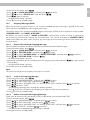
•From the home screen, press
to “ANSW MACHINE” and then press
•Press
•Press
to “ANSW. ON/OFF” and then press
to select “ON” or “OFF” and then press
•Press
>A
> confirmation beep is played.
•Press to return to standby mode.
to select.
to select.
to confirm.
Note:
If the answering machine is off and the Master PIN is still set at its default 0000, the answering machine will
not answer any incoming calls. However, if the Master PIN has been changed, it will answer incoming calls
after 10 rings to allow remote access.
16.2
Answer Mode
The phone comes with two pre-recorded outgoing messages (OGM) for the respective answer modes:
“ANSWER ONLY” and “ANSW. & RECORD”.
By default, the answer mode is “ANSW. & RECORD”, which allows a caller to leave a message on the
answering machine after hearing the announcement. This can be changed to “ANSWER ONLY” mode, which
does not allow callers to leave any messages on the answering machine after hearing the announcement.
16.2.1 Set Answer Mode
.
•From the home screen, press
•Press
to “ANSW MACHINE” and then press
to select.
•Press
to “ANSWER MODE” and then press
to select.
•Press
to select “ANSWER ONLY” or “ANSW. & RECORD” and then press
>A
> confirmation beep is played.
•Press to return to standby mode.
16.3
to confirm.
Answering Machine Settings
16.3.1 Set the Ring Delay
You can select the number of rings before the answering machine answers a call and starts playing the
outgoing message (OGM).
You can set the delay from 2 to 7 rings, or “ECONOMY”.
Important:
If your network voice messaging system (e.g. the 1571 service) is enabled, you must set your “RING
DELAY“ to less than 6 rings; otherwise the network service will answer all your calls before the answering
machine of your telephone and prevent it from recording any messages.
.
•From the home screen, press
•Press
to “ANSW MACHINE” and then press
to select.
•Press
to “SETTINGS” and then press
to select.
•Press
to select “RING DELAY”.
•Press
to select “2 RINGS” – “7 RINGS” or “ECONOMY” and then press
to confirm.
>A
> confirmation tone is played.
UK
16