1
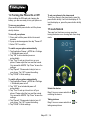
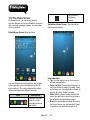
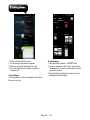
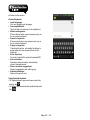
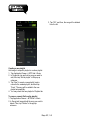
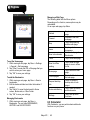
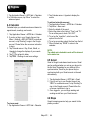
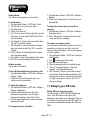
Set up unlock pattern
You can further secure your data by locking the
screen and requiring a screen unlock pattern every
time after your phone is turned on or it wakes up
from the sleep mode every time (screen is off ).
1. Tap Application Drawer > APPS tab > Settings >
Security > Screen lock > Pattern.
2. Draw the unlock pattern by connecting at least
four dots. Then tap “Continue”.
3. Draw the unlock pattern again, and then, tap
“Confirm”.
4. If you want to disable the function, please tap
Application Drawer > APPS tab > Settings >
Security > Screen lock. Confirm the saved
pattern, and then, tap “None” to disable it.
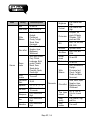
Size
Resolutions
Size
Dimensions
(L x W x H)
Weight
Power
Battery
Rechargeable
Power Adapter AC
input
DC output
Standby time
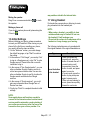
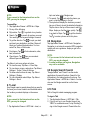
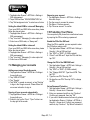
7.6 Resetting Your Phone
With Clean Boot, you can reset your phone to its
factory defaults. When you reset your phone, the
data stored in your phone may be erased.
1. Tap Application Drawer > APPS tab > Settings >
Backup & reset.
2. Tap Factory data reset > Reset phone > Erase
everything to reset the phone.
NOTE:
Before reset your device, please remember to
back up all your data and information.
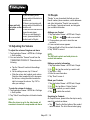
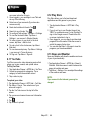
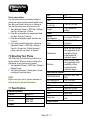
7.7 Specifications
System Information
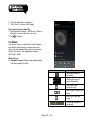
Platform
Processor
Memory
Android 4.1
1 GHz
ROM 4GB
RAM 1GB
Talk time
4.5”
960 x 540 pixels
136 x 67 x 9.7 mm
150.5 grams with
battery
Li-ion pack 1700 mAh
100-240V, 47-63Hz,
0.5A max.
5V, 1A
Up to 300 hours (It may
vary depending on the
availability of local
networks and the
individual usage.)
Up to 4 hours (It may
vary depending on the
availability of local
networks and the
individual usage.)
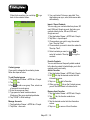
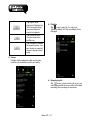
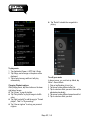
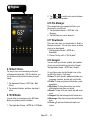
Radio Band & Standard
GSM/GPRS/EDGE
WCDMA/HSDPA
Connectivity
GPS
Wi-Fi
Bluetooth
USB
Audio Jack
Digital Camera
Display
Maya M1│7-7
850/ 900/ 1800/ 1900
MHz
900/ 2100 MHz
GPS, AGPS
IEEE 802.11 b/g/n
Bluetooth 3.0
Micro USB
3.5 mm stereo audio
jack