1
Chapter 1: Specifications
1. Specifications
Automatic Scan Interval: 3, 8, 15, and 30 seconds
Cable Length (Maximum): 10 ft. (3 m) for USB
DDC2B Support — Yes
Hotkeys: Yes
On-Screen Display (OSD): No
Operation: Hot plug-and-play
Resolution (Maximum): WUXGA: (1920 x 1200), Full HD (1920 x 1080p)
User Controls: KV9632A: (1) front-panel push button;
KV9634A: (4) front-panel push buttons, (1) FUNC button
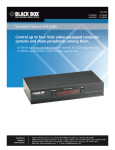
Connectors: KV9632A: Console interface: (4) USB Type A female ports:
(1) for keyboard, (1) for mouse, (2) for peripheral devices;
(1) DVI-D monitor, (1) set of audio jacks for speaker and microphone;
Computer interface: (2) USB Type B ports, (2) DVI-D for monitors,
(2) sets of audio jacks for speaker and microphone;
KV9634A: Console interface: (4) USB Type A female ports: (1) for keyboard,
(1) for mouse, (2) for peripheral devices; (1) DVI-D monitor, (1) set of
audio jacks for speaker and microphone;
Computer interface: (4) USB Type B ports, (4) DVI-D for monitors,
(4) sets of audio jacks for speaker and microphone
Indicators: KV9632A: (4) LEDs: (2) Computer Online, (2) Computer Selected;
KV9634A: (8) LEDs: (4) Computer Online, (4) Computer Selected
Power: 9 VDC (can accept between 9–12 VDC)
Size: KV9632A: 1.6"H x 6.3"W x 3.9"D (4 x 16 x 10 cm);
KV9634A: 1.6"H x 8.7"W x 3.5"D (4.1 x 22 x 9 cm)
Weight: KV9632A: 1.4 lb. (0.6 kg);
KV9634A: 1.8 lb. (0.8 kg)
724-746-5500 | blackbox.com
Page 7