1
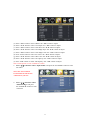
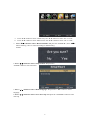
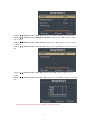
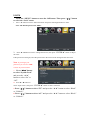
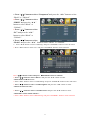
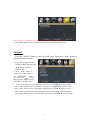
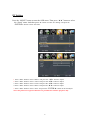
LOCK Press the “MENU” button to enter the OSD menu .Then press “/” button to select the “Lock” menu. 1. Press “” button to select “Enter Password” and press select digital button to enter. Note: The default password is “0000” 2. Press ▼ / ▲ button to select “Change Password”, then press “ENTER/” button to adjust the value. If the password is changed, all of the passwords in the menu will be changed at the same time. Note: If you forget your password, you can use “1470” to enter any menu locked. 3. Press “/” button to select “System Lock” and press the “/” button to select “On” or “Off”. 4. Press ▼ / ▲ button to select “Input Lock”, then press “ENTER/” button to enter sub-menu. a. Press “/” button to select “TV” and press the “/” button to select “Block” or “Unblock”. b. Press “/” button to select “AV” and press the “/” button to select “Block” or “Unblock”. 25