1
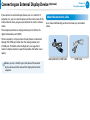
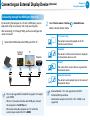
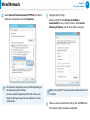
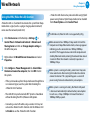
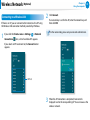
Connecting an External Display Device (Optional) Ŗᮁ Connecting through the HDMI port (Optional) By connecting the computer to a TV with a HDMI port, you can enjoy both a high visual quality and a high sound quality. After connecting a TV through HDMI, you have to configure the screen and sound. 1 Connect the HDMI cable to the HDMI port of the TV. Chapter 3. Using the computer 63 ᯲ Charms menu > Devices 2 Select Select a desired monitor mode. > Second Screen. 3&ִփ 3&ִփ 3&ִփ PC screen only ᰆ⊹ ᖅᱶ 3&ִփ The contents are only displayed on the PC ࢿـ monitor (current device). ࢿـ External Monitor Duplicate TV Projector ࢿـ The contents of the current device are displayed onࢿـ the external device as well. ࢠ Extend ࢠ The screen of the current device is expanded to the external device. ࢠ Second screen only ࢠ ѿءधִփ The contents are displayed only on the screen of theѿءधִփ external device. ѿءधִփ •• This is only supported for models that support a TV output port (HDMI). •• When a TV provides more than one HDMI port, connect the computer to the DVI IN port. •• When connecting the computer to a TV, switch the external input mode of the TV to HDMI. •• External Monitor / TV is not supported in the DOS Command Prompt window. ѿءधִփ •• Simultaneous output to all 3 (LCD + CRT + HDMI) is not supported.