1
Set the date and time
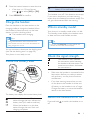
For information, see 'Set the date and time'.
Set the display language
Note
•• This feature only applies to models with multiplelanguage support.
•• Languages available vary from country to country.
1
2
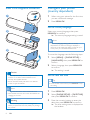
Press MENU/OK.
3
Select a language, then press MENU/OK
to confirm.
»» The setting is saved.
Select [PHONE SETUP] > [LANGUAGE],
then press MENU/OK to confirm.
EN
21