1
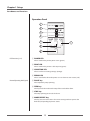
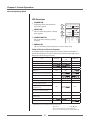
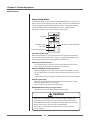
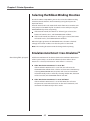
Chapter 2 Printer Operation Quick Setup of the Print Method Menu Setup Mode (p.33) The print method (thermal transfer method/direct thermal method) can be set using operation panel in addition to menu setting mode. Caution Be sure to always shut off the operation of print before changing a setting. You cannot change a setting during printing (including pause). Setting method Each time you push the PAUSE key while pushing the MODE/REPEAT key, a buzzer sounds and the printer switches between thermal transfer method and direct thermal method. If thermal transfer method has been selected, the buzzer sounds once and the CONDITION LED flashes. If direct thermal method has been selected, the buzzer sounds twice and the CONDITION LED flashes. The change is complete when the CONDITION LED goes out. Changes will remain in effect even after the power is turned off. 44