1
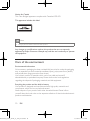
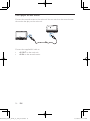
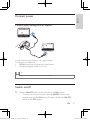
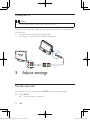
Connect to a TV
Caution
•• Turn off your player before connecting to any additional equipment.
Match the color of the AV cables (the AV cable connected to TV is not supplied)
with the jacks:
• the yellow cable is for the yellow video jack
• the red/white cable is for the red/white audio jacks.
R
L
VIDEO IN
5 Adjust settings
Set the main unit
To maximize your play experience, use SETUP to fine tune your settings.
1
22
Press SETUP.
»» The setup menu is displayed.
EN
PD9012M_9012P_7012P_37_UM_V2.0.indb 22
3/5/2013 9:51:34 AM