1
FAQs
Why is
“Searching”
completed quickly
sometimes and
takes longer other
times?
Searching will be completed quickly when the unit is
activated from the Sleep mode. If the unit is activated
from the Off state, Searching may take up to 2
minutes to acquire a satellite signal.
What can be done
when the unit has
difficulty finding a
GPS Signal?
To ensure the most effective way the unit searches
for a satellite signal, hold the unit face up toward the
open sky. Move away from tall buildings, trees or
overhead obstructions.
Why does the
arrow point
toward metal
buildings or
power lines when
my location is not
in that direction?
The digital compass may be affected by large metal
objects, such as buildings with metal, power lines,
and steel bridges. Move away from these types of
objects when using this unit.
Why does the Red
light (LED) blink
and the unit go to
Sleep when I am
navigating back
to my location?
The red light blinks when the unit is not traveling in
arrow’s general direction then goes to Sleep in approximately
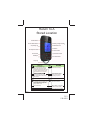
2 minutes. Press the return button (e3) to wake from Sleep
and then the return button (e3) to continue your navigation. HINT:
If you don’t want the unit to go to Sleep while going around an
obstacle to get to your location, rotate the unit in
your hand so that the directional arrow points to the 12
o’clock position.
How long does it
take to charge the
battery?
It takes 1.5 hours to fully charge the battery.
How long does
the charge last?
The charge lasts 10 hours during active tracking or 16 days
on standby.
How can I tell if
the battery is
low?
The unit’s LCD displays a battery strength indicator (d2). When
the black bars across the battery strength indicator (d2) are at
25% or less, it is recommended to recharge the battery. The battery strength indicator (d2) is on the active LCD screen in every
mode, except when you are viewing GPS information ( latitude,
longitude, and satellite signals).
Page 10
10/12
128-8854