1
15
StarView offers keyboard typematic setting that overrides the similar
settings in BIOS and in Windows. Available speed options are Low,
Middle, Fast and Faster as 10, 15, 20 and 30 characters/sec
respectively. The non-volatile memory stores the Keyboard
Speed setting.
< Hotkey Menu
When you hit the left <CTRL> key twice within two seconds, the
"Hotkey Menu" appears displaying a list of hot-key commands if the
option is On. The 'Hotkey Menu' can be turned Off if you prefer not to
see it when the left <CTRL> key is hit twice.
The non-volatile memory stores the Hotkey Menu setting.
< CH Display
Auto Off: After you select a computer, the channel address and
name of the computer will appear on the screen for 3 seconds then
disappear automatically.
Always On: The channel address and name of a selected computer
and/or OSD status displayed on the screen all the time.
The non-volatile memory stores the CH Display setting.
< Position
The position of the selected computer name and/or OSD status
displayed on screen during operation. The actual display position
shifts due to different VGA resolution, the higher the resolution the
higher the display position. The non-volatile memory stores the
Position setting.
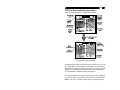
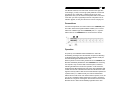
UL as Upper Left, UR as Upper Right,
LL as Lower Left, LR as Lower Right.
MI as MIddle,
=ESC: To exit the OSD, press the <ESCAPE> key
Hot-key commands
Hot-key command is a short keyboard sequence to select a
computer, to activate computer scan, etc. StarView interprets