1
www.foscam.com
3.16 Upgrade Device Firmware
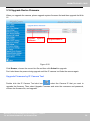
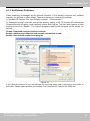
When you upgrade the camera, please upgrade system firmware first and then upgrade the Web
UI.
Upgrade system
firmware
Upgrade Web UI
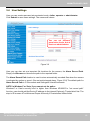
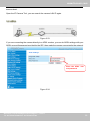
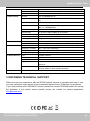
Figure 3.50
Click Browse, choose the correct bin file and then click Submit to upgrade.
Don’t shut down the power during upgrade until the IP camera tool finds the camera again.
Upgrade Firmware by IP Camera Tool
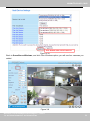
Double click the IP Camera Tool shot icon
, select the Camera IP that you want to
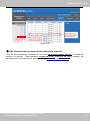
upgrade the firmware. Then select Upgrade Firmware and enter the username and password,
choose the firmware file, and upgrade.
Shenzhen Foscam Intelligent Technology Co., Limited
Tel: 86 755 2674 5668 Fax: 86 755 2674 5168
54
54