1
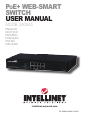
PoE+ Web-Smart Switch • User Manual
English
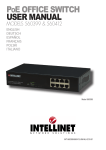
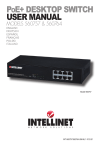
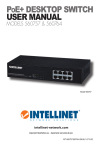
Thank you for purchasing the Intellinet Network Solutions 8-Port PoE+ WebSmart Switch, Model 560665.
™
CONNECTIONS & INDICATORS
8 RJ45 10/100M ports
Ports
2
4
6
8
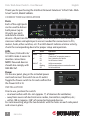
Each of the eight ports
2 4 6 8
can be used to deliver
PoE
LINK /ACT
both power (up to
POWER PoE
30 watts per port)
LINK /ACT
Reset
1
3
5
7
1 3 5 7
and data to remote
devices. All ports on the switch support Auto-MDI/MDI-X functionality, so
crossover cables and uplink ports are not needed for connections to PCs,
routers, hubs, other switches, etc. If an LED doesn’t indicate a link or activity,
check the corresponding device for proper setup and operation.
LEDs
LED StatusOperation
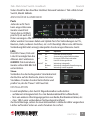
The Power, PoE and Link/ POWER On
Power on
Off
Check the AC connection; power on
Act LEDs make it easier to PoE
On
Port is linked to a PoE device
monitor connections.
Off
No PoE device is linked
NOTE: Powered devices
LINK/ACT On
Valid port connection
should also comply with Blinking
Valid connection; data transmitted/received
Off
No link established
IEEE 802.3af.
Power
ON
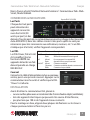
On the rear panel, plug in the included power
cord and connect the switch to an AC outlet.
Toggle the Power switch to On and confirm that
OFF
the Power LED is lit.
INSTALLATION
Prior to use, position the switch:
• on a level surface with 25+ mm (approx. 1”) of clearance for ventilation;
• away from sources of electrical noise: radios, transmitters, amplifiers, etc.;
• within 100 m (approx. 328’) of connected network devices.
For rack mounting, align the two brackets with the holes on each side panel
and screw in place.
2
ENGLISH