1
Unified Access Point Administrator’s Guide

Table of Contents
Section 1 - About This Document.............................................................................................9
Document Organization.......................................................................................................................................... 9
Additional Documentation...................................................................................................................................... 9
Document Conventions.......................................................................................................................................... 9
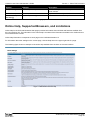
Online Help, Supported Browsers, and Limitations.............................................................................................. 10
Section 2 - Getting Started.......................................................................................................11
Administrator’s Computer Requirements............................................................................................................. 11
Wireless Client Requirements.............................................................................................................................. 12
Dynamic and Static IP Addressing on the AP....................................................................................................... 13
Recovering an IP Address.............................................................................................................................. 13
Discovering a Dynamically Assigned IP Address........................................................................................... 13
Installing the UAP................................................................................................................................................. 13
Basic Settings....................................................................................................................................................... 16
Connecting to the AP Web Interface by Using the IPv6 Address................................................................... 17
Using the CLI to View the IP Address.................................................................................................................. 17
Configuring the Ethernet Settings........................................................................................................................ 18
Using the CLI to Configure Ethernet Settings................................................................................................ 18
Configuring IEEE 802.1X Authentication.............................................................................................................. 19
Using the CLI to Configure 802.1X Authentication Information...................................................................... 20
Verifying the Installation....................................................................................................................................... 20
Configuring Security on the Wireless Access Point.............................................................................................. 21
Section 3 - Viewing Access Point Status................................................................................22
Viewing Interface Status....................................................................................................................................... 22
Wired Settings (Internal Interface)................................................................................................................. 22
Wireless Settings........................................................................................................................................... 22
Viewing Events..................................................................................................................................................... 23
Configuring Persistent Logging Options......................................................................................................... 23
Configuring the Log Relay Host for Kernel Messages................................................................................... 24
Enabling or Disabling the Log Relay Host on the Events Page..................................................................... 24
Viewing Transmit and Receive Statistics.............................................................................................................. 25
Viewing Associated Wireless Client Information.................................................................................................. 26
Viewing TSPEC Client Associations..................................................................................................................... 26
Link Integrity Monitoring................................................................................................................................. 28
Viewing Rogue AP Detection............................................................................................................................... 28
Saving and Importing the Known AP List....................................................................................................... 30
Viewing Managed AP DHCP Information............................................................................................................. 31
Viewing TSPEC Status and Statistics Information............................................................................................... 31
Viewing TSPEC AP Statistics Information............................................................................................................ 32
Viewing Radio Statistics Information.................................................................................................................... 33
Viewing Email Alert Operational Status................................................................................................................ 34
Section 4 - Managing the Access Point..................................................................................35
Ethernet Settings.................................................................................................................................................. 35
Wireless Settings.................................................................................................................................................. 37
Using the 802.11h Wireless Mode.................................................................................................................. 39
Enabling AeroScout™ Engine Support.......................................................................................................... 39
Modifying Radio Settings...................................................................................................................................... 40
Configuring Radio and VAP Scheduler................................................................................................................ 44
Scheduler Association Settings............................................................................................................................ 46
Virtual Access Point Settings................................................................................................................................ 47
None (Plain-text)............................................................................................................................................ 50
Static WEP..................................................................................................................................................... 50
IEEE 802.1X................................................................................................................................................... 51
WPA Personal................................................................................................................................................ 53
WPA Enterprise.............................................................................................................................................. 54
Configuring the Wireless Distribution System (WDS).......................................................................................... 56
WEP on WDS Links....................................................................................................................................... 58
WPA/PSK on WDS Links............................................................................................................................... 58
Unified Access Point Administrator’s Guide
Page 2
March 2012