1
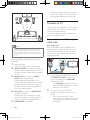
•• Depending on the manufacturer, HDMI-CEC is known
by many names. For information on your device, see
the user manual of the device.
•• Philips does not guarantee 100% interoperability with
all HDMI-CEC devices.
Before you start
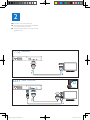
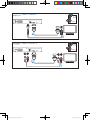
• Connect your home theater to the HDMICEC compliant device through HDMI
connection.
• Make the necessary connections described
in the quick start guide, and then switch
the TV to the correct source for your
home theater.
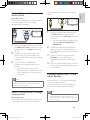
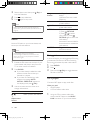
Enable EasyLink
1
2
3
4
Press
(Home).
Select [Setup], and then press OK.
Select [EasyLink] > [EasyLink] > [On] .
On your TV and other connected devices,
turn on HDMI-CEC control. For details, see
the user manual of the TV or other devices.
• On your TV, set the audio output to
'Amplifier' (instead of TV speakers).
For details, see the TV user manual.
•
Note
•• To change the EasyLink control settings, press
(Home), select [Setup] > [EasyLink].
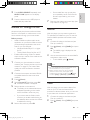
Set up the audio
If you cannot hear the audio output of a
connected device through your home theater
speakers, check that you have enabled Easylink
on all the devices (see 'Enable EasyLink' on
page 11). Then, set up the EasyLink audio
control.
1
2
3
EasyLink controls
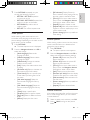
With EasyLink, you can control your home
theater, TV, and other connected HDMI-CEC
compliant devices with a single remote control.
• [One Touch Play] (One-touch play): When
a video disc is in the disc compartment,
press (Play) to wake up the TV from
standby, and then play a disc.
• [One Touch Standby] (One-touch
standby): If one-touch standby is enabled,
your home theater can switch to standby
with the remote control of the TV or other
HDMI-CEC devices.
• [System Audio Control] (System audio
control): If system audio control is enabled,
the audio of the connected device is
output through your home theater
speakers automatically when you play the
device.
[Audio Input Mapping] (Audio input
mapping):If system audio control does not
work, map the connected device to the
correct audio input connector on your
home theater (see 'Set up the audio' on
page 11).
4
5
Press
(Home).
Select [Setup], and then press OK.
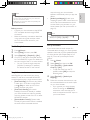
Select [EasyLink] > [System Audio
Control] > [On].
• To play the audio from the TV
speakers, select [Off], and skip the
following steps.
Select [EasyLink] > [Audio Input
Mapping].
Follow the onscreen instructions to map
the connected device to the audio inputs
on your home theater.
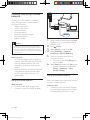
• If you connect your home theater
to the TV through an HDMI ARC
connection, make sure that the TV
audio is mapped to the ARC input on
your home theater.
EN
HTS3564_F7_UM_V1.0.indb 11
English
Note
11
2012/7/20 11:09:12