1
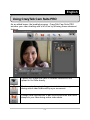
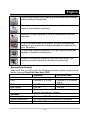
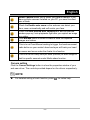
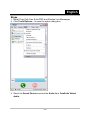
English Live, Magic Mirror, Media Share and Desktop Share that can be seen during your video conference after turn on the Enable Video Chat feature . Trouble shooting Q1: My computer cannot detect the web camera when connected with an extended USB cable. Solution: Connect the web camera directly to a USB port on your computer. Make sure the web camera is connected to the USB port at the back of your computer. Some USB ports at the front of computers may not supply sufficient power for your web camera. Q2: Insufficient system resources reserved for the USB port, causing the system to be unable to function. There are too many devices in the system, causing IRQ problems with the system's USB controller. Do the following: Remove some USB devices from the system. Restart the system. The computer reallocates resources. Q3: The web camera does not light up or the computer restarts for no apparent reason. You may have a USB device drawing too much power from your computer. This can happen especially when connecting USB devices to a passive or self-powered USB hub. A USB Hub Power Exceeded dialog box appears. Try the following: Connect the web camera directly to your computer's USB port. Use a USB hub with an external power supply. -21-