1
Using the [Rec] menu
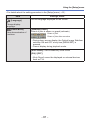
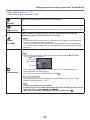
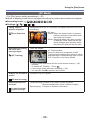
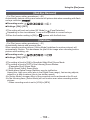
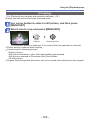
[Face Recog.]
••For [Rec] menu setting procedures (→51)
For details (→89).
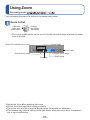
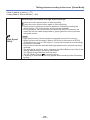
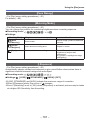
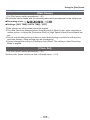
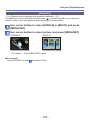
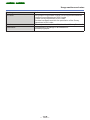
[Metering Mode]
••For [Rec] menu setting procedures (→51)
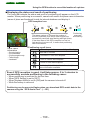
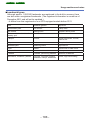
You can change the position for measuring brightness when correcting exposure.
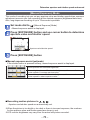
■■Recording mode:
■■Settings:
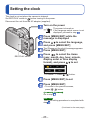
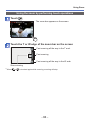
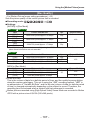
[Metering Mode]
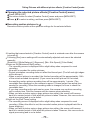
Brightness measurement position
Conditions
[ Multi
Metering]
Whole screen
Normal usage (produces balanced
pictures)
[ Center
Weighted]
Centre and surrounding area
Subject in centre
[Spot]
Centre and close surrounding area
Great difference between
brightness of subject and
background
(e.g. person in spotlight on stage,
backlighting)
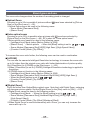
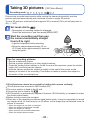
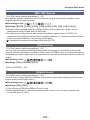
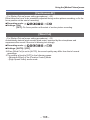
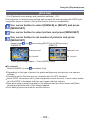
[i.Exposure]
••For [Rec] menu setting procedures (→51)
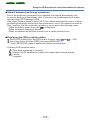
Automatically adjusts contrast and exposure to give more lifelike colours when there is
significant contrast between background and subject.
■■Recording mode:
■■Settings: [LOW] /
[STANDARD] /
[HIGH] / [OFF]
●●[LOW], [STANDARD] and [HIGH] indicate the maximum range of correction.
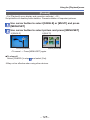
●●When [i.Exposure] works, the colour of changes.
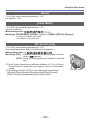
●●Even if [Sensitivity] is set to [100], when [i.Exposure] is activated, pictures may be taken
at a higher ISO Sensitivity than the setting.
- 101 -