1
6
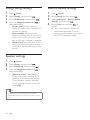
Bonus View on Blu-ray
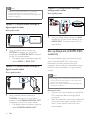
On Blu-ray discs that support the Bonus View,
enjoy extra content such as commentaries in a
small screen window. Bonus View is also known
as picture-in-picture.
1
2
3
4
5
Enable Bonus View in the Blu-ray disc
menu.
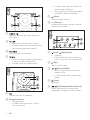
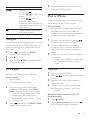
While you play the movie, press
»» The options menu is displayed.
.
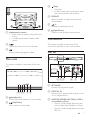
Select [PIP selection] > [PIP].
• Depending on the video, PIP menu [1]
or [2] is displayed.
• To disable Bonus View, select [Off].
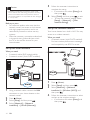
Select [2nd audio language] or [2nd
Subtitle Language].
Select the language, and then press
What you need
• Blu-ray disc with BD-Live content
• a USB storage device, with at least 1 GB of
memory
3
4
5
Connect your home theater to a home
network with Internet access (see
'Connect and set up a home network' on
page 13).
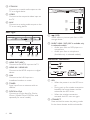
Connect a USB storage device to your
home theater.
Press
Press the Navigation buttons to navigate
BD-Live, and then press
to select an
option.
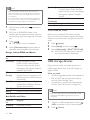
Note
•• To clear the memory on the storage device, press
.
Access additional features on the Blu-ray discs
with BD-Live content, such as internet chats
with the director, the latest movie trailers,
games, wallpaper, and ringtones.
BD-Live services and content vary from disc to
disc.
2
8
Select the BD-Live icon in the disc menu,
and then press
.
»» BD-Live starts to load. The loading
time depends on the disc and your
internet connection.
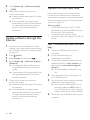
(Home), select [Setup] > [Advanced] > [Clear
memory].
BD-Live on Blu-ray
1
7
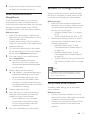
Select [Advanced] > [BD-Live security] >
[Off] to enable BD-Live.
• To disable BD-Live, select [On].
(Home) and select [Setup].
Data files
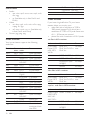
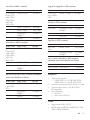
Your home theater can play pictures, audio and
video files contained in a disc or a USB storage
device. Before you play a file, check that the file
format is supported by your home theater (see
'File formats' on page 32).
1
2
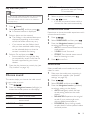
Play the files from a disc or USB storage
device.
To stop play, press .
• To resume the video from where you
stopped, press (Play).
• To play the video from the start, press
.
Note
•• To play DivX DRM protected files, connect your home
theater to a TV through an HDMI cable.
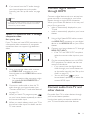
Select [Advanced] > [Local storage].
Select [USB].
• Use a USB storage device to store the
downloaded BD-Live content.
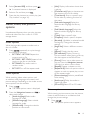
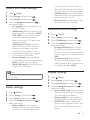
Subtitles
If your video has subtitles in multiple languages,
select a subtitle language.
EN
17