1
Contents
1 Important Safety Notice 3
3
3
9 Use the dock 19
19
19
20
20
21
21
21
22
22
22
10 Adjust sound 23
23
23
23
23
23
23
23
23
Compatible iPod/iPhone models Prepare for docking Load your iPhone or iPod touch Adjust the dock bracket Pair your iPhone via Bluetooth Enjoy audio through the dock Use the CarStudio application Charge your iPhone or iPod touch Undock your iPhone or iPod touch Store the dock bracket 2 Your car audio system 5
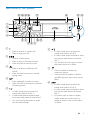
5
5
6
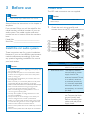
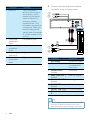
3 Before use 8
8
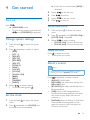
4 Get started 12
12
12
12
12
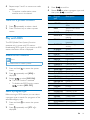
5 Listen to radio 13
13
13
13
13
14
14
11 Adjust system settings 24
12 Additional information 16
16
16
16
25
25
25
13 Product information 26
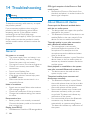
14 Troubleshooting 27
27
27
15 Glossary 28
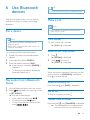
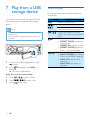
Introduction What's in the box Overview of the system Install the car audio system Turn on Change system settings Set the clock Select a source Select a radio region Select a tuner sensitivity Tune to a radio station Store radio stations in memory Tune to a preset station Play with RDS 6 Use Bluetooth devices Pair a device Play audio from a Bluetooth device Make a call 7 Play from a USB storage device 17
17
8 Listen to an external device 18
Control play Adjust the volume level Mute sound Use the DBB sound effect Enable the max sound Select a listening zone Enable the full-range sound Select a preset sound equalizer Other sound settings Reset the system Replace the fuse General About Bluetooth device EN
2