1
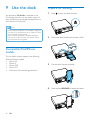
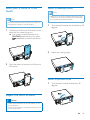
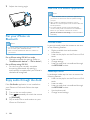
2 Adjust the viewing angle.
Use the CarStudio application
Note
•• To enjoy the latest features, update the application on
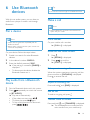
Pair your iPhone via
Bluetooth
Note
•• To use the hands-free function, pair your iPhone with
the car audio system via Bluetooth first.
•• Make sure that the Bluetooth feature is enabled on
your iPhone.
For an iPhone using iOS 4.X or under
• Manually complete the pairing. (Refer to
"Use Bluetooth devices" > "Pair a device")
For an iPhone using iOS 5.X
• For the first time, manually complete
the pairing. Afterwards, the pairing is
automatically complete after your iPhone is
docked and recognized.
Enjoy audio through the dock
If the CarStudio application is not installed on
your iPhone or iPod touch, follow the steps
below.
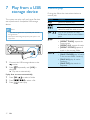
1 Turn on the car audio system.
2 Press
repeatedly to switch the source
to [iPHONE].
3 Play an audio file or radio station on your
iPhone or iPod touch.
21
EN
your iPhone or iPod touch when an update message
prompts.
•• After update, the interface and features may be
different from the description in this section. Follow the
actual operations.
•• To switch between portrait mode and landscape
mode smoothly, make sure that the auto-orientation
feature on your iPhone or iPod touch is set to
[Portrait Orientation Unlocked] (Portrait Orientation
Unlocked).
Portrait mode
In portrait mode, swipe the screen to use one
of the following features.
• Display available time and weather
information.
• Listen to the playlist on the iPhone or iPod
touch.
• Listen to radio.
• Change settings.
• Listen to audio that is transferred through
the MP3-LINK socket.
Landscape mode
In landscape mode, tap the icons to access the
following features.
• Listen to the playlist on the iPhone or iPod
touch.
• Listen to radio.
• Listen to audio that is transferred through
the MP3-LINK socket.
• Use the phone call.
• Change sound settings.