1
4.
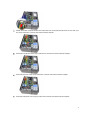
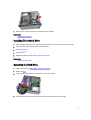
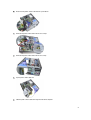
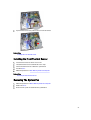
Lift the memory modules out of the connectors on the system board.
Related Links
Installing the Memory
Installing the Memory
1.
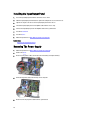
Insert the memory modules into the connectors on the system board. Install the memory module in the order of A1 >
B1 > A2 > B2.
2.
Press down on the memory modules until the retention clips spring back to secure them in place.
3.
Install the cover.
4.
Follow the procedures in After Working Inside Your Computer.
Related Links
Removing the Memory
Removing The Chassis Intrusion Switch
1.
Follow the procedures in Before Working Inside Your Computer.
2.
Remove the cover.
3.
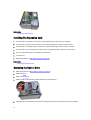
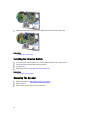
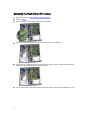
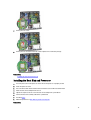
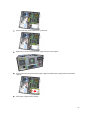
Disconnect the intrusion switch-cable from system board.
15