1
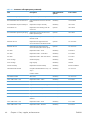
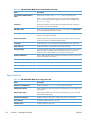
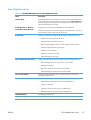
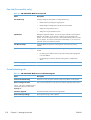
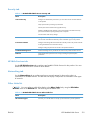
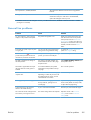
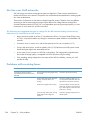
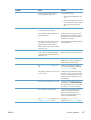
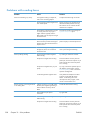
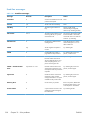
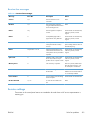
Problems with sending faxes
Problem
Cause
Solution
Faxes are transmitting very slowly.
You might be sending a complex fax,
such as one with many graphics.
Complex faxes take longer to transmit.
The receiving fax machine might have a
slow modem speed.
The fax accessory only sends the fax at
the fastest modem speed the receiving
fax machine can use. Wait for the fax
transmission to complete.
The resolution at which the fax was sent
or is being received is very high. A
higher resolution typically results in
better quality, but also requires a longer
transmission time.
Decrease the resolution and change the
Optimize Text/Picture option.
If there is a poor phone-line connection,
the fax accessory and the receiving fax
machine slow down the transmission to
adjust for errors.
Cancel and resend the fax. Ask the
phone company to check the phone line.
The document might have a gray
background, which can increase fax
transmission time.
Use the Image Adjustment feature to
clean up the background shading.
The receiving fax machine might be
malfunctioning.
Try sending to another fax machine.
The phone line might not be working.
Disconnect the fax accessory from the
phone jack, and connect a phone. Try to
make a phone call to ensure the phone
line is working.
The phone line might be noisy or poor
quality.
Try using a slower fax speed to improve
the reliability of transmission. Use the
Fax Dialing Settings menu to set the fax
speed for sending faxes.
A call-waiting feature might be active.
Verify that the fax telephone line does
not have an activated call-waiting
feature. A call-waiting notice can
interrupt a fax call in progress, which
causes a communication error.
If the fax accessory is on a PBX system,
the PBX system might be generating a
dial tone the fax accessory cannot
detect.
Disable the detect-dial-tone setting.
There might be a poor phone
connection.
Try again later.
The receiving fax machine might be
malfunctioning.
Try sending to another fax machine.
The phone line might not be working.
Disconnect the fax accessory from the
phone jack, and connect a phone. Try to
make a phone call to ensure the phone
line is working.
Faxes quit during sending.
The fax accessory is receiving faxes but
is not sending them.
298
Chapter 10 Solve problems
ENWW