1
AOC-CGP-i2 Add-on Card User's Guide
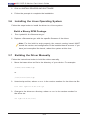
3. Click on INSTALL DRIVERS AND SOFTWARE.
4. Follow the prompts to complete the installation.
3-6 Installing the Linux Operating System
Follow the steps below to install the driver to a Linux system.
Build a Binary RPM Package
1. Run ‘rpmbuild -tb <filename.tar.gz>’
2. Replace <filename.tar.gz> with the specific filename of the driver.
Note: For the build to work properly, the current running kernel MUST
match the version and configuration of the installed kernel sources. If you
have just recompiled the kernel, reboot the system at this time.
3-7 Building the Driver Manually
Follow the instructions below to build the driver manually.
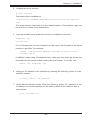
1. Move the base driver tar file to the directory of your choice. For example:
/home/username/igb
or
/usr/local/src/igb
2. Untar/unzip archive, where <x.x.x> is the version number for the driver tar file:
tar zxf igb-<x.x.x>.tar.gz
3. Change to the driver src directory, where <x.x.x> is the version number for
the driver tar:
cd igb-<x.x.x>/src/
3-4