1
Chapter 1
Introduction
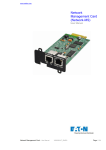
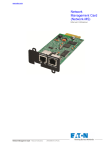
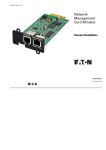
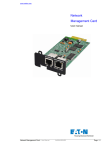
The Eaton® Network Card-MS works with Eaton UPS Management Software to monitor, manage, and protect
uninterruptible power supplies (UPSs) through standard Web pages, a Network Time Protocol (NTP) server,
and Secure Sockets Layer (SSL) security protocol. The Network Card-MS can support up to five connected
browsers at a time, or three with SSL protocol.
You can configure the card while the UPS is online with any one of the following options:
l
Web browser
l
Telnet, Secure Shell (SSH), and command line interface (CLI)
l
Local serial link using network parameters
l
Bootstrap Protocol/Dynamic Host Configuration Protocol (BOOTP/DHCP) using network parameters
l
Uses the following well-known and registered port numbers for protocol connections:
- BootP, DHCP UDP: 68, 67
- HTML TCP: 80
- SSL TCP: 443
- NSM in connected mode TCP: 5000
- NSM in UDP broadcast mode: 4679 and 4680
- SMTP: 25
- NTP: 123
- SNMP V1&V3: 161
- TRAP SNMP: 162
- TELNET: 23
- SSH: 22
l
In addition, the Network Card-MS has the following features:
l
Simultaneous access of up to five connected browsers (three in SSL)
l
Configuration of automatic e-mail message in response to UPS alarms and to transmit periodic reports
l
Control of UPS on/off switching with a Web browser
l
Adjustment and control of load segments through the Web interface, including sequential starting of the
installation and optimization of backup time by shutting down non-priority systems
l
Automatic shutdown of UPS-protected computers with NetWatch client software
l
Measurement of humidity and temperature with the optional Environmental Monitoring Probe (EMP)
l
Automatic data and time adjustment through an NTP server
l
Protection by encrypted password
l
Protection by secure SSL connection
l
Log storage in the non-volatile memory
l
Available languages:
- English
- French
- German
- Italian
- Spanish
- Portuguese
Eaton Network Card-MS User’s Guide P-164000100—Rev 1 www.eaton.com/powerquality
1