1
8 Use Bluetooth
devices
With this car audio system, you can listen to
audio from a player or make a call through
Bluetooth.
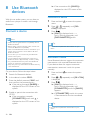
Connect a device
»» If the connection fails, [FAILED] is
displayed on the LCD screen of this
system.
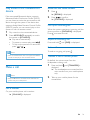
Disconnect a device
1
2
3
Note
•• Philips does not guarantee the compatibility with all
manual for Bluetooth compatibility.
On your device, follow the steps below.
1
2
3
4
Search for Bluetooth devices.
In the device list, select CE152.
Enter the default password "0000", and
then confirm the password entry.
»» If the pairing succeeds, [PAIRED] is
displayed on the LCD screen of this
system.
Enable or permit the connection with
CE152.
»» If the connection succeeds,
[CONNECTED] scrolls and
is
displayed on the LCD screen of this
system.
Press
/
repeatedly until [DIS-CON] is displayed.
Press
.
»» [WAIT] is displayed with -, --,
and --- blinking alternately until
[DISCONNECTED] scrolls.
•• You can also complete the disconnection on your
device.
•• Make sure that Bluetooth function is enabled on your
device, and your device is set as visible to all other
Bluetooth devices.
•• At one time, you can connect only one Bluetooth
device to this system.
•• The operational range between this system and a
Bluetooth device is approximately 3 meters (9 feet).
•• Any obstacle between this system and a Bluetooth
device can reduce the operational range.
•• Keep away from any other electronic device that may
cause interference.
to access the system
Tip
Bluetooth devices.
•• Before pairing a device with this system, read its user
Press and hold
menu.
Reconnect a device
Some Bluetooth devices support the automatic
reconnection with a paired Bluetooth device.
If your device does not support automatic
reconnection, reconnect it with this system
manually.
1
2
3
Press and hold
menu.
Press
/
is displayed.
to access the system
repeatedly until [RE--CON]
Press
.
»» [WAIT] is displayed with -, --,
and --- blinking alternately until
[CONNECTED] scrolls or [FAILED]
appears.
»» If [CONNECTED] scrolls, this system
is reconnected to the last connected
device.
Tip
•• You can also complete the reconnection on your
device.
20
EN