1
CONTENTS
Package Contents......................................................................................... 1
Chapter 1 Introduction ................................................................................. 2
1.1 Conventions ........................................................................................... 2
1.2 System Requirement.............................................................................. 2
1.3 Important Safety Instructions ................................................................. 2
Chapter 2 Connecting Mechanism .............................................................. 4
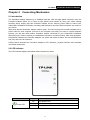
2.1 Introduction ............................................................................................ 4
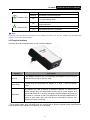
2.2 LED Indicator ......................................................................................... 4
2.3 Physical Interface................................................................................... 5
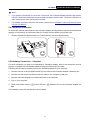
2.4 Connection Instruction ........................................................................... 6
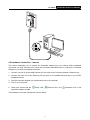
2.5 Hardware Connection – Computer......................................................... 6
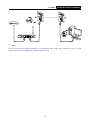
2.6 Hardware Connection – Internet ............................................................ 7
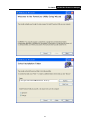
Chapter 3 Installing Management Utility..................................................... 9
Chapter 4 Using the Management Utility .................................................. 13
4.1 Status ................................................................................................... 13
4.1.1 Set Local Device’s Network Name ................................................. 14
4.2 Network ................................................................................................ 15
4.2.1 Rename the Remote Device/Enter Password ................................ 16
4.2.2 Add Device ..................................................................................... 16
4.3 Advanced ............................................................................................. 17
4.4 System ................................................................................................. 18
4.4.1 Upgrade Firmware.......................................................................... 19
4.4.2 Reset Device .................................................................................. 20
4.4.3 Set All Devices’ Network Name ...................................................... 20
Chapter 5 Advanced Feature: How to Use the Pair Buttons................... 21
5.1 Pair ( Secure with 128 bits-AES).......................................................... 21
5.2 Set Up a Powerline AV Network with the Pair Button........................... 21
Appendix A: Troubleshooting.................................................................... 23
IV