1
Contents
Chapter 1 Set Up Your Wireless USB Adapter
USB Adapter Placement and Performance . . . . . . . . . . . . . . . . . . . . . . . . . 5
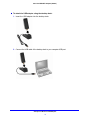
Attach the USB Adapter to Your Computer . . . . . . . . . . . . . . . . . . . . . . . 5
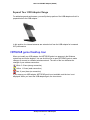
Expand Your USB Adapter Range . . . . . . . . . . . . . . . . . . . . . . . . . . . . . . 7
NETGEAR genie Desktop Icon . . . . . . . . . . . . . . . . . . . . . . . . . . . . . . . . . . 7
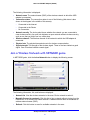
NETGEAR genie Home . . . . . . . . . . . . . . . . . . . . . . . . . . . . . . . . . . . . . . . . 8
Status Bar. . . . . . . . . . . . . . . . . . . . . . . . . . . . . . . . . . . . . . . . . . . . . . . . . 8
Join a Wireless Network with NETGEAR genie . . . . . . . . . . . . . . . . . . . . . . 9
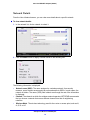
Network Details . . . . . . . . . . . . . . . . . . . . . . . . . . . . . . . . . . . . . . . . . . . 10
Join a Network or Connect to a Different Network . . . . . . . . . . . . . . . . . 11
Join a Hidden Network . . . . . . . . . . . . . . . . . . . . . . . . . . . . . . . . . . . . . . 13
Install a Standalone Driver without NETGEAR genie. . . . . . . . . . . . . . . . . 15
Chapter 2 Maintenance
Other Screen . . . . . . . . . . . . . . . . . . . . . . . . . . . . . . . . . . . . . . . . . . . . . . . 17
Sent/Receive Activity . . . . . . . . . . . . . . . . . . . . . . . . . . . . . . . . . . . . . . . 17
Network . . . . . . . . . . . . . . . . . . . . . . . . . . . . . . . . . . . . . . . . . . . . . . . . . 17
Adapter . . . . . . . . . . . . . . . . . . . . . . . . . . . . . . . . . . . . . . . . . . . . . . . . . . 17
Support . . . . . . . . . . . . . . . . . . . . . . . . . . . . . . . . . . . . . . . . . . . . . . . . . . 18
Help . . . . . . . . . . . . . . . . . . . . . . . . . . . . . . . . . . . . . . . . . . . . . . . . . . . . 18
Remove the genie Software . . . . . . . . . . . . . . . . . . . . . . . . . . . . . . . . . . . . 18
Frequently Asked Questions (FAQs) . . . . . . . . . . . . . . . . . . . . . . . . . . . . . 19
Appendix A Technical Specifications and
Factory Default Settings
Technical Specifications . . . . . . . . . . . . . . . . . . . . . . . . . . . . . . . . . . . . . . . 23
Factory Default Settings . . . . . . . . . . . . . . . . . . . . . . . . . . . . . . . . . . . . . . . 24
Appendix B Notification of Compliance
3