1
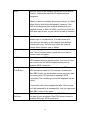
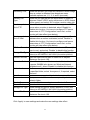
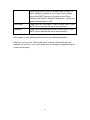
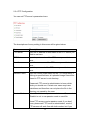
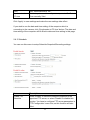
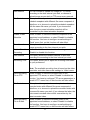
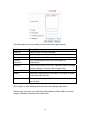
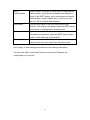
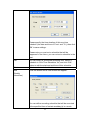
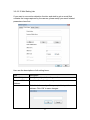
Edit
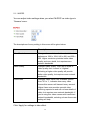
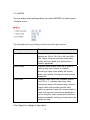
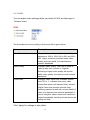
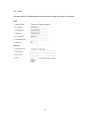
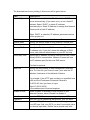
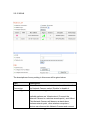
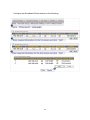
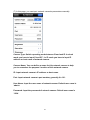
Select an email address from ‘Recipient E-Mail Address’
box, and click ‘Edit’ to edit the email address.
Delete
Delete selected email address.
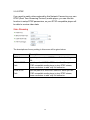
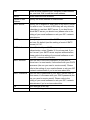
Sender E-Mail
Address
Specify the email address of email sender.
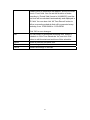
SMTP Server
Specify the IP address or host name of the SMTP server
you wish to use. For most of ISPs they will only allow its
subscriber to use their SMTP server, if you don’t know
which SMTP server you should use, please refer to the
setting of your email software or ask your ISP / network
administrator.
SMTP port
Specify the port number of the SMTP server you wish to
use here. By default (and the setting of most of SMTP
servers) it’s ‘25’.
SMTP Auth
Select ‘Enable’ if your SMTP server requires
authentication, select ‘Disable’ if it’s not required. If you
don’t know if your SMTP server requires authentication,
please refer to the setting of your email software or ask
your ISP / network administrator.
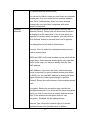
SMTP Account
Input the SMTP account (username) of your SMTP
server here. In most cases, it’s the same with your POP3
username (the one you used to receive email). Please
refer to the setting of your email software or ask your ISP
/ network administrator if you’re not sure about this.
SMTP Password
Input the SMTP password of your SMTP server here. In
most cases, it’s the same with your POP3 password (the
one you used to receive email). Please refer to the
setting of your email software or ask your ISP / network
administrator if you’re not sure about this.
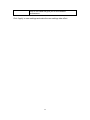
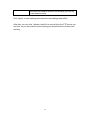
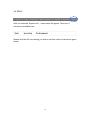
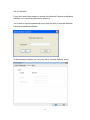
OK
Save settings in this tab.
Cancel
Discard all settings in this tab.
94