1
Chapter 1: Getting Started.................................................................... 1
1.1 Your Device..................................................................................................
Front ............................................................................................................
Back ............................................................................................................
Top ..............................................................................................................
Bottom .........................................................................................................
Left & Right .................................................................................................
1.2 Accessories .................................................................................................
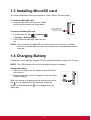
1.3 Installing Memory Card...............................................................................
1.4 Charging Battery .........................................................................................
1.5 Using Headsets ...........................................................................................
1.6 Turning the Device On or Off .....................................................................
1.7 Unlocking the Screen..................................................................................
1
1
1
1
2
2
2
3
3
4
4
5
Chapter 2: The Basics........................................................................... 6
2.1 Home Screen ............................................................................................... 6
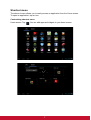
Extended Home screen............................................................................... 6
Shortcut menu ............................................................................................. 7
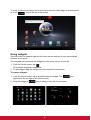
Using widgets .............................................................................................. 9
Application drawer..................................................................................... 10
Setting wallpaper....................................................................................... 10
2.2 Adjusting Volume...................................................................................... 11
2.3 Setting up Wi-Fi ......................................................................................... 12
Chapter 3: Entering Information ........................................................ 13
3.1 On-Screen Keyboard.................................................................................
Using the on-screen keyboard ..................................................................
Setting input method .................................................................................
3.2 Configuring Keyboard Settings ...............................................................
13
13
13
13
Chapter 4: Email .................................................................................. 15
4.1 Email Accounts .........................................................................................
Setting up an Internet email account.........................................................
Sending an email from Contacts ...............................................................
Receiving emails .......................................................................................
To manually receive emails.......................................................................
Reading and replying to emails .................................................................
To reply or forward an email .....................................................................
15
15
16
16
16
16
16
Chapter 5: Accessing the Internet ..................................................... 17
5.1 Browsing Web Pages................................................................................ 17
Managing web pages ................................................................................ 18
Chapter 6: Multimedia Applications .................................................. 19
6.1 Videos and Photos .................................................................................... 19
Taking a photo .......................................................................................... 19
Recording a video ..................................................................................... 19
vi