1
INSTALLATION
INSTRUCTIONS
FLAT PANEL DISPLAY STATIC MOUNT
PSM-2394
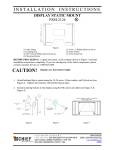
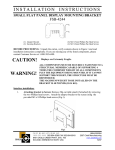
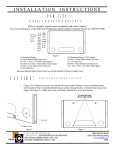
Figure 1
(1) Flat Panel Display Static Mount
(1) Latching Flag
(4) M4 x 25mm Phillips Head Screw
(4) Mounting Buttons-Yellow Zinc
(1) 10-24 x .5 Phillips Flat Head Screw
(1) Nylon Washer
(4) M4 x 20mm Phillips Head Screw
(1) 10-24 Nylock Nut
BEFORE PROCEEDING: Unpack the carton, verify contents shown in Figure 1 and read
installation instructions completely. If you are missing any of the listed components, please
contact Customer Service at 1-800/582-6480.
CAUTION!
Displays are Extremely Fragile.
1. Attach latching flag to mount using the 10-24 Phillips flat head screw, Nylon washer, and
Nylock nut (see Figure 2). Tighten until friction will hold the flag in place.
2. Attach mounting buttons to display using four M4 screws provided (see Figure 3 &
Figure 4).
Figure 2
Figure 3
CHIEF MANUFACTURING INC.
1-800-582-6480 952-894-6280 FAX 952-894-6918
8401 EAGLE CREEK PARKWAY, STE. 700
SAVAGE, MINNESOTA 55378 USA
Figure 4
8805-000095 REV C
2006 Chief Manufacturing
www.chiefmfg.com
10/06
WARNING
ALL COMPONENTS MUST BE SECURELY FASTENED TO A
STRUCTURAL MEMBER CAPABLE OF SUPPORTING FOUR
TIMES THE COMBINED WEIGHT OF ALL COMPONENTS
PLUS THE EQUIPMENT BEING MOUNTED. IF IT CANNOT
SUPPORT THIS WEIGHT, THE STRUCTURE MUST BE
REINFORCED.
THE MAXIMUM WEIGHT TO BE INSTALLED ON THE
MOUNT IS 175 POUNDS (79.37 KG).
3. Securely anchor the flat panel display static mount to wall studs or supporting framework
(see WARNING).
4. Make sure the flag is lowered to the side before attempting to place the display on the mount.
5. With the aid of another person, lift the display up to the mount, align the mounting buttons
with the teardrop slots in the mount, and set the display into place (see Figure 5).
6. Position (raise) the flag to secure the display.
Figure 5