1
Section 5 - Connecting to a Wireless Network
Configure WPA-PSK
It is recommended that you enable WPA on your wireless router or access point before configuring your wireless adapter. If you are joining an
existing network, you will need to know the WPA key being used.
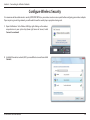
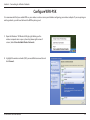
1. Open the Windows® XP Wireless Utility by right-clicking on the
wireless computer icon in your system tray (lower-right corner of
screen). Select View Available Wireless Networks.
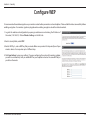
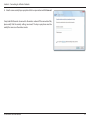
2. Highlight the wireless network (SSID) you would like to connect to and
click Connect.
D-Link DWR-730 User Manual
41