1
2 Your Docking
Speaker
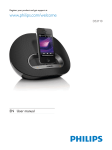
Overview of the main unit
Congratulations on your purchase, and
*
78;
"
support that Philips offers, register your product
at www.philips.com/welcome.
If you contact Philips, you will be asked for the
model and serial number of this apparatus. The
model number and serial number are on the
bottom of the apparatus. Write the numbers
here:
Model No. __________________________
Serial No. ___________________________
a
b
c
d
e
f
Introduction
With this docking speaker, you can
enjoy audio from the iPod/iPhone, and
other external audio devices; and
synchronize the iPod/iPhone with your
computer through USB socket.
a Dock for the iPod/iPhone
b
c
Turn the docking speaker on.
Switch the docking speaker to standby
mode.
What's in the box
Check and identify the contents of your
package:
Main unit
AC power adaptor
Quick start guide
/
Adjust volume.
As LED indicators, show system status.
d Power supply socket
Connect AC power.
e
Sync with PC through a USB cable.
f MP3-LINK
Connect an external audio device.
EN
4