1
5 Audiobooks
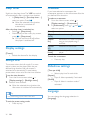
Go to > [Audiobooks] to play books in
audio formats that you have downloaded from
www.audible.com.
Sync audio books to the
player
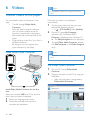
From www.audible.com, download and install
the AudibleManager software on your PC.
Through the software, you can
& download audiobooks from www.
audible.com to your PC library of
audio books;
& sync the audiobooks to your player.
Install AudibleManager on the PC
1
2
Connect your PC to the Internet.
3
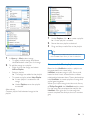
Install the software on your PC:
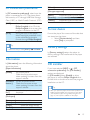
& On the setup screen, select Philips
GoGear (selected models) from the
drop down list of listening devices;
From www.audible.com, download the
AudibleManager software for MP3/ MP4
players.
&
16
EN
Follow onscreen instructions to
complete the installation.
Download audiobooks to the PC
1
2
3
Connect your PC to the Internet.
4
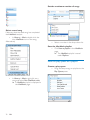
Select and download audio books:
& Log in to your account with www.
audible.com;
& Download audio books in the format
of or .
» The downloaded books are
automatically added to your library
on AudibleManager.
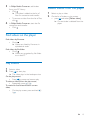
Launch AudibleManager on your PC.
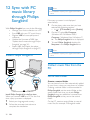
On AudibleManager, click the My Library
Online button to connect to www.audible.
com.
Sync to the player
1
2
Launch AudibleManager on your PC.
3
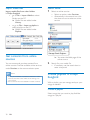
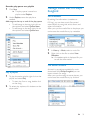
On AudibleManager, click Add to Device.
& Q to AudibleManager, activate the player
as prompted.
Connect the player to the PC. Wait till the
player is recognized by AudibleManager.