1
ESPAÑOL
ENGLISH
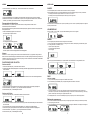
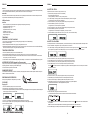
FUNCIÓN SLEEP
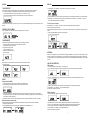
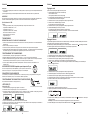
3. Press PRESET + (31) / PRESET – (33) to allocate a number from 1 to 20 stations.
Puede ajustar el periodo de tiempo antes de que la unidad entre en modo Standby de forma automática.
En el mando, pulse SLEEP (57) repetidamente para seleccionar el periodo de tiempo (en minutos):
-En la pantalla aparecerá la secuencia: SLEEP 90, 80, 70, 60, 50, 40, 30, 20, 10
-En la pantalla aparecerá brevemente la opción seleccionada y volverá al estado anterior.
4. Press PROGRAM (52) to confirm, display shows the preset number waveband and the frequency of the preset station.
5. Repeat steps 1-4 to store other stations to listen to a preset station. Press PRESET + (31) / PRESET – (33) once or
more until the desired preset station in displayed.
Para desactivar, pulse SLEEP (57) de nuevo para volver a “00” o pulse POWER (12/29) para que la unidad entre en modo
Standby.
CONTROL DEL VOLUMEN
Pulse VOLUMEN+ (56) / VOLUMEN- (54) en el mando para ajustar el volumen.
FUNCIÓN MUTE
Puede desconectar de forma temporal el sonido sin tener que apagar la unidad.
1. Pulse MUTE (58) en el mando a distancia para desactivar el sonido,
la reproducción continuará sin sonido.
2. Para activar el sonido puede:
- pulsar MUTE (58) de nuevo;
- ajustar los controles de volumen;
- cambiar la fuente
To listen to a preset station
Press PRESET + (31) / PRESET – (33) once or more until the desired preset station in displayed.
Automatic programming radio stations
Automatic programming will station preset 1, from this preset number upwards, former programmed tuner stations will be
erased.
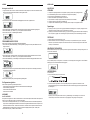
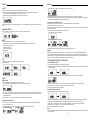
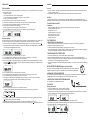
1. Press and hold PROGRAM (52) button until Auto appears
- Icon “ memory” will start flashing
- Available stations are programmed
- After all stations are stored, the last preset station will then be played
ANTENNA
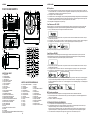
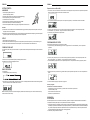
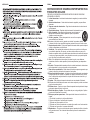
Antenna: for FM reception, the unit is provided with a FM WIRE ANTENNA (14) , move the wire until the reception is clear
and with no interferences. For AM reception, the unit is provided with a directional build-in ferrite antenna. Rotate the set
to find the position in which the best reception is obtained. Do not connect the EXTERNAL FM ANTENNA (14) to any outside
antenna.
EQ
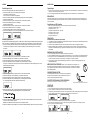
Pulse EQ (30) en el mando a distancia para seleccionar el modo de EQ que desee.
Hay 5 modos de EQ:
USB & SD-CARD OPERATION
USB operation:
1. Press the FUNCTION (10/55) to set the unit to USB mode.
2. Plug-in USB mass storage device. READ is displayed as the system scans the contents of USB device.
3. Track no. 1 of root folder (Folder 1) will be playback automatically after finish reading USB device contents.
RADIO
Sintonización de AM/FM
1. Pulse FUNCTION (10/25) para ajustar la unidad en modo TUNER (radio).
2. Pulse STOP/BAND (7/38) para seleccionar la banda que desee: FM o MW
3. Sintonización automática – Mantenga pulsado FF (9/53) /FB (8/35) hasta que la se encuentre una emisora que se
escuche de forma correcta. Si se recibe una emisora en estéreo, aparecerá (ST). Repita el paso 3 si es necesario hasta
que encuentre la emisora que desea,
4. Sintonización manual - Pulse FF (9/53) / FB (8/35) brevemente y de forma repetida hasta encontrar una emisora.
4. Press FF (9/53) / FB (8/35) once or repeatedly until the desired track number appears in display.
5. Press PRESET + (31) / PRESET – (33) to select desired album.
6. Press STOP (7/38) to stop playback.
SD-Card operation:
1. Press the FUNCTION (10/55) to set the unit to CARD mode.
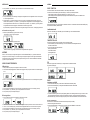
Memorización de emisoras de radio
Puede almacenar hasta un total de 40 emisoras de radio (FM y MW) en la memoria, de forma manual o automática.
1. Sintonice la emisora que desee.
2. Pulse PROGRAM (52) para activar la memorización, parpadearán el icono "MEMORY” y P01.
50
2. Insert SD-Card into the card slot. “READ” is displayed as the system scans the contents of SD card.
3. Track no. 1 of root folder (Folder 1) will be playback automatically after finish reading SD card contents.
4. Press FF (9/53) / FB (8/35) once or repeatedly until the desired track number appears in display.
5. Press PRESET + (31) / PRESET – (33) to select desired album.
6. Press STOP (7/38) to stop playback.
7