1
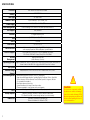
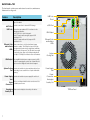
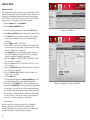
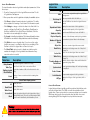
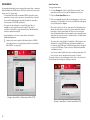
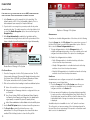
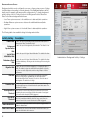
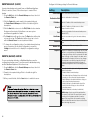
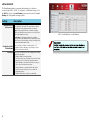
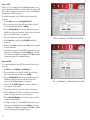
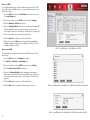
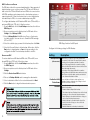
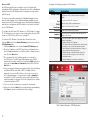
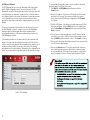
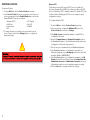
Back Panel—R4
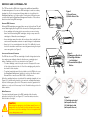
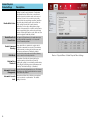
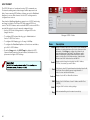
The back panel contains power and network connections, maintenance
features and cooling vents.
Feature
Description
Ethernet Ports Allows connection to a LAN or dedicated storage
and Indicator network or subnet. The LED at the left of each port
LEDs glows briefly when a link is established, and blinks when
Ethernet Ports
and Indicator
LEDs
VGA
Output
System
Cooling Fan
eSATA
Port
the port is being used. The LED at the right of each port
glows green at 1000 Mbps and amber at 100 Mbps. At
10 Mbps, the indicator does not illuminate.
Power Supply
Vents
eSATA Port Provides connection to external SATA storage.
VGA Output Lets a qualified technician or engineer connect a VGA
monitor for managing the system out-of-band. Should
only be used for diagnostics and technical support.
System Provides air cirulation to system and keeps drives from
Cooling overheating. Leave several inches of space behind this
Fan opening.
Power Provide air cirulation to power supplies. Do not block.
Supply
Vents
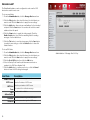
USB Ports Connections are numbered 1–5 for reference in the
Management Interface.
Port 1 is on the front panel.
Ports 2–3 (lower and upper left) support USB
Specification 3.0.
Ports 4–5 (lower and upper right) support USB
Specification 2.0.
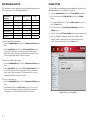
Reset Lets an administrator perform a hardware reset (see
page 9).
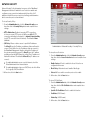
Power Accepts one cord for each power supply. Use the cord
Connections shipped with the device and connect it to a suitable
power source.
5
Reset
USB
3.0 Ports
USB
2.0 Ports
Power Connections