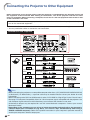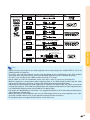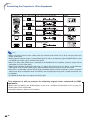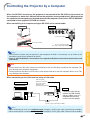
1
Quick Start
This section shows the basic operation (projector connecting with the computer). For details, see the page
described below for each step.
Setup and Projection
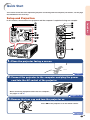
In this section, connection of the projector and the computer is explained using one example.
8
5
3
7
4 6
4
6
6 7
4 6
Quick Start
8
5
3
6
4
7
1. Place the projector facing a screen
Page 21
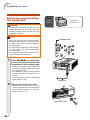
2. Connect the projector to the computer and plug the power
cord into the AC socket of the projector
When connecting equipment other than the computer,
see pages 25 and 26.
Pages 24, 28
3. Remove the lens cap and turn the projector on
Press ON on the projector or on the remote control.
Page 28
-19