1
Image Projection
Correcting Trapezoidal
Distortion
KEYSTONE
button
MOUSE/Adjustment
buttons ('/"/\/|)
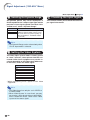
Auto V-Keystone Correction
When the image is projected either from the top
or from the bottom towards the screen at an angle,
the image becomes distorted trapezoidally.
The function for correcting trapezoidal distortion
is called Keystone Correction.
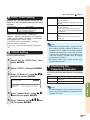
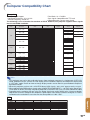
This projector is equipped with an “Auto V-Keystone Correction” function that automatically corrects any trapezoidal distortion within the projected image. The correction is made automatically
provided the vertical incline or decline is within
±12 degrees.
Note
RETURN button
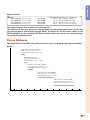
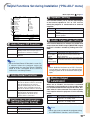
"On-screen Display (Keystone Correction mode)
H&V KEYSTONE
H: 0
END
ADJUST
TESTPATTERN
RESET
V: 0
Vertical Keystone Correction
(Adjustment with ' / ")
• When not using the Auto V-Keystone Correction function, set “Auto V-Keystone” on
the “SCR-ADJ” menu to “Off”.
Manual Keystone Correction
When you want to make fine adjustments after the
Auto V-Keystone Correction function has been activated, or when you want to make corrections without
using the Auto V-Keystone Correction function, you
can make corrections manually using the following
procedure.
1
Horizontal Keystone Correction
(Adjustment with \ / |)
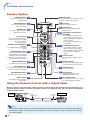
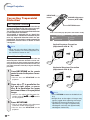
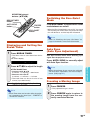
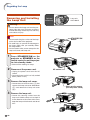
Press KEYSTONE on the remote
control to enter the Keystone Correction mode.
• You can also use KEYSTONE on the
projector.
2
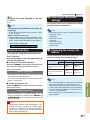
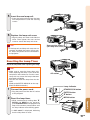
Press ' or " to parallelize the
left and right sides, or press
\ or | to parallelize the upper
and lower sides of the projected
image.
• You can also adjust the Keystone Cor" and \/|
| buttons
rection using the '/"
on the projector.
3
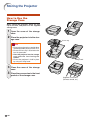
Press KEYSTONE.
• The on-screen display of the Keystone
Correction mode will disappear.
• You can also use KEYSTONE on the
projector.
-32
Note
• Press RETURN to return to the default setting.
• Straight lines or the edges of images may
appear jagged while adjusting the image.
• The Manual Keystone Correction can be
adjusted up to an angle of approximately
±50 degrees vertically and approximately
±30 degrees horizontally.