1
Operating Your Camera
Notes
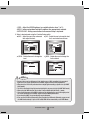
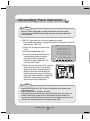
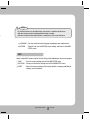
• When AGC in the EXPOSURE menu is 'OFF', '---' mode operates as selecting 'COLOR'
mode and 'AUTO' mode cannot be selected.
• Be sure to connect the Day & Night input terminal to GND when using an external input.
PROFILE
3
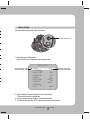
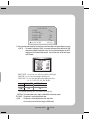
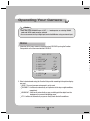
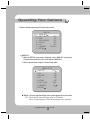
1. When the SETUP menu screen is displayed, select ‘PROFILE’ by using the Function
Setup switch so that the arrow indicates ‘PROFILE’.
MAIN SETUP
1.LENS
DC
2.EXPOSURE
3.WHITE BAL
ATW
4.BACKLIGHT
OFF
5.SSNR3
ON
6.DAY/NIGHT
AUTO
7.PROFILE
BASIC
8.SPECIAL
9.EXIT
SAVE
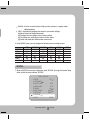
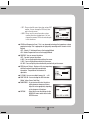
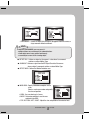
2. Select a desired mode using the Function Setup switch according to the picture display
you want.
BASIC : The most common environment is set to meet.
DAY/NIGHT : It will be set automatically so it optimizes to the day or night conditions,
respectively.
BACKLIGHT : It will be set automatically so you can distinguish the object from the
background in a severe backlighting scene.
ITS : It will be set automatically so you can easily check the traffic conditions.
COLOR DOME CAMERA
26 SCD-3080
S
G
W
S
1