1
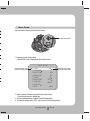
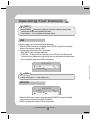
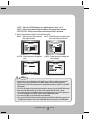
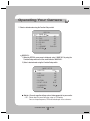
·CRT : Please select this menu item when using a CRT
monitor. You can change the PED level, color
gain in the sub menus.
·USER : Please use this menu item when using a
monitor other than standard ones. You can
change the gamma, PED level and color gain
in the sub menus.
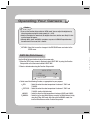
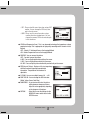
ú VPS(Virtual Progressive Scan) : This is an advanced technology that reproduces a sharp
progressive image. This is appropriate to high quality recording and file transfer via the
Internet.
·OFF : Selects 2:1 Interlaced Scan as the Imaging Method.
·ON : Selects Progressive Scan as the Imaging Method.
ú REVERSE : You can reverse the picture.
·OFF : You don’t reverse the picture.
·H-REV : You can flip the picture horizontally on the screen.
·V-REV : You can flip the picture vertically on the screen.
·HV-REV : You can flip the picture horizontally and vertically on the screen.
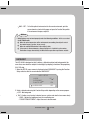
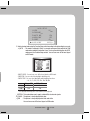
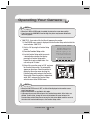
ú PIP(Picture in Picture) : Displays a full-size image along
with the thumbnail to provide more detailed
information. The position of the thumbnail is
adjustable.
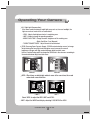
ú D-ZOOM : You can use a digital zoom of x1 ~ x16.
ú FONT COLOR : You can change the OSD font color.
(White, Yellow, Green, Red, Blue)
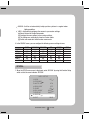
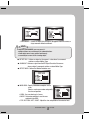
ú SHARPNESS : As you increase this value, the picture
outline becomes stronger and clearer.
Adjust this value appropriately depending
on the sharpness of the picture.
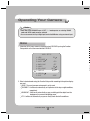
ú RETURN
: Select this to save the settings for the
IMAGE ADJ menu and to return to the
SPECIAL menu.
COLOR DOME CAMERA
29 SCD-3080