1
Connection
Connecting to Monitor
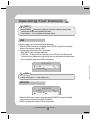
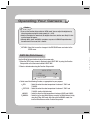
Connect the Video Output jack to the VIDEO-IN jack of monitor.
CCTV Camera
Monitor
•
•
• As the connecting method varies with the instruments, refer to the manual supplied with the instrument.
• If necessary, you can connect the monitor to the REMOTE jack on the back of your camera.
• Only connect the cable when the power is turned off.
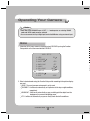
Connecting to Power
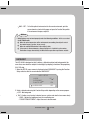
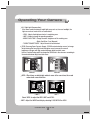
Connect the adaptor to the power input terminal as shown in the figure below.
The recommended adaptor specification for SCD-3080N/SCD-3080P is DC 12V / 500mA or AC
24V / 500mA.
---- Power Input
Terminal
For AC / DC power
• Since the power specification supports both AC
and DC, connect AC 24V, 500mA Adaptor or DC
12V, 500mA Adaptor.
•
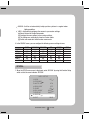
When the resistance value of copper wire is at [20˚C(68˚F)]
#24(0.22mm2)
#22(0.33mm2)
#20(0.52mm2)
#18(0.83mm2)
Resistance (Ω/m)
0.078
0.050
0.030
0.018
Voltage Drop (V/m)
0.028
0.018
0.011
0.006
Copper wire size (AWG)
• As shown in the table above, voltage decreases as the wire gets longer. Therefore use of
an excessively long adaptor output line for connection to the camera may affect the
performance of the camera.
* Standard voltage for camera operation : DC 12V ± 10%, AC 24V ±10%
* There may be some deviation in voltage drop depending on the type of wire and the manufacturer.
COLOR DOME CAMERA
14 SCD-3080