1
Specifications
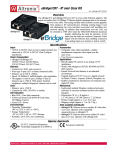
Heated
Holder
Physical
• Dimensions: 7.7 in. (19.6 cm) L
• 4.8 in. (12.2 cm) W
• 3.9 in. (9.9 cm) H
Environmental
Temperature
• Internal operating: Operating Solid State Control at 95º105ºF (35º-40ºC)
Front
Brushes
• Ambient operating: 22º to 104ºF (-30º to 40ºC)
• Storage: -40º to 158ºF (-40º to 70ºC)
Humidity (Ambient): 5% to 95% (non-conducting)
Scanner
Vibration: MIL-STD-810E. Method 514.4, Procedure 1
Approvals
CE, TUV
Electrical
Model
Number
721091900
721092000
721092100
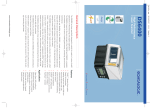
Figure 2. Inserting the scanner in the Heated Holder
Input
Voltage
24 VDC
36 VDC
48 VDC
Input
Current
2.7 A
2.2 A
1.6 A
Power
Output
70 W
70 W
70 W
Power Cable:
• 10 ft. (3.05 m) L (unterminated)
• 18/2 Conductor cable
• Red wire: + positive lead
• Black wire: - negative lead
Patents: This product is covered by the following patent.5,508,505.
Operation
Do not put your fingers or hands inside the unit while it is on. Surfaces inside the unit are hot and may cause burns. Do
not use the Heated Holder as a handle; it is not intended to support human weight.
WARNING
1.
If the Heated Holder is connected to the ignition switch, turning the ignition switch on or off will control the heated holder. An LED illuminated from the inside of the holder indicates the power is on.
2.
Place the scanner into the holder (see Figure 2). Push the scanner through the front brushes as far as it will go. The brushes should return to
their original position.
820045314 (Rev B) - December / 2011
Page 2 of 2