1
Table of contents
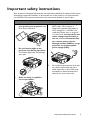
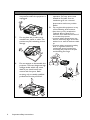
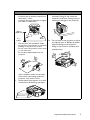
Important safety
instructions ................... 3
Introduction.................. 7
Projector features.....................................7
Shipping contents ......................................8
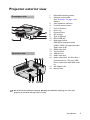
Projector exterior view...........................9
Controls and functions ..........................10
Positioning your
projector ..................... 15
Obtaining a preferred projected image
size..............................................................15
Connection ................. 17
Connecting the power...........................17
Connecting a computer.........................18
Connecting Video source devices.......20
Connecting an HDMI source device ..21
Connecting a Component Video source
device.........................................................22
Connecting a composite Video source
device.........................................................23
Connecting an iPhone/iPod device......24
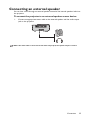
Connecting an external speaker..........25
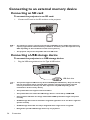
Connecting to an external memory
device.........................................................26
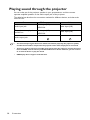
Playing sound through the projector..28
Operation ................... 29
Starting up the projector ......................29
Switching input signal .............................29
Adjusting the projected image .............30
Hiding the image......................................31
Securing the projector...........................32
Firmware upgrade...................................34
2
Table of contents
Selecting the aspect ratio...................... 34
Optimizing the image............................. 35
Operating in a high altitude environment
.................................................................... 37
Adjusting the sound ............................... 37
Playing files with iPhone/iPod............... 39
Displaying images with PC and Video
source devices......................................... 44
Using PC/Video pop-up menus ........... 45
Displaying files with internal memory,
USB Drive and SD card......................... 47
Using USB Streaming ............................. 57
Using settings menu ............................... 59
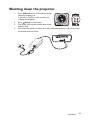
Shutting down the projector ............... 63
Maintenance ............... 64
Care of the projector............................ 64
Troubleshooting......... 66
Specifications.............. 67
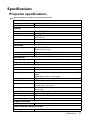
Projector specifications......................... 67
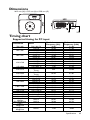
Dimensions .............................................. 69
Timing chart............................................. 69
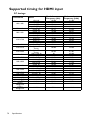
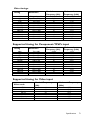
Supported timing for HDMI input ...... 70
Warranty and Copyright
information................. 72