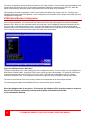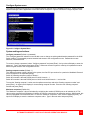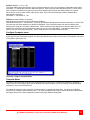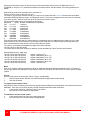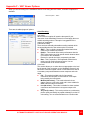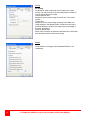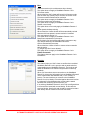
1
UltraMatrix Remote 2 DIGITAL KVM IP MATRIX SWITCH INSTALLATION AND OPERATIONS MANUAL 10707 Stancliff Road Houston, Texas 77099 Phone (281) 933-7673 www.rose.com LIMITED WARRANTY Rose Electronics warrants the UltraMatrix™ Remote 2 to be in good working order for one year from the date of purchase from Rose Electronics or an authorized dealer. Should this product fail to be in good working order at any time during this one-year warranty period, Rose Electronics will, at its option, repair or replace the Unit as set forth below. Repair parts and replacement units will be either reconditioned or new. All replaced parts become the property of Rose Electronics. This limited warranty does not include service to repair damage to the Unit resulting from accident, disaster, abuse, or unauthorized modification of the Unit, including static discharge and power surges. Limited Warranty service may be obtained by delivering this unit during the one-year warranty period to Rose Electronics or an authorized repair center providing a proof of purchase date. If this Unit is delivered by mail, you agree to insure the Unit or assume the risk of loss or damage in transit, to prepay shipping charges to the warranty service location, and to use the original shipping container or its equivalent. You must call for a return authorization number first. Under no circumstances will a unit be accepted without a return authorization number. Contact an authorized repair center or Rose Electronics for further information. ALL EXPRESS AND IMPLIED WARRANTIES FOR THIS PRODUCT INCLUDING THE WARRANTIES OF MERCHANTABILITY AND FITNESS FOR A PARTICULAR PURPOSE, ARE LIMITED IN DURATION TO A PERIOD OF ONE YEAR FROM THE DATE OF PURCHASE, AND NO WARRANTIES, WHETHER EXPRESS OR IMPLIED, WILL APPLY AFTER THIS PERIOD. SOME STATES DO NOT ALLOW LIMITATIONS ON HOW LONG AN IMPLIED WARRANTY LASTS, SO THE ABOVE LIMITATION MAY NOT APPLY TO YOU. IF THIS PRODUCT IS NOT IN GOOD WORKING ORDER AS WARRANTED ABOVE, YOUR SOLE REMEDY SHALL BE REPLACEMENT OR REPAIR AS PROVIDED ABOVE. IN NO EVENT WILL ROSE ELECTRONICS BE LIABLE TO YOU FOR ANY DAMAGES INCLUDING ANY LOST PROFITS, LOST SAVINGS OR OTHER INCIDENTAL OR CONSEQUENTIAL DAMAGES ARISING OUT OF THE USE OF OR THE INABILITY TO USE SUCH PRODUCT, EVEN IF ROSE ELECTRONICS OR AN AUTHORIZED DEALER HAS BEEN ADVISED OF THE POSSIBILITY OF SUCH DAMAGES, OR FOR ANY CLAIM BY ANY OTHER PARTY. SOME STATES DO NOT ALLOW THE EXCLUSION OR LIMITATION OF INCIDENTAL OR CONSEQUENTIAL DAMAGES FOR CONSUMER PRODUCTS, SO THE ABOVE MAY NOT APPLY TO YOU. THIS WARRANTY GIVES YOU SPECIFIC LEGAL RIGHTS AND YOU MAY ALSO HAVE OTHER RIGHTS WHICH MAY VARY FROM STATE TO STATE. NOTE: This equipment has been tested and found to comply with the limits for a Class B digital device, pursuant to Part 15 of the FCC Rules. These limits are designed to provide reasonable protection against harmful interference when the equipment is operated in a commercial environment. This equipment generates, uses, and can radiate radio frequency energy and, if not installed and used in accordance with the instruction manual, may cause harmful interference to radio communications. Operation of this equipment in a residential area is likely to cause harmful interference in which case the user will be required to correct the interference at his own expense. IBM ®, AT, and PS/2 are trademarks of International Business Machines Corp. Microsoft ® and Microsoft Windows™ are registered trademarks of Microsoft Corp. Apple, Macintosh, and ADB are trademarks of Apple Computer, Inc. Sun is a registered trademark of Sun Microsystems Inc. Any other trademarks mentioned in this manual are acknowledged to be the property of the trademark owner. Copyright Rose Electronics 2008. All rights reserved. No part of this manual may be reproduced, stored in a retrieval system, or transcribed in any form or any means, electronic or mechanical, including photocopying and recording, without the prior written permission of Rose Electronics. Rose Electronics Part # MAN-UMR2 Printed In the United States of America Revision 1.2 Installing the UltraMatrix Remote 2 consists of configuring the unit to be compatible with your existing network, connecting the unit to a local KVM station, and to your network. Once connected you have full control of the selected computer provided your security profile permits it. Table of Contents Contents Page # Introduction .......................................................................................................................................................................................................................1 Disclaimer .........................................................................................................................................................................................................................1 About This Manual ............................................................................................................................................................................................................1 Features .......................................................................................................................................................................................................................2 Upgradeability...............................................................................................................................................................................................................2 Security.........................................................................................................................................................................................................................2 Flexibility.......................................................................................................................................................................................................................2 On-screen Display Technology ....................................................................................................................................................................................2 Compatibility .................................................................................................................................................................................................................2 Cable Requirements.....................................................................................................................................................................................................3 Package Contents ........................................................................................................................................................................................................3 Rose Electronics Web site ...........................................................................................................................................................................................3 System Overview ..............................................................................................................................................................................................................4 UltraMatrix Remote 2 Models ...........................................................................................................................................................................................5 UltraMatrix Remote 2 Installation – Single Unit ................................................................................................................................................................6 Connecting the KVM station .............................................................................................................................................................................................6 Connecting the Computers / Servers................................................................................................................................................................................7 Connecting to the network ................................................................................................................................................................................................7 Bus / Ring Configuration ...................................................................................................................................................................................................9 Unit Configuration ...........................................................................................................................................................................................................10 IP Input Module Configuration ....................................................................................................................................................................................10 Logoff..........................................................................................................................................................................................................................11 Restore mouse functions............................................................................................................................................................................................11 Access mode ..............................................................................................................................................................................................................12 Host ............................................................................................................................................................................................................................12 Return to host .............................................................................................................................................................................................................12 Local Configuration .........................................................................................................................................................................................................12 Local Unit Configuration Menu........................................................................................................................................................................................13 Network Configuration ....................................................................................................................................................................................................14 Secure Keys Generation.................................................................................................................................................................................................15 Remote Configuration .....................................................................................................................................................................................................16 User Accounts ............................................................................................................................................................................................................17 Unit Configuration.......................................................................................................................................................................................................18 Time and Date Configuration .....................................................................................................................................................................................20 Network configuration.................................................................................................................................................................................................21 Hosts Configuration ....................................................................................................................................................................................................22 Logging and Status ....................................................................................................................................................................................................23 LDAP Configuration....................................................................................................................................................................................................23 KVM Switch Module Configuration .................................................................................................................................................................................24 Configure System menu .............................................................................................................................................................................................25 “Keyboard settings” selections. ..................................................................................................................................................................................26 Appearance settings selections..................................................................................................................................................................................26 Configure Computer menu .........................................................................................................................................................................................27 Computer Name .........................................................................................................................................................................................................27 Keyboard / Mouse ......................................................................................................................................................................................................28 Configure KVM ...........................................................................................................................................................................................................28 Configure Profile.........................................................................................................................................................................................................29 Configure Group .........................................................................................................................................................................................................30 Configure Language ...................................................................................................................................................................................................31 Configure status menu ...............................................................................................................................................................................................31 Save menu .................................................................................................................................................................................................................32 Remote System Operation..............................................................................................................................................................................................33 Connecting using a web browser ...............................................................................................................................................................................33 VNC Viewer Toolbar .......................................................................................................................................................................................................34 Control Tab.................................................................................................................................................................................................................35 Host Tab .....................................................................................................................................................................................................................36 Share Tab...................................................................................................................................................................................................................37 Keyboard commands ......................................................................................................................................................................................................37 Switching using the serial port ........................................................................................................................................................................................38 Serial Device Support.................................................................................................................................................................................................38 Troubleshooting ..............................................................................................................................................................................................................40 Maintenance and Repair ............................................................................................................................................................................................42 Technical Support.......................................................................................................................................................................................................42 Safety..............................................................................................................................................................................................................................43 Figure Page # Figure 1. UltraMatrix Remote 2 Models............................................................................................................................................................................ 5 Figure 2. Single Unit Installation (KVM) ........................................................................................................................................................................... 6 Figure 3. Single Unit Installation (Computers).................................................................................................................................................................. 7 Figure 4. Single Unit Installation (Network) ...................................................................................................................................................................... 7 Figure 5. Bus Configuration.............................................................................................................................................................................................. 9 Figure 6. Ring Configuration ............................................................................................................................................................................................ 9 Figure 7. Local Control Menu ......................................................................................................................................................................................... 11 Figure 8. Restore Mouse Menu ...................................................................................................................................................................................... 11 Figure 9. Local Configuration menu ............................................................................................................................................................................... 12 Figure 10. Local Unit Configuration menu...................................................................................................................................................................... 13 Figure 11. Local Network Configuration ......................................................................................................................................................................... 14 Figure 12. Secure Keys .................................................................................................................................................................................................. 15 Figure 13. Logon Screen ................................................................................................................................................................................................ 15 Figure 14. Remote Connection ...................................................................................................................................................................................... 16 Figure 15. Remote Configuration Menu ......................................................................................................................................................................... 16 Figure 16. Remote Network Configuration ..................................................................................................................................................................... 21 Figure 17. Hosts Configuration....................................................................................................................................................................................... 22 Figure 18. Logging and Status ....................................................................................................................................................................................... 23 Figure 19. LDAP Configuration ...................................................................................................................................................................................... 23 Figure 20. KVM Switch OSD - Main Menu ..................................................................................................................................................................... 24 Figure 21. Configure System Menu................................................................................................................................................................................ 25 Figure 22. Configure Computer Menu............................................................................................................................................................................ 27 Figure 23. Configure KVM Menu .................................................................................................................................................................................... 28 Figure 24. Configure Profile Menu ................................................................................................................................................................................. 29 Figure 25. Configure Group Menu.................................................................................................................................................................................. 30 Figure 26. Configure Language menu............................................................................................................................................................................ 31 Figure 27. Status display ................................................................................................................................................................................................ 31 Figure 28. Save menu .................................................................................................................................................................................................... 32 Figure 29. VNC Window Toolbar.................................................................................................................................................................................... 34 Table Page # Table 1. Remote Configuration Menu ............................................................................................................................................................................ 17 Table 2. Keyboard Commands....................................................................................................................................................................................... 37 Appendices Page # Appendix A – General Specifications ............................................................................................................................................................................. 44 Appendix B – Parts and Cables ..................................................................................................................................................................................... 45 Appendix C – Rack Mounting......................................................................................................................................................................................... 46 Appendix D – Firmware Upgrade ................................................................................................................................................................................... 46 Appendix E – IP Access Control .................................................................................................................................................................................... 47 Appendix F – VNC Viewer Options ................................................................................................................................................................................ 49 Appendix G – VNC viewer window options .................................................................................................................................................................... 52 Appendix H – Browser viewer options............................................................................................................................................................................ 53 Appendix I – Supported Video Modes............................................................................................................................................................................ 54 Appendix J – Valid Hotkey Codes .................................................................................................................................................................................. 55 Appendix K – Video Distance Table............................................................................................................................................................................... 56 Appendix L – Bus Configuration ..................................................................................................................................................................................... 57 Appendix M – Ring Configuration................................................................................................................................................................................... 60 INTRODUCTION Introduction ® Thank you for choosing Rose Electronics UltraMatrix Remote 2™ KVM over IP switch with remote access capabilities. The UltraMatrix Remote 2 is the results of Rose Electronics commitment to providing continued state-ofthe-art solutions for today’s demanding workplace. The UltraMatrix Remote 2 has proven to be a valuable investment for all types of businesses that have the need to access information from multiple computer systems locally, over your network, or from anywhere in the world. Its use in large computer facilities gives the IT professional the added flexibility to remotely monitor and maintain hundreds of systems, running on different platforms, from a centralized KVM station. The UltraMatrix Remote 2 is the common sense switching solution that provides the flexibility, integrity, and security required for today’s business environment. The UltraMatrix Remote 2 consists of an IP input module and a KVM switch module. The IP input module controls unit access, locally and remotely, and access security. The KVM switch module controls the port switching and has its own unique OSD that can be configured with appearances, port settings, additional security, and other parameters. The UltraMatrix Remote 2’s advanced on-screen display (OSD) menus guide you through the configuration process with on-screen information for each configuration section, making it easy to configure the UltraMatrix Remote 2, the KVM station, the computers and serial devices, and security for the system. There are additional configuration parameters that can be used to personalize the look of the menus and dialog boxes. A help line is provided for each menu selection giving a brief explanation of the selected menu item. Rose Electronics UltraMatrix Remote 2 is designed to meet your switching needs, whatever your system demands are, one user and one computer or hundreds. All models offer standard features that allow for easy, secure, and complete access to as many as 1,000 devices from a single KVM stations. Reliability, security, flash memory technology, state of the art KVM switching technology, and other features ensure the UltraMatrix Remote 2 will streamline your data center or server room and simplify the maintenance, access and updating of your systems. Disclaimer While every precaution has been taken in the preparation of this manual, the manufacturer assumes no responsibility for errors or omissions. Neither does the manufacturer assume any liability for damages resulting from the use of the information contained herein. The manufacturer reserves the right to change the specifications, functions, or circuitry of the product at any time without notice. The manufacturer cannot accept liability for damages due to misuse of the product or other circumstances outside the manufacturer’s control. The manufacturer will not be responsible for any loss, damage, or injury arising directly or indirectly from the use of this product. (See limited warranty) About This Manual This manual covers the installation, configuration, and the operation of the UltraMatrix Remote 2 series switches. The installation consists of installing and configuring the unit, connecting serial devices, computers/servers, and configuring the unit with network information. ULTRAMATRIX REMOTE 2 INSTALLATION AND OPERATIONS MANUAL 1 Features Available in different models designed to meet your remote access needs Connect to remote devices locally, from any workstation on your network or over the internet using a web browser and the very secure VNC Viewer. Local KVM port for configuring the UltraMatrix Remote 2 and direct access to the connected devices Video resolution up to 1600 x 1200 Powerful and expandable to 1,000 devices Solid state embedded unit has no disk drive for maximum reliability Remote application (Real VNC or VNC Java applet) can be installed directly from the unit Upgradeability Free lifetime base firmware upgrades, based on flash memory technology provide new features and improvements. Base firmware upgrades are available from our web site at www.rose.com Security Security system with login requirements, access control and data encryption State of the art security using AES 128 bit encryption and RSA 2048 bit public key authentication (Connection using Real VNC enhances the security by allowing the creation of ciphered user communication) Unique configuration password for persons authorized to perform configuration maintenance User names and passwords allow controlled access to sensitive information, system data, or restricted applications IP lockout feature for incorrect login (IP address shown as “Blacklisted” in log file) Computers can be assigned to a unique group, allowing authorized access only Four connect modes; View, Share, Control, and Private provide flexibility in configuring the UltraMatrix Remote 2 to conform to your security requirements Profiles can be defined and assigned to each user that defines which connected devices they have access to and the connect mode Flexibility Modular design makes for easy installation, maintenance, and expandability Plug-in expansion boards make the UltraMatrix Remote 2 easy to extend to other units Pre-configuration of the switch allows for installation without powering most computers/servers down Switching can be done by keyboard commands, an on-screen list, or by commands through the RS232 serial port Multi-language capabilities Integrated auto-switching power supply accepts 90-240 VAC sources On-screen Display Technology Advanced on-screen display makes configuration and switching easy The remote video pops-up over the computer application display or is automatically generated Easy to use menus guide you through the configuration process The connection status for all computers can be displayed Multi-lingual OSD (English, French, German, and Spanish) Menus and display windows can be configured with solid or transparent colors One of four screen saver options can be selected Compatibility A variety of hardware platforms can be connected simultaneously to the UltraMatrix Remote 2 without interference, including PCs, Sun systems, IBM RS/6000, HP, DEC, SGI, serial devices such as routers and hubs, and others Full keyboard and mouse emulation and video resolutions up to 1600 x 1200 ensures trouble-free access to most software applications Serial support using VT100, VT102, and VT202 terminal emulation Standard TTY mode automatically scrolls incoming data 2 ULTRAMATRIX REMOTE 2 INSTALLATION AND OPERATIONS MANUAL Cable Requirements The cable requirements for your system will vary depending on the types of equipment connected to the UltraMatrix Remote 2 and the equipment used for the local KVM station. A KVM cable is needed for the local KVM station, a CPU cable for each device connected to the UltraMatrix Remote 2, expansion cables if the system is expanded in a BUS or RING configuration, and a cable to connect the unit your network. Rose Electronics offers a wide variety of cable types to directly connect your PC’s, Sun systems, MAC computers and others. See Appendix B for cable part numbers. Package Contents The shipping package content consists of the following: The UltraMatrix Remote 2 unit Rackmount Kit Power cord (North American shipments only) RJ12 serial cable RJ to DB9 adapter Installation and operations manual, DataSheet, and QuickStart guide on CD Serial, CPU, KVM, and expansion cables are usually shipped separately. If the package contents are not correct, contact Rose Electronics or your reseller, so the discrepancy can be quickly resolved. Rose Electronics Web site Visit our web site at www.rose.com for additional information on the UltraMatrix Remote 2 switch and other products offered by Rose Electronics that are designed for data center applications, classroom environments, and many other switching and extending applications. Register your product for future updates at: www.rose.com/htm/online-registrationform.htm ULTRAMATRIX REMOTE 2 INSTALLATION AND OPERATIONS MANUAL 3 OVERVIEW System Overview The UltraMatrix Remote 2 is a versatile and powerful product that can extend the range of access to your computers from anywhere in the world. It is designed to provide a seamless and trouble-free access from any workstation on your network or any remote user to any connected computer. You can connect to and control any of the connected computers by simple keyboard commands or an on-screen list of computers. Each computer can be assigned a unique name that makes sense for your system. Names like sales, production, and admin make it easy to recognize and connect to. Access control for the users can be set-up to provide security profiles from view only to full control. One example is employees could view their vacation balance but only HR can modify it. The installation and configuration section explains all the features and functions of the UltraMatrix Remote 2 and how to customize it to fit your business needs. The UltraMatrix Remote 2 is designed with the highest regard for security. Remote access requires a user ID and password. All transmissions, to and from a remote workstation and UltraMatrix Remote 2 uses the versatile and very secure RealVNC viewer and are encrypted with the latest encryption technology. Login, time-out, User ID and password features add to the security of the system. Remote workstations Local workstations The UltraMatrix Remote 2 consists of an IP Input module and a KVM switching module. The IP input module controls access to the unit, securing set-up, and data encryption. The KVM switching module interprets the input commands and switches the user to the requested CPU port. UltraMatrix Remote 2 Network Computers (up to 16, or more Depending on model) Local KVM (Up to 4 depending on model) Remote workstations Typical connection diagram 4 ULTRAMATRIX REMOTE 2 INSTALLATION AND OPERATIONS MANUAL MODELS UltraMatrix Remote 2 Models Connector Type Power IEC320 Expansion DB15F CPU (8) DB25F KVM (2) DB25F RS232 (2) RJ12F Network (1or 2) RJ45F Connector Type Power IEC320 Expansion DB15F CPU (16) DB25F KVM (2 or 4) DB25F RS232 (2 or 4) RJ12F Network (1,2 or 4) RJ45F RP2-1R2X8U/2 – RE2-1R2X8U/2 RP2-2R2X8U/2 – RE2-2R2X8U/2 RP2-1R2X16U/2 – RE2-1R2X16U/2 RP2-2R2X16U/2 – RE2-2R2X16U/2 RP4-1R4X16U/2 – RE4-1R4X16U/2 RP4-2R4X16U/2 – RE4-2R4X16U/2 RP4-4R4X16U/2 – RE4-4R4X16U/2 Note: Model part numbers RPx-xxxxx/2 are PC / Unix models REx-xxxxx/2 are Multi-platform models Figure 1. UltraMatrix Remote 2 Models ULTRAMATRIX REMOTE 2 INSTALLATION AND OPERATIONS MANUAL 5 INSTALLATION UltraMatrix Remote 2 Installation – Single Unit Installing the UltraMatrix Remote 2 is a very easy process and should be performed by a designated administrator. The administrator will install, configure, and set-up user access profiles. A network administrator will need to assign an IP address to the unit (if needed) and set-up firewall and network access to the unit. The following installation procedure is a guide to properly install and configure the UltraMatrix Remote 2. The following items are needed to install the UltraMatrix Remote 2: 1. 2. 3. 4. 5. 6. 7. A valid IP address to assign to each IP Input module (if not using DHCP feature) VGA monitor PS/2 keyboard PS/2 mouse RJ45 network cable KVM Adapter cable (DB25M to PS/2F-PS/2F-HD15F) CPU Adapter cable(s) (DB25M to PS/2M-PS/2M-HD15M) Connecting the KVM station Connect the KVM stations PS/2 keyboard, video monitor and PS/2 mouse cables to the corresponding connectors on the KVM adapter cable as shown in Figure 2. The KVM station’s video monitor should be equal or better than any of the connected computers. Connect the DB25M end of the KVM adapter cable to the KVM DB25F port on the rear panel of the UltraMatrix Remote 2 unit. Depending on the model, 2 to 4 KVM stations can be connected to the UltraMatrix Remote 2’s KVM ports. KVM Adapter Cable KVM Station(s) Figure 2. Single Unit Installation (KVM) 6 ULTRAMATRIX REMOTE 2 INSTALLATION AND OPERATIONS MANUAL Connecting the Computers / Servers Connect each computer to the UltraMatrix Remote 2 using the appropriate CPU adapter cable designed to interface to the type of computer being connected (PS/2, Unix, SUN, DEC, Apple, etc). Connect the DB25M end of the CPU adapter cable to the desired DB25F CPU port on the rear panel of the unit. Connect the other end of the cable to the corresponding ports on the computer (keyboard, monitor, and mouse). Refer to Figure 3 CPU adapter cable(s) Remote computer connections Figure 3. Single Unit Installation (Computers) Connecting to the network Network cables should NOT be connected until the unit has been configured with the assigned IP addresses. The default IP address may conflict with existing equipment on your network. When the IP addresses have been assigned, connect a network cable(s) from the RJ45 connector(s) on the rear panel of the UltraMatrix Remote 2 and to your network (See Figure 4). Network connection Figure 4. Single Unit Installation (Network) ULTRAMATRIX REMOTE 2 INSTALLATION AND OPERATIONS MANUAL 7 Single Unit Configuration Perform the below steps for all computers that will be connected. It is recommended that all computers be powered off. When a computer is connected and then booted, the UltraMatrix Remote 2 will automatically determine the keyboard and mouse types used for that computer and no pre-configuration is needed. Connect a KVM station to the KVM #1 port using the KVM adapter cable. Connect all computers to their assigned CPU port using the appropriate CPU adapter cable. (Computer and UltraMatrix Remote 2 power should be OFF) If removing power from a computer is not practical, preconfigure the UltraMatrix Remote 2 to define that CPU port’s keyboard and mouse types. This procedure should only be done if the CPUs keyboard and mouse can be disconnected and re-connected without affecting the interface. The default keyboard type is PC mode 2, and the default mouse type is PS/2. If the computer being connected, with power applied, uses a PC2 keyboard and PS/2 mouse, no pre-configuration is needed. If not, preconfigure the keyboard and mouse types for that CPU port before connecting the computer (steps 4a-4f). Following are a few items to consider prior to installing or configuring the UltraMatrix Remote 2: Identify the computers that do not use a PC2 type keyboard and a PS/2 mouse (default settings). Before connecting these computers to a CPU port, the CPU port should be pre-configured to change the default keyboard (PC mode 2) and mouse (PS/2) types to the correct types. Each computer can be assigned a unique computer name. Names like staff, marketing, and finance that make it easy to identify and connect to. The default computer names are Computer x (x = 1 – 1,000) The KVM stations can also be assigned a unique KVM name. The default KVM names are KVM x (x = 1 – 4) Access to the system set-up and configuration can be limited by assigning a configuration password. Access to the computers can be limited by assigning each user a unique user ID and password and configuring the switch module to require a login. The configuration of the System, Computers, KVM stations, Users, Profiles, and Groups are defined in the menu section. Perform the following installation steps for each computer that will be connected to the UltraMatrix remote 2. Sequentially connect the computers starting with computer #1. STEPS: (Refer to the troubleshooting section for help if needed) 1. Connect all KVM stations to the KVM switches DB25F, KVM connectors using the appropriate KVM adapter cables. 2. Turn on all KVM stations video monitors and the UltraMatrix remote 2. 3. Switch KVM station #1 to the CPU port being configured (starting with CPU port #1). This is done by pressing and releasing the left control [Ctrl] key and within 2 seconds, type in the CPU port # being configured (starting with port 1) and press [Enter]. A connection dialog box will display showing the connection status. 4. Pre-configure the CPU port, if needed, as outlined in steps 4a-f if the computer being connected does not use a PC2 type keyboard or a PS/2 mouse (defaults). Pre-configure the CPU port before connecting the computer. If the computer uses a PC2 type keyboard and PS/2 mouse, connect it to the corresponding CPU port and skip procedure 4a-f. No pre-configuration is needed. 8 ULTRAMATRIX REMOTE 2 INSTALLATION AND OPERATIONS MANUAL Pre-Configuration procedure a. Call up the Configuration menu system by pressing and releasing the left [Ctrl] key, then the [F12] key. b. Select “Computer” and press [Enter] c. Select the computer to change the default keyboard and/or mouse type, and then select the keyboard or mouse field for the selected computer and press [Enter]. A selection box will display, listing the supported keyboard or mouse types. d. Select the correct keyboard or mouse type for the selected computer and press [Enter]. e. Press [ESC] to return to the “Main menu” and save the changes. f. Connect the computer to the pre-configured CPU port. 5. Boot the computer the KVM station is connected to if the computer power was off. You should see the boot up sequence on the KVM monitor. If the computer was connected to a pre-configured CPU port with power applied, you should see that computers video. 6. Verify that the keyboard, video, and mouse on the connected computer function properly before proceeding. Verify that other KVM stations operate properly. Switch KVM station #1 to the next sequential CPU port as explained in step 3 and perform steps 4-6 for that computer and for the remaining computers. Bus / Ring Configuration If your system demands are greater than a single model can provide, you can expand the UltraMatrix Remote 2 to other UltraMatrix “E” series models. The expansion units should have the same number of CPU ports as the main UltraMatrix Remote 2 unit has. If the main unit has 8 CPU ports, the expansion units should also have 8 CPU ports. The total number of expansion units that can be added is equal to 1000 divided by the number of CPU ports on the main unit. If the UltraMatrix Remote 2 unit has 8 CPU ports, then the total number of expansion units is 1000 divided by 8, or 125 additional expansion units. A 16 CPU port model can have 62 expansion units. Figure 5 show a typical bus expansion configuration using an UltraMatrix Remote 2, 8 port master and two UltraMatrix “E” series, 8 port units as expansion units. Figure 6 shows a typical Ring configuration If you plan to expand your system, the unit designated as the “Main Unit” must be configured to identify that there is an expanded system. This is explained in appendix L for a Bus configuration and appendix M for a ring configuration. Figure 5. Bus Configuration Figure 6. Ring Configuration NOTE: The IP input module(s) must be configured prior to configuring an expanded system ULTRAMATRIX REMOTE 2 INSTALLATION AND OPERATIONS MANUAL 9 LOCAL CONFIGURATION Unit Configuration IP Input Module Configuration When you access the UltraMatrix Remote 2 unit from a local KVM station for the first time, the unit and network must be configured. The configuration consists of three main screens: 1. Configuring the Unit 2. Configuring the Network 3. Generating a secure key When the three procedures are completed, the unit will restart and display a login screen. Do not connect the UltraMatrix Remote 2 to your network at this time. The default IP address for each IP input module may conflict with your network configuration. Follow the recommended procedure below to configure all models. Each IP input module must be configured individually. The following table defines the number of IP Input modules installed for each model that need to have the unit and network information configured. Part Number # IP Input Modules Part Number # IP Input Modules RP2-1R2X8U/2 1 RE2-1R2X8U/2 1 RP2-2R2X8U/2 2 RE2-2R2X8U/2 2 RP2-1R2X16U/2 1 RE2-1R2X16U/2 1 RP2-2R2X16U/2 2 RE2-2R2X16U/2 2 RP4-1R4X16U/2 1 RE4-1R4X16U/2 1 RP4-2R4X16U/2 2 RE4-2R4X16U/2 2 RP4-4R4X16U/2 4 RE4-4R4X16U/2 4 Configure IP input module #1 from the KVM station connected to the KVM port #1 DB25F connector. When module #1 is configured, connect to IP input module #2 from KVM port #2 and configure this IP Input module from KVM port #2, etc. a. Make all cable connections to the KVM station and computers, not the network b. Make sure power is applied to all devices (Computers, UltraMatrix Remote 2, and monitors). c. Make sure a computer is connected to CPU port #1 and that computer is powered on. (If no computer is connected to port #1, the OSD menu screens may not sync.) d. With power applied, a standard login screen will display on the KVM monitor. e. Login on to the unit using the default user ID, admin and no password. f. After a successful login, the remote computer’s video will display on the KVM monitor. g. Press the CTRL + ALT + C keys simultaneously to display the local control menu option screen. 10 ULTRAMATRIX REMOTE 2 INSTALLATION AND OPERATIONS MANUAL Figure 7. Local Control Menu Logoff Selecting Logoff will close your current session and display the screensaver. Restore mouse functions Using a keyboard and monitor directly connected to the UltraMatrix Remote 2, log on and then press the hotkey sequence <Ctrl> <Alt> <C> to view the options menu. (Does not apply if using a USB mouse.) 1. Select the ‘Restore mouse functions’ option to display: 2. Select one of the following options: 3. Restore Standard Mouse – If PS/2 mode is required, or Restore IntelliMouse – if IntelliMouse mode is required. 4. Select “Back” to return to the Control menu Select this tab to reset a mouse that has ceased to function correctly. The UltraMatrix Remote 2 provides a feature to reinstate PS/2 mouse communications. There are two main types of data formats used by current PC mice; ‘PS/2’ format and the more recent ‘IntelliMouse®’ format introduced by Microsoft. These use slightly different data arrangements and it is important to know which type was being used before you hot-plugged the computer to the UltraMatrix Remote 2. The previous setting depends both on the type of mouse and the type of driver, as various combinations of PS/2 and IntelliMouse are possible. Using the incorrect restore function may produce unpredictable results and require the computer to be re-booted. Figure 8. Restore Mouse Menu ULTRAMATRIX REMOTE 2 INSTALLATION AND OPERATIONS MANUAL 11 Access mode Allows you to choose between Shared mode (where all other logged on users can see your operations) and Private mode (where the screens of all other users are blanked). Host Indicates the currently selected host computer and allows you to select others. This item will be blank unless host details have been set within the remote configuration. Return to host Quits the menu and returns to the host screen. Local Configuration Select Configuration from the Control menu to access to the Unit and Network configuration menus. The Unit can also be reset to the initial factory default settings. Figure 9. Local Configuration menu From the configuration page, the Unit and Network information is entered. Click on the Unit tab to enter the unit information. Click on the Network tab to enter the network information. Click on the Reset Configuration tab to reset the unit to factory defaults. 12 ULTRAMATRIX REMOTE 2 INSTALLATION AND OPERATIONS MANUAL Local Unit Configuration Menu Selecting the Unit Configuration tab allows you to define the Unit setup details such as the keyboard layout, admin password, time and date, and encryption. Figure 10. Local Unit Configuration menu Hardware / Firmware The version level for the hardware and firmware are shown in these fields. Keybd Layout Use the left or right arrow keys to select the keyboard type expected from the host computers. Admin password Enter a password of at least six characters that has a mix of letters and numerals. The background color will remain red until a strong enough password has been entered, and then the background will change to blue. This password will be used by the administrator to modify the unit or network configuration. Unit Name The name entered here will be displayed on the local menus and the remote VNC/browser windows. Hot Keys Use the left and right arrow keys to select an appropriate hot key sequence for the locally connected keyboard. This sequence is used in combination with other key presses to access the on-screen menus. The options are: Ctrl+Alt (default), Ctrl+Shift, Alt+Shift, Alt Gr, Left + Right Alt, Left Ctrl + Alt or Right Ctrl + Alt. Screensaver Use the left and right arrow keys to select an appropriate period of inactivity on the local keyboard or mouse before a screensaver is displayed and the user is logged out. This setting applies to local users only and once the screensaver is displayed, for security purposes the user is required to log in again. The timeout period can be selected between 5 minutes and 1 day (24 hours), it cannot be disabled. Time and Date Use the left and right arrow keys to select the correct time and date. The time entry uses the 24 hour clock notation. The internal real time clock will continue to run for roughly one week without power to the UltraMatrix Remote 2, after that it will be lost and require resetting. Use the up and down arrow keys to move between each of the sections within the time and date entries. Encryption Arrange this setting according to your security requirements. Three options are available: Always on, prefer off, and prefer on. When all information has been entered, click on save then return back to the Configuration menu and select the Network tab. The network information is entered on this screen. ULTRAMATRIX REMOTE 2 INSTALLATION AND OPERATIONS MANUAL 13 Network Configuration The network information entered should be compatible with the existing network UltraMatrix Remote 2 will be installed on. Your network administrator should assign a unique IP address, network mask, and gateway information for each of the IP Input modules. Figure 11. Local Network Configuration MAC address Media Access Control Address – this is the unique and unchangeable code that was hard coded within your UltraMatrix Remote 2 unit when it was built. It consists of two 6-digit hexadecimal (base 16) numbers separated by colons. A section of the MAC address identifies the manufacturer, while the remainder is effectively the unique electronic serial number of your particular unit. Use DHCP/IP address/Net Mask/Gateway/VNC port/HTTP Port 1. You need to either set the DHCP option to ‘Yes’ or manually enter a valid IP address, Net mask and Gateway. If you set the option to use DHCP, remote users must be informed of the IP address assigned so they can remotely access the unit. 2. Change the IP Address to the IP address assigned to the IP Input module by your network administrator that is compatible with your network. 3. Change the Net Mask and Gateway addresses if needed. 4. The VNC and HTTP ports should remain set to 5900 and 80, respectively, unless they clash with an existing setup within the network. 5. When all network information has been entered, click on “Save” to save the information and the unit will then switch to the calculate a “Secure Key” menu. 14 ULTRAMATRIX REMOTE 2 INSTALLATION AND OPERATIONS MANUAL Secure Keys Generation The Secure keys screen uses mouse movements and keyboard inputs to create random data. This unpredictable information is then combined with several other factors to develop the basis of the encryption keys that are used to establish secure remote links. Figure 12. Secure Keys With every mouse move and key press the single dash will move across the progression bar (unless the same key is pressed repeatedly). Periodically, a new star character will be added to the bar as the random data are accepted as part of the new encryption key. When the bar is full, the final encryption keys for your UltraMatrix Remote 2 will be created – this process takes roughly 30 to 40 seconds. Once the secure key has been calculated, the UltraMatrix Remote 2 will restart and present a standard logon screen as shown below. Figure 13. Logon Screen Logon using “admin” as the Username and the password that was entered on the Unit Configuration setup screen. Upon validation, the KVM monitor screen will show the host computers video. Repeat this configuration process for each IP input module by connecting to the next KVM input port. ULTRAMATRIX REMOTE 2 INSTALLATION AND OPERATIONS MANUAL 15 REMOTE CONFIGURATION Remote Configuration When all IP input modules have been configured with the Unit and Network information, connect the UltraMatrix Remote 2 unit to your network. Use a standard network cable and connect each network port to your network. Refer to the typical installation drawing on page 4. Start a web browser like IE or Netscape from any remote workstation connected to the network your UltraMatrix Remote 2 is connected to. In the URL field, type in the UltraMatrix Remote 2’s assigned IP address. (Example (http://168.192.0.41). The UltraMatrix Remote 2 will respond with the below screen in the browser window. Figure 14. Remote Connection Connecting to the UltraMatrix Remote 2 unit remotely uses the easy to use and very secure VNC Viewer. The VNC viewer can be downloaded directly from the unit and installed on the remote computer (See Appendix F). The Java VNC Viewer option installs a small temporary Java applet on the connecting computer to establish communication and access. The three options to select from are: 1. Connect using built-in Java VNC Viewer 2. Download Windows VNC Viewer from unit 3. Download latest VNC Version from realvnc.com Click on the “Connect using built-in Java VNC viewer” option and the UltraMatrix Remote 2 will install the Java applet and then display the logon screen. Enter the UserID of “admin” and assigned password. Upon validation, the connected computer’s video will display in the browser’s VNC viewer window. In the upper right corner of the window is a “Configure” tab. Click on this tab to display the remote configuration option menu as shown below. The remote configuration menu allows the administrator to configure all parameters for the unit, network, and other items. Each selection is described below in table 1. Figure 15. Remote Configuration Menu 16 ULTRAMATRIX REMOTE 2 INSTALLATION AND OPERATIONS MANUAL User Accounts Allows you to create and manage up to fifteen separate user accounts, each with separate access permissions. Account #1 is the admin account. Enter User name, password. Tick/un-tick the Local and Remote options that are appropriate to the user. Unit Configuration Allows you to modify unit settings within the UltraMatrix Remote 2. You can define the keyboard, set-up the admin account, assign a name to the unit, screensaver time and encryption options (similar to the local unit configuration procedure) Time & Date Configuration Set the time and date, this time stamps the log files Network Configuration Configures the network IP, network mask, gateway, VNC port, HTTP port. You can alter any of the existing network settings plus you can set-up the IP access control feature that lets you specifically include or exclude certain addresses or networks (similar to the local network configuration procedure) Host Configuration Allows configuration of various details for each host system connected to UltraMatrix Remote 2. 128 entries max, Add host names, Users, and Hotkey. Logging and Status Provides various details about the UltraMatrix Remote 2 activity LDAP Configuration Set-up menu for using LDAP Return to Host Exit the configuration menu system and return to the host computer Table 1. Remote Configuration Menu User Accounts Selecting user accounts will display the following menu. The first of the sixteen accounts is the admin account and is the only account with access rights to the configuration menus. The user name and access rights are fixed for the admin account. The only change possible for this account is the password. There are fifteen user account positions. To create a new account 1 Enter the required User Name to activate that position (the Password and access tick box positions will become editable). 2 Optionally enter a password for the user account. 3 Tick/un-tick the Local, Remote, and Auto-Login options that are appropriate to the user. 4 Click the Save button to register your changes. ULTRAMATRIX REMOTE 2 INSTALLATION AND OPERATIONS MANUAL 17 User Name All user names must consist of lower case characters or numbers only. No symbols or upper case characters are permissible. The user name can be between 1 and 16 characters in length. Password Passwords are case sensitive and can include certain keyboard symbols. The password can be between 1 and 16 characters in length. The password background remains shaded in amber while the UltraMatrix Remote 2 considers your entered password to be too easy to guess. A suitable password is best constructed using a mixture of more than 6 letters, numbers and punctuation characters. Local When ticked, the selected user can gain access using the local KVM station directly connected to the UltraMatrix Remote 2. Remote When ticked, the selected user can gain access via an IP network link, such as a local intranet or the wider Internet (depending on how the UltraMatrix Remote 2 is connected and the network access is configured.). Auto-Logon When ticked and power is applied to the unit, the user is automatically logged on. When not is use, the user should logoff. Unit Configuration The ‘Unit Configuration “option tab will display the following menu. (Similar to the initial local unit configuration procedure) Hardware Version Indicates the version of the electronic circuitry within the UltraMatrix Remote 2 unit. Firmware Version Indicates the version of the hardwired software within the UltraMatrix Remote 2 flash memory. This may be updated using the flash upgrade procedure. Host Keyboard Layout Use the arrow buttons to match the keyboard layout expected by the host system. Admin Password Enter the password that will be used to gain administrator access to the UltraMatrix Remote 2. There can only be one admin user and only that user is given access to the configuration menus. Unit Name The name entered here will be displayed on the local menus and the remote VNC viewer/browser windows. Local Hot Key Sequence Use the arrow buttons to select an appropriate hot key sequence for the locally connected keyboard. This sequence is used in combination with other key presses to access the on-screen menus and to change between hosts. The options are: Ctrl+Alt (default), Ctrl+Shift, Alt+Shift, Alt Gr, Left + Right Alt, Left Ctrl + Alt or Right Ctrl + Alt. 18 ULTRAMATRIX REMOTE 2 INSTALLATION AND OPERATIONS MANUAL Screensaver Timeout Use the arrow keys to select an appropriate period of inactivity before a screensaver is displayed and the user is logged out. This setting applies to local users only and once the screensaver is displayed, for security purposes the user is required to log in again. The timeout period can be selected between 5 minutes and 1 day (24 hours), it cannot be disabled. Menu Bar Toggle Hot Key Use the left or right arrow keys to choose the hot key to turn on or off the menu bar. (NOTE: DO NOT assign a hot key value that will conflict with other hot key assignments. The KVM switch module uses hotkeys to quickly perform an operation. Make sure the hot key assigned to toggle the menu bar is unique) Encryption Three encryption options are available; y Always on - This setting will force all viewers to use encryption. Note: This setting will preclude any VNC viewer versions that do not support encryption. y Prefer off - This setting does not enforce encryption unless a viewer specifically requests it. If a viewer has its ‘Let server choose’ setting, then an un-encrypted link will be set up. y Prefer on - This setting generally enforces encryption unless an earlier viewer version is unable to support it, in which case the link will be un-encrypted. If a viewer has its ‘Let server choose’ setting, then the link will be encrypted. The one to choose depends on the specific details of your installation. The “Configure Console” tab allows you to set the local hot key sequence, modify the screen saver timeout, and add a notification feature to notify the local console of a remote user connection. The “Advanced Configuration” tab will display advanced options that generally do not need modifying. Force VNC protocol 3.3 IMPORTANT: The use of this option is not recommended. This is a legacy version without any encryption. Idle timeout Determines the period of inactivity on a remote connection before the user is logged out. The idle timeout period can be set to any time span, expressed in minutes. Note: The Screensaver option serves a similar purpose for local connections. A value of 0 will disable the timeout. Protocol timeout Sets the time period by which responses should have been received to outgoing data packets. If the stated period is exceeded, then a connection is considered lost and terminated. ULTRAMATRIX REMOTE 2 INSTALLATION AND OPERATIONS MANUAL 19 Background refresh rate Use the arrow keys to alter the refresh rate for screen images via remote links. This allows you to tailor the screen refresh to suit the network connection speeds. The options are: Slow, Medium, Fast or Disabled. When the disabled option is selected, the remote users will need to manually refresh the screen. Note: When a low connection speed is detected, the background refresh is automatically disabled, regardless of the settings of this option. Mouse Latency Allowance This option is used during calibration to account for latency delays (caused as signals pass through a device) introduced by some KVM switches. During calibration, the UltraMatrix Remote 2 waits for 40ms after each mouse movement before sampling the next. If a KVM device adds a significant delay to the flow of data, the calibration process can be lengthened or may fail entirely. The value entered here is added to (or subtracted from) the default 40ms sampling time. Note: You can enter negative values (down to -40) in order to speed up the calibration process when using fast KVM switches. Use this option with caution as it can adversely affect the calibration process. Mouse rate Defines the rate at which mouse movement data are transmitted to the system. The default option is 20ms, which equates to 50 mouse events per second. This default rate can prove too fast when passed through certain connected KVM switches. In such cases, data are discarded causing the local and remote mouse pointers to drift apart. If this effect is encountered, increase the mouse rate to around 30ms (data are then sent at a slower rate of 33 times per second). Single Mouse Mode Mouse Switch This option allows you to select the mouse button combination that can be used to exit from single mouse mode (when active). Options are: Disabled, Middle+Right Button, Middle+Left Button. Use Quick Mouse Calibration When this option is checked, the mouse calibration procedure is performed quickly. If the mouse still does not react or follow, perform the complete “Mouse and Video” calibration. Behavior for admin connections when limit reached Use the arrow keys to modify the action taken when the number of admin connections is reached. The options are: y Replace oldest connection y Replace newest connection y Don’t replace Use VESA GTF When ticked, the VESA Generalized Timing Formula will be used to help determine the correct input video resolution and timing details. See Appendix I for a list of all supported video modes. Enable Virtual Media The virtual media function is not available on this model. Upgrade Firmware The Upgrade Firmware tab allows you to easily update the firmware when changes and enhancements have been made. Click on this tab and follow the instructions to upgrade the firmware on UltraMatrix Remote 2. Time and Date Configuration Use the left and right arrow keys to select the correct time and date. The time entry uses the 24 hour clock notation. The internal real time clock will continue to run for roughly one week without power to the UltraMatrix Remote 2, after that it will be lost and require resetting. Use the up and down arrow keys to move between each of the sections within the time and date entries. 20 ULTRAMATRIX REMOTE 2 INSTALLATION AND OPERATIONS MANUAL Network configuration This menu allows you to configure the various aspects of the IP Input Modules and their relationship with the local network. (Similar to the local network configuration procedure) Figure 16. Remote Network Configuration MAC address Media Access Control address – this is the unique and unchangeable code that was hard coded within your UltraMatrix Remote 2 unit when it was built. Use DHCP When Use DHCP is selected the UltraMatrix Remote 2 will attempt to locate a DHCP server on the network. If the server is located, it will supply to the UltraMatrix Remote 2, an IP address, an IP network mask and a Gateway address. Remote users must be informed of this IP address in order to connect to the UltraMatrix Remote 2 unit. IP Address The IP address can be altered to suit the network it is connected on. It can either be entered manually or configured automatically using the DHCP option. When the DHCP option is enabled, this entry is grayed out. IP Network Mask Also often called the subnet-mask, this value is used alongside the IP address to help define a smaller collection (or subnet) of devices on a network. In this way a distinction is made between locally connected devices and ones that are reachable elsewhere, such as on the wider Internet. This process helps to reduce overall traffic on the network and hence speed up connections in general. IP Gateway This is the address of the device that links the local network the UltraMatrix Remote 2 is connected to another network such as the wider Internet. Usually the actual gateway is a network switch or router and it will be used whenever a required address lies outside the current network. VNC Port This is the logical link through which communications with a remote VNC viewer will be channeled. The default setting is 5900 which is a widely recognized port number for use by VNC software. However, in certain circumstances it may be advantageous to alter this number. HTTP Port This is the logical link that communications with a remote web browser will be channeled. The default setting of 80 is an established standard for web (HTTP – HyperText Transfer Protocol) traffic though this can be changed to suit your local network requirements. IP Access Control This section allows you to optionally specify ranges of addresses which will or will not be granted access to the UltraMatrix Remote 2. If this option is left unchanged, then the default entry of ‘+0.0.0.0/0.0.0.0’ ensures that access from all IP addresses will be permitted. If this feature is needed, please see Appendix E for a detailed explanation of IP access control. ULTRAMATRIX REMOTE 2 INSTALLATION AND OPERATIONS MANUAL 21 Hosts Configuration The Host Configuration menu allows you to configure various details for each of the host systems that are connected to the UltraMatrix Remote 2. Each of the 128 entries can be configured with a name, the permitted users, and the hot key combinations to switch to each host system. Click on the “Erase Host Configuration” tab to remove all host entries if needed. Check the box “Add entry for unrecognized host” to add any system connected to that is not specified in the Host list. Verify these added hosts for the correct Hot key sequence and user permission. Connecting to complex cascaded systems should be verified. It is recommended that the naming and hot key assignments for each Host Configuration entry match the CPU port configuration of the UltraMatrix Remote 2. Entry #1 - Name and hot key defined to switch to CPU port #1, Entry #2 for CPU port #2, etc. Examples of Hot key sequences for switching to a given port are shown below. Figure 17. Hosts Configuration To add a new entry to the Host Configuration, click (highlight) one of the host entries to bring up the host configuration dialog box. Select each item (1 – 128) as needed and enter the Name, Users, and Hotkey / KVM port keyboard sequence. Click Save after each item has been entered. Name Enter the name that will be displayed in the viewer window when you click the Host button. Users Select the users that will be permitted to connect to this host. Either enter an * to allow all users or a list of users separated by commas (e.g. sales, admin, eng, david). Hotkey / KVM Port Declare the hot key sequence, or Remote Port Direct address that will cause the KVM switch module to link with the required host system. Remote Port Direct addresses must be entered within square brackets. To set-up the hotkey values used to switch to a given CPU port, the following information is used to create the hot key sequence: + means press down the key that follows – means release the key that follows +– means press down and release the key that follows To switch to CPU port #1, the Hotkey / KVM port sequence would be +-Ctrl+-1+-Enter, to switch to CPU port #8, the sequence would be +-Ctrl+-8+-Enter, the sequence to switch to CPU port #15 would be +-Ctrl+-1+-5+-Enter. A list of the valid hotkey codes are given in Appendix J. Enter the required information in each field. Click the Save button. 22 ULTRAMATRIX REMOTE 2 INSTALLATION AND OPERATIONS MANUAL Logging and Status The logging and status screen provides various details about the user activity on the UltraMatrix Remote 2 Note: The log has a maximum capacity of 1000 event lines. After 1000 entries, the oldest entries are overwritten. If log data are important to your installation, ensure a regular backup procedure or use the Syslog Server IP Address option to send log information automatically to another system. The first three (3) columns show the date the event occurred. The next column is the time the event occurred. The last column describes the type of event with the users name and the access method. The “Clear log” tab will clear all entries in the log The “Refresh” tab will refresh the log list The “Syslog Server IP Address field is an optional field where you can enter an IP address to send the status log. The “Save” tab will save the log file The “Cancel” tab will exit the log menu and return to the main menu Figure 18. Logging and Status To copy and paste the log You can copy the information listed within the log and paste it into another application. While viewing the log screen, press Ctrl and C, to copy the data into the clipboard. Start a text application (i.e. Word, WordPad, Notepad) press Ctrl and V, or right mouse click and ‘Paste’. LDAP Configuration The LDAP configuration should be performed by the administrator and / or the network administrator. Inputs will vary depending on the network configuration, LDAP server IP address, port number, and other parameters. To implement the use of LDAP authentication, check the box “Use LDAP”. This enables the input fields. Host address The IP address of the LDAP server to contact for authentication Host Port The port number that the LDAP server uses for authentication Base DN The name to bind against the LDAP server (Example – “dc=rose, dc=com” User Field The LDAP database entry field to match usernames against. This field will vary depending on the specific LDAP database being used. Typical values are ‘uid’ or ‘cn’. Anonymous bind If checked, bind requests are anonymous (suitable for Linux LDAP implementations. If unchecked, the bind requests are sent with the user name and password (suitable for active directory) Figure 19. LDAP Configuration ULTRAMATRIX REMOTE 2 INSTALLATION AND OPERATIONS MANUAL 23 The remote configuration procedure should be done on all IP input modules. From a remote network workstation, start a web browser and enter the next IP Input module’s assigned IP address in a web browser’s URL field. When the option screen displays, repeat the remote configuration for this and all other IP input modules. This basically covers the configuration of the IP input modules and allows user access to the unit. Following is the additional KVM switch module configuration. Some configurations are needed to assure proper functionality and other configurations are optional. KVM Switch Module Configuration Connect to the unit directly from the local KVM station or remotely from a network workstation. If you are connecting from a remote workstation, you must use the VNC Viewer and not the VNC Java applet to access the KVM Switch module’s OSD. When you are connected and the host computer’s video is displayed, press and release the left Ctrl key, then within 2 seconds press the F12 key. The press and release of the left Ctrl key notifies the KVM Switch module that the next command issued within 2 seconds is a command for the KVM Switch, not a connected computer. The F12 key will invoke the KVM switch modules OSD main menu shown below. Figure 20. KVM Switch OSD - Main Menu The Main configuration menu is the starting point for the configuration menus. From this menu, you can configure the KVM Switch modules system, computers, KVMs, users, profiles, groups, and languages. To display the “Main menu” press and release the left control [Ctrl] key, then the F12 key. The main menu will display on top of a currently connected computers video. If no computer is connected to supply the video, the display’s background is black. The text box at the bottom of the menu screen provides a brief explanation of the menu option selected. The following pages explain the UltraMatrix Remote 2 menus and the options available. Save the changes made to any menu. If not saved, the changes will be lost when power is removed from a Unit. All menu commands must be entered within 2 seconds of each other or the command is aborted. 24 ULTRAMATRIX REMOTE 2 INSTALLATION AND OPERATIONS MANUAL Configure System menu The Configure System menu allows you to customize different features of the UltraMatrix Remote 2. System settings, keyboard settings, and the appearance of the OSD can be configured. Figure 21 shows the Configure System menu. Figure 21. Configure System Menu System settings selections. Configure password (Default: no password) The “Configure password” selection is used to add a new or change an existing administration password for the KVM Switch module. This password prevents unauthorized access to the configuration menus. Passwords are case sensitive, 8 characters max. To create or change a password, select “Configure password” and press [Enter]. An input box will display to enter the password. Type in the password and press [Enter]. Whenever the menu system is called up, this password must be entered to gain access to the configuration menus. Starting computer number (Default: 1) The “Starting computer number” defines to the system, the first CPU port number for a particular UltraMatrix Remote 2 that is configured in an expanded topology. Switch #1’s starting computer number is always 1. Switch #2’s number is the total RS232 ports on Unit #1 times 4 + 1. Switch #3’s number is the total RS232 ports on Unit #1 and Unit #2 times 4 + 1 and so forth. To enter the “Starting computer” number use the up/down arrow keys and select “Starting computer number” and press [Enter]. An input box will display for a new starting computer number. Enter the new “Starting computer” number and press [Enter]. Maximum computers (Default: 64) The “Maximum computers” value is calculated by multiplying the number of RS232 ports on all switches by 4. This value must be entered from KVM station #1 before all Units are connected in an expansion topology. When saved, this value is propagated to all connected Units. To enter the “Maximum computers” value, select it and press [Enter]. An input box will display to enter the maximum computers value. Type in the new value and press [Enter]. ULTRAMATRIX REMOTE 2 INSTALLATION AND OPERATIONS MANUAL 25 “Keyboard settings” selections. PC keyboard rate (chars/sec) (Default: 20) This option adjusts the KVM keyboard action when you hold down a key to repeat a single character. Valid inputs are 1-31. PC keyboard delay (Default: Fast) This option adjusts the delay between when a key is pressed and held and when it begins to send repeated characters to the selected computer. The options are: Slow Medium Fast Fastest Sun keyboard language (Default: US) Determines the response to a Sun computer’s query for the keyboard language type used. To change the Sun keyboard language type, select it and press [Enter]. A selection box will display showing the supported Sun language choices. Use the up/down arrow keys to select the desired language and press [Enter]. The Sun keyboard language choices are: Schw-Deutsch US Nederlands Norsk United Kingdom US-Unix Portugues Hankuko Francais Espanol Tai-oan Dansk Nihongo Svenska/Suomea Deutsch Canadienne Franco-Suisse Italiano Appearance settings selections Menu color scheme (Default: Night sky) Sets the colors for the configuration menus. To change the color scheme, select “Menu color scheme” and press [Enter]. A selection box will display showing the supported color schemes. Use the up/down arrow keys to select the desired scheme and press [Enter]. The menu color schemes choices are: Night Sky – cyan, magenta, white, and blue Aquarium – yellow, magenta, blue, cyan, and white Tuxedo – black, red, and white Forest – green, black, cyan, and blue Screen saver (Default: Weaving) The screen saver automatically activates when there is no keyboard or mouse activity for an adjustable period. To change the screen saver type, select it from the menu and press [Enter]. A selection box will display showing the supported screen saver choices. Select the desired screen saver and press [Enter]. The screen saver choices are: Black screen Weaving Fireflies Bounce Screen saver time (seconds) (Default: 1800 seconds) Determines the period of keyboard or mouse inactivity before activating the screen saver. To change the screen saver time, select it from the menu and press [Enter]. An input box will display to enter a new screen saver time. Enter a new value from 0 to 9999 seconds and press [Enter]. Entering a value of 0 (zero) disables the screen saver. Background / Text color (Default: Cyan / Black) This option sets the background or text colors for the connection status and computer select screens. Colors can be one of eight solid or transparent colors. To change the background or text color, select it from the menu and press [Enter]. The color selections will display showing the solid and transparent color choices. Use the arrow keys to select the desired color and press [Enter]. The color choices are: Black Blue Red Green Magenta Cyan Yellow White (Solid or transparent) NOTE: Do not set the background and text colors the same. 26 ULTRAMATRIX REMOTE 2 INSTALLATION AND OPERATIONS MANUAL Position (Default: x = 25, y = 45) This option adjusts the screen position of the connection status box. Once set, this position is maintained at all video resolutions. To change the connection status box position, select it from the menu and press [Enter]. Use the arrow keys to position the status box anywhere on the screen and press [Enter] when the desired position is reached. Do not set the screen position off the visible screen area. This could cause rainbows or bars of shaded video. Valid position ranges are: Horizontal: 0 – 64, Vertical: 0 – 99 Fadeout (seconds) (Default: 5 seconds) Sets the amount of time the connection status box displays. Valid fadeout times are 0 – 255 seconds. A value of zero disables displaying the connection status box; a value of 255 will cause the connection status box to always be displayed. If the connection status box does not display when switching to a computer, increase the fadeout time. Some monitors will not display the connection status box if the fadeout time is less than the time it takes the monitor to sync to a new video signal. To change the fadeout time, select it from the menu and press [Enter]. Enter a valid new time in seconds and press [Enter]. Configure Computer menu The “Configure computer” menu allows you to assign unique names to each computer and change the keyboard and mouse type for each connected computer. Use the page up/down keys if there are more than 16 computers connected in the system. (See Figure 22) Figure 22. Configure Computer Menu Computer Name The name of the connected computers can be changed to any name up to 16 valid ASCII characters. Assigning a unique name to each computer gives you the ability to know what computer you are connecting to without having to remember or use a cross-reference list. To change the computer name, select the “Computer name” to change and press enter. An input box will display. Enter the new computer name and press enter. It is recommended that the computer names entered are the same as the names entered in the Host configuration section of the Input Module configuration. ULTRAMATRIX REMOTE 2 INSTALLATION AND OPERATIONS MANUAL 27 Keyboard / Mouse To change a computers keyboard and/or mouse, use the up/down arrow keys to select (highlight) which computer to change the keyboard or mouse. Use the left/right arrow keys to select either the keyboard or mouse to change and press enter. If a serial device is connected to a CPU port, that port must be configured to the proper serial information. A window will appear listing the keyboard or mouse types available. Use the up/down arrow keys and select the correct keyboard or mouse type needed for the selected computer and press enter. Keyboard choices PC1 PC2 PC3 USB-PC USB-Sun Apple* Sun* Serial 9600, N, 8, 1 Serial 4800, N, 8, 1 Serial 2400, N, 8, 1 Serial 1200, N, 8, 1 Serial 600, N, 8, 1 Serial 300, N, 8, 1 Serial 110, N, 8, 1 Serial 50, N, 8, 1 Mouse choices PS/2 PS/2 wheel Serial 2-button Serial 3-button * Available on multi-platform models only Configure KVM The configure KVM menu allows you to assign a name to each KVM station, set the display resolution if no external video is detected, select which computer to connect to on start up, and assign or limit user permissions. Using the left or right arrow keys, select KVM name and press enter. An input box will display to enter a new KVM name (16 characters max). Select the Resolution column and pressing enter lists the choices of resolution to choose. Select one and press enter. The choices are: 640 x 480 @ 60Hz 832 x 624 @ 75Hz 640 x 480 @ 72Hz 1152 x 900 @ 66Hz 640 x 480 @ 75Hz 1152 x 900 @ 76Hz 640 x 480 @ 67Hz The number entered in the Start column will be the computer port automatically connected to on start-up or a power cycle. 0 (zero) = no connection. The User column assigns a user to the selected KVM station Use the page up/down keys to display more users. If “Login” is selected, the KVM user must login with their user ID and password to gain access to the KVM station. Figure 23. Configure KVM Menu 28 ULTRAMATRIX REMOTE 2 INSTALLATION AND OPERATIONS MANUAL Configure Profile The configure profile menu is used to assign computer access levels, modes, share, scan and logout times. Figure 24. Configure Profile Menu Name (Default: Profil x, where x = 1 to 80) The profile name can be changed to any name up to 8 characters in length. The name can be a specific user, a group of users within a department, a business department, or any name that defines the profile. To change the profile name, select the one to change and press [Enter]. An input box will display. Type in a new profile name and press [Enter]. Access (Default: Group x, where x = 1 to 80) This field is used to assign each profile to a group. To change the access for a selected profile, select the profile to change then select the group to change and press [Enter]. A list of groups will display. Select the group that has been set-up for the selected profile and press [Enter]. A group is set up on the configure group menu. Mode (Default: Share) Assigns 1 of 4 modes to a profile. To change the mode, select the profile to change the mode, then select the mode to change and press [Enter]. A selection box will display. Select the mode needed and press [Enter]. The modes are: View – Profiles set to the view mode allow users to switch to any computer, but have no keyboard or mouse control, only view privileges. Share – Profiles set to the share mode allow users to take keyboard and mouse control of a computer on a first come, first serve basis. Control of the computer is based on the time-out value entered in the share column. Control – Profiles set to the control mode allow users to take exclusive control of a computer. No time-out value is invoked. Other users that try to connect to the same computer can only view the video. They have no keyboard or mouse control until the user with the control disconnects from the computer. Private – This mode is the same as the control mode except other users cannot view the video or access the computer. Share (Default: 2 seconds) This feature allows other users to take keyboard and mouse control of a computer after a specific time of no keyboard or mouse activity by a user. To change the Share time for a given profile, select the profile, then the Share to change and press [Enter]. An input box will display. Type in a new share value in seconds and press [Enter]. Valid share values are 0 to 9999 seconds. The share value is only valid if the profile mode is share. ULTRAMATRIX REMOTE 2 INSTALLATION AND OPERATIONS MANUAL 29 Scan (Default: 5 seconds) When a user invokes the scan function, this feature sets the time the video is displayed before switching to the next sequential computers video. To change the scan rate, select the profile, then the scan rate to change and press [Enter]. An input box will display. Type in a new scan time and press [Enter]. Valid scan times are 0 to 9999. If the video is not present during the scan mode, the scan value may be set to low and the monitor cannot synchronize to the video fast enough to display it. This usually happens with a scan value of 4 or lower. If this problem occurs, increase the scan value. 0 (zero) is a valid entry but not recommended. Logout (Default: 240 minutes) This setting disconnects and logs out a user after the set period of no keyboard or mouse activity. To change the logout value, select the profile, then the logout time to change and press [Enter]. An input box will display. Type in a new logout time and press [Enter]. Valid times are 0 to 9999 minutes. A value of 0 (zero) disables the automatic logout function. If login is enabled for a KVM station, but the Logout time is set to zero, the user remains logged in until they manually log out using the [Ctrl] L command. Configure Group The configure group menu allows you to assign a computer to one or more groups. Users that are assigned a profile that contains a specific group name can only access the computers within that group. It they try to access a computer that is not within the assigned group, the error “Not in access group” will display in the connect box. Figure 25. Configure Group Menu The left computer column displays the computer names. To change a group name, select the group by pressing the left or right arrow key and press enter. An input box will display to enter the new name. This menu is an array of groups (x) and computers (y). Moving the arrow key to the right from one plus (+) to another plus (+) for a selected computer name changes to the next group. A plus (+) means the computer belongs to that group, a blank means the computer is not in that group and cannot be accessed by a user assigned to this group. To change the group membership, select the group for a selected computer and press the space bar to toggle between the two states, + or blank. Default: (All computers in all groups) The configure user, profile, and group menus all tie together to provide access control to the computers. A group defines which computers in the system can and cannot be accessed. This group is assigned to a profile name. The profile defines how the computers (defined by the group) can be accessed. The profile is assigned to a user or users. When a user logs on to a KVM station, their assigned profile is validated. This profile defines which group has been assigned (which computers can be accessed), what mode the user can connect to the computers with (view, share, control, private), the share time, scan time, and logout time. 30 ULTRAMATRIX REMOTE 2 INSTALLATION AND OPERATIONS MANUAL Configure Language Selecting “Language” from the “Main” menu displays a choice box with 6 different language options. Select the language needed and press [Enter]. This changes all the menus and displayed information to that selected language. The language options are: English Francais Deutsch Espanol Italiano Portugues Figure 26. Configure Language menu Configure status menu The system status display is a very powerful and useful tool when monitoring, expanding, troubleshooting, or reconfiguring a system. The status screen displays reported information from all CPU cards in the system. Figure 27. Status display ULTRAMATRIX REMOTE 2 INSTALLATION AND OPERATIONS MANUAL 31 Computers Indicates the CPU port numbers for a given CPU card. Highlighted computer numbers are the total computer ports in the system. Power Each CPU card represents 4 CPU ports. These ports are represented by the four squares. The CPU ports are (Left square to right square), CPU port 1, port 2, port 3, and port 4. (Green = CPU is on, Red = CPU is off) Pos (Position) Displays the slot where a CPU card in the system is installed for a given switch. Slot 1 is the bottom CPU card; slot 2 is the top CPU card for the 2xE model, slot 4 is the top CPU card for the 4xE model. Ver (Version) Displays the last three digits of the firmware main program version for the CPU card. KVM Indicates the type of keyboard and mouse detected if a KVM station is attached to this CPU card. CPU Displays the computer number currently selected by the KVM station. User Displays the users name that is currently accessing the system. Status Displays the most recent connect or disconnect status for the KVM station on this CPU card. Save menu When changes are made to any configuration, they must be saved in flash memory to insure that the changes will be active after a power cycle. It is recommended that all users be logged off from all systems prior to saving any configuration changes. Figure 28. Save menu To save the settings, select save and press [Enter]. The UltraMatrix remote 2 will check and display how many CPU cards in the system to update. This is the total number of CPU cards (RS232 ports) in the system not counting the one the KVM station is connected to. (Total boards – 1) A YES/NO selection box will display. Choose “YES” to save the changes to flash memory on all powered-on units. Choose “NO” for temporary or incorrect changes. The temporary settings will only be in effect as long as power is applied to the Unit. Once power is cycled, unsaved changes, other than the starting computer number, are lost and the previously saved configuration settings will be effective. 32 ULTRAMATRIX REMOTE 2 INSTALLATION AND OPERATIONS MANUAL OPERATION Remote System Operation Connecting using a web browser Connecting to the UltraMatrix Remote 2 from a network location or over the internet can be done two ways; using the Built-in Java VNC Viewer or Downloading Windows VNC Viewer from the unit and installing it on the remote computer. It is recommended that the Windows VNC viewer be downloaded from the unit and installed on the remote computer. The VNC viewer is more robust than the Java applet and has more functionality and features than the Java applet. If you experience problems using the Java applet, switch to the VNC viewer application. To connect to the UltraMatrix Remote 2 from any workstation, start a web browser and enter the assigned IP address for the IP Input module to connect to in the URL field of the browser (Example http://192.168.0.44). The UltraMatrix Remote 2 will respond with the below three options displayed in the browser’s window. Selecting “Connect using built-in Java VNC Viewer” will install a temporary Java applet on the connecting computer and display the VNC Viewer Connection Details window. Verify that the IP address shown in the Server field is correct and select the type of Encryption needed for this session. The choices are: Viewer encryption settings The web browser viewers and VNC viewers (of level 4.0b5S or higher) offer four encryption settings: Always on - This setting will ensure that the link is encrypted, regardless of UltraMatrix Remote 2 encryption setting. y Let server choose - This setting will follow the configuration of the UltraMatrix Remote 2. If the UltraMatrix Remote 2 has ‘Always on’ or ‘Prefer on’ set, then the link will be encrypted. If the ‘Prefer off’ setting is selected at the UltraMatrix Remote 2, then the link will not be encrypted. y Prefer off - This setting will configure an un-encrypted link if the UltraMatrix Remote 2 will allow it, otherwise it will be encrypted. y Prefer on - If the UltraMatrix Remote 2 allows it, this setting will configure an encrypted link, otherwise it will be unencrypted. See Appendix F for the VNC Viewer Options and features. y Click on OK and the VNC Authentication window will display to login to the UltraMatrix Remote 2 IP Input module. ULTRAMATRIX REMOTE 2 INSTALLATION AND OPERATIONS MANUAL 33 The VNC Authentication window will show the connected IP address and the type of encryption. Enter your Username and password in the corresponding fields. Upon validation, the connected computers video will display in the VNC window. All functions, applications, and features of the connected computer are available to the remote user. NOTE: If the username or password is entered incorrectly five consecutive times, the remote user station’s IP address is locked out and remote access is denied. The lockout of an IP address will show up in the log as IP address “Blacklisted”. (See the troubleshooting section for the procedure to unlock the IP address) VNC Viewer Toolbar Figure 29 shows the VNC Viewer toolbar and an explanation of each toolbar tab. The VNC viewer uses a two mouse cursor technique to identify if you are working on the VNC Viewer or the remote PC’s desktop. The local cursor is the dot and the arrow cursor is the host computers desktop. When you move the cursor, the arrow cursor will follow the dot cursor. When you move the cursors off of the host computer’s desktop onto the remote computer’s desktop, a single arrow cursor will be present for local cursor activity. The first time you connect to the UltraMatrix Remote 2 or switch CPU ports the cursors may be out of sync. Click on the Calibration tab on the toolbar and calibrate the Video + Mouse. After the calibration is complete, the mouse cursors will follow each other over the viewer window. Figure 29. VNC Window Toolbar 34 ULTRAMATRIX REMOTE 2 INSTALLATION AND OPERATIONS MANUAL Control Tab When you click on the “Controls” tab, the below dropdown menu will display. Single Mouse Mode This mode is for fast network connections where the cursor response is sufficient to provide instant visual feedback on the remote screen. When enabled, the cursor is ‘captured’ within the viewer window until you use the ‘escape’ hot keys. To escape from the single mouse mode, press F8 and then P. The single mouse mode does not require calibration and available only when using the VNC viewer. Resync Mouse This option has the same effect as the button on the menu bar and resynchronizes the local and remote mouse pointers. Refresh Screen This option refreshes the whole screen image to remove any artifacts from moved screen items. This is useful when using very low refresh rates on slow speed communication links. Mouse Control This option displays a mouse control dialog box and is useful when the remote cursor is failing to respond correctly to your mouse movements, even after using the Re-sync and calibration mouse option. The mouse control dialog allows you to control the remote mouse cursor manually using a selection of buttons that you click with your local mouse. Additional options also allow you to restore the settings of a mouse that has failed to operate correctly. Keyboard Control This option displays a keyboard control dialog and is useful for sending keyboard combinations (to the host) that are needed regularly. When entering codes: + means press down the key that follows – means release the key that follows +– means press down and release the key that follows * means wait 250ms (note: if a number immediately follows the asterisk, then the delay will equal the number, in milliseconds - *300 = 300 ms wait) It is automatically assumed that all keys specified will be released at the end, so there is no need to specify -Ctrl or -Alt if these keys are to be released together. See Appendix J for a list of key sequence codes that can be used. Examples: ‘Ctrl + F12’ to invoke the KVM switch module’s OSD would be expressed as: +-Ctrl+-F12 ‘Ctrl + Esc’ to invoke the KVM switch module’s CPU port selection window would be expressed as: +-Ctrl+-Esc ULTRAMATRIX REMOTE 2 INSTALLATION AND OPERATIONS MANUAL 35 Video Settings This dialog provides access to all of the key video settings that determine image quality and link performance. Using automatic configurations • Every setting can be individually subjected to an automatic configuration (click the appropriate ‘Auto’ button) and most can also be manually adjusted. • Use the Calibrate All button to automatically determine the optimum settings for all items. Note: Before using the ‘Calibrate All’ option, make sure no on-screen display (OSD) elements generated by the KVM switch module is displaying. These OSD elements use different video rates to those of the host system(s) and can affect the setting of the automatic threshold value. UltraMatrix Remote 2 uses an improved calculation procedure to filter out the effect of these elements. However, best results are obtained when the screen contains only host system information. Note: To maximize performance, the threshold level is automatically increased by 50% when a slow link is detected. Note: If the UltraMatrix Remote 2 is used with additional KVM switches, the threshold needs to be higher than 32 due to the significant amounts of ‘noise’ that these switches introduce. The UltraMatrix Remote 2 configuration should detect such noise and adjust the threshold accordingly. Setting the Threshold manually Occasionally it can be useful to manually adjust the Threshold setting, in order to achieve a setting that best suits your particular requirements. 1 Use the ‘Calibrate All’ function to ensure that all other settings are optimized. 2 Click the Threshold left arrow button to decrement the setting by one and observe the ‘Display Activity’ indicator. 3 Repeat step 2 until the Display Activity indicator suddenly rises to a much higher level (i.e. 50%). This will mean that you have reached the noise boundary. At this point, increment the Threshold value by 2 or 3 points to achieve an optimum setting. Virtual Media The Remote Virtual Media feature is not implemented on this model Info When selected, this option displays an information dialog showing the current logged on users, the current host, its video mode and its mouse motion details. Host Tab The “Host” tab on the toolbar allows you to easily switch to any CPU port on the unit or system. Each of the 128 Host locations can be set-up with the appropriate keyboard command to switch to that port. These keyboard commands are set-up from the “Configure, Host” tab. Using the Hosts tab method to switch between host computers assures that the screen calibration details for each host are reused. The alternative is to use KVM switch hotkey combinations (Ctrl + n enter) or the KVM switch modules on screen list of connected computers (Ctrl + Esc). To use the hotkey combinations or the KVM switch modules computer list you must be connected using the VNC viewer, not the Java applet. You must also be logged on as administrator to configure the host parameters. 36 ULTRAMATRIX REMOTE 2 INSTALLATION AND OPERATIONS MANUAL It is recommended that the Host computer names be the same as the names assigned to each computer when the configure computer function for the KVM Switch module was performed. To configure the Hosts feature, click on the “Configure” tab in the upper right corner of the viewer window. This will display the configuration options. Select “Host” from the option tabs and the Host configuration window will display as shown in Figure 29 1. Select (highlight) the Host slot to configure and the Host Configuration box will display. 2. Enter the name for this position (Example: Computer 6). Enter the user names that will be given access to this host location. An * allows all users access or a list of users separated by commas (e.g. admin,nigel,andy,steve). 3. Enter the Hotkey / KVM port keyboard command sequence to switch to the CPU port (+-ctrl+-6+enter) for locations 10 or greater like port 15, the command sequence would be +-ctrl+-1+-5+enter). When all needed host switching commands have been entered. Save the Host Configuration and also save the Host menu information. Once saved, you will return to the configuration menu. From the Configuration menu, return to the Host and click on the Hosts button on the viewer toolbar. The defined hosts will display in the dropdown menu. Click on any Host name and you will be immediately switched to that CPU port. The Host configuration feature can also be used to send any keyboard command sequence to the KVM switch module. It is recommended that only commands to switch to a CPU port are used. You can set-up a host location to display the KVM switch module’s OSD menu (+Ctrl+-F12+Enter) but it is best to use the “Command, Keyboard” function for these types of commands. Share Tab The shared feature allows you to either share the connection with up to 4 simultaneous users or select the private mode, which inhibits other users from accessing the UltraMatrix Remote 2. In the shared mode, connected users all see and control the same computer simultaneously. Keyboard and mouse activity is on a first come, first serve basis. Keyboard commands Keyboard commands can be issued from a local or any remote workstation. Remote workstations must be using the VNC viewer (not the Java applet) to issue keyboard commands. To issue a keyboard command, press and release the left Ctrl key then, within 2 seconds, issue the command. Command Main Menu CPU List Direct CPU connect Connect Back Connect Down Connect Up KVM Status Logout Disconnect Power On/Off Reset Keyboard/ mouse Key Sequence [Ctrl] [F12] [Ctrl] [Esc] [Ctrl] n [Enter] [Ctrl] [Backspace] [Ctrl] [Minus sign] [Ctrl] [Plus sign] [Ctrl] D [Ctrl] L [Ctrl] Q [Ctrl] Del [Ctrl] R Send Null Byte [Ctrl] N Reset Mouse (NT or Unix systems only) Start Scan Stop Scan [Ctrl] O (not zero) [Ctrl] S [Ctrl] X Description Displays main menu Displays CPU selection list Connects directly to the specific CPU number “n”. Connects to the previous CPU port Connects to the previous CPU in a Group. Connects to the next sequential CPU in a group Displays / Removes status box. Logs user out if the KVM station is configured for user logins. Disconnects the current CPU Sends power on/off command to a Sun computer Resets / enables keyboard and mouse; enables PS/2 mouse on connected CPU Sends a null byte to the CPU’s PS/2 mouse port. Use this command if the PS/2 mouse gets “out of sync”. Resets the currently selected NT or Unix computers PS/2 mouse. Also switches the NT mouse driver to “wheel” mode. Sequentially steps through all connected CPUs in a group. Turns scan “Off” Table 2. Keyboard Commands ULTRAMATRIX REMOTE 2 INSTALLATION AND OPERATIONS MANUAL 37 SERIAL FEATURES Switching using the serial port From any RS232 port on any switch, you can switch any KVM station in the system to any computer. Connect a serial cable to the RS232 port on any Unit and to the COM port on the standalone computer. Start a communication program like HyperTerminal and connect to the UltraMatrix Remote by clicking on the “Call” ICON. The input format to switch a KVM station to a computer is KnnnCxxxxS [Enter] where nnn is the KVM number of the card desired (1 – 255) and xxxx is the computer number to switch to (1 – 1000). For example, you want to switch the KVM station on CPU card #4 to computer #50; the command would be K4C50S [Enter]. The KVM station connected on CPU card #4 would be switched to computer #50. The response on the screen would be K4C50Rx, where x is one of the following status values . 1 = View 2 = Share 3 = Control 4 = Private Serial Device Support The serial feature is available on the multi-platform models. The serial feature allows you to connect a KVM station to a serial device such as the serial port on a UNIX or Sun computer, a router or hub, or any compatible serial device. The serial device is connected to the DB25F CPU port on the UltraMatrix Remote with a serial cable (See Appendix B for serial cable part numbers). Any CPU port can be configured to be a serial port. When you switch to that port, you are connected to the serial device and can access it as you normally would. To configure a CPU port for a serial application, call up the main menu ([Ctrl] – F12), and then select computer and press [Enter]. From the configure computer menu, use the up/down arrow keys to select the desired computer to configure for serial, then use the left arrow key and select the keyboard field for the selected computer and press [Enter]. A selection box will display listing the supported choices. Use the up/down arrow keys and select the serial baud rate to configure the CPU port for and press [Enter]. Save the changes to flash memory. Once saved, that CPU port is configured for serial support. Computer 4 is configured for serial support at 9600 baud. 38 ULTRAMATRIX REMOTE 2 INSTALLATION AND OPERATIONS MANUAL With the CPU port configured for serial support and the appropriate serial cable connected, the KVM station can access the connected serial device the same way you would access it using a computer terminal. When you switch to a CPU port that is configured for serial support, the powerful OSD will emulate a VT220 terminal. You can also use the KVM station in a standard TTY mode which will automatically scroll incoming data. The example below shows a typical screen from a UNIX computer. The data is shown in a standard 24 x 80 area with two status lines. The first line shows the current KVM station name, user name, connect mode, and computer name. The second line shows the command functions available. The page up and page down keys allow you to scroll the incoming pages in the four page scroll buffer. The F12 key clears the screen. UltraMatrix Remote Serial Device CPU port #8 configured for serial Function Network CPU’s Local KVM Remote Workstation ULTRAMATRIX REMOTE 2 INSTALLATION AND OPERATIONS MANUAL 39 TROUBLESHOOTING Troubleshooting Remote network users are unable to contact the unit y Check that the correct address is being used by the remote users. y Check the network settings. Check that the user’ network address has not been excluded in the IP access control section. y If the UltraMatrix Remote 2 is situated behind a firewall, check that the relevant ports are being allowed through the firewall and are being correctly routed. y Check the front panel indicators, the LNK indicator should be on. If the network link is a 100Mbps connection, the 100 indicator should also be on. y If connecting using the VNC Java applet, close the applet and connect using the VNC Viewer program. First time connections must connect using the VNC Viewer, not the Java applet. Remote IP address is locked out (Blacklisted) y If the remote user logged on incorrectly five times using the VNC Viewer, try logging on using the Applet. If logging on using the Applet is successful, the IP address will be unlocked. y If the remote user logged on incorrectly five times using the Applet, try logging on using the VNC Viewer. If logging on using the VNC Viewer is successful, the IP address will be unlocked. y If both the VNC viewer and Applet login is denied access, remove power from the UltraLink 2 for two to three seconds. This will reset the unit and unlock the IP address. If the UltraLink2 unit is using DHCP, the previously assigned IP address may be changed to a different IP address when power is restored. Remote users will need to be informed of the new IP address. If you still have problems with a Blacklisted IP address, please contact Rose Electronics technical support. The remote cursor is not correctly responding to my mouse movements y Recalibrate the mouse. When doing so, ensure that the host system does not have mouse cursor trails enabled and that the top left corner of the screen is clear of application windows. When logging on using VNC viewer, I cannot enter a username y Either, the VNC viewer is an old version or only the admin user has been configured on the unit. When connecting to the UltraMatrix Remote 2 unit, the video is out of sync. y Make sure a computer is connected to CPU port #1 and operating. With no CPU on port #1, the viewer video may not sync properly Computer does not boot, keyboard or mouse error received. y Cable is loose, reseat cable and on PC hit F1 to continue or reboot computer. y Wrong cable or keyboard and mouse cables reversed. y Cable is defective; try using cable from another computer. y Port on the UltraMatrix Remote 2 is defective; try using another port on UltraMatrix Remote 2. If the problem goes away port is defective. y Port on computer is defective, try plugging in keyboard or mouse directly if problem remains computer port is defective. If power status LED not lit, fuse on motherboard may be blown. y Computer keyboard and mouse not configured. Mouse driver does not load. y If PS/2 type mouse, computer must be connected to UltraMatrix Remote 2 or mouse at boot-up time in order for mouse to be recognized by the computer. Reboot computer with UltraMatrix Remote 2 powered on and cable attached. y If RS232 type mouse, make sure right COM port is being used and syntax of mouse driver is correct to search for the correct port. y Computer keyboard and mouse not configured. 40 ULTRAMATRIX REMOTE 2 INSTALLATION AND OPERATIONS MANUAL Can’t switch computers from keyboard y Power to the UltraMatrix Remote 2 was removed for less than three seconds possibly causing keyboard to lock up. Disconnect and re-connect the keyboard. y If PS/2 type keyboard and mouse cables may be reversed. y Not using left control key. Using numeric keypad instead of keys on top row. Not releasing control key before typing in number. Waiting more than 2 seconds to enter computer number. Using caps lock or shift key. Wrong or missing characters from those typed y For PCs, the mode of the keyboard does not match that of the computer. Issue the mode command, usually 1 for IBM PS/2s, 3 for Unix computers, and 2 for all others. The default setting is mode 2. Sometimes an incorrect mode will confuse the computer or keyboard and require re-booting the computer or resetting the keyboard by unplugging and plugging it back in. Switch to Switch failure y Verify the firmware in all like switches is the same revision. Mouse does not move y Mouse not configured. y UltraMatrix Remote 2 turned off after or not connected when computer booted or application using mouse run. Exit and re-enter application using mouse or issue reset command. y PS/2 mouse was not connected when UltraMatrix Remote 2 powered up or disconnected and reconnected. Issue the reset command or reconfigure the mouse. PS/2 mouse gets out of sync y Cabling was disturbed during mouse movement. Issue the null command once or twice to re-sync the mouse. Update mouse driver. Try using ctrl O command to recover if O/S is NT. y Sun keyboard needs to be reset, with unit power on, disconnect and re-connect the sun keyboard. Video fuzzy y Cable too long or wrong type. Verify that resolution and distance match. See Appendix G. Upgrade cable if necessary. Video not synchronized or wrong color y Cable is loose, reseat cable. y Monitor not capable of syncing to video selected, upgrade monitor. y Cable is defective; try using cable from another computer if problem goes away cable is defective. y Port on UltraMatrix Remote 2 is defective; try using another port on UltraMatrix Remote 2. If problem goes away port is defective. Lower resolution OK, but can’t enter high resolution mode y Video driver has not been setup for this resolution. Configure the driver. Slave unit does not switch y Maximum ports command not issued. y Width or units command not configured properly. Reconfigure them to match number of computers and how they are connected. On-screen display not synchronized y No video from computer or resolution setting not configured correctly. ULTRAMATRIX REMOTE 2 INSTALLATION AND OPERATIONS MANUAL 41 SERVICE and SUPPORT Maintenance and Repair This Unit does not contain any internal user-serviceable parts. In the event a Unit needs repair or maintenance, you must first obtain a Return Authorization (RA) number from Rose Electronics or an authorized repair center. This Return Authorization number must appear on the outside of the shipping container. See Limited Warranty for more information. When returning a Unit, it should be double-packed in the original container or equivalent, insured and shipped to: Rose Electronics Attn: RA__________ 10707 Stancliff Road Houston, Texas 77099 USA Technical Support If you are experiencing problems, or need assistance in setting up, configuring or operating your switch, consult the appropriate sections of this manual. If, however, you require additional information or assistance, please contact the Rose Electronics Technical Support Department at: Phone: (281) 933-7673 E-Mail: [email protected] Web: www.rose.com Technical Support hours are from: 8:00 am to 6:00 pm CST (USA), Monday through Friday. Please report any malfunctions in the operation of this Unit or any discrepancies in this manual to the Rose Electronics Technical Support Department. 42 ULTRAMATRIX REMOTE 2 INSTALLATION AND OPERATIONS MANUAL SAFETY Safety This Unit has been tested for conformance to safety regulations and requirements, and has been certified for international use. Like all electronic equipment, the Unit should be used with care. To protect yourself from possible injury and to minimize the risk of damage to this Unit, read and follow these safety instructions. Caution! Risk of explosion can occur if the battery is replaced with an incorrect type. Dispose of used batteries according to the manufacturer’s instructions. Follow all instructions and warnings marked on this Unit. Except where explained in this manual, do not attempt to service this Unit yourself. Do not use this Unit near water. Assure that the placement of this Unit is on a stable surface or rack mounted. Provide proper ventilation and air circulation. Keep power cord and connection cables clear of obstructions that might cause damage to them. Use only power cords, power transformer and connection cables designed for this Unit. Use only a grounded (three-wire) electrical outlet. Keep objects that might damage this Unit and liquids that may spill, clear from this Unit. Liquids and foreign objects might come in contact with voltage points that could create a risk of fire or electrical shock. Operate this Unit only when the cover is in place. Do not use liquid or aerosol cleaners to clean this Unit. Always unplug this Unit from its electrical outlet before cleaning. Unplug this Unit from the electrical outlet and refer servicing to a qualified service center if any of the following conditions occur: The power cord or connection cables is damaged or frayed. The Unit has been exposed to any liquids. The Unit does not operate normally when all operating instructions have been followed. The Unit has been dropped or the case has been damaged. The Unit exhibits a distinct change in performance, indicating a need for service. Safety and EMC Regulatory Statements Safety Information Documentation reference symbol. If the product is marked with this symbol, refer to the product documentation to get more information about the product. WARNING CAUTION A WARNING in the manual denotes a hazard that can cause injury or death. A CAUTION in the manual denotes a hazard that can damage equipment. Do not proceed beyond a WARNING or CAUTION notice until you have understood the hazardous conditions and have taken appropriate steps. Grounding These are Safety Class I products and have protective earthing terminals. There must be an un-interruptible safety earth ground from the main power source to the product’s input wiring terminals, power cord, or supplied power cord set. Whenever it is likely that the protection has been impaired, disconnect the power cord until the ground has been restored. Servicing There are no user-serviceable parts inside these products. Only service-trained personnel must perform any servicing, maintenance, or repair. The user may adjust only items mentioned in this manual. ULTRAMATRIX REMOTE 2 INSTALLATION AND OPERATIONS MANUAL 43 APPENDICES Appendix A – General Specifications Dimensions Width Depth Height 8 port 16.7” / 42.4cm 15.2” / 38.6cm 1.75” / 4.5cm 16 port 16.7” / 42.4cm 15.2” / 38.6cm 3.50” / 9.0cm Weight 8 port: 9.3 lbs / 4.2 kg 16 port: 14.0 lbs / 6.4 kg Connectors Power CPU ports KVM ports RS232 Network IEC320 DB25F DB25F RJ45F RJ1F Video Bandwidth 150 MHz Controls All controls are performed using an On-screen menu system Indicators Chassis Electro-galvanized steel, black powder coated Environmental 0° - 45°C, 32° - 113°F Humidity 5% to 80% non-condensing 44 ULTRAMATRIX REMOTE 2 INSTALLATION AND OPERATIONS MANUAL Appendix B – Parts and Cables Part Number Description RP2-1R2X8U/2 PC Platform, 1-IP, 2 x 8 RP2-1R2X16U/2 PC Platform, 1-IP, 2 x 16 RP2-2R2X8U/2 PC Platform, 2-IP, 2 x 8 RP2-2R2X16U/2 PC Platform, 2-IP, 2 x 16 RP4-1R4X16U/2 PC Platform, 1-IP, 4 x 16 RP4-2R4X16U/2 PC Platform, 2-IP, 4 x 16 RP4-4R4X16U/2 PC Platform, 4-IP, 4 x 16 RE2-1R2X8U/2 Multi-Platform, 1-IP, 2 x 8 RE2-1R2X16U/2 Multi-Platform, 1-IP, 2 x 16 RE2-2R2X8U/2 Multi-Platform, 2-IP, 2 x 8 RE2-2R2X16U/2 Multi-Platform, 2-IP, 2 x 16 RE4-1R4X16U/2 Multi-Platform, 1-IP, 4 x 16 RE4-2R4X16U/2 Multi-Platform, 2-IP, 4 x 16 RE4-4R4X16U/2 Multi-Platform, 4-IP, 4 x 16 CAB-CX0606Cnnn DB25 to HD15/PS2/PS2 (Unit to Computers) CAB-CX0606Mnnn DB25 to HD15/PS2/PS2 (Unit to KVM Station) CAB–CXV800Cnnn Coax – Sun Video/kbd-mouse / HD15/MD8 CAB–SCX0800Cnnn Coax – Sun Video/kbd-mouse / 13W3/MD8 CAB–CXUMXnnn Expansion cable (Molded version) CAB–UMXnnn Expansion cable CAB–USDTD25FCnnn Serial to DTE equipment w/DB25F CAB–USDTD9FCnnn Serial to DTE equipment w/DB9F CAB–USDCD25MCnnn Serial to DCD equipment w/DB25M CAB–USSNMD8MCnnn Serial to Sun serial port w/MD8M Rack Mount Kits RM-UBnn nn = 19”, 23”, 24” – (1U, 8 port model, B Chassis) RM-UCnn nn = 19”, 23”, 24” – (2U, 16 port model, C Chassis) (1U chassis) nn= 19”, 23”, or 24” (2U chassis) nn= 19”, 23”, or 24” ULTRAMATRIX REMOTE 2 INSTALLATION AND OPERATIONS MANUAL 45 Appendix C – Rack Mounting The rack mount kit includes the following items: Two black anodized mounting brackets Four 6 - 32 x 3/8” flat head mounting screws To rack mount your UltraMatrix Remote 2 unit, attach the two rack mounting brackets to your Unit with the short flange against the Unit using the four screws provided. Secure the mounting brackets to the rack using the appropriate size bolts, nuts and lock washers. Using hardware other than that provided could cause damage to the electronics and/or result in loss of mounting integrity. Do not over tighten the screws used to mount the Unit to the mounting brackets. The following general guidelines should be observed when installing your Unit into a rack. a). b). c). d). e). The UltraMatrix Remote 2 is designed to work in an ambient temperature of 0ο C to 45ο C (32ο F – 113ο F). Do not block power supply vents or otherwise restrict airflow when rack-mounting this Unit. Mechanical loading of the rack should be considered to prevent instability and possible tipping over. Tighten all connectors securely and provide adequate strain relief for all cables. Provide a grounded power source to all Units. Pay special attention to overall branch circuit load ratings before connecting equipment to this source. Overloaded circuits are potential fire hazards and can cause equipment failures or poor performance. Rack mount illustration Appendix D – Firmware Upgrade When updates and enhancements are made to the UltraMatrix Remote 2 features, new firmware updates are made available from Rose Electronics’ web site at www.rose.com. To check the firmware revision of the UltraMatrix Remote 2 that you are connected to, click on Commend, then Info. This screen will show the version of the unit’s firmware. Check this version against the latest version on our web site. If your Unit needs updating, download the need update file from our web site and save it on the workstation. To update the UltraMatrix Remote 2 Unit: (Note: Administration login is required to update the UltraMatrix Remote 2 firmware) Connect and log into the UltraMatrix Remote 2 from a network workstation with admin privileges. The firmware upgrade file must be saved on this network workstation. Click on the Configure tab in the upper right corner of the Viewer window. When the Configure menu displays, click on the Unit Configuration tab. When the Unit configuration menu displays, click on the Advanced Unit Configuration tab The Advanced Unit Configuration window is where the firmware upgrade feature is offered. Click on the Firmware Upgrade tab and follow the on-screen instructions to update the firmware. 46 ULTRAMATRIX REMOTE 2 INSTALLATION AND OPERATIONS MANUAL Appendix E – IP Access Control Setting IP access control The golden rule with this feature is ‘Include before you exclude’ or to put it another way ‘Arrange allowed addresses in the list before the denied addresses’. This is because the positions of entries in the list are vitally important. Once a range of addresses is denied access, it is not possible to make exceptions for particular addresses within that range. For instance, if the range of addresses from A to F are denied access first, then the address C could not be granted access lower down the list. Address C needs to be placed in the list before the denied range. IMPORTANT: This feature should be configured with extreme caution as it is possible to deny access to everyone. If such an error occurs, see Clear IP access control for details about how to regain access. In the list, access control addresses prefixed by ‘+’ are allow entries while those prefixed by ‘– ‘ are deny entries. To define a new IP access control entry, click the Add button to display a popup dialog: Network/Address Enter the network address that is allowed or denied access. If a range of addresses is being specified then specify any one of the addresses within the range and use the Mask entry to indicate the size of the range. (See address range and mask sections) The IP access control function uses a standard IP address and a net mask notation to specify both single locations and ranges of addresses. In order to use this function correctly, you need to calculate the mask so that it accurately encompasses the required addresses. Single locations Some of the simplest addresses to allow or deny are single locations. In this case you enter the required IP address into the ‘Network/Address’ field and simply enter the ‘Mask’ as 255.255.255.255 (255 used throughout the mask means that every bit of the address will be compared and so there can only be one unique address to match the one stated in the ‘Network/Address’ field). All locations The other easy setting to make is ALL addresses are allowed or denied. Using the mask 0.0.0.0 as standard, the IP access control section includes the entry: +0.0.0.0/0.0.0.0.The purpose of this entry is to include all IP addresses. It is possible to similarly exclude all addresses, however, take great care not to do this as you instantly render all network access void. There is a recovery procedure should this occur. Address ranges Although you can define ranges of addresses, due to the way the mask operates, there are certain restrictions on the particular ranges that can be set. For any given address you can encompass neighboring addresses in blocks of either 2, 4, 8, 16, 32, 64, 128, etc. and these must fall on particular boundaries. For instance, if you wanted to define the local address range: 192.168.142.67 to 192.168.142.93 The closest single block to cover the range would be the 32 addresses from: 192.168.142.64 to 192.168.142.95. The mask needed to accomplish this would be: 255.255.255.224 When you look at the mask in binary, the picture becomes a little clearer. The above mask has the form: 11111111.11111111.11111111.11100000 ULTRAMATRIX REMOTE 2 INSTALLATION AND OPERATIONS MANUAL 47 Ignoring the initial three octets, the final six zeroes of the mask would ensure that the 32 addresses from .64 (01000000) to .95 (01011111) would all be treated in the same manner. See Net masks - the binary explanation for details. When defining a mask, the important rule to remember is: There must be no ‘ones’ to the right of a ‘zero’. For instance, (ignoring the first three octets) you could not use a mask that had 11100110 because this would affect intermittent addresses within a range in an impractical manner. The same rule applies across the octets. For example, if you have zeroes in the third octet, then all of the fourth octet must be zeroes. The permissible mask values (for all octets) are as follows: Mask octet Binary Number of addresses encompassed 255 11111111 1 address 254 11111110 2 addresses 252 11111100 4 addresses 248 11111000 8 addresses 240 11110000 16 addresses 224 11100000 32 addresses 192 11000000 64 addresses 128 10000000 128 addresses 0 00000000 256 addresses If the access control range that you need to define is not possible using one address and one mask, then you could break it down into two or more entries. Each of these entries could then use smaller ranges (of differing sizes) that, when combined with the other entries, cover the range that you require. For instance, to accurately encompass the range in the earlier example: 192.168.142.67 to 192.168.142.93 You would need to define the following six address / mask combinations in the IP access control section: Network/address entry Mask entry 192.168.142.67 255.255.255.255 192.168.142.68 255.255.255.252 192.168.142.72 255.255.255.248 192.168.142.80 255.255.255.248 192.168.142.88 255.255.255.252 192.168.142.93 255.255.255.255 defines 1 address (.67) defines 4 addresses (.68 to .71) defines 8 addresses (.72 to .79) defines 8 addresses (.80 to .87) defines 4 addresses (.88 to .92) defines 1 address (.93) Mask Enter an IP network mask that indicates the range of addresses that will be allowed or denied access. For instance, if only a single specified IP address were required, the mask entry would be 255.255.255.255 in order to specify a single location. Access Use the arrow buttons to select either ‘Allow’ or ‘Deny’ as appropriate. 1 Enter the base network address, the mask and select the appropriate access setting. 2 Click the OK button. To reorder access control entries IMPORTANT: When reordering, ensure that any specific allowed addresses are listed higher in the list than any denied addresses. Take care not to invoke any deny access settings that would exclude valid users. 1 In the access control list, click on the entry to be moved. 2 Click the Up or Down buttons as appropriate. To edit/remove access control entries 1 In the access control list, click on the appropriate entry. 2 Click either the Edit or Remove button as appropriate. 48 ULTRAMATRIX REMOTE 2 INSTALLATION AND OPERATIONS MANUAL Appendix F – VNC Viewer Options When you are connecting to the UltraMatrix Remote 2 unit using the VNC viewer, a number of options are available. Click the Options… button There are six tabbed pages of options: Color/Encoding Auto select When ticked, this option will examine the speed of your connection to the UltraMatrix Remote 2 unit and apply the most suitable encoding method. This option is suggested for the majority of installations. Preferred encoding There are three manually selectable encoding methods which are accessible when the Auto select option is un-ticked. ZRLE – This is a highly compressed method that is best suited to slow modem connections. Hextile – This method offers better performance than the ZRLE when used over a high speed network because there is no need for the UltraMatrix Remote 2 to spend time highly compressing the data. Raw – This is a primitive, uncompressed method that is mainly used for technical support issues. You are recommended not to use this method. Color level This section allows you to select the most appropriate color level for the speed of the connection to the UltraMatrix Remote 2 unit. Where the connection speed is slow or inconsistent there will be a necessary compromise between screen response and color depth. Full – This mode is suitable only for fast network connections and will pass on the maximum color depth being used by the host system. Medium (256 colors) – This mode reduces the host system output to a 256 color mode and is more suitable for ISDN and fast modem connections. Low (64 colors) – This mode is suitable for slower modem connections and reduces the host system output to 64 colors. Very low (8 colors) – This mode provides very rudimentary picture quality and hardly any speed advantage over the 64 color setting. You are recommended not to use this mode. ULTRAMATRIX REMOTE 2 INSTALLATION AND OPERATIONS MANUAL 49 Scaling No Scaling No attempt is made to make the screen image fit the viewer window. You may need to scroll horizontally and/or vertically to view all parts of the screen image. Scale to Window Size Adjusts the server screen image to suit the size of the viewer window. Custom Size Adjusts the server screen image according to the Width and Height settings in the adjacent fields. A drop box to the right of the fields allows you to define the image size by percentage or by pixels, as required. Preserve Aspect Ratio When ticked, maintains a consistent ratio between the horizontal and vertical dimensions of the screen image. Inputs These feature do not apply to the UltraMatrix Remote 2 unit installations. 50 ULTRAMATRIX REMOTE 2 INSTALLATION AND OPERATIONS MANUAL Misc. Shared connection (do not disconnect other viewers) This option does not apply to UltraMatrix Remote 2 unit. Full screen mode When ticked, the VNC viewer will launch in full screen mode. Use the menu key (usually F8) to exit from full screen mode. Full-screen mode matches server resolution This option does not apply to UltraMatrix Remote 2 unit. Full-screen mode uses all monitors This option does not apply to UltraMatrix Remote 2 unit Render cursor locally This option does not currently apply to UltraMatrix Remote 2 unit. Allow dynamic desktop resizing When ticked, the viewer window will be automatically resized whenever the host system’s screen resolution is altered. Only use protocol version 3.3 This option does not apply to UltraMatrix Remote 2 unit. Beep when requested to by the server When ticked, your local system will beep in response to any error beeps emitted by the UltraMatrix Remote 2. Offer to automatically reconnect When ticked, the viewer will offer to restore a lost connection with the server. Try Single Sign-On if server allows it This option does not apply to UltraMatrix Remote 2 unit. Enable file transfer This feature does not apply to the UltraMatrix Remote 2 unit installations. Identities This feature helps your VNC viewer to confirm that a revisited UltraMatrix Remote 2 unit is genuine and not another device masquerading as an UltraMatrix Remote 2. The list given will retain the identities of all visited units (that have full security enabled). When you first make a secure connection to the UltraMatrix Remote 2, the security information for that UltraMatrix Remote 2 unit is cached within this Identities tab (i.e. the “identity” is known). The next time that you connect to the UltraMatrix Remote 2 unit, its identity is checked against the stored version. If a mismatch is found between the current and the stored identities then a warning will be issued to you. If an existing UltraMatrix Remote 2 unit is fully reconfigured then it will need to be issued with a new identity. In this case the previous identity, listed in this tab, should be removed so that a new identity can be created on the next connection. ULTRAMATRIX REMOTE 2 INSTALLATION AND OPERATIONS MANUAL 51 Load / Save Configuration File - Reload Allows you to load a configuration file saved from this, or another viewer. Configuration File - Save Allows you to save the current settings so that they can be copied from one viewer to another. Configuration File - Save As... Allows you to save the current settings under a new name so that they can be copied from one viewer to another. Defaults - Reload When clicked, all connection options are returned to the default settings that are currently saved. Defaults - Save When clicked, saves the current connection options as the default set that will be used in all subsequent VNC connections. Appendix G – VNC viewer window options Click the VNC icon in the top left corner of the viewer window (or press F8) to display the window options: Standard window control items Restore, Move, Size, Minimize, Maximize, and Close control the VNC window as per any other application. Full screen Expands the VNC viewer window to fill the whole screen with no visible window edges or toolbar. Press F8 to redisplay this menu. Single mouse mode (P) Used for fast network connections where a second, “predictor” cursor is not required. Ctrl, Alt, Send F8, Send Ctrl-Alt-Del Sends the selected key press(es) to the UltraMatrix Remote 2 and the host system. This is necessary because certain keys and key combinations are trapped by the VNC viewer. Refresh Screen Requests data from the server for a complete redraw of the screen image, not just the items that change. Virtual Media... This feature is not available for the UltraMatrix Remote 2 unit New Connection... Displays the connection dialog so that you can log on to a different UltraMatrix Remote 2 unit or VNC server location. Options... Displays the full range of connection option Connection Info... Displays various connection and display details. About... Displays information about your VNC viewer. 52 ULTRAMATRIX REMOTE 2 INSTALLATION AND OPERATIONS MANUAL Appendix H – Browser viewer options When you are connecting to the UltraMatrix Remote 2 unit using a Web browser and the VNC applet, a number of options are available. Click the Options… button There are four options pages: Encoding and color level Auto select When ticked, this option will examine the speed of your connection to the UltraMatrix Remote 2 and apply the most suitable encoding method. This option is suggested for the majority of installations. Preferred encoding There are three manually selectable encoding methods which are accessible when the Auto select option is un-ticked. ZRLE – This is a highly compressed method that is best suited to slow modem connections. Hextile – This method offers better performance than the ZRLE when used over a high speed network because there is no need for the UltraMatrix Remote 2 unit to spend time highly compressing the data. Raw – This is a primitive, uncompressed method that is mainly used for technical support issues. You are recommended not to use this method. Color level The color level is fixed at Medium (256 colors) for almost all browsers. Inputs View only (ignore mouse & keyboard) When ticked, the viewer will not send keyboard or mouse information to the UltraMatrix Remote 2 unit or host system. Accept clipboard from server This feature is restricted to software server versions of VNC and has no effect on UltraMatrix Remote 2 unit installations. Send clipboard to server This feature is restricted to software server versions of VNC and has no effect on UltraMatrix Remote 2 unit installations. Security 512 bits (low security) Selects the lowest level of encoding for communications between the browser and the UltraMatrix Remote 2 unit. 1024 bits (medium security) Selects the middle level of encoding for communications between the browser and the UltraMatrix Remote 2 unit. 2048 bits (high security) Selects the highest level of encoding for communications between the browser and the UltraMatrix Remote 2 unit. ULTRAMATRIX REMOTE 2 INSTALLATION AND OPERATIONS MANUAL 53 Misc. Shared (don’t disconnect other viewers) This feature is restricted to software server versions of VNC and has no effect on UltraMatrix Remote 2 unit installations. Render cursor locally This feature is restricted to software server versions of VNC and has no effect on UltraMatrix Remote 2 unit installations. Fast CopyRect This feature is restricted to software server versions of VNC and has no effect on UltraMatrix Remote 2 unit installations. Appendix I – Supported Video Modes The following video modes are supported and can be automatically configured by the UltraMatrix Remote 2. If a recognized video mode cannot be found, the UltraMatrix Remote 2 will gradually change some of the key parameters to discover whether a video lock can be achieved. Support for VESA GTF (Generalized Timing Formula) is available and can be enabled via the Advanced Unit Configuration screen. The half width video modes capture every other pixel. These are not generally recommended for normal use but may be used for emergency access to high resolution, high frequency system screens. Half width screens can be expanded to normal width using the scaling features of the viewer. vesa 1152 x 864 @ 75Hz vesa 720 x 400 @ 85Hz vesa 1280 x 960 @ 60Hz vesa 640 x 480 @ 60Hz vesa 1280 x 1024 @ 60Hz vesa 640 x 480 @ 72Hz vesa 1280 x 1024 @ 75Hz vesa 640 x 480 @ 75Hz vesa 1600 x 1200 @ 60Hz vesa 640 x 480 @ 85Hz vesa 720 x 400 @ 70Hz* vesa 800 x 600 @ 56Hz vesa 800 x 600 @ 60Hz sun 1152 x 900 @ 66Hz vesa 800 x 600 @ 72Hz sun 1152 x 900 @ 76Hz vesa 800 x 600 @ 75Hz sun 1280 x 1024 @ 67Hz vesa 800 x 600 @ 85Hz apple 640 x 480 @ 67Hz vesa 1024 x 768 @ 60Hz vesa 1024 x 768 @ 70Hz apple 832 x 624 @ 75Hz vesa 1024 x 768 @ 75Hz apple 1152 x 870 @ 75Hz vesa 1024 x 768 @ 85Hz * Not actually a VESA mode but a common DOS/BIOS mode 54 ULTRAMATRIX REMOTE 2 INSTALLATION AND OPERATIONS MANUAL Appendix J – Valid Hotkey Codes These codes are used when defining hotkey switching sequences (macros) for host computers and allow you to include almost any of the special keys on the keyboard. Permissible key presses Main control keys (see ‘Using abbreviations’ Backspace | Tab | Return | Enter | Ctrl | Alt | Win | Shift | LShift | RShift LCtrl | RCtrl | LAlt | AltGr | RAlt | LWin | RWin | Menu | Escape | Space CapsLock | NumLock | PrintScreen | Scrolllock Math operand keys (see ‘Using abbreviations’) Add (Plus) | Subtract (Minus) | Multiply Central control keys (see ‘Using abbreviations’) Insert | Delete | Home | End | PageUp | PageDown Up | Down | Left | Right | Print | Pause Keypad keys (see ‘Using abbreviations’) KP_Insert | KP_Delete | KP_Home | KP_End | KP_PageUp KP_PageDown | KP_Up | KP_Down | KP_Left | KP_Right | KP_Enter KP_Add | KP_Subtract | KP_Divide | KP_Multiply KP_0 to KP_9 Function keys F1 | F2 | F3 | F4 | F5 | F6 | F7 | F8 | F9 | F10 | F11 | F12 ASCII characters All characters can be entered using their ASCII codes, from 32 to 126 (i.e. A,B,C, … 1,2,3 etc.) with the exception of the special characters ‘+’, ‘-’, ‘+–’ and ‘*’ which have special meanings, as explained below. Codes with special meanings + means press down the key that follows – means release the key that follows +– means press down and release the key that follows * means wait 250ms (note: if a number immediately follows the asterisk, then the delay will equal the number, in milliseconds) Note: Hotkey sequences are not case sensitive. Creating macro sequences Hot key macro sequences can be up to 256 characters long. All keys are assumed to be released at the end of a line, however, you can also determine that a key is pressed and released within a sequence. Any of the following three examples will send a command that emulates a press and release of the Scroll Lock key: +SCROLL-SCROLL +-SCROLL +SCROLLExample: +-SCROLL+-SCROLL+1+ENTER Press and release scroll twice, press 1 then enter then release all keys (equivalent definition is +SCROLLSCROLL+SCROLL-SCROLL+1+ENTER-1-ENTER) Using abbreviations To reduce the length of the key definitions, any unique abbreviation for a key can be used. For example: “scroll”, “scr” and even “sc” all provide an identifiable match for “ScrollLock” whereas “en” could not be used because it might mean “Enter” or “End” (“ent” would be suitable for “Enter”). Note: Hotkey sequences and abbreviations are not case sensitive. ULTRAMATRIX REMOTE 2 INSTALLATION AND OPERATIONS MANUAL 55 Appendix K – Video Distance Table The table below shows the distances, resolution, and quality of video that can be expected with normal or coax cabling. This table applies to the MASTER unit only. There will be some degradation when units are chained together. Resolution 640x480 60Hz refresh 640x480 72-75Hz refresh 800x600 non-interlaced 1024x768 interlaced 1024x768 non-interlaced 1280x1024 interlaced 1280x1024 non-interlaced 5’ N4 C4 N4 C4 N4 C4 N4 C4 N4 C4 N3 C4 N3 C4 10’ N4 C4 N4 C4 N4 C4 N3 C4 N3 C4 20’ N4 C4 N4 C4 N3 C4 N3 C4 N3 C4 30’ N4 C4 N3 C4 N3 C4 N3 C4 N3 C4 50’ 75’ 100’ 125’ 150’ 200’ C4 C4 C4 C4 C3 C3 C4 C4 C4 C3 C3 C3 C4 C4 C4 C3 C3 C3 C4 C4 C3 C3 C3 C3 C4 C3 C3 C3 C3 C4 C3 C3 C3 C3 C4 C3 C3 Legend N – Normal cabling C – Coax cabling 56 4- Perfect or near-perfect video; Unable to easily detect defects. 3- Very acceptable; Images clear, small reflections around colored letters 2- Acceptable: Slightly fuzzy images, readable text, acceptable usage for short periods of time, can cause eye fatigue. 1- Unusable; images smeared, text not easily readable. ULTRAMATRIX REMOTE 2 INSTALLATION AND OPERATIONS MANUAL Appendix L – Bus Configuration Switch Installation – Multiple units – “BUS” topology A “BUS” configuration is usually used when all the users are connected to the KVM ports on Unit #1. In a “BUS” configuration, the video path is from the last Unit in the configuration to the first Unit (“OUT” to “IN”). KVM users on the first Unit can access all computers on all Units. Users connected to Unit #2 can only access computers on Unit #2, 3, etc. The units used for expansion should be UltraMatrix “E” series KVM switches with the same configuration as the main unit #1. Unit #3 CPUs (33 of 48) KVM stations on Unit #3 can access CPUs on Unit #3 only. Unit #2 CPUs (17 of 32) KVM stations on Unit #2 can access CPUs on Unit #3 & #2 only Unit #1 CPUs (1 of 16) KVM stations and remote users on Unit #1 can access all computers CPU Cable KVM Cable KVM station (1 of 4) CPUs Bus configuration The “BUS” installation procedure is very similar to the single Unit installation with the addition of connecting the expansion cables and changing two configuration parameters, the “Starting computer” number and the “Maximum computers” number. All Units in the system must have an expansion card(s) with a jumper installed on JP1. (NOTE: Jumper JP1 is factory installed on all expansion cards) To start, identify the following prior to installation: 1. Which Unit will be #1, #2, and so on. 2. Which computer will be #1, #2, and so on. 3. Which computers do not use a PC2 keyboard or a PS/2 mouse. 4. Which Unit and CPU port each computer will be connected to. 5. Which KVM station will be #1, #2, and so on. 6. The “Starting computer” number for each Unit. 7. The number of computers, or “Maximum computers”, that the UltraMatrix Remote 2 will be managing. The “Starting computer” and “Maximum computers” values are determined as follows: Starting computer The “Starting computer” number will depend on which Unit is being configured. The “Starting computer” number for the first Unit is always one (default). Using Units that have 16 CPU ports, the “Starting computer” number for the second Unit is the total number of RS232 ports on the first Unit time 4 plus (+) one or 17, the third Unit would have a “Starting computer” number of 33 (Total RS232 ports on unit #1 and unit #2 times 4 plus (+) 1, and so on. ULTRAMATRIX REMOTE 2 INSTALLATION AND OPERATIONS MANUAL 57 Maximum computers The “Maximum computers” value is calculated by multiplying the total number of RS232 ports on all units by 4. If your system consists of 10 Units, each with four (4) RS232 ports, the “Maximum computers” number would be 160 (40 RS232 ports x 4). The “Maximum computers” value must be entered from a KVM station and when saved, this value is propagated to all connected Units. Connecting the expansion units The installation steps below are for all models. Steps: (NOTE: Expansion cables should not be connected at this point) 1. Verify that power is “OFF” on all units. 2. Configure the “Starting computer” number for all the KVM switches, starting with Unit #2 by: (Unit #1 default = 1) a. Connect a KVM station to Unit #2’s KVM #1 connector using the appropriate KVM adapter cable. b. Apply power to the KVM monitor and to unit #2. c. When the internal diagnostic completes, press and release the left control [Ctrl] key, then the F12 key to display the “Main menu”. d. Select “System” and press [Enter]. e. Next, select “Starting computer number” and press [Enter]. An input box will display for a new starting computer number. Enter the correct “Starting computer” number for this Unit (See page 15) and press [Enter]. f. Press the “Esc” key to return to the “Main menu”. g. Select “Save” and press [Enter]. A “YES/NO” choice box will display. Select “YES” and press [Enter] to save the changes. h. Turn the power off on the Units i. Connect the KVM station to the KVM #1 connector on Unit #3. j. Configure this Units “Starting computer” number and then all other Units in the system. When the “Starting computer” number has been entered for all Units, proceed to step 3. 3. Connect the KVM station to Unit #1’s KVM #1 connector and apply power to the monitor and Unit #1. 4. Enter the “Maximum computers” number a. Display the main menu (left control [Ctrl] key, then the F12 key.) b. Select “System” and press [Enter]. c. Select “Maximum computers” and press [Enter]. An input box will display for a new “Maximum computers” number. Enter the correct “Maximum computers” value as explained on page 15 and press [Enter]. d. Press the “Esc” key to return to the “Main menu”, select “Save” and press [Enter]. A “YES/NO” choice box will display. Select “YES” and press [Enter] to save the change. 5. The next item is to connect the Units in a “BUS” configuration and verify that communication between the Units is established. To do this, call up the System status display by pressing and releasing the left control [Ctrl] key, then the F12 key. 6. Select “Status” from the Main menu and press [Enter]. The system status screen will display showing the following: a. Computers b. Power (Power on status) c. POS (Card position) d. VER (Program version) e. KVM f. CPU g. User h. Status The number of system CPU ports that Unit #1 has will be highlighted. If the Unit is a 16-port switch, computers 1– 4, 5–8, 9–12, and 13–16 will be highlighted on the status screen. (Note: “System CPU ports” = total RS232 ports times 4) 7. Apply power to the next unit to bus in, then connect an expansion cable (IN THIS ORDER); (Lower and upper expansion cards on the 4xE model) From: Unit #2’s “OUT” expansion card connector To: Unit #1’s “IN” expansion card connector. 8. Verify that the block of system CPU ports from Unit #2 is recognized on the status screen. If Unit #2 is a 16-port switch, computers 17–20, 21–24, 25–28, and 29–32 will be highlighted. 58 ULTRAMATRIX REMOTE 2 INSTALLATION AND OPERATIONS MANUAL 9. Sequentially apply power, and then connect the expansion cables to the remaining switches as explained in steps 7 and 8. Always with power on the unit and from the “OUT” connector of the Unit being added to the “IN” connector of the previously installed Unit. 10. When all Bus cabling is in place and reporting properly to the status screen, save the configuration to update all boards in the system. Verifying the Video path Steps 11, 12, and 13 verify that the video path is properly routed to a KVM station and all cabling is connected properly. Make sure all Units are on, all Bus cabling is in place and a KVM station is connected to Unit#1, KVM #1 port. 11. Connect a computer to any CPU port on the last KVM switch. Switch the KVM station to this CPU port by pressing and releasing the left control [Ctrl] key, type in the CPU port number, then press [Enter]. This connects the KVM station to that CPU port. 12. Boot the computer; you should see the boot-up sequence on the KVM monitor. If no video is seen, see the troubleshooting section. 13. Connect other KVM stations, if needed, to the UltraMatrix “E” switches and verify they operate properly. Connecting the computers If power must be maintained on a computer, perform steps 4a-f on page 12 to pre-configure the keyboard and mouse types, if needed, before connecting the computers. Though not required, the following steps assume that all CPU ports will be utilized and the computers installed sequentially. (All Units in the system should have power “ON” and no configuration menu displaying on any KVM monitor.) 14. Make sure all KVM stations video monitors and all Units have power applied and a KVM station on Unit #1. 15. Switch the KVM station to CPU port # “x” (starting with x=1) by pressing and releasing the left control [Ctrl] key and within 2 seconds, type in 1 (or the CPU port # being configured) and press [Enter]. A connection dialog box will display. 16. If the computer being connected does not use a PC2 type keyboard or a PS/2 mouse (defaults), pre-configure the CPU port as outlined in steps 4a-f on page 12 before connecting the computer. If the computer uses a PC2 type keyboard and a PS/2 mouse, connect it to the corresponding CPU port with the appropriate CPU cable. No preconfiguration is needed. 17. Boot the computer if power is not applied. You should see the boot up sequence on the KVM monitor. If the computer was connected to a pre-configured CPU port with power applied, you should see that computers video. 18. Verify that the keyboard, video, and mouse on the connected computer function properly before proceeding. 19. Switch the KVM station to the next sequential CPU port as explained in step 14 and perform steps 15 - 17 for this computer and for the remaining computers. When all computers are connected to the KVM switches and functioning properly, the basic installation of a “BUS” configuration is complete. Local and remote connections to UltraMatrix Remote 2 can switch to any computer in the system. Other configuration parameters can be set-up for the system, computers, KVM stations, users, profiles, groups, and languages. See the “Configuration menu” section for instructions on setting up these items and the Operations section for using the UltraMatrix Remote 2 switch. These installation steps are a guideline for installing multiple switches in a “BUS” topology. Following these steps verify, that through the installation process, everything functions properly. ULTRAMATRIX REMOTE 2 INSTALLATION AND OPERATIONS MANUAL 59 Appendix M – Ring Configuration A “RING” configuration is usually used when the users are connected to different Units and need access to all computers. In a “RING” configuration, users on any KVM station in the ring can access all the computers in the system on a first-come-first-serve basis. Units used for expansion should be UltraMatrix “E” series KVM switches with the same configuration and the main UltraMatrix Remote 2 unit. Unit #3 CPUs 33 - 48 JP1 off Unit #2 CPUs 16 – 32 JP1 on Unit #1 CPUs 1 – 16 JP1 off A KVM station on Unit #3 can access all computers. A KVM station on Unit #2 can access all computers. A KVM station and 4 remote users on Unit #1 can access all computers CPU Cable KVM Cable KVM station (1 of 4) The “RING” installation procedure is very similar to installing a “BUS” configuration with the exception of removing jumper JP1 on the expansion cards on two Units and adding an expansion cable(s) from the first Unit to the last Unit. This additional expansion cable(s) from the first Unit to the last Unit creates the “RING”. In the example used above, removing jumper JP1 on Unit #1 and #3 divides the total ring cable length approximately in half. Unit #3 (IN) to Unit #1 (OUT) = 20’ Unit #3(OUT) to Unit #2 (IN), Unit #2 (OUT) to Unit #1 (IN) = 20’. All Units must be equipped with an expansion card(s). To begin setting up your system in a “RING” configuration, perform steps 1 – 13 as outlined in setting up a “BUS” configuration. When doing this, keep in mind that the “OUT” expansion card connector on the first Unit will be connected with an expansion cable to the “IN” expansion card connector on the last Unit to complete the “Ring”. Jumper JP1 must be removed from the lower expansion cards on two Units in the system to properly maintain cable termination. To identify which Units must have jumper JP1 removed, calculate the total cable length around the “RING”. This is from Unit #1’s “IN” connector, around the “RING” and back to Unit #1’s “OUT” connector. Jumper JP1 should be removed on Unit #1 and another switch that will divide the “RING” into approximately equal cable length distances. 60 ULTRAMATRIX REMOTE 2 INSTALLATION AND OPERATIONS MANUAL Steps: (Perform steps 1-13 described in the “BUS” installation first – page 57) (NOTE: Disconnect all cables before removing any expansion card) 1. Remove power from all switches. 2. Connect an expansion cable from Unit #1’s “OUT” connector (top and bottom expansion cards on the 4xE model) to the last Units “IN” connector (top and bottom expansion cards on the 4xE model) to complete the “Ring”. 3. Remove the bottom expansion card on Unit #1 and the other switch that divide the “RING” into equal distances and remove jumper JP1, then replace the expansion cards, cables, and apply power to the two UltraMatrix Remote 2 switches that jumper JP1 was removed. All other switches should have power off at this time. 4. Make sure a KVM station is connected to UltraMatrix Remote 2 #1, KVM #1. 5. Turn on all KVM stations video monitors and apply power to all switches. (Wait for the internal diagnostic check to complete and fade out). 6. Switch the KVM station to CPU port #1 on Unit #1 by pressing and releasing the left control [Ctrl] key, type in “1” and press [Enter]. 7. Pre-configure the CPU port, if needed, as outlined in steps 4a-f on page 12 if the computer being connected does not use a PC2 type keyboard or PS/2 mouse (defaults). Pre-configure the CPU port before connecting the computer. If the computer uses a PC2 type keyboard and PS/2 mouse, connect it to the corresponding CPU port. No pre-configuration is needed. 8. Boot the computer if power is not applied. You should see the boot up sequence on the KVM monitor. If the computer was connected to a pre-configured CPU port with power applied, you should see that computers video. 9. Verify that the keyboard, video, and mouse on the connected computer function properly before proceeding. 10. Switch the KVM station to the next sequential CPU port as explained in step 6 and perform steps 7 – 9 for this computer and for the remaining computers. 11. Connect other KVM stations as needed to the UltraMatrix switches and verify they operate properly. This completes the basic installation of a “RING” configuration. A KVM station connected to any switch can connect to any computer in the “RING”. Other configuration parameters can be set-up for the system, computers, KVM stations, users, profiles, groups, and languages. See the “Configuration menu” section for instructions on setting up these items. These installation steps are a guideline for installing multiple switches in a “RING” topology. Following these steps verify, that through the installation process, everything functions properly. Please refer to the Operations section for using the UltraMatrix Remote 2 switch. ULTRAMATRIX REMOTE 2 INSTALLATION AND OPERATIONS MANUAL 61 NOTES 10707 Stancliff Road Houston, Texas 77099 Phone: (281) 933-7673 WWW.ROSE.COM