1
1
Table of Contents
1
Introduction ....................................................................................................................................................................... 4
1.1
1.2
1.3
1.4
2
Before you Begin ............................................................................................................................................................... 8
2.1
2.2
2.3
2.4
3
Save/Reload .................................................................................................................................................................................................... 18
Main ................................................................................................................................................................................................................... 19
Wireless Client List ........................................................................................................................................................................................ 21
System Log ...................................................................................................................................................................................................... 22
System .............................................................................................................................................................................. 23
5.1
5.2
5.3
6
Default Settings ................................................................................................................................... Error! Bookmark not defined.
Web Configuration ............................................................................................................................. Error! Bookmark not defined.
Status ................................................................................................................................................................................ 18
4.1
4.2
4.3
4.4
5
Considerations for Wireless Installation ..................................................................................................................................................8
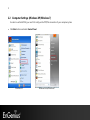
Computer Settings (Windows XP/Windows 7) ......................................................................................................................................9
Apple Mac X OS................................................................................................................................... Error! Bookmark not defined.
Hardware Installation......................................................................................................................... Error! Bookmark not defined.
Configuring Your Access Point ...................................................................................................................................... 15
3.1
3.2
4
Features and Benefits .....................................................................................................................................................................................4
Package Contents ............................................................................................................................................................................................5
System Requirements .....................................................................................................................................................................................6
Applications .......................................................................................................................................................................................................6
Operation Mode ............................................................................................................................................................................................ 23
IP Settings ........................................................................................................................................................................................................ 25
Spanning Tree Setting ................................................................................................................................................................................. 26
Wireless ............................................................................................................................................................................ 28